We remain fully operational. Our teams are working around the clock to ensure your deliveries continue safely.

Descargar la aplicación


Servicios al cliente
Sobre nosotros
Copyright © 2025 Desertcart Holdings Limited
Descargar la aplicación
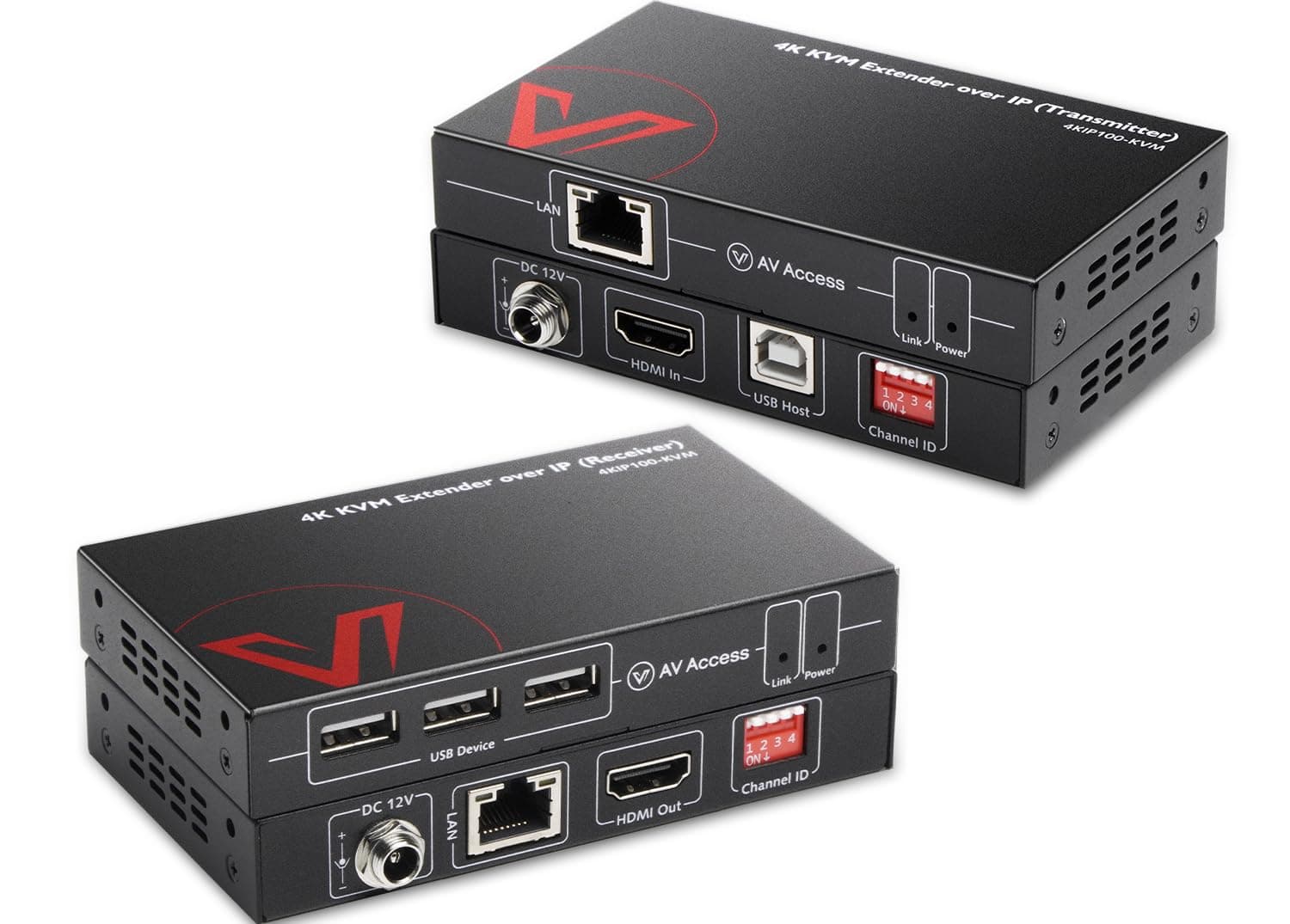
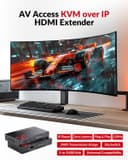

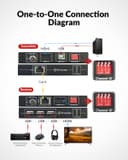
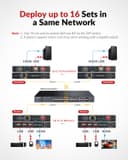



🚀 Elevate your remote control game with zero lag and total freedom!
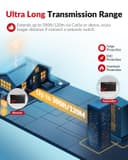
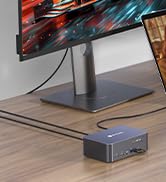
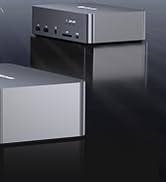
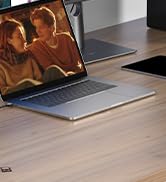
The AV Access 4KIP100-KVM is a high-performance HDMI USB KVM extender that transmits 4K@30Hz and 1080P@120Hz video, audio, and USB signals up to 120 meters over a single Ethernet cable. It supports remote control of PCs, servers, and consoles via USB peripherals, offers plug-and-play setup with no drivers needed, and allows up to 16 units to operate simultaneously on one network. Designed for professional environments, it features locking power connectors and ESD protection for stable, reliable operation.















| ASIN | B07N2M5YYR |
| Actuator Type | 4K@30Hz and 1080P@120Hz |
| Best Sellers Rank | #80 in KVM Switches |
| Brand Name | v AV Access |
| Circuit Type | parallel |
| Color | KVM over IP |
| Connectivity Protocol | IEEE T568B |
| Connector Type | Hdmi,usb-a,usb-b,rj45 |
| Contact Material | Metal |
| Contact Type | Dip Switch |
| Control Method | Remote |
| Current Rating | 1 Amps |
| Customer Reviews | 4.0 4.0 out of 5 stars (284) |
| International Protection Rating | IP54, IP67 |
| Item Dimensions | 7.95 x 0.01 x 2.95 inches |
| Manufacturer | v AV Access |
| Material Type | Metal |
| Model | 4KIP100-KVM |
| Mounting Type | Rack Mount |
| Number of Positions | 2 |
| Operating Voltage | 12 Volts (DC) |
| Operation Mode | OFF-NONE-ON |
| Specification Met | Ce Fcc |
| Switch Type | DIP Switch |
| Terminal | Screw |
| Unit Count | 1 Count |
| Warranty Description | We offer 1-year and 30-day hassle-free return to end-users. |
M**S
Smooth 120Hz Video Over Long Distance — Works Like a Charm
I've been using this extender for about a week, and it’s been rock solid so far. I'm running it at 1080P@120Hz over about 100m of CAT6 cable to my gaming setup, and the image quality is crystal clear with zero lag. The 3 USB ports on the receiver side are super handy — I have my mouse, keyboard, and a USB headset plugged in, and they all respond instantly. Setting it up was straightforward — no drivers, just plug and play. I like that the power connectors lock in place, so nothing gets accidentally unplugged. Also tested it with my PS5 and Xbox, and both worked flawlessly. If you need to control your PC or console remotely with smooth, high refresh video and stable USB connections, this is a solid choice.
A**O
Easy and effective
I've been having a medical issue/pain, which is preventing me from sitting in my office chair for more than a few minutes at a time. I'm a lifelong gamer, so not only was I having to work on my iPad, but I couldn't play any PC games. I got some super long cables and ran them across the house to connect my PC to the living room TV, but I don't like clutter and it started driving me nuts immediately. My husband fabricated an amazing monitor stand to go beside the couch, and I bought these delightful things (AV Access 4K HDMI USB KVM Extender). I hooked them up and they worked immediately! I have zero lag, and have played several games, including World of Warcraft and Aloft on Steam. Even my USB headset works for Zoom calls. There have been maybe two instances where they didn't work when I started the computer, but disconnecting the Ethernet cable and reconnecting it did the trick. It has not dropped while I'm actively using it. The entire ~40' run (from the first KVM to the wall jack, from the inside of the female-female office jack to the inside of the living room jack, from the living room jack to the second KVM) is CAT6 (https://www.amazon.com/dp/B07J6NJDRV).
M**N
Easy way to extend HDMI if you already have ethernet
I needed a way to play computer games from the couch from time to time, as my back was giving me trouble in my computer chair. I am happy to say they work pretty well, and are generally just plug and play. Unfortunately the USB extender does NOT work with Xbox One controllers for some reason. I was able to use a USB bluetooth adapter over the extender, but the controller would miss inputs and lose connection frequently. In the end I had to install a high power Wifi / bluetooth PCIe adapter in my computer and connect the controller to that. Running certain apps on my computer, especially Filezilla will cause the HDMI signal to cut in/out for some reason (even though its connected to a different port on the switch) but other than that these work pretty well. No noticable signal loss or added latency in 1080P@60Hz. I would definitely recommend the other direct HDMI over CAT6 options if you can run another cable between extenders, as ethernet has its share of quirks. But if you cant or dont want to run another cable and already have ethernet these are a pretty good option. I have noticed that even when not in use, the extender switch ports use a LOT of bandwidth. Fortunately I haven't noticed any speed issues as a result, so maybe this is just broadcast traffic that gets dropped when other stuff is running.
R**R
Died after 2 years
I used the HDMI extender to connect a security NVR to a TV over about 50 feet of CAT5E. It worked OK. There's no lag which is useful because the device is controlled using a mouse. The picture quality is OK at 720P. Unfortunately, the extender stopped working after about 2 years.
S**S
Quality of your LAN, cables, and startup order is key.
I used the setup to move my noisy PC to a different location, over 50 feet away, and enable local keyboard, mouse, and MIDI / USB Keyboard / Monitors - silence is golden - and it worked great. Periodically we have to restart the system, it would take a minute to re-sync as outlined in the documentation, however, it delivered as outlined in the documentation. As it runs over IP, I could now enable over our wireless wifi6/7 - and it worked great as outlined for 4k at 60hz - letting me move equipment and connect to various systems remotely. Moving your music / noisy system to another place than your working area allows for a quiet workplace - that the KVM could be connected to multiple remote systems is just another win. The quality of the unit, and clear directions, as well as AV Access not being a fly by night place, they've been around for a while, and supported this and other products, which didn't require complex setup, drivers, etc. it just worked. Note: start the unit closest to the PC first, then turn on the "receiver" the unit to which you plug in your USB devices, I put a 4 port hub on it (keyboard, mouse, sound system, Webcam, beyond using the 3 usb ports) and all worked through same USB to LAN/IP connection :) = finally yes, standard HMDI port worked great. Has DIP switches so you can put multiple units into play. I'd looked for a number of move the PC elsewhere - wireless KVM, wireless HDMI, with bluetooth - this just works ;) and if you are doing more than 1 system, it's really a no brainer. 我使用该设置将嘈杂的PC移动到50英尺以外的不同位置,并启用本地键盘,鼠标和MIDI / USB键盘/监视器-静音是金色的-效果很好。我们必须定期重新启动系统,如文档中所述,重新同步将需要一分钟,但是,它如文档中所述交付。当它通过IP运行时,我现在可以通过我们的无线wifi6 / 7启用-它的工作原理非常出色,适用于60hz的4k-让我移动设备并远程连接到各种系统。将音乐/嘈杂的系统移动到工作区域以外的其他地方,可以建立一个安静的工作场所-KVM可以连接到多个远程系统只是另一个胜利。单元的质量,清晰的方向以及AV Access并非夜间飞行的地方,它们已经存在了一段时间,并支持了此产品和其他产品,这些产品不需要复杂的设置,驱动程序等。它只是起作用了。注意:首先启动最接近PC的单元,然后打开“接收器”,将插入USB设备的单元打开,我在其上放置了4端口集线器(键盘,鼠标,声音系统,网络摄像头,而不是使用3个USB端口),并且都通过相同的USB到LAN / IP连接工作:) =最后是的,标准HMDI端口效果很好。具有DIP开关,因此您可以玩多个单元。我曾寻找将PC移到其他地方的许多方法-无线KVM,无线HDMI和蓝牙-这行得通;)并且,如果您使用的是1个以上的系统,那确实很容易。
B**E
These are actually great quality and worked well. Want to extend an HDMI monitor, mmouse and keyboard, this worked. Great packaging, solid and take a small footprint.
E**S
Works really well and straight forward setup. I'm using it to connect my racing sim to my PC from across the house through cat6a. Only problem is that it uses a lot of bandwidth, 1 Gigabit switch is just barely enough for 1080p 60hz and my USB devices. Doing anything else that requires the network on the same line causes the screen to flicker (such as discord screensharing). I'd imagine i'd need to upgrade my switches to 2.5 Gigabit to resolve this issue, but it would have been nice for the merchant to mention this, or perhaps better optimization of the KVM Extender. A direct connection of the extenders would also likely eliminate this issue, but that isn't possible with my network.
E**B
HDEX80-KVM: Games and videos look great with this extender, however, if the screen is busy with small font text, the text becomes noticeably fuzzy with compression artifacts. I'm picky so that's a deal breaker for me. I'm going to instead buy the unit that does uncompressed video. The 4KEX100-KVM video quality is uncompressed and appears perfect. I run a 2560x1440 display at 60Hz. I ran a 50M Cat7 cable. Works great.
T**Y
Use to run a 75ft Cat6 between front stage and control booth. My USB cam and USB Audio interface works together just fine, since this thing has two usb ports. All metal housing. Power supply has locking screw for added secure power connection.
Trustpilot
Hace 1 mes
Hace 2 días