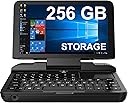
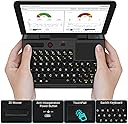
![GPD Micro PC [256GB M.2 SSD Version] 6 Inches Mini Industry Laptop [Latest HW Update CPU Celeron Processor N4120] Portable Laptop Computer Notebook OS Win 10 Pro,Ubuntu Mate 18.10,8GB RAM](https://m.media-amazon.com/images/I/71nf3k44snL.jpg)

🚀 Mini in size, mighty in impact — the ultimate pro’s pocket PC!
The GPD Micro PC is a compact 6-inch industrial mini laptop featuring a quad-core Intel Celeron N4120 CPU with ultra-low 10W power consumption, 8GB DDR4 RAM, and a fast 256GB M.2 SSD. It offers extensive connectivity including RJ45 Ethernet, RS232 serial port, USB 3.0, and USB-C, making it ideal for IT professionals and industrial applications. With a rugged design, backlit keyboard, and up to 5 hours battery life, it’s engineered for portability and productivity in demanding environments.


| ASIN | B07QYZHM8F |
| Additional Features | Backlit Keyboard |
| Aspect Ratio | 16:9 |
| Best Sellers Rank | #15,758 in Computers & Accessories ( See Top 100 in Computers & Accessories ) #2,315 in Traditional Laptop Computers |
| Brand | LANRUO |
| Built-In Media | packaging box, charger, USB C Cable |
| CPU Model | Celeron |
| CPU Model Number | N4120 |
| CPU Model Speed Maximum | 2.4 GHz |
| CPU Speed | 2 GHz |
| Cache Memory Installed Size | 256 GB |
| Cache Size | 256 GB |
| Connectivity Technology | USB |
| Cooling Method | Passive |
| Customer Reviews | 4.1 out of 5 stars 213 Reviews |
| Display Resolution Maximum | 1280x720 Pixels |
| Display Type | LCD |
| Graphics Card Description | Integrated |
| Graphics Card Interface | Integrated |
| Graphics Card Ram | 128 GB |
| Graphics Coprocessor | Intel HD Graphics 200 |
| Graphics Description | Integrated |
| Hard Disk Description | SSD |
| Hard Disk Interface | Serial ATA-600 |
| Hardware Interface | Serial Interface, USB |
| Human-Interface Input | Keyboard |
| Item Dimensions | 5.91 x 4.33 x 0.93 inches |
| Item Height | 2.35 centimeters |
| Item Weight | 465 Grams |
| Keyboard Description | Ergonomic |
| Manufacturer | GPD |
| Memory Clock Speed | 1.1 GHz |
| Memory Slots Available | 1 |
| Memory Speed | 700 MHz |
| Memory Storage Capacity | 128 GB |
| Model Name | GPD MICRO PC 256GB |
| Model Number | LANRUOGPD0113 |
| Model Year | 2021 |
| Native Resolution | 1366 x 768 |
| Number of Component Outputs | 1 |
| Operating System | Windows 10 Pro |
| Personal Computer Design Type | Mini PC |
| Power Consumption | 10 Watts |
| Processor Brand | Intel |
| Processor Count | 4 |
| Processor Series | Celeron |
| Processor Speed | 2 GHz |
| RAM Memory Installed | 8 GB |
| RAM Memory Technology | DDR4 |
| RAM Type | DDR4 SDRAM |
| Ram Memory Maximum Size | 8 GB |
| Resolution | 4K |
| Screen Size | 6 Inches |
| Specific Uses For Product | Business |
| Total Number of HDMI Ports | 1 |
| Total Usb Ports | 3 |
| Video Output | Type C |
| Video Processor | Intel |
| Wireless Compability | 2.4 GHz Radio Frequency, 5.8 GHz Radio Frequency |
| Wireless Network Technology | Wi-Fi |
| Wireless Technology | Wi-Fi |
W**B
Excellent Handheld PC
My original attraction to the GPD Micro PC was the built in RS232 port. I work in a chemical plant where much of the data collection and control hardware is configured by an RS232 connection. But I was concerned that the Micro PC would be too small to be of any real use. I was very wrong in this concern. The more I use this PC, the more I am amazed at how much fits into such a small package. This review is some of my first impressions about the GPD Micro PC. The first thing that I noticed is the Micro PC comes in a very nice box. The box contains the PC, a mini type-C cable, power adapter, a lanyard, and a “user manual”. The user manual is practically useless but does have some information about the power adapter requirements. I haven’t really used the lanyard but I do find it interesting that a complete PC can hang on a string around your wrist. After charging, the Micro PC started up with the standard Windows 10 set up. Microsoft Office applications load and run without a hitch. The Windows 10 compatible plant control software that I use works perfectly. I have used the Micro PC to give a PowerPoint presentation. The only drawback was most of my colleagues were more interested in the tiny PC driving the presentation than the presentation itself. The Micro PC is quite well suited for holding with two hands and typing with your thumbs. The keyboard reminds me of the keys on a calculator. I seriously doubt I will use this PC for report writing but it is more than adequate for typing a few line commands or making edits to an existing report. I have no complaints about the touchpad. It supports two finger scrolling, double tap to click, and pinch to zoom. One thing I did notice is the power on/off button needs “two clicks” to turn on the PC. Charging is done through the mini-C port and seems to take about an hour for full charge. I usually get about 4 to 5 hours of run time. This means I need to have the charger plugged in if I need to monitor a piece of connected equipment overnight. The charging LED gives no indication of when charging is completed. It simply lights when the charger is connected and providing power. The power LED is of course on when the PC is on. The power LED does slowly increase and fade in intensity when the PC is in sleep mode with the screen open or closed. I bought the Micro PC with the 128 GB SSD. My thoughts were to take advantage of the advertised user upgradable M.2 SSD. There is a seal over one of the screws that must be broken/removed to open the case. I am a little concerned that opening the case may have an effect on the one year warranty. Opening the case may not be necessary since the microSD slot will support a 512 GB card. I have a 512 GB Samsung EVO card in the slot and it works perfectly. The microSD card must be inserted with the contacts and not the label side up (up is towards the keyboard). There is a very tiny image of this microSD card orientation beside the slot that I did not immediately notice. I have connected every I/O port (including the headphones) on this PC to something and every port works as expected. I particularly like the keyboard backlight since I often use this PC where the lighting is poor. My impression is this PC is durable. The build quality feels solid. I am not concerned about the normal bumps and dings associated with industrial use. I saw one review where it was stated that the keyboard left impressions of the keys on the screen. This is not the case with the Micro PC that I received. The screen on my Micro PC closes against rubber bumpers below the keyboard that keep the screen from contacting the keys. I am a little concerned about how to contact the manufacturer if I ever need support. The gpd.hk webpage service & support tab does not seem to give a way to contact support in the US. Overall, I am very pleased with the quality and capability of the GPD Micro PC.
R**N
Great little device
Great little portable PC. It's not a powerhouse and you can get something more powerful for the price, but it performs better than I expected it to for a Celeron. Its selling point also is its size as well as the large array of ports that comes with it. The USB-C port can be used for charging as well as connecting to docks. Connecting to two external monitors works through USB-C alone, although at this point the video performance can get a bit sluggish. You also have the options to connect monitors through a full HDMI port, which is convenient. The serial port is nice for some certain use cases, although mostly for IT professionals and those who work with industrial equipment. I did notice some strange graphical issues in some cases, such as half the screen turning off in some full screen situations like with YouTube, but after manually updating the Intel drivers I haven't that issue. The battery life overall is good with normal use. The keyboard is okay, although cramped. Using key combinations can be tricky sometimes. But these are the sort of things you'd expect from a small keyboard. The trackpad isn't great but could be worse. It's about what you'd expect for an entry level laptop. I would have preferred a TrackPoint personally. The body is made of plastic, but it's a think plastic that feels durable The 720P screen looks good. It's not very high res but is fine for a 6" screen. The 720P screen also is easier on the integrated graphics card. The GPDMicro isn't a Steam Deck or a great gaming machine but can do some light gaming and emulation. The GPD MicroPC isn't for everyone. I feel you know if you are the target audience for this machine. If you are looking for small versatile machine that is as capable of doing full laptop tasks with a wide variety of ports to boot this is a nice choice. The pricing tends to fluctuate, so that's something to keep an eye on.
G**G
Fantastic Utilitarian Device
I've had this laptop for nearly 4months, and I'm still impressed by the build quality of this thing. I truly believe it is the best low voltage/IT field technician laptop I've ever purchased. It's also perfect for on-the-go media consumption and even some light gaming. Between the size/weight, the expansive I/O, and surprisingly powerful hardware; this thing is the very definition of a utilitarian device. I has done everything I've asked of it, often times far better than my full size laptops. Battery life is surprisingly decent, considering the size. The screen resolution sufficient and the screen brightness impressive. You won't be writing any novels on the keyboard, but this is the wrong type of laptop for that anyways. The touch pad is responsive and smooth. Time will tell the robustness of the hardware and battery. And I've found the back light a bit uneven across the keyboard. I also can't comment on the usability of linux on it either. The cooling fan does make some noise when it gets going, but it does what it's intended to do (cool that overclocked CPU). Overall, the minor gripes I have with the device are vastly overshadowed by the good. Bottom line, if you're looking for a laptop for field work, I honestly don't think you can find a better choice. I've even started throwing it in my EDC backpack. If GPD can deliver on long term reliability, this device is a real home run in my opinion. I'm happy to see a company filling the niche of pocket laptops again.
T**W
A really cool and quality product, but...
So GREAT NEWS, as a fan of mini computers this is a really neat product and I actually have no qualms with its speed of operations and ergonomics, even the mouse and keyboard layout when you actually have it in your hand can be easily adapted to. It feels like a real standard computer and I've already played a game on it (Sheltered by Unity) and it ran flawlessly and have watched several videos and browsed the 5G internet without any interruptions. My MINOR ISSUE with this system is that the battery life feels a bit short (but if you have access to an outlet there's no real issue). Plus I gave it's battery 4 out of 5 stars because it will run for at least a couple hours, so still nothing bad. My MAJOR ISSUE is that it doesn't run an authentic copy of windows. The way I found this out is, originally, there is a on board program that allows you a reset of the whole system without doing an actual factory reset. What I assume this program does is it has an automatic copy of a base restore point, and when this program is run, it automatically runs this restore option that also somehow by-passes the authenticity check. IF you do what I usually do naturally and do a factory reboot and recycle the system, it will also delete this program and restore point and the OS will come back limited in your ability to customize it. It will also have the watermarked logo in the background letting you know you are running an unregistered copy of windows. MY FINAL OPINION, hardware wise, its the best portable mini computer I've run across EVER for those who want an the best portable computer experience, just be prepared to buy an authentic copy of Windows or whatever OS you prefer if you have ethics like I do about by-passing copy-righted products. I mean in my opinion they could of got any Linux OS system that replicates windows almost exactly and it's open source. Otherwise there's a way for you to at least enjoy the system and reset it without needing to register the actual OS itself on your own dime.
A**N
small with decent performance, critical hinge flaw
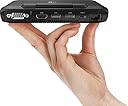
Edit 08/29/2020: I'm sad to report a flaw. The hinge drag breaks, and the screen is just floppy, completely loose. Lanruo was very good and helped me get a replacement machine since repairing was not possible during Covid19. The first machine broke after 8 months of use. The second one broke after about 3 weeks. I do open and close the lid a lot, but I wouldn't say more than 10 times a day, GPD needs to do something about this. Even counting the use time of my second machine I have not made it to a full 12 months of use time. This is my favorite of all the GPD line, but they really need to make the hinge reliable, especially for a machine that they claim is durable and will stand up to being bounced around in a toolbox. At this point I am waiting around for Lanruo, GPD, somebody, to help me get this fixed for a second time. Come on people, this is 2020, engineering hinges to fail is not a good idea. 1 star should do it. My money is currently considered very wasted indeed. Original review: I'm typing this on the micro, yes really on the internal keyboard. First off, I'm totally blind, so my ideals will differ a little. This is a very long review though, but I think this may be insightful. I do recommend anyone interested give this a read though. I'm going to get geeky in a bit, a lot of what I have to say will have meaning for the mainstream, and I do answer some questions here that I had before I received the Micro. Blind folks have been using small devices like this for years. We habitually call our machines note takers. They generally contain a braille input keyboard, maybe a braille output display, are about the size of the GPD micro, most often have built in speech output, and most always cost around 6 times as much as this machine. Note takers generally use either non mainstream operating systems also, or antiquated versions of something mainstream, like a very old port of Android, with a skin on it to make the interface more linear. This is all to give a context as to where I'm coming from here, and might especially sing to other potential blind customers. We do have a windows 10 based option, the Elbraille. It runs an expensive JAWS screen reader to provide speech, and you also put a Focus Braille display in it, like it is a dock for the display. The dock runs a price of around $1300. Enter GPD. All of GPD's windows based machines are perfectly usable by the blind. The keyboards of these machines all pose interesting problems when it comes to the fancy additional sometimes complicated and acrobatic keyboard key combinations we rely on to run the screen reader, but it all works with a degree of additional patience. The pocket variant of GPD's offerings is a little extra bothersome, because most of the special keys we use, tab, caps lock, insert etc, are placed at the top, out of their normal positions. This usually just means learning new finger contortions to continue doing the same things, meanwhile the keyboard on the pocket2 is good enough that with some practice one might type at a decent clip comfortably. The Micro, on the other hand, puts most keys either in the correct places, or close to it. There are a few exceptions. There is still no context menu key, but big laptops today omit that also. The caps lock and tab keys are however in the proper place, so many screen reader commands become more natural. One oddity with the Micro is that left shift does not send if pressed in combination with caps lock. So caps lock+left shift+b, to check battery status globally, doesn't work, but caps lock+right shift+b does. All this goes to say that if you use a lot of the so-called special keys, the Micro is actually closer to a normal layout. Especially once you grant that it actually has a right shift, when the pocket2 does not. At this point I have success with every screen reader function directly on the internal keyboard, and I have not needed to remap anything with sharp keys, nor adjust the keys the screen reader uses to do any function. The number row is doubled up. They have two rows. The second row from the top is grave accent, just below escape, right where it belongs, and the 1 through 5, dash, and equals. The top row is escape, 6 through 0, volume down, and volume up. To get function keys, press fn and the number, e.g. fn+4 for f4. F11 and f12 are accomplished by fn and the volume down or volume up respectively. This is impressively common sense. The reason for doubling the number row is to provide a space for the touch pad in the upper right hand of the keyboard. I can't really use a touch pad efficiently, and I kept clicking things while reaching near it to hit volume up or equals etc, so I turned it off in device manager. I would have liked to have left it on and just disabled tap to click, in loo of using the left, middle and right mouse buttons available on the left end just above the keyboard, but I haven't found a way to stop tap to click yet. Interestingly, for some reason multifinger gestures to scroll continue to work with the touch pad disabled, weird. The pocket 2 contains a silicone covered strip above the keyboard with a few button functions, like the fan noise toggle and volume. The buttons, I have been informed, are difficult to feel, somewhat like using a microwave's buttons, where you can't really feel where what is, and you just sort of press here and there looking for places that depress, and hope you got lucky and hit the one you wanted. The micro doesn't have this. We just have physical out in the open mouse buttons, and the slider switch that controls the fan. The volume is on the keyboard itself, as mentioned earlier. The right most two buttons on the top row. Brightness down and up is fn+u and fn+i respectively. These are improvements over the way the pocket2 handles these issues. The keyboard is fairly hard to touch type on. I have taken to using my first 3 fingers of each hand, using my fourth on both hands for just being stationary and kind of keeping things grounded. My right tends to hang out on the enter key, wile my left on caps lock. I hit p with my third finger, for instance. It's awkward, but not out of the question. The buttons act like those on a cell phone. They click, are hard to press, are very close together, and have little travel. It's easier to type on a desk, because the pressure needed to get the keys going bounces the machine about disconcertingly when just on a knee or on your belly, etc. If I'm really gonna be banging in some serious word processing, it's to my trusty Logitech k380 bluetooth keyboard, or I just use my big laptop. I typed this entire review on the internal however, so take this as some idea of what's possible. The fan is managed by an actual sliding switch. When switched to the left, fan is off. This is not like the noise level control of the pocket2, here off means off. This is good, because the fan is noisy. It's not terribly bothersome in person, but to anyone listening through your microphone the fan is very loud. Skype with the fan on and using internal microphone is not a nice thing. Luckily, the passive cooling aspect of this machine's configuration is adequate. Speaking of the microphone, we come to my least favorite thing. This machine is extremely bad with handling noise. In the aforementioned Skype call, you don't use your computer or really even move your hands on it. If you do, you make such a racket that you fade the other caller or callers out and can't make out what they're saying, which probably amounts to "damn you're noisy, stop that wouldya?" I have attempted to improve the situation by turning the mic gain down and such, and tweaking the boost. It's a total loss. The only real solution here is to wear a headset that provides an external microphone, or type on a separate keyboard, or just talk and don't use your computer at the same time. I am finding this to be a large downer, if I eventually return my machine this will be the main reason for it. Battery. I can get around 9 hours under very light load. I don't need the screen, so I have the brightness at 0. This machine does not allow projecting to second screen only when there is no actual second screen available, so that method of blackening the screen and getting a considerable battery life boost is unavailable. I find the battery good enough. It holds up reasonably well under heavy load. Average is indeed about 6. The processor is what I really love about this machine. The max clock rate is 2.4 ghz. It has a thermal design policy of 10 watts, and the computer itself provides all of that for it. I find it responsive for most things. It isn't as fast as my bigger, way more expensive laptop, but it's also not slow by any means. It browses the web just fine, boots quickly, etc. The sound card seems to be efficient, the screen reader responds to key presses with speech output eagerly and most of the time before I get the button released. It's a gleefully snappy little machine. I ran CPUZ 1.8 CPU stress test while a friend with the m3y30 version of the pocket 2 did the same. With our fans both on, the pocket started out staying even with me, but shortly fell away to a pretty low scoreof around 460, while mine stayed steady at 730 for as long as I wanted. The cpu is limited by wattage in the pocket2, more than heat constraints. The cpu in the Micro is only limited by heat. I had to turn my fan off to get the temp to go above 160 degrees f to discover that. At about 190 the clock rate began dropping to prevent the temp from climbing any higher. The drops in clock speed started out coming far apart, for very little time. They got closer and closer together and lasted longer the longer I let it run. About 25 minutes into the stress test with no fan I was still beating the pocket who's fan was on the noisy mode, with a score for me of about 530. The lowest clock speed I noticed was 1.7ghz. Very respectable in my book. Meanwhile the machine was not that hot to the touch. I didn't have trouble holding onto any parts of the case. When I turn the fan switch on, while the stress test was still under way the cpu actually was cooled enough that it was staying clocked at 2.4ghz again. Also very respectable in my book. The ram is supposed to be ddr4 here, where on the pocket, apparently even the newest m3 8100 version, is ddr3. The machine sleeps and wakes up unfailingly. I have it configured to do nothing when I close the lid. The power button puts it to sleep. This way I can elect to leave it on and stick it in a pocket or a bag and let it do what it will. It has yet to do anything wrong when I open the lid. It's on and the screen reader is talking and being responsive about as soon as I can get positioned on the keyboard. I'm very pleased with this aspect. The only complaint I can make here is that if the lid is shut while not being asleep, it can press buttons with pressure on the lid, it most often seems to be tab, and my screen reader will be babbling away about what ever element just got focused. So far as I'm aware however, while pressing buttons on the keyboard does wake the machine, it doesn't seem to be doing so if the lid remains closed, unless I just haven't managed to depress any buttons while sleepy yet. I like the WiFi well enough. It's Intel AC3165. It could be worse. It does what I need a tiny pc to do fine. In case the picture isn't clear, or blind customers want to know, here's a description of the ports.Back, from left to right: RJ45 Ethernet 1gbps, USB type C, this is where you charge it, though it works as a host as well, two USB type A, full sized HDMI, Serial Port. This is the big one that looks sort of like a backwards VGA display port. Left, from back to front: USB type A, Micro SD. This sd slot is nice. The card goes in too far for easily bumping it and popping your potentially valuable card and or data out, like I did with my AsusTeK T100 tablet. Never did find it again. Front, on the very left corner is the lanyard mounting holes, and then right next to it it the 3.5mm audio, and that's everything. I can fit this in some of my pockets, but not all. Some of my pants and shorts are too small. I do have a shirt with a pocket big enough while most of my shirt pockets are not, so I call this hit and miss. I like plunking this down in the glovebox in the car. There's a little slot below the head unit, presumably for cell phones. This fits in there perfectly, and I run my retractable male to male patch cable from it to the Auxiliary jack on the head unit, then I can play my music off the sd card on the radio. My phone is one of those fancy ones with that feature wherein you have no headset jack so this actually is helpful, especially because the van doesn't have bluetooth.
T**L
almost perfect.
Had to buy my own Windows Key and the battery doesn't work. I'll have to order a new one with a good cable. I was hoping to use this a portable computer but all I got was a under powered tethered PC.
S**.
My dream machine
This is it... this is my dream machine. I had a clear vision in my mind circa 1999 about what mobile computing in the future would look like. It hasn't come to pass... until this machine. The form factor is pretty comfortable in the hands with the touch pad under your right thumb and the mouse buttons under your left thumb. There's even a middle mouse button that is useful to help with scrolling pages. The touchpad works as well as any other touchpad I've used with about a zero percent chance of your palms interrupting your typing. The keyboard is tiny, more akin to a Blackberry keyboard. It would likely be too small for touch typing or writing for any length of time. But when you hold the device in both hands, it makes it easy for the large handed like myself to type with your thumbs like a phone keyboard. The tactile response is very nice for a keyboard this size, even more tactile than a new Macbook. The keys feel crisp when typing, not sluggish. The spacebar is my only gripe because sometimes when depressing it, you get a double click (but not a double space) that makes you hesitate for a second wondering if you fat fingered another key. The processor and RAM under the hood are no slouch. I've not tried to run AAA games or anything, but it handles the daily tasks of office work, serial terminals, internet videos, and small indie games with ease. The storage is 128 GB, adequate for the price and pretty quick accessibility. The screen isn't as high resolution as other devices out there, but at 6 inches you wouldn't want more high resolution. This is the limit of what I would consider acceptable, with things like the GPD Pocket going slightly too far in the direction of unacceptable. The brightness is very good and I find half brightness to be more than plenty for a fully lit room or even the shade outside. Ports! This things has ports! I love me some ports! It looked at the state of the art where you jam everything into a USB C and said "yeah okay, here's a USB C port... and 3 USB 3.0 ports... and a full size HDMI port... and a wired ethernet port... and an SD micro card slow.... and a 3.5mm audio port.... and a freaking RS-232 serial port!" This is great for interfacing with vintage machines and specialized equipment (yes, in 2019 you can still buy equipment with an RS232 port on it) and the portable size shows that this is what they hand in mind. The device is thick in an era of thin and thank goodness. You couldn't hold this thing if it were thin. It doesn't feel particularly heavy in my hands but will weigh you down more than a cell phone. It is pocketable but it helps to have loose pants. The battery life is very good in my view. The GPD Pocket seemed to burn up its battery even in suspend mode frightfully fast. (I'm not sure about the Pocket 2). With light use, you can expect about 2 days away from the charger. With moderate use, expect all day. With constant use, expect about 3 hours. That's not bad at all. The speaker is weak and located under the device. In a quiet room it is more than plenty. In a crowded bar, you're not going to hear much (but why are you on your MicroPC in a crowded bar anyways?) I took this with me on a 3 day business trip recently. It was good enough for 99% of my computing on the road. I am thrilled to have this machine and it's exactly what I've wanted for the past 20 years. The GPD Pocket 1 was so close but hampered by some quality control issues and poor battery life. This thing nailed it for me.
J**Y
Well built and ultra compact plus now works with Linux (see notes)
This unit has excellent build quality and is super small. In fact if you hold most modern smartphones via landscape this unit is not much wider. It is about two smartphones thick. I am very impressed with the ease of use for such a small unit. The touchpad, which is a missing feature on many smaller units, is responsive and easy to use. The keyboard has a great feel especially for non full size keys. The screen is bright and easy to read with pocket feeling comfortable in the hands. The mini laptop did get quite hot as times so the active cooling (fan) is really appreciated. I am very pleased with this unit's hardware and life of battery. Also the serial port is great when working with older network gear. The ports on this device are simply awesome. I will say when I first got the device it did not work with Linux and that was a major bummer as I can not stand Windows. However as of October that has changed. See below. Notes/Updates: * Oct 27, 2019 - I am able to finally run Ubuntu MATE correctly on this device using Ubuntu MATE 19.10. The display is now correctly shown. All other functions, which worked before, continue to work like Wifi, USB, sound, LAN, trackpad, keyboard, etc. So Ubuntu MATE 19.10 is a win with this device. I can't speak for other updated distros but can confirm this distro works great. I have bumped the star rating from four to five. I also have left my previous comments below in the name of completeness. Finally no more Windows 10! Long live Ubuntu MATE. Long live Linux. * July 31, 2019 - Below are comments about Ubuntu MATE on the GPD MicroPC. I did want to note Ubuntu MATE has released a preAlpha version of 19.10 for this device. Still since this isn't ready for production I am going to hold off on five stars (reasons below). * June 27, 2019 that effort failed. I tried loading Ubuntu MATE x86 versions 18.04 LTS, 18.10, and 19.04. All these failed. I even tried loading Ubuntu MATE GPD Pocket 2 versions 18.10 and 19.04. All just went to a black screen even if left for 20+ minutes. I next tried Debian 9.9.0. This loaded but the installer reported missing Wifi drivers (non free required) and the keyboard wouldn't work in text fields. I did manage to finally get Ubuntu MATE 19.04 to work when booting with safe graphics. This obviously points clearly to a driver issue. I was not able to rotate the screen 90 degrees so it was odd using the pocket in this mode. I did try many commands (xrandr and cvt for example but no go). However everything else worked unlike Debian. The Wifi worked, the keyboard worked, videos played, etc. Still since the Live environment didn't work with standard graphic mode I decided not to install Ubuntu MATE and risk a totally useless machine. A shame really. I can't stand Windows. Long live Linux! So for now I'll just have to wait for the proper drivers to catch up which probably won't take to long.
Trustpilot
Hace 2 semanas
Hace 3 semanas