We remain fully operational. Our teams are working around the clock to ensure your deliveries continue safely.

Descargar la aplicación


Servicios al cliente
Sobre nosotros
Copyright © 2025 Desertcart Holdings Limited
Descargar la aplicación
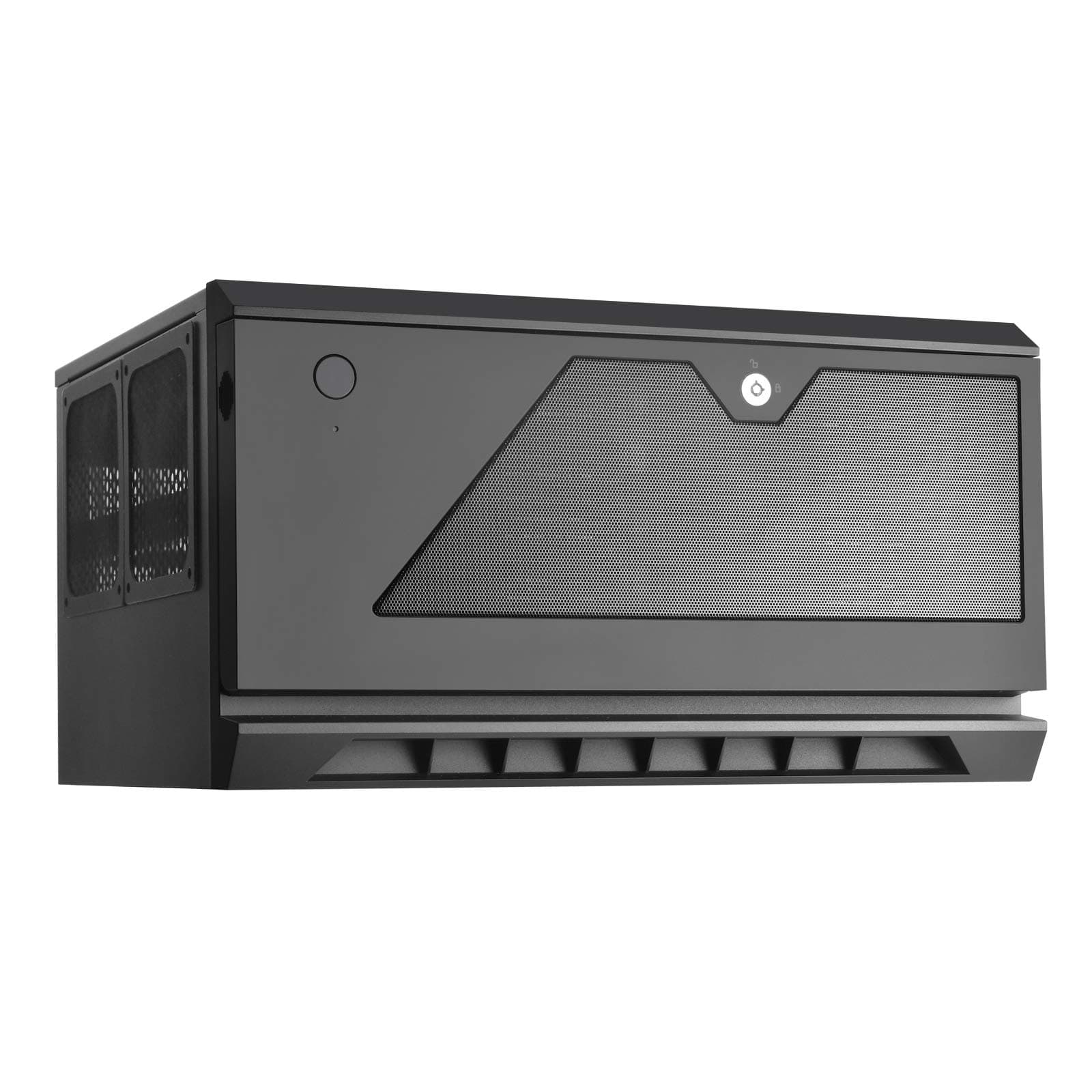

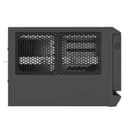
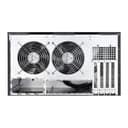


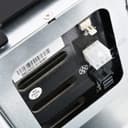
💼 Compact power, secure storage — your server’s sleek new HQ
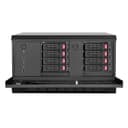
The SilverStone CS381B is a premium Micro-ATX NAS/server case designed for professionals demanding high-density storage and robust security. It supports up to eight hot-swappable 2.5" or 3.5" SAS-12G/SATA-6G drives, features dual 120mm quiet ball bearing fans, and offers front panel locks to safeguard your data. With compatibility for 240mm radiators and high-end components, it balances compact design with versatile hardware support, making it ideal for home servers, data centers, and workstation builds.


| ASIN | B07W8KC3PY |
| Antenna Location | NAS, Server, Data Center |
| Best Sellers Rank | #3,179 in Computer Cases |
| Brand | SilverStone |
| Case Type | Mini-Tower |
| Color | Black |
| Compatible Devices | Micro ATX devices |
| Cooling Method | Air |
| Customer Reviews | 3.7 out of 5 stars 38 Reviews |
| Enclosure Material | Alloy Steel, Plastic |
| Fan Size | 120 Millimeters |
| Global Trade Identification Number | 00844761017361 |
| Hard Disk Form Factor | 3.5 Inches |
| Internal Bays Quantity | 8 |
| Item Dimensions D x W x H | 12.44"D x 8.86"W x 15.75"H |
| Item Type Name | CS381 |
| Item Weight | 15.4 Pounds |
| Light Color | black |
| Manufacturer | Silverstone Technology |
| Material | Alloy Steel, Plastic |
| Model Name | SST-CS381B |
| Motherboard Compatability | Micro ATX |
| Number of Fans | 8 |
| Other Special Features of the Product | Hot Swap Functionality |
| Power Supply Mounting Type | Front Mount |
| Recommended Uses For Product | NAS, Server, Data Center |
| Supported Motherboard | Micro ATX |
| Total USB 3.0 Ports | 2 |
| Total Usb Ports | 2 |
| UPC | 844761017361 |
| Warranty Description | 1 Year Parts and Labor |
P**D
Good server/workstation case
I wanted to build a new home server, and needed it to fit in a very limited space. This case fit the bill, but was pretty expensive, so I was hesitant. I need not have worried -- this case is perfect for my needs. A small, dense system with room for plenty of storage, capable of housing a standard micro ATX motherboard and full AM4 CPU. The build quality is "good enough". The included 120mm fans are nice low-noise, high flow units. The chassis is fairly thick sheet metal, but the front palstics are kinda cheap-feeling. For a server that lives in a closet, this is fine. For a desktop people interact with every day, it might be an issue. If you are considering this chassis, give some serious thought to thermal management. The CPU will be beneath the drive cages, so height is very limited. I went with an AIO water cooling system (the SilverStone Tek Slim 240mm), and it seems to be keeping core temperatures under control. As other reviewerss have mentioned, there's very little airflow over the drives, so keep an eye drive temperatures. A chassis like this is inherently a compromise. By putting this much stuff in this small a space, there are necessary trade offs. Given those limitations though, this is about as good a solution as can be found.
C**N
A Noob's Review of His First Server Case
Perhaps I should have another couple days to cool down before reviewing this...nah. So let me start off by saying I like this case, even though I was basically pigeonholed into getting it- there really are no other cases suitable for the build I got going on (B450, mATX, 8 drive bays). I like the way it looks, there are some really nice ergonomic features that are going to make daily use a breeze (doored off front panel, lock/key, power button makes me feel powerful, etc). The space inside to work in is spacious despite its compact size, and the rails for mounting fans/coolers/etc are modular, which is sweet. I have no graphics card or fancy cooler in my server, so it was especially easy to build in. Like a dummy, I thought my stock AMD cooler couldn't POSSIBLY not fit- well, it was a good thing I checked before build day, because they sure don't, but that is MY fault, not the product- they say clearly on there what does and does not fit. No problem, I got a beautiful noctua ultra low profile cooler. Blah blah blah, yeah it's really great. EXCEPT! The cable needed to connect the drive bays to your SATA ports. I concede that the manual (on the product description) says the TYPE of connector/cable needed, and that this is perhaps a product for a more sentient being than myself (I'm a monkey that just learned how to hold a screwdriver), however SAS to SATA cables are directional!??! Look, for the price of this case, could it kill them to offer a couple different cables? I understand system builders using this case may not have the same needs across the board, but I think it would be possible to include a couple of the specific cables needed to run the drives on a SATA board. If not, could they have at least had a description of EXACTLY what cables are needed with this case for ever scenario they could think of? I was so close, yall...I rush ordered two mini SAS to 4 SATA cables, only found on Newe- I mean...another site (because COVID makes it impossible to get certain things quick these days) and it turns out I got FORWARD breakout cables and I need REVERSE breakout cables! Of course! I must have missed that in Monkey Screwdriver Holding 101! Okay let me get over myself now. I only docked 1 star, because for the price, I think they could have provided cables. If not that, then detailed descriptions on their product pages. Oh, and also the bottom right drive bay is too tight or something, I can't get my drive in there. Not a problem for now (I'm only populating 4 for now), but I got pretty aggravated trying to shove that back in after the cable madness. Will have to look into this. By now you must be thinking, "how is a monkey able to type full sentences on a computer?" and to that I say- good question, but please try to focus; this is an Amazon review, not an Animal Planet documentary. For all you sentient beings out there, with your sysadmin-whosywhatsits and minecraft servers, this is seriously a great case. Price is a little up there, but that's because they have great drive bays, with solid air flow, power delivery, and (supposedly, though I can't possibly know this yet) good data connectivity. The thing looks great, feels great on my thighs, and I super recommend to those who know what they're doing!
A**R
It's not great, but it's still best in it's class
Unfortunately, if you want this case, this is probably your best option. But it has many glaring flaws. Some of the screws aren't properly accessible, forcing you to use a screwdriver at an angle to screw/unscrew them. The overall layout is poorly designed and has a poor path of airflow, which leads to poor cooling performance. The case has no sound dampening to speak of. The front door feels flimsy and the locking mechanism could easily be broken through with the strength of a toddler. The PSU fan filter is mounted magnetically to the bottom of the case. This makes it a real pain to regularly clean when the case is loaded up with drives. For the price, this case should have a much better design and none of the screws should have to be screwed in from an angle because of framing that's in the way. Unfortunately, this is pretty much your only real option if you want a proper SAS backplane that connects via two SAS cables to your HBA. There simply isn't anything better available with the features.
V**A
Good case with a well-defined purpose
The thing with this case is that it's essentially all about the SAS/SATA backplane. It exists for that and it's the main reason why one would buy this case... and it works as you'd expect. Been using it for a few days, did test hot-swapping capabilities. Running a bunch of SAS drivers in it. Happy with the case. It does have a few drawbacks though, so it's good to be aware. Ventilation in the case is quite poor and the case itself does nothing to help for noise, neither from fans nor from the disks themselves so do know that this won't be a super quiet build whatever it is you do. This is a case for mATX so you'd think you'd be able to put a couple of cards in there but, for example, I wouldn't be comfortable having my SAS controller in the "lower" slot without adding some fan to the controller itself because if I move it to said slot it'll get zero airflow. Attached a picture of how this would look for reference. The disks themselves depend on air being pulled in through them which you don't have a good way of ensuring. I've had to force my AIO coolers to a non-negligible minimum amount to guarantee they always have some air. Building in this case is not terrible but a few things can be fiddly sometimes, such as screwing the cages back in after you've places the fans on the side. Nothing major though. Speaking of those fans, they're not PWM in <current year argument>, and the fan connectors on the backplanes are 100% all of the time. Luckily I had a couple of Noctua voltage reducer cables around because while they're not proper screechers, they're far from silent on max. Finally, while researching I went through Silverstone's own website where someone asks if the case has every cable that's needed, to which they responded "yes" but that's not quite the case, as it comes with no SAS cables. The ones I bought were 90 degree ones but they're angled to the "wrong side" which was a bit unfortunate as they'd run straight into the power connectors for the backplanes. In the end, I'd have less trouble if I got straight cables, but was still able to use them. Those details in mind, this is still a great case and I'm happy with my purchase. The thing with this case is that it serves a quite specific niche of a NAS/small server type appliance; and it fits that case well. between 8 hot swap disks and another 2 2.5' drives, that's plenty of storage even if you're planning on separate log volumes for your ZFS pool and whatnot. The case CAN take another 2 (I believe) 2.5' on the side, instead of the fans but I wouldn't recommend it because of how starved for air the case is. At least, not if you're planning on using expansion cards (I mean, I wouldn't trust my controller without those fans on the side, at least). Good stuff, just be aware of what you're getting into so you can plan accordingly
J**J
Be aware of needed accessories for drive cages to work
The case itself is perfect for what I need it for. I'm using the following parts: GIGABYTE B550M DS3H with a 5600x and a stock Wraith cooler. The cooler fits with a millimeter or two of space left while the drive cage is installed. So, it's not totally necessary to get an aftermarket low profile cooler. I also have an Asrock Challenger 6600xt thrown in there. The card does fit, again with a millimeter to spare, but you'll want to confirmed the size of the graphics card you want to use. I'd say the safe limit is 267mm. I also needed to angle this in like the motherboard. Building into the case was smooth. Just remove the cages first and you may need to angle the motherboard in slightly depending on the rear io. Now the only reason I'm really even writing this review, is so other buyers will realize something important. YOU WILL NEED TO PURCHASE A SEPARATE CABLE PER DRIVE CAGE. Whether it be hd mini sas to hd mini sas or in my case, hd mini sas to 4x sata. I specifically grabbed the Silverstone CPS05-RE (to do hd sas to 4x sata) to make life easier. The sideband part of this cable wasn't required to just run the drives as normal, not in a raid or anything. There are currently two listings. One by Amazon and one by Pepe Deals. I've purchased from both and confirmed they're both working as intended. It is a bit bizarre to me though that this 350USD case wouldn't just come with one of each example. Especially when it's required to get the cages working. With that being said, it's about 30-35 per CPS05-RE. So this comes out to almost or over 400 for the whole kit assembled, depending which sas cables you get, where you get them from. So the price is the only reason I knock the star, because it feels like the product is incomplete. But once you do have the proper cable, it's easy enough to get a little server going.
G**B
Horrible design for cooling the hard drives
The CS381B seemed like the perfect NAS chassis. 8 hot swap bays in a compact form factor supporting Mini-ITX. Even has two SSD slots, perfect for the cache drives. I got a Supermicro A2SDi-8C+-HLN4F to go in this chassis. Mini-SAS HD to Mini-SAS HD, perfect! Doesn't seem like there are any other chassis or 4 x 5.25" drive bay enclosures which support this connector readily available in the US market. Everything was going great until I got to the badblocks run. Drive temperatures shot up to 65 °C! Completely unacceptable. This was with two 120mm intake on the sides and two 120mm exhausts on the rear. I tried all sorts of experiments blocking off parts of the chassis and different combinations of fans and ducting. Simply put, this case has a critical design flaw. It is not designed in a way that air moves across the surface of the drives. It seems like every NAS chassis has this issue. Even with 2000 RPM industrial Noctua's, it doesn't seem to make a difference. If only they had done a better job with the airflow on this chassis, everything else about it is so great. I'm beyond the return period too, after all the time spent experimenting. Don't waste your $330 on this piece of junk!
V**R
This is case will need strict attention to airflow.
Update 12/7/24: To anyone that has purchased this case I recommend you immediately inspect the interior. I had lost the two front USB ports so had reason to open it up to see if a cable had come loose. I expected to find the usual amount of dust I’d need to could blow out and clean, but to my surprise I found that all of the unpainted metallic surfaces were covered with a sticky film. At first I wondered if something plastic or rubber had overheated and perhaps gassed off-but soon realized that anything other than the bare metal was perfectly fine; even those things attached directly to the metal. Only the bare silver-gray metal was affected -- both inside the case and out! Whatever the sticky substance was it had not arrived as a vapor. The film itself was coated with the dust I expected to find, but only isopropyl alcohol-soaked pads could remove it as dry paper cloths simply stuck and tore apart. My best guess is that the original sheet-steel Silverstone's manufacturer had used had some sort of protective coating on it which has broken down through heat and time. Nothing was harmed but it was a mess to clean up. This is a review of the SilverStone CS381B NAS Storage Case. The benefit of this case is its compact and shallow design, with room for eight full-sized SAS HDDs, two SSDs, and two M.3 drives, all at a price commensurate with better PC cases. However, as others here have reported, this model has many issues you should know about in advance. The least of the issues is the space over the motherboard and the PSU. Since both are partially underneath the non-adjustable hard drive cages, this restricts two things: your CPU cooler and the PSU itself. If you plan to cool your CPU with a standard heatsink and fan, you will need a low profile set such as Noctua’s NH-L9a-AM4. Likewise, a standard ATX PSU will not fit. You will need an SFX style PSU such as one from the Silverstone SST-SXNNN-LPT series. Since they’re pretty much your only options, I think SilverStone needs to either be more upfront with this in their documentation and advertising, or else (for this price) include the PSU in the case. This delayed my build by at least a week. Before I move on to the big problem, I want to mention a little about the overall design, fit, and finish: my rating; Poor. On a scale of 1-10 I’ll give it a 3. Sharp edges are just about everywhere inside the case, and the steel SilverStone used is lighter than I expected for the money I’d spent. The lead wires from the front panel were sloppily set in place with hot-glue. (Note: hot-glue does not stick well to plastic that still has remnants of mold release on its surfaces). With the front door closed it takes a lot of force to engage the power button on the panel behind it. It’s easier to just open the door to get at the button. On the inside of the door is a rather complicated doohickey sliding thing that is not explained in the scant instructions – although it seems to do nothing more than impede the power button from being accidentally pressed, and also to block the outrageously bright power LED located on the inside face of the panel. The panel itself is not tool-less either - as is commonly found today. It is held in place with very small metal self-tapping screws that go directly into the plastic. Use extreme care if you need to remove it like I had to for a modification. Finally, speaking of moving things (someone else mentioned this in their review, too) the (soft, flexible) feet for the case are not securely attached. To allow for airflow into the downward facing PSU, SilverStone graciously designed the feet very tall, but you must attach them yourself and they get attached with double-faced tape. If you’ve populated your case with drives in all eight of your bays the result will be very heavy - my completed build weighs in at 37lbs. If you try to slide it into place the feet pop off easily. The solution to avoid this is to lift as you push. Alternatively you might pull out the drives before you put the case in its final location. All of this so far is minor. The big issues with this case are the SAS drive cages. There’s just not enough allowance for airflow. The front door/handle of the drive sleds (all plastic and each drive must be mounted to them with metal screws) blocks almost all airflow (see picture). The back of the cage is no better, with three insufficiently small openings - and none for the uppermost drive at all! (See picture) While each side of the cages do have 4 long oval openings, these function as glides for the sleds and contribute very little to airflow. In fact with both of the included rear case fans running at full speed I could barely detect any cross-flow over the drives at all. This resulted immediately into soaring HDD temperatures and I had to shut it down or risk severely shortening the life of my drives. To mitigate these problems I decided to try to force cool air in through the available openings by placing fans on each outward side of the cages, directing air into the space between them. However, since there is not enough room on the right-hand side of the case to fit a standard 120mm fan, I decided to cut the right side panel and mount a fan directly to it (see picture). This worked somewhat but not as much as I’d have liked so next I blocked off the bottom and back-end of the space between the cages to create a plenum, or duct. Into the plenum I installed two Noctua NF-A4x20 PWM, 40x20mm fans to pull the heated air through and out (see pictures). Now with 10 fans (one CPU fan, two 120mm case exhaust fans, two 120mm SAS cage fans, two 40mm plenum fans, one 80mm cross ventilation fan, one 40mm RAID controller card cooling fan, and one 45mm dual SFP card cooling fan) my MOBO was out of headers and since I wanted to control the speeds I added Corsair’s Commander Pro (see picture) to my growing bill of materials. My chosen SAS drives are from Seagate’s Constellation series. They have a rated operating temperature from 5 to 60 degrees Celsius. Some of my cooling results are available in the included pictures, but my hottest drive now sits steadily no higher (so far) than 45 C, with the moving air temperature in the plenum averaging about 37 C. Overall it’s still hotter than I’d like but at least now everything is within the operating range. These readings are taken directly from the drives themselves. Update 2/12/22: I ran into a problem with hard drive temperatures climbing significantly in one cage over the other. The cause was a static pressure imbalance obtained as a result of my using two different make/models of Noctua 120mm fans. Since then I have replaced both cage fans with matching Corsair Non-RGB ML120 series. I chose non-RGB ML120s because they are rated to 2400 RPM. On the Amazon page the technical info for this fan is wrong. The Corsair website correctly shows a 2400 RPM top speed and both of my fan control applications confirm it. In comparison, the RGB variant of the ML series is limited to only 1600 RPM. With the fans now balanced I've lowered my peak HDD temperature (number 4 on the left side) to 40 C - a 5C drop. The lowest drive temperature reported is a chilly 34. Sweet. See the links below for some of the items I’m mentioned in my review. Thanks for reading. Noctua low profile AM4 cooler for AMD CPU mobos: https://www.amazon.com/s?k=Noctua+NH-L9a-AM4+chromax.Black%2C+Low-Profile+CPU+Cooler+for+AMD+AM4+%28Black%29&i=electronics&crid=2TMKHS4AVCJVA&sprefix=noctua+nh-l9a-am4+chromax.black%2C+low-profile+cpu+cooler+for+amd+am4+black+%2Celectronics%2C183&ref=nb_sb_nossn SilverStone SST-SX700-LPT-USA-Modular PSU: https://www.amazon.com/SilverStone-Technology-SST-SX700-LPT-USA-Modular-SX700-LPT-USA/dp/B07WJSH3PK/ref=sr_1_3?crid=1K3FQDOG5FF2B&keywords=SilverStone+Technology+SST-SX700-LPT-USA+700W%2C+SFX-L&qid=1646842888&s=electronics&sprefix=silverstone+technology+sst-sx700-lpt-usa+700w%2C+sfx-l%2Celectronics%2C124&sr=1-3 Noctua NF-A4x20 PWM, 40x20mm fan: https://www.amazon.com/Noctua-NF-A4x20-PWM-Premium-Quality-Quiet/dp/B071W93333/ref=sr_1_2?crid=1HQHQ1O8AO28O&keywords=Noctua+NF-A4x20+PWM%2C+Premium+Quiet+Fan%2C+4-Pin+%2840x20mm%2C+Brown%29&qid=1646842958&s=electronics&sprefix=noctua+nf-a4x20+pwm%2C+premium+quiet+fan%2C+4-pin+40x20mm%2C+brown+%2Celectronics%2C166&sr=1-2 Corsair 2400 rpm ML120 fan: https://www.amazon.com/dp/B01G5I6MT8?ref=ppx_yo2_dt_b_product_details&th=1
A**E
Mostly great, now fantastic
***6 MONTH UPDATE*** Previously reviewed this with a problem that was likely caused by me (power cable plugged into drive bay upside down), easily and promptly corrected by Silverstone. It runs fantastic and I have 8 hard drives (4 14TB, 4 8TB) currently installed. Drives run quiet and cool without extra cooling needed. It houses an i5 10600k processor and is primarily used as a Plex server/transcoding machine. Still highly recommended as stated in previous review.
Trustpilot
Hace 2 semanas
Hace 2 semanas