We remain fully operational. Our teams are working around the clock to ensure your deliveries continue safely.

Descargar la aplicación


Servicios al cliente
Sobre nosotros
Copyright © 2025 Desertcart Holdings Limited
Descargar la aplicación

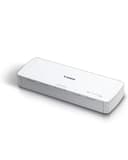
📠 Scan smarter, not harder — your portable productivity sidekick!
The Canon imageFORMULA R10 is a sleek, USB-powered portable document scanner designed for busy professionals on the move. It offers fast duplex scanning at 12 pages per minute with a 20-sheet automatic feeder, supports a variety of media types, and features built-in, auto-updating software compatible with both Windows and Mac. Its compact design and energy-efficient operation make it perfect for home offices, remote work, and mobile scanning needs.


| ASIN | B08FBHTD9B |
| Best Sellers Rank | #6,451 in Office Products ( See Top 100 in Office Products ) #9 in Document Scanners |
| Brand | Canon |
| Color Depth | 24 bits |
| Connection Type | USB |
| Connectivity Technology | USB |
| Customer Reviews | 4.0 out of 5 stars 2,277 Reviews |
| Global Trade Identification Number | 00013803338522 |
| Item Dimensions D x W x H | 3.74"D x 11.22"W x 1.57"H |
| Item Type Name | Document Scanner |
| Item Weight | 998 Grams |
| Light Source Type | RGB LED |
| Manufacturer | Canon USA |
| Media Type | USB |
| Minimum System Requirements | Windows 7 |
| Model Name | Canon imageFORMULA R10 Portable Document Scanner with Scanning Software |
| Optical Sensor Technology | CIS |
| Paper Size | 8.5 x 14 |
| Product Dimensions | 3.74"D x 11.22"W x 1.57"H |
| Resolution | 600 dpi |
| Scanner Type | Document |
| Standard Sheet Capacity | 20 |
| UPC | 013803338522 |
| Unit Count | 1.0 Count |
| Warranty Description | One Year Warranty – Advanced Exchange Service |
| Wattage | 2.5 |
J**P
Good Quality and Fair Performance for the Price
I needed something compact to store and use in a small area, but I also wanted something that wasn't overly expensive. This is one of the better scanners I've used. Depending on the paper quality, ink quality, and flatness of the paper, 20 sheets can easily scan through without issue. I found that specific types of paper and ink tend to stick together and did require me to rescan a few pages until I got into the groove of how this scanner performs. The image quality was good. It does have issues scanning colored highlighter on pages; this would not be the model to use if that's a concern. I appreciate the software being in the scanner; it allowed me to very quickly plug in and get scanning. I've used it to scan over 1200 pages of various pages/ink types in a single day. The scans are quick and clear. The double-sided scanning is a game-changer compared to the single-sided flat bed scanner I was using before.
E**T
Plays well with M1 Mac Mini - Update 8/2025 -new firmware compatible with MacOs Sequoia
Updated review 8-18-2025: Once I upgraded my Mac Mini to Sequoia, the scanner no longer worked on my Mac and I had to use my Parallels Windows 11 partition to use it (and it was quite awkward about where it’d post the scan). BUT, the good news is when I plugged the scanner in yesterday I was offered an update to the firmware of the scanner (R10_UpdateTool.app) which took 20 minutes to complete. They warn you not to allow your Mac to sleep and not to unplug the scanner during the update process (standard fare for firmware updates). (After I copied the R10_UpdateTool.app to my applications folder I noticed the date on the file was March 18, 2024 (see picture of this attached to this review) which suggests this existed last year but wasn't released until recently? - Odd.) After that it worked perfectly on my Mac again. As before when you plug it in to a USB port on your Mac (or to a powered USB hub attached to my Mac which I tried, and it worked just as well) you get the pop up with the CaptureOnTouch Lite software which appears to be the same as before - dated Mar 30, 2020. Double click on that icon and the scanning interface appears. Select Color/Black & White/Automatic, and you can edit the location where the scanned document(s) are saved. Click SCAN and you’re good to go. I ALMOST bought a new scanner from another company and was very pleased to see the updated firmware offered up. Back to quick double sided quick and good (not excellent) quality scanning. (BTW, I found no mention of this firmware update on Canon’s support website). Thanks for the update, Canon! ------ Prior Review: Once I plugged this in to my Mac Mini (M1) chip, a popup indicated an update was required to work with an M1 computer. After update was completed, there was software "CaptureOnTouch Lite" that was installed on the Mac. Then I just loaded max of 20 pages, and selected my options in the software app, then [SCAN] it quickly scanned (both sides at once) all the documents flawlessly. Then it gives you the option to [SCAN MORE PAGES] so that if you have a document more than 20 pages, it will add them to your first scan so you end up with just 1 PDF in the end. It is very small, light, and portable. At one point after my computer had entered sleep mode, and I then tried to scan additional documents it said "DRIVER NOT FOUND" - I rebooted the Mac and it was back to scanning documents again. Duplex scanning and the simplicity of the scanning interface (and high quality scans) make this a sure fire winner. Addendum: I plug the scanner into a USB A port on my Mac Mini - I have not tried it on a USB hub, but would suspect it’d be less reliable through a hub.
J**E
ImageFormula R10 Scanner
My real review is 3/5 stars. I’m putting 1/5 for those who, like me, pay attention to the negative reviews instead of positive ones. I bought this product and it was delivered same day. Very early the next day, since the delivery person didn’t follow the instructions to ring my doorbell upon delivery- i got to using it. First- you do not need to download anything, it is automatically installed in the scanner itself. HOWEVER- you do have to manually go into the device storage and open the software. The file is “ONTOUCHL.exe” Second- The image quality is good. DO NOT LEAVE THE SCANNER ALONE WITH A STACK OF PAPERS. Pay attention to your scans. Yes it does automatically feed paper, no it is not always accurate and and you may have to jostle the paper into the feeder and yes it does grab multiple pages at a time and will incorrectly scan. Scan your papers front page to the back and upside down. This will reduce how many pages you have to rotate. You can rotate the pages after its scanned before you save it. There is an option- not so obvious- in the top right of the window. It has some tools for basic editing. Its a little complex for non-tech people, but you can determine the name of your files and the location they save prior to scanning. The feeder made my project last all day- with a better quality scanner it would have taken me three hours- but this took from 9am until 7pm maybe longer. It was about 500 sheets of paper. It scans front and back simultaneously.
F**O
Great little scanner!
This is a good scanner. Solid performance. I have one for the office and recommended this to others. I like that it is portable, solid, the speed is very good for a portable scanner, the value for the money spent is good. I like that the software resides on the scanner, not having to install anything.
D**N
Learned to like it
I'm coming back a year and half after buying this for a review. First I'll explain my personal purpose for it. I wanted it so I could use something for over the road traveling in an RV. I wanted something that didn't just use wifi as that can be a challenge on the road sometimes. I wanted something that could do multiple pages and both sides of pages. My level of technical ability: LOW. When I bought this and opened it, I began the trial at home to get used to it. I love the size - it's perfect. I love that the program pops up everytime I open it, making it easy to start using. I dislike At first I struggled with how to save my stuff. Like everything once you figure it out, it's very easy. RESOLVED It eats pages, you can't do more than about 3 pages. However once you accept that and work with it, it is very easy to scan 3 then continue to add more and click the scan more pages to continue. I've come to terms with this and accept it. RESOLVED. It will eat just a single page and scan it crooked. It's not hard to re-scan it and continue on. I've come to terms with this and accept it. RESOLVED. I'm still learning things about it and I honestly don't use it much, however it is my primary scanner and overall I'm very happy with it, I've really learned to like it and accept it's imperfections because at the end it gets the job done, it's never quit (so far), it's been reliable, it's very small and compact. OVERALL I do recommend the purchase. Maybe bundle it with a package of patience and realistic expectations.
P**N
Portable scanner
Easy to setup and use. Works at great speed. Compatible with all computers/laptops. Great for people who telework.
M**R
Feed tray is unreliable to take only one page through at a time
Pros: Easy setup and scan quality is decent. Very small, lightweight, and portable when closed up. I love that it uses just one USB cord to connect to the computer which also provides power. Not having a separate power cable is a big plus. Cons: The feed tray seems utterly unreliable to handle more than one piece of paper at a time and not "double feed". Trying to scan a 20 page document is an exercise in futility if trying to do multiple pages at once in the feed tray. Would I buy again? Eh, maybe. If I could find something that was similar size and portability that had a reliable capability to put more than just a single page at a time into the tray, I would happily pay an extra chunk of change for that. But there really isn't much like that on the market and so for truly portable scanning in a very small package, it's either this or nothing right now. And this does beat out having nothing because I do have times where portable scanning is a necessity for me. p.s. The feed tray also likes to twist the paper a bit. This is a kink that can be worked out, but you need to test it a few times. Don't start with the first thing you scan being a paper that you can't end up having get creases in it. I consider this to be a non-factor in my rating because you can work this out with just a bit of practice and it's more of a warning to practice before use on an important document.
N**N
So easy and compact - works great too.
What a great little scanner. The computer sees it as an external drive. So, when you turn it on, it connects and opens that "drive" folder and that's where the application to scan is. Just run that - very easy to customize - when your done, turn it off and your computer disconnects. Nothing to install. Scans both sides at once and auto detects color or black and white. Of course, you can override to what you want very easily if you need to. Very compact and easy to take with you - we work from the RV some so it's perfect. Also got the case for it.
Trustpilot
Hace 2 semanas
Hace 3 semanas