We remain fully operational. Our teams are working around the clock to ensure your deliveries continue safely.

Descargar la aplicación


Servicios al cliente
Sobre nosotros
Copyright © 2025 Desertcart Holdings Limited
Descargar la aplicación
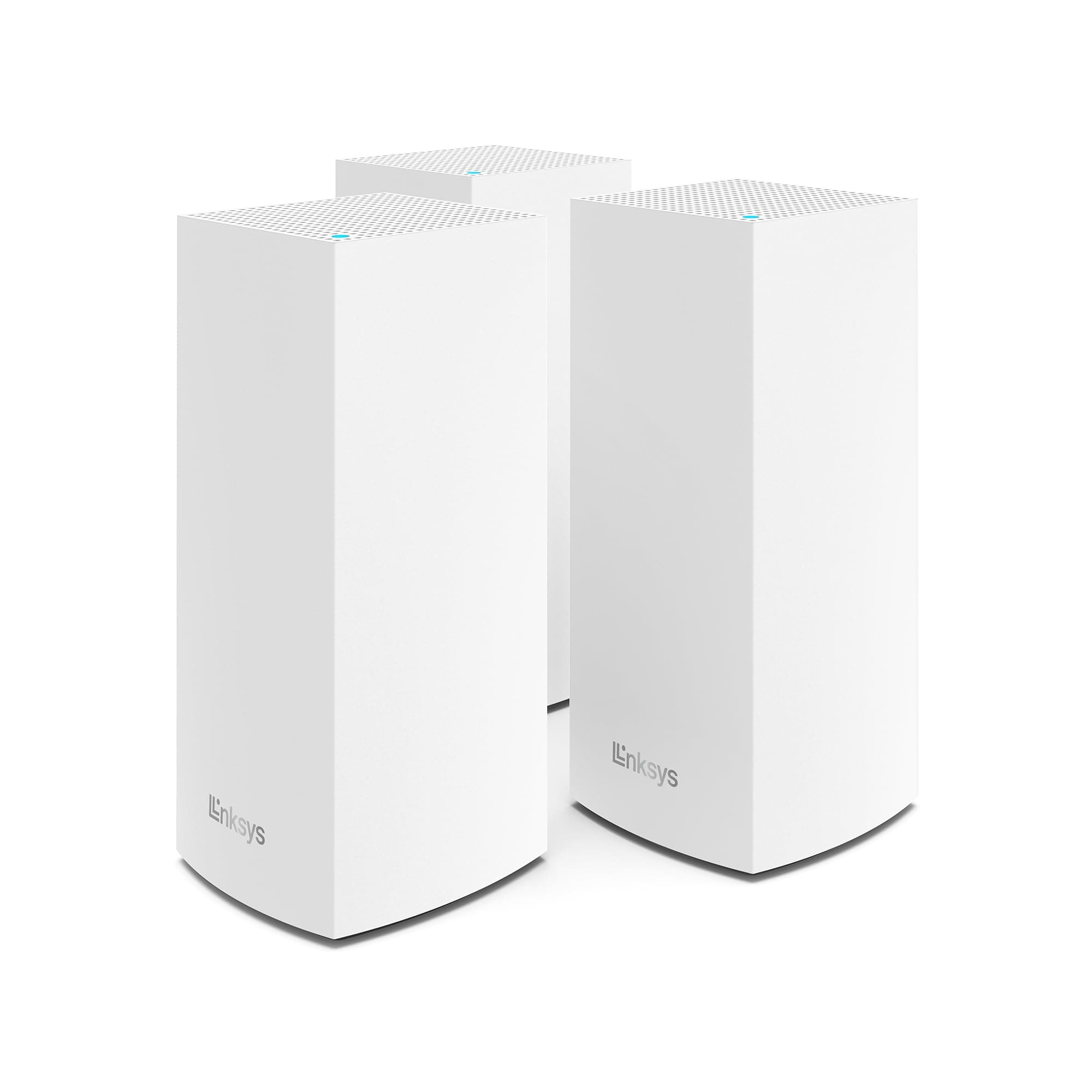
🚀 Elevate your home network — never miss a beat with Linksys Velop WiFi 6!
The Linksys Mesh WiFi 6 Velop T (MX12600) is a tri-band mesh router system delivering up to 4200 Mbps speeds and coverage up to 8,100 sq ft. Supporting 120+ devices, it uses Intelligent Mesh Technology to eliminate dead zones and optimize connectivity. Easy to set up via the Linksys app, it includes advanced security features and parental controls, making it ideal for busy, tech-savvy households seeking seamless, high-capacity WiFi.


| ASIN | B08LN1Z7JK |
| Antenna Location | Home |
| Antenna Type | Internal |
| Best Sellers Rank | #4,173 in Computers & Accessories ( See Top 100 in Computers & Accessories ) #118 in Whole Home & Mesh Wi-Fi Systems |
| Brand | Linksys |
| Color | White |
| Compatible Devices | Smartphone |
| Connectivity Protocol | wi-fi |
| Connectivity Technology | Ethernet, Wi-Fi |
| Control Method | App |
| Controller Type | vera |
| Coverage | every corner of a home |
| Customer Reviews | 4.0 4.0 out of 5 stars (923) |
| Data Transfer Rate | 4200 Megabits Per Second |
| Frequency | 6 GHz |
| Frequency Band Class | Tri-Band |
| Has Internet Connectivity | Yes |
| Has Security Updates | Yes |
| Is Modem Compatible | No |
| Item Dimensions L x W x H | 4.49"L x 4.49"W x 9.61"H |
| Item Type Name | Wireless Mesh WIFI Router System |
| Item Weight | 6.32 Pounds |
| LAN Port Bandwidth | Gigabit Ethernet |
| Manufacturer | Linksys |
| Maximum Upstream Data Transfer Rate | 2100 Megabits Per Second |
| Mfr Part Number | MX12600 |
| Model Name | AX4200 - Speed |
| Model Number | MX12600 |
| Number of Antennas | 4 |
| Number of Ports | 4 |
| Operating System | RouterOS |
| Other Special Features of the Product | WPS, Guest Mode |
| Router Firewall Security Level | True |
| Router Network Type | WiFi 6 |
| Security Protocol | WEP, WPA2 |
| Smart Home Compatibility | Smart Home Compatible |
| UPC | 745883809844 |
| Unit Count | 3.0 Count |
| Voltage | 12 Volts (DC) |
| Warranty Description | 3.5 year manufacturer |
| Wi-Fi Generation | WiFi 6 |
| Wireless Compability | 802.11ax |
S**S
Upgraded from very first VELOP system - Worked out great
We had 3 nodes in the house, the original Velop system that worked overall fairly well with (about 70 devices) but speeds were less then desirable. Nothing bad or anything but with the increase in streaming devices and wanting to upgrade looked around a bit at the various options. Having been using Linksys products for many many many years, looked at the newest MX series and based on reviews, had too many concerns about compatibility with some of the older devices, (mixed mode may not work), etc....So looked at these and they are much better priced and could get 2 - 3 packs (total of 6) and truly blanket the house. With the 3 nodes we had it was barely reaching the back and front of the house and nodes had to be in one or two particular spots, otherwise they wouldn't connect. Considered adding nodes, but since ours were first gen and given the cost, this package seemed to be the best option for the money. Since it was almost an identical swap, screen grabbed all the settings from the original velop, manual dns servers, dyndns, port forwarding, all the individual wifi rules, all those little things that you might forget about....and proceeded to switch everything over using the same network name (hoping that everything would just work). Started up and configured the main node (it is acting as the router) and the internet was only down for only about 10 minutes while everything was setup to provide the basic wifi. Worked like a charm. That single node seemed to blanket the house really well, even the furthest bedroom that was always problematic could get a signal. Wondering if I might have regretted buying 6 of them.....speed testing the wifi proved that this wasn't a mistake. Proceeded to setup 2 nodes downstairs and then 2 more nodes upstairs. Turns out this was a good thing. Testing the wifi upstairs with only router, there was definitely a speed impact. Also found that the wifi adapter on the computer in that room was a bit older so just used the wired connection to the node and worked great, no more having to worry about where the node is in the room either. Thought I was done and then found out that a laptop downstairs couldn't see the new network....was going what the heck??!?!?!?! So grabbed a usb wifi adapter and after a little research, some chipsets did not play well with the newer wifi6 stuff....downloaded the new driver from intel (released oct 2020 -to fix this problem).....super! Can see the network and get the same high speed connection there as well. Spent another 25-35 min putting in the settings from the old system so that all the 'stuff' we have still works, all total (w/o the laptop wifi issue) less than 2hours to setup 5 nodes. Yup only 5...still have the 6th, but haven't figured out where to even put it...the signals are so strong everywhere now, even the garage, that don't see a need. That said, paying for 6 and only using 5...still less expensive than buying the newer mx stuff. If you don't need bleeding edge tech, but want something that's new enough and just works, these are really great and honestly easier to setup than the original Velop, as those were first gen tech. They have only been running for less than 24 hours but hopefully they will provide many years of service, as the original Velop has done.
G**E
Great product
Ease of installation was a snap, very easy to use app, quite intuitive. The nodes all recognized each other rather quickly and on first try. Speeds I'm experiencing thus far are very acceptable in all rooms, there is not much signal drop from the incoming speed. Having the multiple Ethernet ports on each node gives this product an edge over others available. Some offer single ports, some don't have any, but this product has 3 ports on each node - that is a premium feature on a mid level priced product. The app also allows for devices to be set up in priority, which is also a nice feature - that way you can be assured that your most important devices get the prime connections with the most bandwidth. If there's one knock against this product, there is no way to manually move devices to a closer node. The app allows you to see which devices are connected to which nodes, but sometimes it makes no sense to be connected to the node furthest away while sitting mere feet from another one and not being connected to it. I question the ability of the system to 'hand off' devices from node to node as you pass through the mesh to ensure you are always connected to the closest node. Certainly you should be able to manually change the connection node if the auto feature is not functioning adequately. Seems that once a given device connects to a specific node it is stuck there and does not move around the system as you move with your device. Perhaps there is something in the settings I'm not aware of but haven't found it yet. All in all an excellent product for the price point, very good value.
R**N
Worked flawlessly for 8 months and then crash and burned - Update, I finally gave up
All of the below still applies but I have given up on Linksys. This system will work fine for about a month at a time and then simply stop, to get it working again it takes multiple hours online wiht Linksys support and inevitably they make me set back to factory defaults or move around the nodes. I'm done, I just ordered a Netgear. Good luck to anyone that decides to buy these, they are really not good hardware. I suspect much of the problem is with the router function itself, seems most of my issues revolve around DHCP timeouts and DNS issues. I thought Mesh was the way of the future and I had always been happy with Linksys in the past but this is not your dads WRT, these things don't appear to even be made by Linksys, according to the MAC addresses they are made by Belkin. Install is really pushed to be by mobile phone which is just dumb in my opinion, a simple web browser interface is best for router setup but fine, the app seemed to work to get the initial node and accessory nodes setup so I'll let them have a pass. Now fast forward 8 months, at first just a few clients in the house seemed to be having speed issues, then on the same day, many no longer could get IP addresses from the parents DHCP server. Contacted online tech support and they ran me through some troubleshooting to no avail , the final idea was to reset the router and swap it with one of the nodes, We work from home so doing that in the middle of the day was not possible so I let them go. Upon end of day I did their suggestion and it did seem to fix the connectivity issues but with one huge repercussion, I could no longer install the 2 separate nodes, worked with the tech support people for almost 2.5 hours this time and the suggestion now was to switch the parent node once more to the 3rd remaining node that had not yet been a parent. This did seem to work once again and this time they have me install the nodes using an undocumented method (press reset button rapidy 5 times on parent node and hope for best). This did work and so far my network seems to be back to running but I can't say I would recommend these items. As it stands now, if what they said is correct, 2 out of the 3 of my nodes cannot be a parent mode which in my mind is broken, if I have something wrong on this third node, I will be having to look for a new unit and what I believe they are hoping for is another 4 months will have past and their warranty will be expired
M**A
Se batalló un poco para activarlos e instalarlos, creo no traían instructivo, pero funcionan perfecto!
A**O
I live in two floors house and I was suffering from getting the WIFI signal to all the rooms in first floor and some areas which are away form the main router. After searching on the internet, Linksys Velop was selected based on compression with other brands. Now I'm using this mesh routers for about two month and it's working fine, though the WIFI coverage was not as per my expectation with only three Router devices from Linksys. I still have two rooms with very low or some times with no signal , perhaps with one or two more nodes from Linksys I will be able to extend my WIFI signal overall my house and garden. The Linksys app is quit good with lot of useful features. Also, Linksys customer service team was really excellent since I had some issues during the setup of my new mesh system.
M**S
A integração com HomeKit e estabilidade é boa, mas uma das fontes de energia queimou com 3 meses de uso.
I**S
Fáciles de agregar a mi red actual, excelente comunicación y transmisión de datos, buen alcance
P**L
Es un buen producto en general, lo compre porque es de los pocos que son totalmente compatibles con HomeKit, el hardware es excelente, un diseño hermoso y en general de buena calidad. Pero el software deja mucho que desear, esta lleno de errores, se traba seguido y hay que estarlo reiniciando, es lento. En general creo que es su apartado más débil. Otro aspecto que he notado con el uso es que aunque en general es un producto confiable y eficiente, de vez en cuando por algún motivo pierden la conexión al módem y hay que estarlos reiniciando, no pasa seguido pero si me ha pasado al menos 3 veces durante estos meses.
Trustpilot
Hace 3 semanas
Hace 4 días