
Descargar la aplicación


Servicios al cliente
Sobre nosotros
Copyright © 2025 Desertcart Holdings Limited
Descargar la aplicación

🎥 Elevate Your Streaming Game!
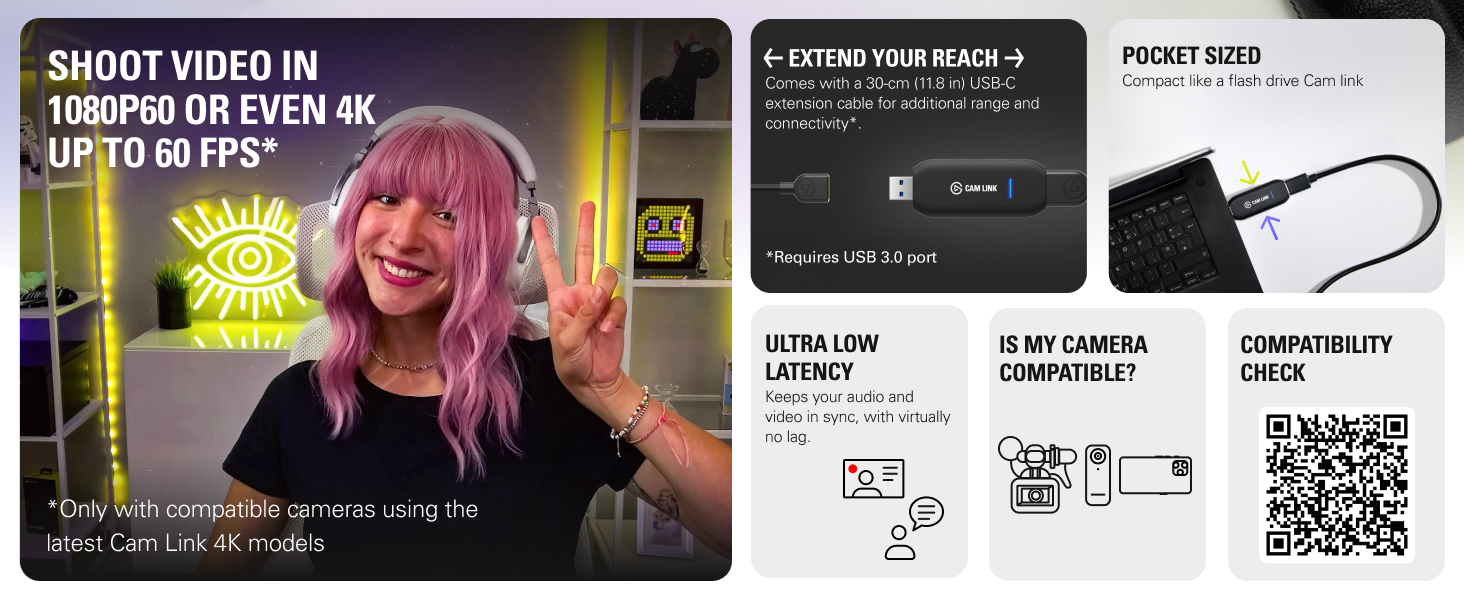
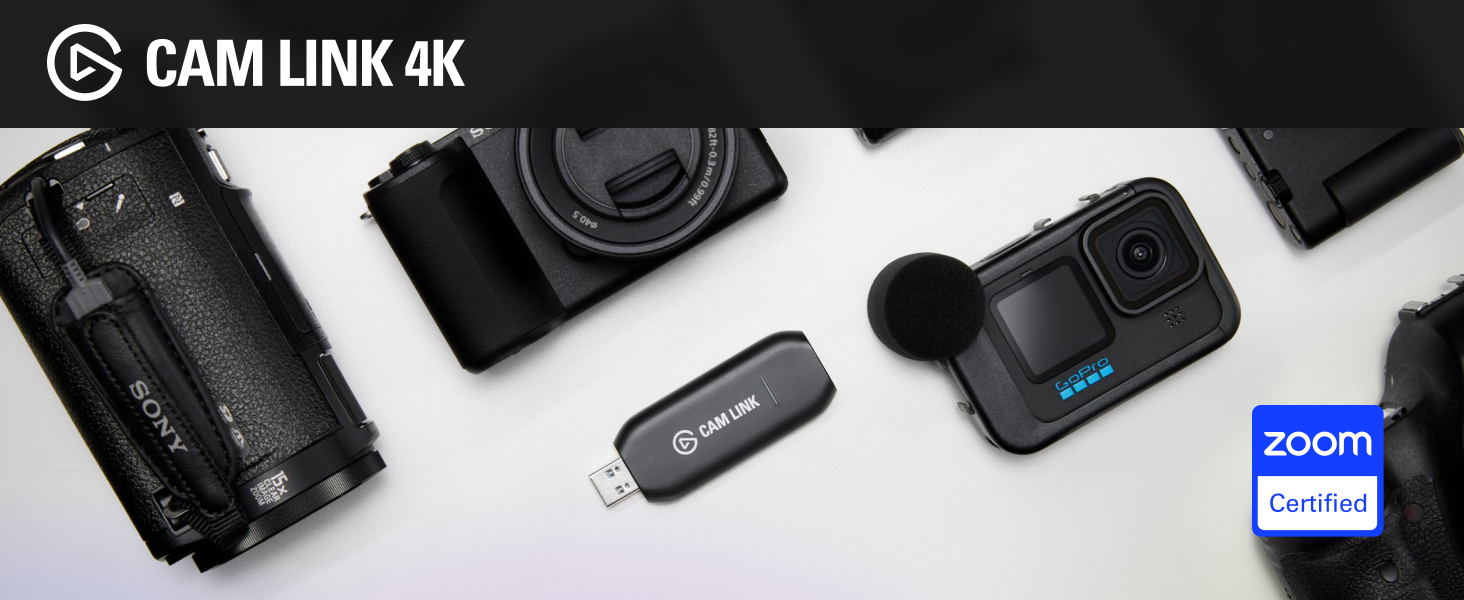
The Elgato Cam Link 4K is an external camera capture card that allows you to connect your DSLR, camcorder, or action cam to your PC or Mac, enabling stunning video quality for streaming and recording. With capabilities of 1080p60 and 4K30, ultra-low latency technology, and plug-and-play functionality, it’s the perfect tool for professionals looking to enhance their video conferencing, gaming, or content creation experience.



| ASIN | B07K3FN5MR |
| Batteries | 1 Lithium Ion batteries required. |
| Best Sellers Rank | #1,787 in Computers ( See Top 100 in Computers ) #15 in Webcams |
| Country of origin | Taiwan |
| Customer reviews | 4.6 4.6 out of 5 stars (13,811) |
| Is Discontinued By Manufacturer | No |
| Item model number | CAM LINK 4K |
| Label | Corsair |
| Manufacturer | Corsair |
| Original Release Date | 2018 |
| Product Dimensions | 8.1 x 3.1 x 1.2 cm; 20 g |
O**M
Elgato camlink
Best product ever well built powerful tool I return it unfortunately as it not support my camera other wise best perfectly connect every thing well very fast hilighly recomended make sure your camera support it
A**R
working perfectly
there is technique to make it work with canon EOS M50.
T**R
Amazing solution for live streaming
excellent, love everything on it. using with obs and canon 5d Miv
O**U
What an amazing solution,
I try a lot of ways to capture my DSLR Camera. Because already I own a lot of gadgets that more of them are almost useless... So finally I decided to add this gadget as well... And that was the best decision to solve my problem. Thanks, Elgato! :)
A**N
My video production and live stream quality got better
My video production and live stream quality got better after i used elgato cam link with my Canon M50 Mark ii
L**H
Necessary to connect a camera
I use it to run a Sony A660 as a web cam to record interviews, pod casts, etc. Works great
A**I
Excellent, Good Seller and satisfied. Thank you.
Excellent, Good Seller and satisfied. Thank you.
E**L
Great product
Great product
A**A
عشان المنتج يشتغل لازم يتوصل ب مدخل usb3 مستقل، بجهاز امكانيات كارت الشاشة فيه عالية لو اتوصل على usb hub هيقرفك حرفيا ويفصل كتير، خاصة لو انت موصل هاردات او deck او حاجات تانية كتير. لو معندكش مدخل usb3 مستقل في جهازك مانصحكش تشتريه لو عندك المتطلبات، هتلاقي الجودة ممتازه الفرق بينها وبين ال capture card التقليدي الرخيص هو فقط في ال 60 frame لكن جودة الصورة مش بتفرق في حاجه، رغم ان السعر ١٠ اضعاف
J**.
Works as announced.
T**N
Setting this up with my Sony ZV-E10 was super quick and easy—it’s basically plug and play. The build feels solid and well-made, which is what I expect from Elgato products, and the price felt very reasonable for the quality you get. I’m a big fan of Elgato and have my entire streaming and WFH setup built around their products, so it fits perfectly into my workflow. The device works reliably, and the image quality is consistent with what I need for streaming and video calls. Overall, I’d recommend this if you’re looking for a reliable, high-quality, and affordable tool to upgrade your streaming or WFH setup.
A**R
Tout est dans le titre. Vous achetez un samsung nx500 en occase sur ebay (autour de 400€) en ensuite, avec ce "elgato cam link", cela permet de créer une "webcam" avec un "grand" capteur APS-C de très très bonne qualité à un prix défiant toute concurrence. Enregistrement en 4K 60 fps parfait avec zéro artéfact de compression. Avec la lentille du kit de base du nx500 (20-60mm avec f3.5/5.6), l'auto-focus sur vos yeux est aussi parfait sans focus breathing. Tout est direct et facile avec le samsung NX1 car il a une sortie "clean hdmi" en permanence. Pour avoir une image de bonne qualité sur la sortie hdmi du Samsung nx500 il faut apuyer sur le bouton enregistrement. Avec le petit "patch" du firmware du nx500 (gratuit et facile à installer: il suffit d'avoir une carte SD), j'enregistre aussi en 4K pendant des heures sans aucun soucis sur le nx500 (et surement aussi le nx1 mais j'ai juste un nx500 pour tester) (aucun soucis de température). C'est le super bon plan pour avoir une caméra de qualité professionnelle pour vos vidéos youtube "talking heads" à un prix défiant toute concurrence.
E**O
L'Elgato Cam Link 4K è uno strumento essenziale per chi vuole migliorare la qualità dei propri video, sia che si tratti di streaming, videoconferenze o produzione di contenuti. L'ho testato con la mia Sony Alpha ZV-E10 e sono rimasto colpito dalla semplicità di utilizzo e dalla qualità dei risultati. Design e configurazione La scheda di acquisizione è compatta e leggera, con un design minimalista che occupa pochissimo spazio sulla scrivania. Si collega direttamente al PC o al Mac tramite porta USB 3.0, e l’installazione è immediata: basta collegare il dispositivo e seguire le istruzioni sullo schermo. La compatibilità con DSLR, camcorder e webcam è eccezionale, rendendolo un prodotto estremamente versatile. Qualità video Il Cam Link 4K offre una qualità video impeccabile. Supporta risoluzioni fino a 4K a 30 fps e 1080p a 60 fps, garantendo immagini nitide e fluide. Durante lo streaming e le videoconferenze su piattaforme come OBS, Zoom e Teams, il miglioramento della qualità rispetto a una webcam standard è immediatamente evidente. Prestazioni Una delle caratteristiche migliori è la latenza bassissima, che garantisce una sincronizzazione perfetta tra audio e video. Inoltre, il dispositivo è stabile e affidabile anche durante sessioni prolungate, senza interruzioni o surriscaldamenti. Ho usato il Cam Link 4K per lo streaming di gameplay e per videoconferenze, ottenendo sempre risultati professionali. Compatibilità software Il dispositivo funziona perfettamente con i principali software di streaming e registrazione, come OBS Studio, Streamlabs, Zoom, Teams e altri. Inoltre, è compatibile sia con Windows che con macOS, offrendo massima flessibilità agli utenti. Pro: Qualità video fino a 4K30 o 1080p60, ideale per streaming e registrazioni professionali. Installazione semplice e immediata, anche per utenti meno esperti. Compatibile con un’ampia gamma di dispositivi (DSLR, camcorder, webcam). Latenza ridotta, perfetta per streaming in tempo reale. Compatta, leggera e facilmente trasportabile. Contro: Non include cavi HDMI nella confezione, che vanno acquistati separatamente. La risoluzione 4K è limitata a 30 fps (non adatta per chi cerca 4K a 60 fps). In conclusione, l'Elgato Cam Link 4K è uno strumento indispensabile per chi vuole portare la propria produzione video al livello successivo. Perfetto per streamer, content creator e professionisti delle videoconferenze, offre una qualità video eccezionale e un’esperienza utente senza intoppi. Consigliatissimo!
Trustpilot
Hace 2 semanas
Hace 1 mes