Some deliveries may take a little longer than usual due to regional shipping conditions.

Descargar la aplicación


Servicios al cliente
Sobre nosotros
Copyright © 2025 Desertcart Holdings Limited
Descargar la aplicación
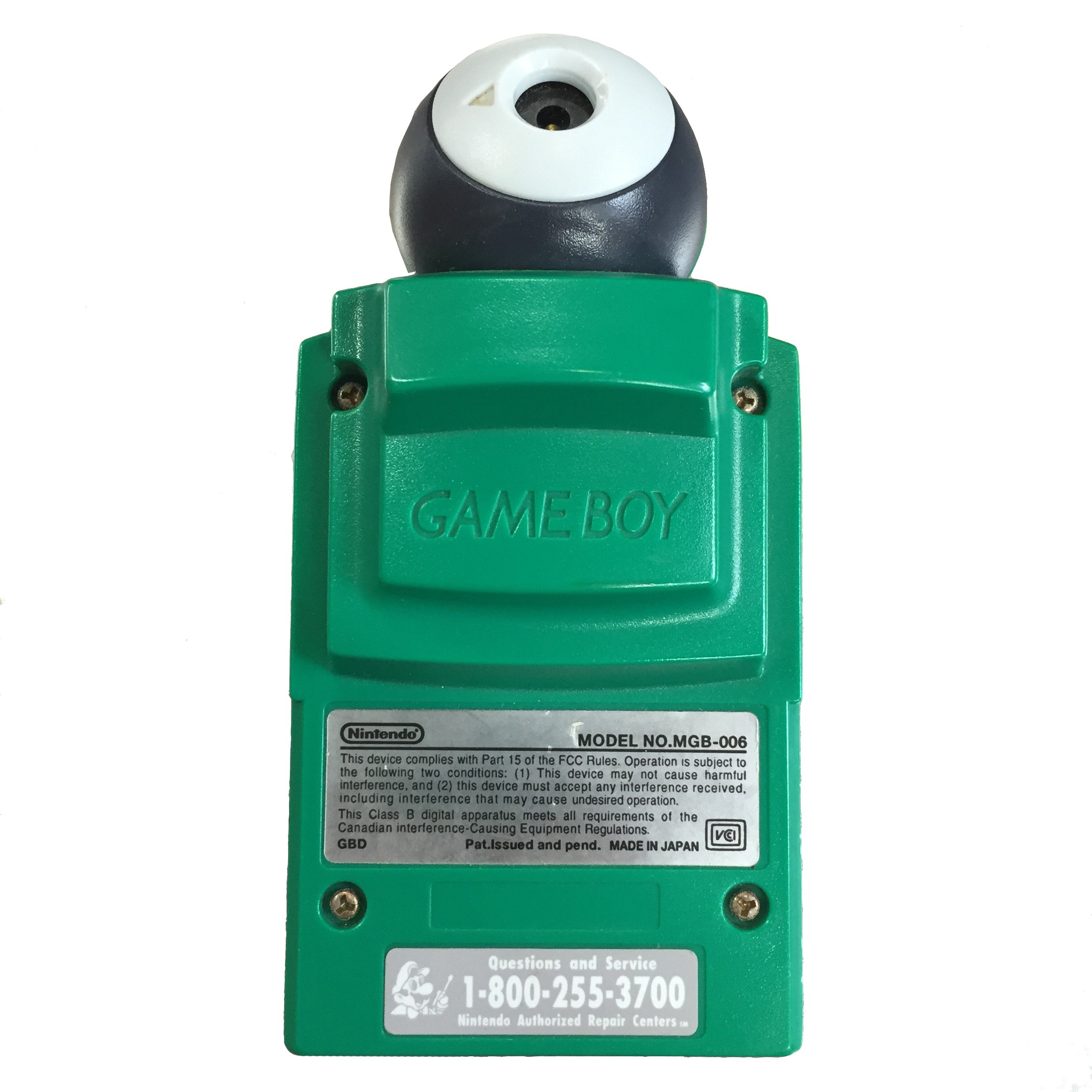
📷 Snap, Share, and Level Up Your Game Boy Experience!
The Game Boy Camera - Green transforms your beloved Game Boy system into a digital camera, compatible with multiple Game Boy models, allowing you to capture and share memories in a fun, retro style.
| ASIN | B00002ST2O |
| Best Sellers Rank | #58,750 in Video Games ( See Top 100 in Video Games ) #46 in Game Boy Accessories #354 in Game Boy Color Games, Consoles & Accessories |
| Customer Reviews | 3.6 3.6 out of 5 stars (21) |
| Date First Available | June 4, 2008 |
| Is Discontinued By Manufacturer | Yes |
| Item Weight | 5 ounces |
| Manufacturer | Nintendo |
| Product Dimensions | 8 x 4 x 10 inches; 4.96 ounces |
| Release date | March 26, 1999 |
| Type of item | Video Game |
A**G
a incredibly nice piece of technology
I know that in these days we hace cameras even on our smatphones above 5mp, but on past, exactly on the time this "game", or should I say, application, there were not so much cameras above the VGA format, its very nice to see that this was released as a very innovative product, because who could think about a cart that could take and store images with such a simple (yet effective) system as the gameboy, this is a great appliation and it was advaced for its time. the pros of this thing are almost all its product since you can take photos of anything, but you can also edit those photos with a pencil application inside this, and also you could take photos with various tricks that the cart had inside, and you could even play the game & watch ball!! and using you own photos as the faces. the only downside of this is the fact you can only rotate the camera on the left of the cart, not on the right or any other direction, but that isn't really big letdown.
C**G
Kept it in shape
Works perfectly! Not a scratch on it
C**S
Nostalgic
I've seen one of these in a game store but at the time I couldn't afford it, Now I have one. The Pros: Turns any gameboy into a digital camera. You can edit your pictures any way you like and then print them out with the gameboy Printer (Not Included) Nostalgic The Cons: Pictures are not that great quality There is no way to save your pictures to a PC
A**R
One Star
I hate it.
I**1
Cool Camera
This camera is alot of fun to use expet for the run faces it has ball A DJ mix Music.You can take pictures and Print them with the Game Boy Printer you can draw on them with paint and so have fun time.
P**S
Green Game Boy Camera - AWESOME MOST PERFECT CAMERA EVER!!!!
Game Boy Camera Cheats Game Boy Camera Beat Bosses Easily On Space Fever II When you get to a boss on Space Fever II, stay in the middle and shoot as fast as you can. Most of the shots he shoots at you will not hit you because you will block them with your shots. Game Boy Camera Dancing Mario At the title screen, hold UP to make Mario dance faster, or hold DOWN to make him dance slower. Game Boy Camera Easy Animation The manual doesn't explain this well. Go to the time lapse mode in the items menu choose how many exposures (1 second between each exposure). You can't move to fast. After it's finished, press select on the main screen and go into edit. go to animation, sort the photos, then click on the photos you took. Next, go to view. Go to show and select animation. Press up and down to choose the music. Press A and... Viola! Game Boy Camera Faster Credits At the credits press Up for faster credits and press Down for slower credits. Game Boy Camera Earn Album B Pictures Picture B18: Old fashioned pic of Mario. Get first on Run!Run!Run (under 20 seconds?) and raise the flag (press A VERY rapidly at the awards screen to raise the flag.). Picture B19 : Picture of Luigi and Princess Peach. You need to SEND 20 pictures to another gameboy. Picture B20: Picture of a Lion Head To get this picture you need to receive 20 pictures from another Gameboy. Picture B22: A boy and a flying saucer toy To get this picture you need to print 30 pictures. Picture B23: A man and a bear playing music. Beat Space Fever II three times to get this picture. Picture B24: Little Wario Beat Space Fever II a third time to get this picture. Picture B25: Japanese Game Boy Camera art Beat Space Fever II five times (or get 10,000 points?). Picture B26: R.O.B, the Robotic Operating Buddy Get 500 points on Ball. Picture B27: Big Boo Get 750 points on Ball. Picture B28 : Picture of Toad. Get 1000 Points on Ball. Picture B29: Old fashioned pic of Donkey Kong and Mario Get first on Run!Run!Run! (under 20 seconds?) and raise the flag. Picture B30: Wing Cap Mario Get first on Run!Run!Run! under 17:50 and raise the flag. Game Boy Camera Run! Run! Run! Game and End Credits To get the third game and the credits, you must play Space Fever II and beat the third boss which is yourself. Then when you lose, go back to Space Fever II and now you'll see a third ship with a question mark. Shoot it and you'll get to play Run! Run! Run! Also, if you go to the credits on the space map, you'll get the credits instead of the dancing man. Game Boy Camera "Talking" Printer When you turn on your printer press the feed button. Then the printer will print out a greeting that says "hello". Game Boy Camera Reverse the Beats in DJ-Mode While in DJ-Mode, move the cursor onto the tempo. Press left to reverse the music at any point in the loop. Game Boy Camera Print Sheet Music While in DJ Mode, you can actually print your music. Go to the Sound 1 screen by pressing select. To print your tracks, hold down the Start button and press A. In a few seconds it will start to print out a strip containing the settings for the song you wrote. Game Boy Camera Reverse Stamps When you're in stamp mode, just press a as you normally would only hold it for a few seconds more and it will flip over, reverse. Game Boy Camera Harder Games Make your game face all-white. When you play Space Fever II the end boss will be invisible, making the game a little more challenging. This also works for D.J. RUN! RUN! RUN! and the Ball game. Game Boy Camera Scratch the Record in DJ-Mode Move your cursor all the way to the right and keep pressing RIGHT on the D-PAD as many times as you wish to scratch it. Game Boy Camera Wild Frames Go to the main menu Go to SHOOT Go to CHECK Choose the PHOTO option Click it, then go to PRINT Press SELECT and go down You will see WILD Click on it, then choose a frame Game Boy Camera Earn Album C Pictures To earn album C pictures, all you have to do is beat Space Fever 2 with ten million points. Game Boy Camera Pokemon! Go to the B album and look at #16. Charizard, Blastoise, Venusaur and Mewtwo are on it. This Camera has all of this plus more if you hit select on the main menu man you will be surprised at what all this Game Boy Camera can really do personally I'm getting the Yellow, Blue, and Red Camera too. If this camera does all this I can't wait to see what all the other three do this camera is amazing with out a dout in my mind who ever you are get this camera I tell you the truth this is one of the best camera's I've ever had for the Game Boy. Go to "codescheatsguides" .com on the web and go under Game Boy Cheats to see how to cheat on your favorite games plus cheat on the Game Boy Printer too. Get the Camera and cheat your heart out with tons of cool cheats for this camera. Buy this camera you will not reget it. I bought this camera like a couple of months ago and haven't put it down yet it's a lot of fun and a lot of cool games and extra stuff on it. On the main screen hit select: 1. Link - You can print and transfer. 2. Special - Hot Spot and Compose. 3. Edit - Album and Animation. 4. Doodle - Stamp and Paint. On the main screen hit Start: 1. User Name - that means you 2. Records - Number of shots taken, Pictures deleted, Transfered, Received, and Printed out. 3. Hi - Score - Space Fever 2, Ball, Run!Run!Run!. 4. Credits
W**D
Better than what most non-owners say!
It has lots of possibilities, some of the options are better than what expensive digital cameras have. It has four shades of gray (green if you use GameBoy Color), 30 slots for your pictures, lots of lens views, a space shooter game linked to 3 mini games, and much more. You can also trade pictures with other friends that have it (you'll need a link cable to do this). It might be a good idea to get the Gameboy to PC cable(from MadCatz) so you can save the pictures on your computer and take more. I don't explain everything, so take a look at the other reviews.
S**E
Great buy
I had one of these before and this one didn't disappoint and I'm impressed in the quality shape it was in
Trustpilot
Hace 1 mes
Hace 4 días