We remain fully operational. Our teams are working around the clock to ensure your deliveries continue safely.

Descargar la aplicación


Servicios al cliente
Sobre nosotros
Copyright © 2025 Desertcart Holdings Limited
Descargar la aplicación


🚀 Unlock Multi-Gig Power & Cut Costs with Nighthawk CM1200!
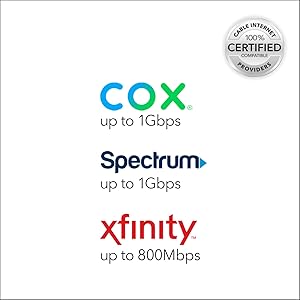
The NETGEAR Nighthawk CM1200 is a DOCSIS 3.1 cable modem designed for cable plans up to 2Gbps. Compatible with major providers like Xfinity, Spectrum, and Cox, it features 4 Gigabit Ethernet ports and supports link aggregation for combined 2Gbps wired speeds. This modem eliminates rental fees and ensures future-ready, high-speed internet connectivity for streaming, gaming, and smart home setups.







| ASIN | B07Q5VM51Y |
| Are Batteries Included | No |
| Brand | NETGEAR |
| Color | Black |
| Connectivity Type | Wi-Fi |
| Customer Reviews | 4.3 4.3 out of 5 stars (39,996) |
| Date First Available | 23 April 2019 |
| Item Weight | 930 g |
| Item model number | CM1200-100NAS |
| Manufacturer | Netgear |
| Number of Ethernet Ports | 4 |
| Product Dimensions | 15.49 x 8.64 x 26.16 cm; 929.86 g |
| Series | NETGEAR Cloud Managed Wireless Access Point |
| Voltage | 100240 Volts |
| Wireless Type | 802.11ad |
B**N
I purchased this to replace an aging Motorola/Arris SB6141 after I moved to the Comcast Xfinity Gigabit Internet tier. After setting it up and a quick call to Comcast/Xfinity to have it added to my account and an activation signal sent, I was good to go. Works as intended and I am getting the max download/upload speeds advertised so I couldn't be happier, not to mention no rental fee. Word of caution if you are an existing Comcast/Xfinity customer replacing your modem, don't bother with the instructions that mention to visit xfinity.com/activate to activate your equipment, it will most likely fail at the end right out of the box. To save yourself time and aggravation, do the following: 1. Remove your old modem from the coaxial and attach the new CM1000 modem. 2. Power it on and wait for the first 4 LED lights to go solid green (there are 5, but you won't see the fifth until you attach it to a NIC or home router) 3. Attach the included Cat 5E cable to the back and plug it into a laptop or nearby PC 4. Call 1-800-934-6489, go through the prompts until it connects you to the Comcast/Xfinity activation support agent. 5. Say you would like to replace the modem on your account, answer the account verification questions, and have your modem MAC address handy. 6. Provide the MAC address and wait for them to add it to your account and send the activation signal. They may ask you which version of the CM1000 you have, in which case answer the 1AZNAS. Once they confirm and send the activation signal, you will see the modem recycle itself a couple times before settling back on four solid green LED lights. 7. The support agent should have you test the connectivity after that and if all went well, you should be up and running. 8. (If you have a home router) Turn the router off/unplug it, and attach the Cat 5E/6 cable from the cable modem. Power cycle the cable modem one more time and wait for it to come fully back online with the four solid green lights. Turn on/plug the router power back in and let it fully come online as well. At this point, you will see the 5th green LED light on the modem indicating NIC connectivity and you should be good to go. NOTE: Once they properly send the correct bootfile/configuration to your modem the first time, any subsequent activations/provisioning (for instance if you move or swap modems then swap back) seem to work fine off of xfinity.com/activate. It is that out of the box initial configuration that fails with the automated setup.
C**1
I bought this product to pair up with a new Router as I'm upgrading so that I can start connecting up smart lights security cameras music etc so far working perfectly
P**T
I bought this cable modem after some study and evaluation of popular cable modems for sale. I decided to buy it because I don't like the preset configuration of the Spectrum cable modem that comes with the Spectrum subscription. I prefer one that is not pre-configured and I'm glad I bought my own cable modem now that I have it. I went to the Spectrum website to find pre-approved modem models that are compatible with Spectrum equipment (you can do this with any cable company). I found that there are a lot of modems that are compatible, and I selected one based on the speed of my account and the price. I run about 300 MB/s speed, so I selected the Netgear Cable Modem model CM700 because it's rated for at least 400 MB/s and the price was very reasonable when compared to the competition. I was pleased with the CM700 right out of the box. It's much smaller than most other cable modems, and like most, it's mindlessly easy to hook up. It has a power plug that goes to a 110 volt AC outlet, a cable plug that goes to the cable outlet on the wall, and an ethernet plug that can plug into a PC, or a router/wireless router, or even into a network switch (gigabit switch). Once I took the CM700 out of the box, I looked at the quick-start guide, and I had the CM700 set up and running in less than a minute. I tested it, and it gives great speed too. The CM700 plugs into my wireless router (the uplink plug). It feeds the wireless router and a PC that is wired directly to one of the wireless router ethernet output plugs. The wireless speed I get from this set up is excellent, and the direct-connect speeds I get exceed my expectations. Look at the pictures, and you'll see from the quick-start guide how easy the CM700 sets up. The only criticism I have of the CM700 is that it seems to run warm, but then again, it has no malfunctions whatsoever. Also, I'm guessing that it has a great internal heat-sink, and I see that it has lots of holes for air ventilation, so that keeps it within the operating temperature range. Overall, I rate the CM700 a 5 star unit, based on both performance and price.
S**0
So I've had this modem for a few weeks. I used to have a Motorola Surfboard 6141 I believe (going off memory). That modem at times would randomly drop speeds down to 1mb/s maximum for no reason, then throttle back up. I tried to research this and found out it might have been related to the Time Warner Maxx internet package I have (I'm grandfathered into a package that currently doesn't exist). No idea how or why that would matter but it seems to be the reason why my old Surfboard was having problems. So a deal hit and I dropped cash for this modem in hopes I could solve this problem fairly cheaply and so far its working. I haven't noticed any lag, no strange behavior like dropping to 1mb/s speeds, its been consistent and constant fast speeds, even above the stated speeds I should receive. The unit is well ventilated so the concern of heating up is not an issue. It's barely warm to the touch. I think as others have stated, if you put this in a confined space, for example an entertainment center with a glass door, then it'll heat up more than likely because there's no internal fan. But if you provide adequate air circulation then it'll function perfectly from my point of view. Also I wasn't able to successfully hook up the unit and remotely update to Time Warner that I am switching modems (Mac address) so I had to call them. The tech was able to get me going and took about 10 mins. All in all its so far a great intermediate modem.
J**A
Excelente servicio, voy a probar el modem y les aviso. No me funciono, mi proveedor de internet no lo dio de alta.
Trustpilot
Hace 2 semanas
Hace 1 mes