We remain fully operational. Our teams are working around the clock to ensure your deliveries continue safely.

Descargar la aplicación


Servicios al cliente
Sobre nosotros
Copyright © 2025 Desertcart Holdings Limited
Descargar la aplicación
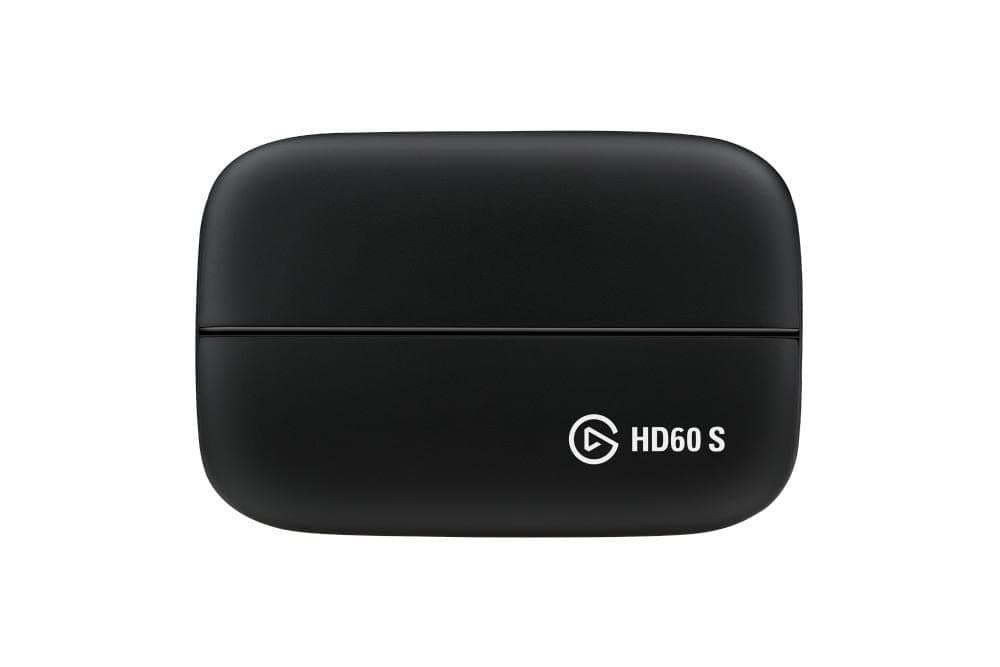

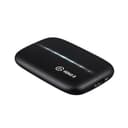
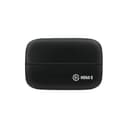


🎥 Capture the moment, stream the legend — no lag, all brag!
The Elgato HD60 S is a professional-grade external capture card designed for seamless 1080p60 gameplay recording and streaming with ultra-low latency passthrough. Compatible with PS5, PS4, Xbox Series X/S, and PC/Mac, it features USB 3.0 connectivity, instant gameview technology, and flashback recording to ensure you never miss a moment. Perfect for content creators aiming to elevate their streaming quality and engage their audience with crystal-clear visuals and lag-free performance.


| ASIN | B01DRWCOGA |
| AV Output | HDMI |
| Antenna Location | Game streaming and video recording |
| Best Sellers Rank | #137 in Internal TV Tuner & Video Capture Cards |
| Brand | Elgato |
| Built-In Media | Game Capture HD60 S, HDMI cable, Quick Start Guide, USB 3.0 cable |
| Compatible Devices | Gaming Console, Personal Computer |
| Customer Reviews | 4.6 4.6 out of 5 stars (25,297) |
| Global Trade Identification Number | 04260195391161 |
| Hardware Interface | USB |
| Item Dimensions | 2.95 x 4.41 x 0.75 inches |
| Item Type Name | Low latency technology |
| Item Weight | 12.7 Ounces |
| Manufacturer | Elgato |
| Mfr Part Number | 1GC109901004 |
| Minimum System Requirements | Windows 10 (64-bit) 4th generation quad-core Intel Core i5 CPU (i5-4xxx or comparable) Intel HD or NVIDIA GeForce GTX 600 series graphics (or better) 4 GB RAM |
| Model Name | HD60 S |
| Model Number | 1GC109901004 |
| Operating System | Mac,Windows 10 |
| Other Special Features of the Product | Alcohol-Free |
| Platform | Xbox One |
| UPC | 813180020306 081318002030 632102436199 797059276677 |
| Unit Count | 3.4 Ounce |
| Video Capture Resolution | 1080p |
| Warranty Description | 1 Year Limited Warranty |
S**I
Excellent capture device with knowledgeable support staff and amazing performance
Before I get to the review I'll quickly detail my computer specs since it may matter. i5-4690k 16gb ram nVidia GeForce GTX 1070 1TB Samsung 840 Evo SSD which I had the software set to use for recording storage So I actually purchased this on May 11th so I could record my (admittedly rather bad) gameplay from my consoles. When I got it I had a few issues which I'll detail but first I'll go through the pros. First off the unit is really easy to setup. Just download the software from the website and install it then connect the device. If you wish you can install the software ahead of time while you wait for a unit you ordered to arrive. The software itself is pretty stable. I didn't have any real issues during recording. The only one I had, which may of very well been user error, was that it seemed to be "recording" where the clock was moving but it didn't record. I had messed with some settings prior so I reset everything to default and it worked fine after. I'm actually able to get full 1080p 60fps without issue. This worked fine out of the box. It may have to do with my specs though and as such your mileage may vary. There are steps on the Elgato help site that can work towards improving performance if for some reason you are not able to get that. The recording was clear and didn't have any frame drops. Please be aware if you are trying to play the video via VLC and getting frame drops or what appears to be a scrambled picture please try another player that might actually use the system decoder. VLC uses its own decoder and it seemed to have issues when I tested my first couple of recordings. When I used a different player it worked fine. If people have to know I do use K-Lite Codec Pack but I don't think that was what fixed it but it may affect what system decoder was actually used. The fact that I use that doesn't constitute an endorsement or recommendation of that software. The issue with VLC may be resolved in a future update of the software if it isn't already. Elgato Support is very very good. They communicated via email and there may be a delay but responses are from actual people and I didn't have any troubleshooting based auto-replies. I did get one for the initial email receipt but that just gave appropriate response timeframes so that expectations could be established. Kudos to them for doing that. You do not have to hook up the HDMI out if you don't want to. For me I was just using it to hook up to the computer and using the software is perfectly acceptable. The delay is pretty much invisible. I was able to play the game using purely the feed from the software without any real issue. Now for the cons. My unit had a seemingly loose USB connection. When moving the unit would sometimes disconnect. I did get the unit replaced with Elgato where the issue continued. As a second step they actually sent me a replacement USB 3 to USB C cable (same as what was in the box) and that seems to have resolved the issue. So... if your unit seems to drop out while you are moving it then it may be advisable to just try a different cable and see if the issue persists. I can only guess there was a loose wire in the connector that plugged into the Elgato HD60 S. If the unit does happen to disconnect while the Game Capture HD program is running then it may crash. This may result in the loss of the recording or corrupted data in it. For the most part, this is a minor issue because it shouldn't disconnect on its own anyways.
J**R
Great Capture Card, but...
So I bought this capture card after my Avermedia Live Gamer Portable 2 broke. The Elgato Game Capture HD60 S is the best external capture card for recording PS4, Xbox One, Nintendo Switch, and more at 1080p 60 FPS. When you get this, make sure of the following: 1. Your computer has USB 3.1 or USB 3.0 ports. 2. Your computer meets the system requirements. 3. Install the latest firmware and drivers. 4. Install Elgato Gaming Software. After doing all of that, I plugged the capture card into my PC, launched the Elgato Gaming Software, and it worked perfectly. I was a bit worried that it wouldn't work on Ryzen, but I had no issues. It has so little lag you can almost play through the preview Window, and the quality looks amazing. If you want a good capture card for recording PS4, Xbox One, PC, Nintendo Switch and more, pick this up. UPDATE 7/14/2019 The USB 3.0 cable which was included this capture card eventually stopped working after about 6 months of having this capture card, so I had to order a new USB cable for it. Not enough to drop the rating, but I thought I should warn people that the included USB cable may stop working eventually. Also one great feature I failed to mention was that it supports 4K 60 Hz passthrough. What this means is that I can play something like my PC or PS4 Pro in 4K while recording in 1080 60 FPS. No need to lower resolution on 4K capable consoles at all. I also have no issues using it stream all of my consoles using Streamlabs OBS. Still highly recommend this capture card. Just be weary of the USB cable issue.
T**U
Simple (never streamed yet)
I bought this so I can show my friend my Switch gameplay and it works out real well. I screen share through discord, which is a bit wanky but it's not a problem, they get to see the main point. The bypass system works well and there is 0 lag from what I feel even when inputting the hdmi to through the game capture. Pros: -Easy setup -Bypass system works well -The application that comes with the product is pretty self explanatory, takes a little bit to play around to understand but shouldn't be too hard - Nice and compact -Application has preset borders for streamers (even if you don't stream, it's kind of cool to see yourself through your webcam feeling like a streamer HAHA) -If you record your gameplay with voicings, the voicing is processed into a separate file, so if you edit your gameplay video, you can adjust the audio separately from the voicing. Cons: -Application lag slightly (May be because my computer, which I can't say is the whole problem. My computer still processes high cpu eating games fine, but this application lags real slightly, so it might just be incompatibility.) -Application's just wanky in general (takes a lot to play around to really understand what's going on)
C**4
Buen producto
S**J
Elgato HD60 S is a great product which I love. I needed it to make youtube videos and it is the perfect thing i needed to make my videos. Would defintitely recommend buying this. But also make sure you have a good laptop to capture. Intel i5 is the minimum. It is great. It has zero lag passthrough and its just like playing the game on the laptop. Buy it without looking back.
S**X
I bought this so I could share my switch gameplay with friends. The set up was fairly simple, and granted while it took me awhile to properly configure the software so that there wouldn't be input lag when using my PC monitor as display, the result was as if I had just connected my switch to a monitor. My only criticism is that the capture card should have on board presets to make it more convenient to transfer settings to other PC's.
H**D
اي شخص عنده قناة انصحكم فيها وشريتها قبل سنة ونص والى لان كويسة وما اختربت وقادتني كثير وحتى سعرها رخيص مقارنة على باقي الاماكن
A**ー
購入から5年を超えて未だに現役です。 最近では4Kで録画できる製品も増えてきましたが、YouTubeでの配信はまだまだ1080pが主流で、私の環境も24インチ1080pということもあり、用途を満たしているためまだまだ続投してもらいます。
Trustpilot
Hace 2 meses
Hace 1 mes