We remain fully operational. Our teams are working around the clock to ensure your deliveries continue safely.

Descargar la aplicación


Servicios al cliente
Sobre nosotros
Copyright © 2025 Desertcart Holdings Limited
Descargar la aplicación
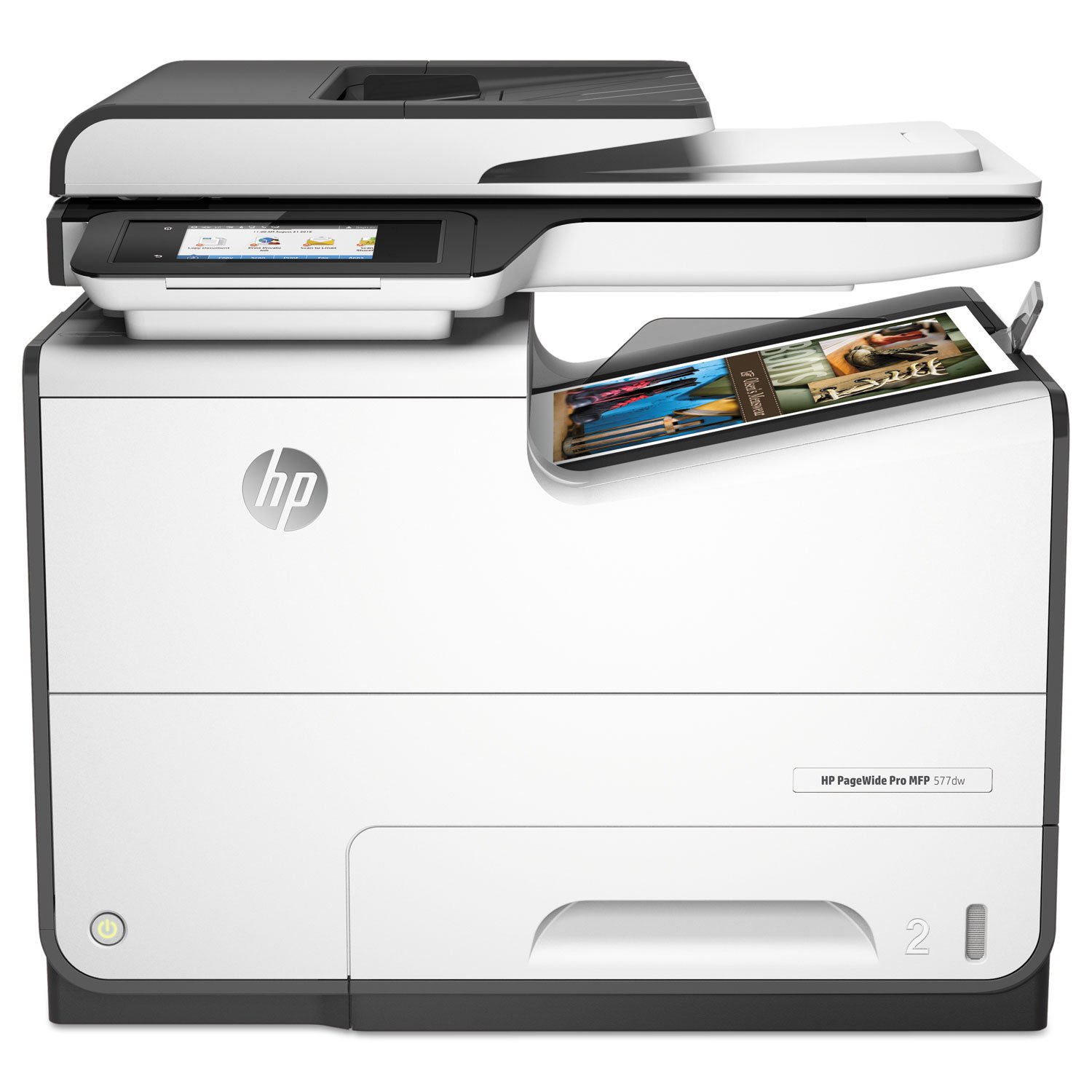
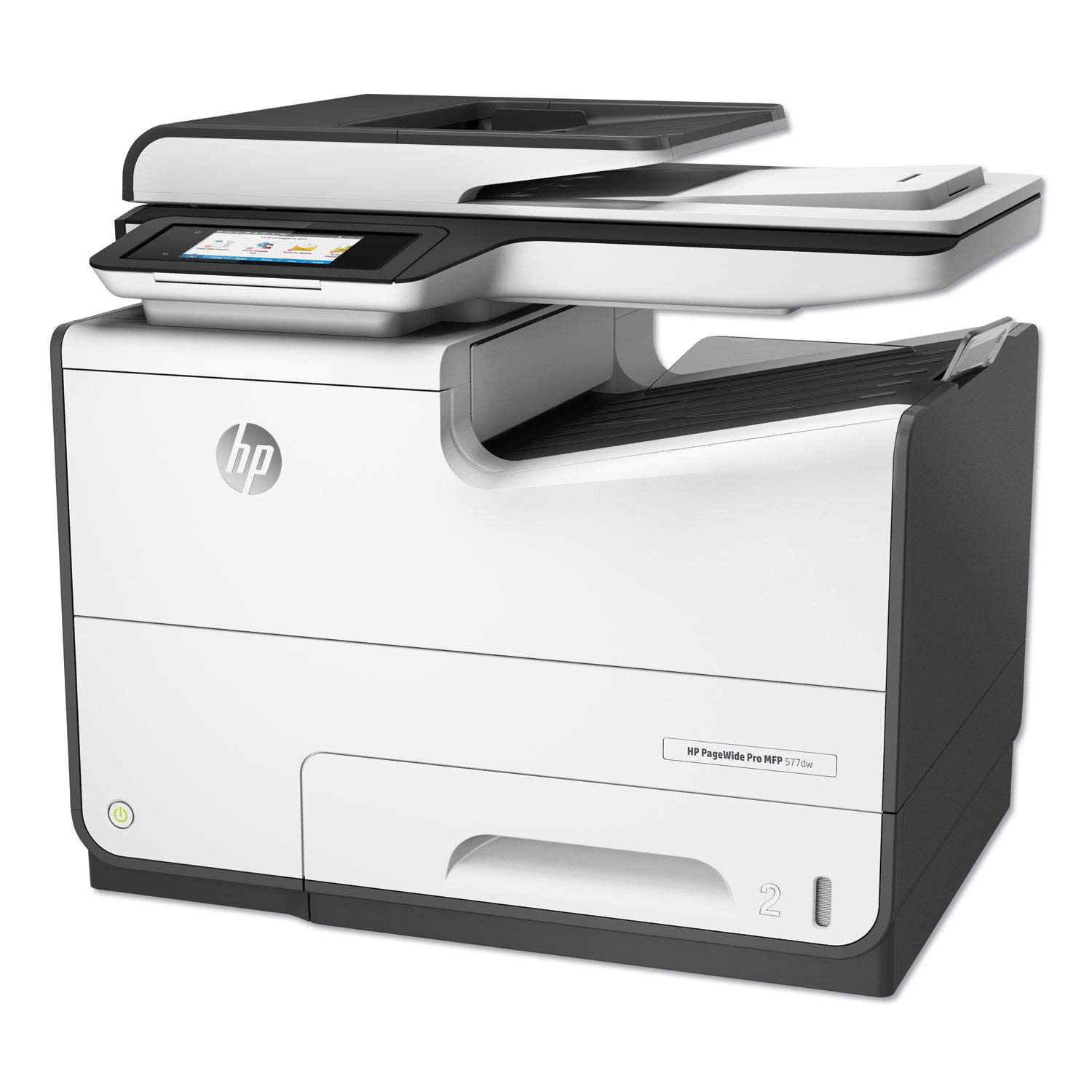
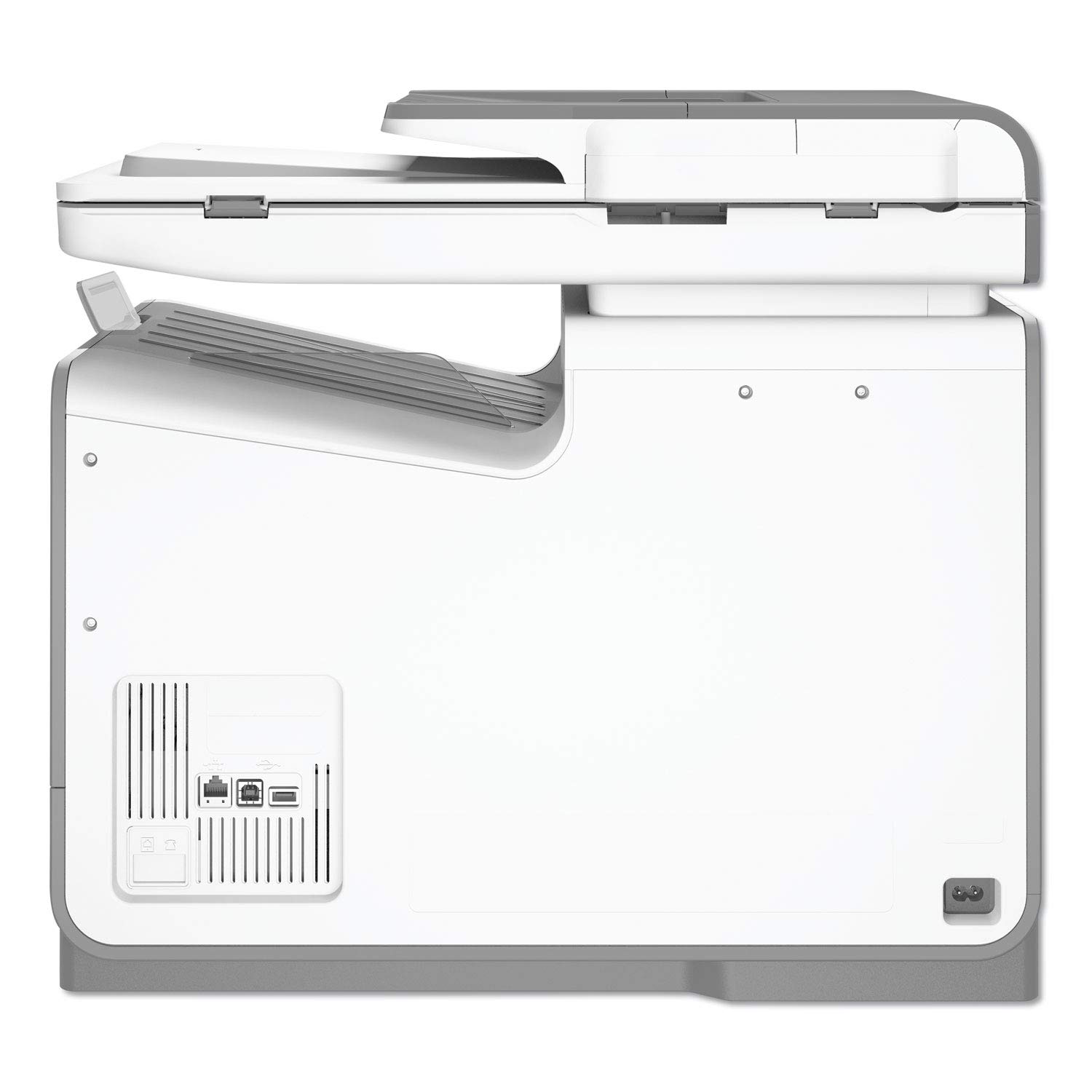
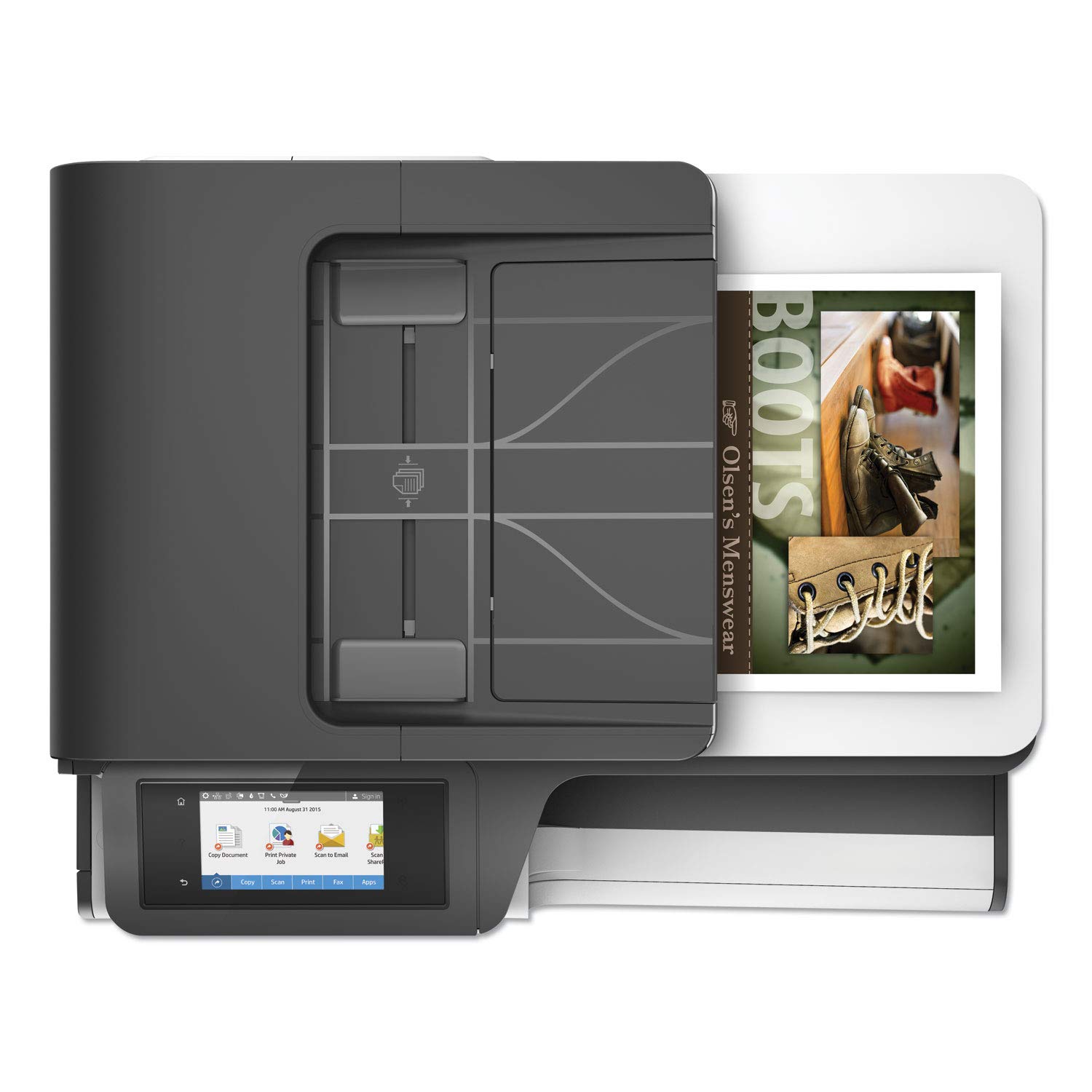
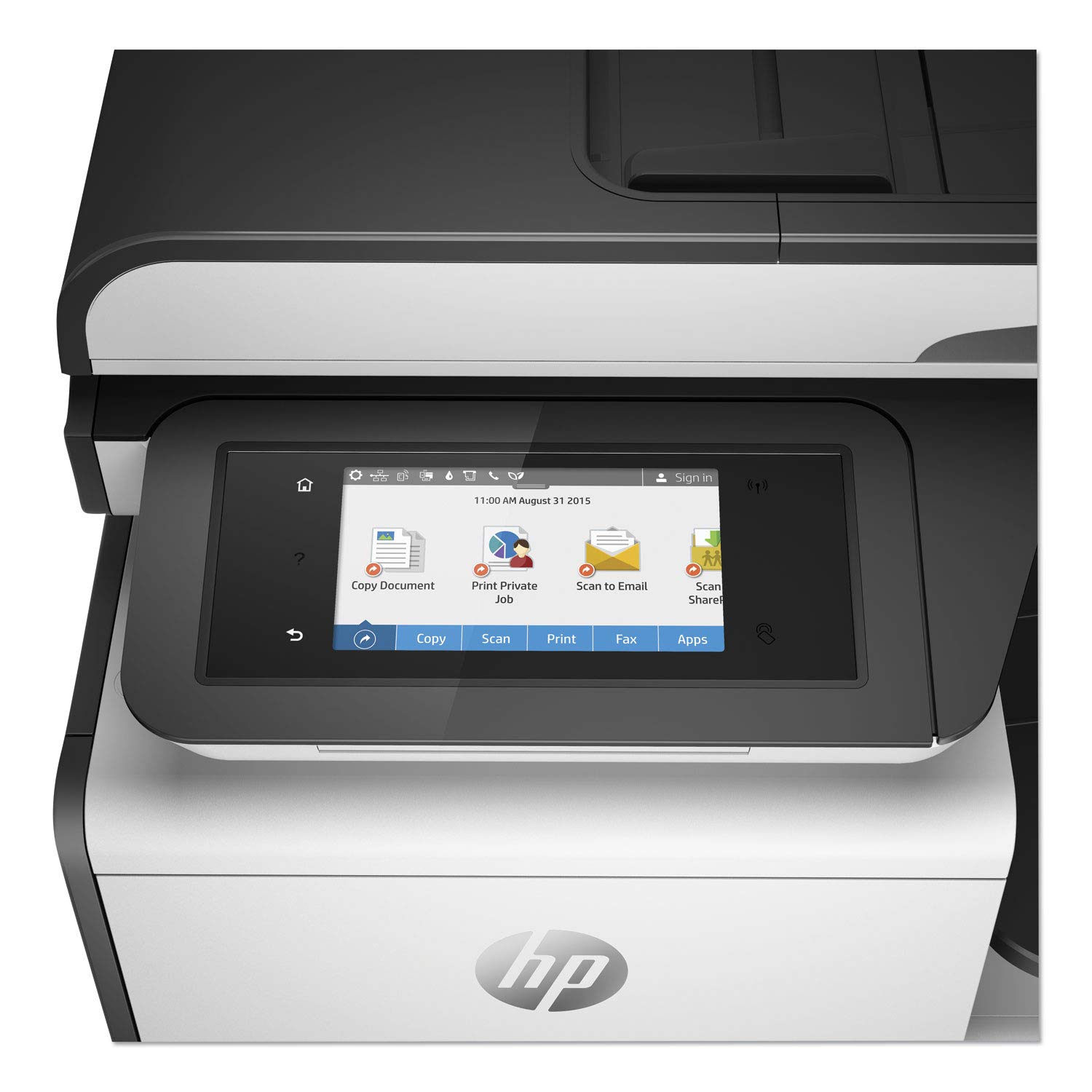
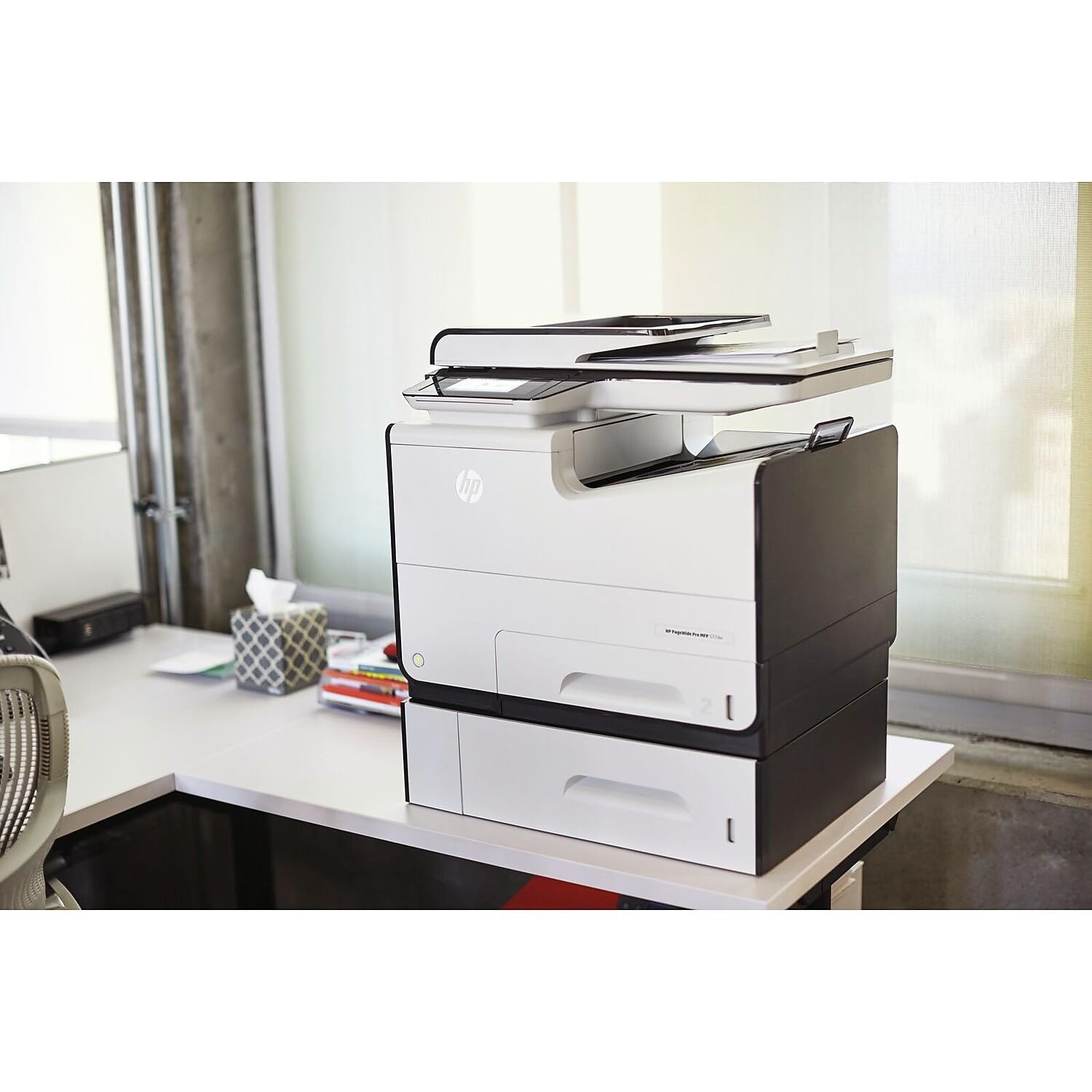
🚀 Print Fast, Print Smart, Print Secure — The HP PageWide Pro 577dw Means Business
The HP PageWide Pro 577dw is a high-speed, multifunction inkjet printer designed for professional environments demanding low color costs and exceptional print quality. It delivers up to 70 pages per minute with duplex printing, supports wireless direct mobile printing via Wi-Fi Direct and NFC, and features a user-friendly 4.3" touchscreen. Enhanced security options like PIN printing and secure code validation safeguard confidential information, while Original HP 972A/972X cartridges ensure reliable, consistent output. Compact yet robust, this printer balances laser-like speed with inkjet-quality color, making it ideal for busy offices focused on productivity and cost efficiency.


| ASIN | B01B1JFSK0 |
| Additional Printer Functions | Copy, Fax, Scan |
| B&W Pages per Minute | 50 ppm |
| Best Sellers Rank | #475,759 in Office Products ( See Top 100 in Office Products ) #691 in Laser Computer Printers |
| Brand | HP |
| Built-In Media | HP PageWide Pro 577dw Multifunction Printer^HP 972A Setup Black PageWide Cartridge^HP 972A Setup Cyan PageWide Cartridge^HP 972A Setup Magenta PageWide Cartridge^HP 972A Setup Yellow PageWide Cartridge^Power Cord^Phone Cord^Installation Guide^CD-ROMs (for software, Windows and Mac printer drivers, and User's Guide) |
| Color | White |
| Color Depth | 24 bpp |
| Color Pages per Minute | 26 |
| Compatible Cartridge | HP 972A Black, HP 972A Cyan, HP 972A Magenta, HP 972A Yellow |
| Compatible Devices | Laptops, PC, Smartphones |
| Connectivity Technology | USB |
| Control Method | Touch |
| Controller Type | Android |
| Customer Reviews | 3.2 out of 5 stars 213 Reviews |
| Display Type | LCD |
| Dual-sided printing | Yes |
| Duplex | Automatic |
| Global Trade Identification Number | 00889296726234 |
| Hardware Interface | USB |
| Ink Color | Color |
| Item Dimensions D x W x H | 16"D x 20.9"W x 18.4"H |
| Item Type Name | Color Laser Printer |
| Item Weight | 58.18 Pounds |
| Manufacturer | HP |
| Maximum Copy Resolution Black and White | 1200 |
| Maximum Copy Resolution Color | 1200 dpi |
| Maximum Copy Speed Black and White | 70 ppm |
| Maximum Media Size | 8.5 x 14 inch |
| Maximum Print Resolution Black and White | 1200 |
| Maximum Sheet Capacity | 500 |
| Maximum print Resolution Color | 1200 dpi |
| Model Name | 577dw |
| Model Number | D3Q21A#B1H |
| Model Series | 577 |
| Number of Trays | 1 |
| Other Special Features of the Product | Auto Document Feeder |
| Paper Size | 8x14 |
| Power Consumption | 100 Watts |
| Print media | Card stock, Envelopes, Glossy photo paper, Labels, Paper (plain) |
| Printer Connectivity Type | USB |
| Printer Output Type | Color |
| Printer Type | Inkjet |
| Printing Technology | Inkjet |
| Resolution | 1200 |
| Scanner Type | document |
| Special Feature | Auto Document Feeder |
| Specific Uses For Product | Office |
| Total Usb Ports | 1 |
| UPC | 889296726234 |
| Warranty Description | Manufacturer |
| Warranty Type | limited warranty |
| Wattage | 100 watts |
T**S
The best of a laser printer combined with the best of an inkjet
This printer has absolutely exceeded my expectations. I run a business that requires me to send out about 600-1000 marketing letters at the end of each week. Every letter has a high quality letterhead that always seemed to loose a lot of quality when printed on a laser printer. I ended up having to print 600 letters on a general all purpose inkjet printer each week so that my logo and letterhead design would look sharp and stand out. Needless to say, a general inkjet printer takes forever to print that many letters and I ended up having to keep many ink cartridges on standby because it seemed like I ran out in the middle of getting the letters printed every time. This printer gives the best of both worlds. It has the speed of a laser printer and the vivid, accurate color printing of an inkjet. PROS: Very fast printing. Even when set at the highest speed, print quality is still acceptable for use on documents within the office. The second fastest speed, which is still very fast, works perfect for marketing letters since it seems to not loose any quality in the logo and the text is still dark and crisp. Scanner works great. The scanner scans quickly, even when the unit is connected to a wireless network. Wireless networks and scanning has seemed to always come with frustration in the past. The scanner that was replaced with this one would generally scan half a document and then stop for a couple of seconds before proceeding. I assumed it was having trouble sending the data through the network to my computer since it did not do this when connected via USB. That problem no longer exists and I have the added benefit of scanning both sides of documents simultaneously. I do a lot of scanning so this feature comes in very handy. Ink cartridges are large. I no longer have to keep a big supply of individual cartridges since the ones for this printer last a significant amount of time. I have printed more than 3000 letters with black text that extends 3/4 to 4/5 of the page with each letter having a color letterhead and footer. Additionally, I have printed just as many envelopes as letters. Each envelope contained the general address block with black text and a full color return block that includes the company logo. The color cartridges barely register a loss and I have just now received a notice of the black cartridge being low. I would say that this is not too shabby being that these are the ones the printer came with. The unit is compact. I expected this unit to be a bit bigger than my Brother laser printer. It is about the same size, maybe a little smaller. This unit, however, holds more paper. Printer has a good look to it. Sturdy. This printer is built solid. No component of it feels flimsy or as if it might fall off after too much use. All doors and trays close tightly, feel secure and does not rattle during printing. Low noise. This printer definitely prints quieter than a typical laser printer although it is a bit louder than a general inkjet. The part that makes the most noise with this unit seems to be the gears/wheels that eject the finished print. I believe that the speed in which these must turn in order to print as fast as it does is what makes them louder than that of a general inkjet. Laser printers have a high rpm fan to keep them cool while printing which typically emits a high pitched whine. Inkjets do not require these types of fans which makes this one quieter than a laser printer. Lower power usage. Laser printers draw a lot more power. I do not have any technical jargon to throw out to you on this, but I do have my own personal observations. Whenever I used my laser printer, the moment it powered up to start printing it would draw so much power that the light in my home office would dim for just a moment. Kinda like when you turn on a vacuum cleaner. This does not happen with the HP Pagewide. Nice touch screen. The screen is large and well lit. It also has an adjustable tilt so that it can be positioned to your needs. The screen registers quickly when an icon is touched and I have noticed zero lag or issues when having to navigate around in the menus. CONS: Catch tray does not hold enough finished prints. I really love the fact that this printer can be loaded with 500 pieces of paper. It cannot print all 500 without stopping though. You have to keep an eye on the catch tray and remove what has been printed after about 300 pages. It would be nice to not have to keep an eye on it. I would prefer to remove 500 pages from the catch tray when the time comes to reload it with another 500 pieces of paper. Having the ability to load it up with 500 pages but only be able to print 300 at a time does not make sense to me. Significant slow down while printing duplex. Logic says that this is inevitable since the page is printed, drawn back into the printer and printed on again. Duplex printing just seems to be slower than it should be. The first side of the paper seems to print in half the speed even before the sheet is drawn back in to be printed on the reverse side. I do believe my old laser printer has faster duplex printing even though it is far slower on single side prints. Cannot be loaded with 30 envelopes and routinely indicates a jam when it gets to the last envelope. The unit says that this can be loaded with up to 30 envelopes. Although it will print if you do, it seems that the first 4-5 envelopes will not feed correctly and causes the address and return blocks to be printed at an angle or have a small part of the return block printed off the top of the envelope. Putting in no more than 20 seems to work a lot better and will print without issues, for the most part. The other problem it has with envelopes seems to be when the last envelope is picked up and printed. I would says that about 25% of the time, the last envelope gets printed but the machine stops and reports a jam. I have to open the side panel and retrieve the correctly printed envelope. The "jammed" envelope is always in perfect condition and correctly printed. After clearing the "jam" and reloading the tray, I then have to wait for it to pick up a new envelope and pass it through the printer, unprinted, before it starts printing envelopes again. Does not give much details about what is printing. My older canon inkjet tells me what page it is on while printing, the real-time ink details, how many pages are left and an abundance of other information. This printer does not do that. When you click to see the details of what is printing, it just simply opens the default windows printing window. It just shows that something is printing and gives you the option to restart, cancel or clear. I expected more. Information like this is very useful when I am trying to print 500 envelopes and I am curious to know how many envelopes are left to be printed. The tray will not always lower when you need to load more paper or envelopes. When you pull out the paper tray, there is a metal bracket that lowers down to the bottom. After refilling and closing the tray, this bracket raises the paper up into position so that it can be fed into the printer. This bracket does not always lower and you cannot load paper into it unless it does. To remedy this, you have to close and then re-open the tray until it lowers. Looses connection to my computer after being unplugged. If the power goes out or I need to unplug the printer, I have to go into the software on my computer and tell the software the new IP of the printer. Not a big problem, but can be annoying when you have multiple computers that need to connect to it. Does not make use of 802.11AC. This printer will not connect to a 5Ghz connection. If you are using an 802.11 AC router like I am, you have to enable dual band and allow connections on the 2.4Ghz connection. Speed and functionality of the printer would be unlikely to improve using the 5Ghz connection but it would be nice for all of my devices to be able to connect to the router the same way so that I do not have to broadcast both a 5Ghz and 2.4Ghz signal with my router. I have only one device, including all cell phones, tablets and laptops that have to connect using 2.4 and that is this printer.
S**G
This Printer Does Not Work
I have found this printer to be quite problematic, and now that I see one reviewer reporting that SquareTrade will not deal with the printer while it is under manufacture's warranty (a critical disclosure to have made when someone is making a purchase decision; I bought the same four-year warranty), and that HP will not fix the printer since it was purchased through Amazon, I am very concerned. I had the printer for about 11 days. It will not connect easily to an Apple computer, a Dell computer, or a Microsoft computer. It constantly reports that there is a paper jam when there clearly is no paper jam (not in any of the four doors, and this printer is designed so that you can pretty well see through its mechanisms to tell whether a piece of paper, however large or small, is lodged). It constantly shuts down and presents a blue screen with an icon that looks like the power button, and code that I can find nowhere on the Internet (B8B165EE). It does not complete print jobs before either reporting a paper jam (again, that is not present), or ending the print job and showing the blue screen with the power button symbol and the aforementioned code. It is very, very slow to connect, so advertised printing speeds are severely mitigated by connection speed. I have printed maybe eight small print jobs of no more than seven pages each, and this printer has stopped working for me. Even direct connection with a wire from my computer to the printer is slow and the print jobs fail. Since this printer has been such a disappointment, my hope was that Amazon and its reseller would facilitate a no-hassle return. In my case, the seller for this printer was Best Priced Printers. I was very concerned that I would experience a nightmarish process, similar to another described on Amazon, where I would be referred between the reseller, HP, Square Trade, and Amazon. Initially, that is exactly where my scenario began. But within a few e-mails, and less than an hour, Best Priced Printers agreed to accept return of the HP printer. I was very pleased. Further, their customer service was exceptional. When I shipped the printer back to them, they refunded my money before they received the printer. When they learned of the amount I paid for the shipment, they sent me a check by Federal Express to reimburse me for the UPS shipping charge. Further, I have heard from this reseller that, based on my experience, they have revised their return policies and are working with HP to ensure that they can provide their customers with the best possible service. In my experience, Best Priced Printers is a good, reliable, and responsive business partner. I have been very pleased to work with them and based on my experience I can offer them my whole-hearted endorsement.
S**.
EXCELLENT PRINTER FOR THE MONEY
This is the best printer on the market today for the money whether you have a small home office or a mid sized company. I was a little concerned by some of the reviews stating this printer is hard to set up. We have no "IT Department" as we planned to use this printer for my husband's home based business. But after analyzing the whole printer marketplace, this HP PageWide had the most features for the best price. So here is the deal-- you don't need an IT department to set this printer up. You just need some common sense. The printer comes with disks for the printer driver. Depending on what version windows you are running, you most likely will need to update the print drivers online. If you don't know how to do this or are having problems setting up the printer, simply call HP Printer Tech Support at 1-800-334-5144. You will need to give them the model, which is PageWide 577, and your Serial # on the printer which can be found on the back of the printer. The support is free since the printer is new. We are running Windows 7 Ultimate on a local network and hooked up the printer wireless. The HP Tech Support Rep was very helpful. The Tech Rep loaded a different HP Printer Driver onto our computer and everything works perfectly -- the printer, the copier, the scanner, and the fax. Also, if you lose power in your business or house, the printer will quit working because it changes the IP address. If after a power outage you can not get your printer to work, simply call the Tech Support line. They will help you reset your IP address for the printer and make it permanent so should you lose power again, you won't have to reset. So bottom line, even if you are a computer novice, like us, with a simple call into HP Support, you will have your state-of-the-art printer up and running. Best of all, they answer the HP Tech Support line very quickly and the agents are extremely nice. Our last HP printer lasted for over 10 years. We are very happy with this new model.
T**T
NOW LOCKED INTO HP EXPENSIVE INK AFTER F/W UPDATE. Extremeley fast first page out.
Updated: July 2019 I no longer recommend HP. We have several of these printers. HP forced firmware updates which now prevent use of 3rd party ink forcing you to use very expensive HP ink at 4x the price. Without permission, they took away a feature of the product and will not allow us to return to older firmware. Further, their data collection on usage is almost impossible to prevent, they are persistent is asking permission at every opportunity until some user presses "Yes". You own this printer. HP does not own you. Don't buy from HP. Further, you CAN turn off the automatic firmware updates, and the HP web services (cloud printing). If you care about security you will want these turned off. However, ANY user that runs the HP utility will inadvertently and unwittingly turn all these back on EVEN WHEN THE SETTINGS ARE PASSWORD PROTECTED. With HP's evil deviousness, they will one way or another very quickly force your printer to 1) receive automatic updates and 2) enable the web (cloud) services no matter how many times you turn these settings off. Although we have several printers in the office, this is our go-to printer. We print a lot of single or few page jobs, this printer spits the page out faster than you can get to the printer every time. If time is money, this will save you a ton! OK but not great for photographs. Wherever you have a solid block of ink (large logo, illustrations etc) the page will come out damp, especially if you use cheap paper. We've found Hammermill Laser paper works well, avoids most of the dampness and can be obtained inexpensively while improving your image because of the bright and very smooth finish of the paper. Haven't tried the Xerox color-lock. It's reliable, doesn't jam often and works pretty much as you'd expect. Great to be able to print direct from a smart phone. The scanner is OK, fed sheets tend to come out slightly rotated. HP's incessant demands and tricks to get you to give up your privacy and to use their online services are extremely annoying, if you decline another user will surely sign up when changing ink or some other occasion. At least it stopped demanding once signed up. I also have the 477dw at home in another location, the 477dw seems to make more noise, especially the hum of the motor while it's printing. Perhaps that's just an environmental difference. Most of the noise this printer makes is paper handling, it's actually very quiet. For the very highest quality presentation I use a different printer that gives glossy waxy output, but for everything else the speed and convenience of this makes it a no-brainer. If you are on the fence, go for it. Get this one over the 477dw, the speed is worth it.
O**Y
Simply Fantastic! Exceptional marketing materials - printed quick!
This printer is insanely good! I need to print custom-letters to latent customers/contacts and my current laser printer wasn't near the quality nor the speed. I can print about 15 front-back sided pages a minute with this - one every 4 seconds. The print quality is so good, you wouldn't guess it is Inkjet, but the vibrance of the colors is much stronger than color laser. Yes, a set of high-yield cartridges cost as much as the printer - but should cover 7,000 prints. If you need "marketing"-level quality for prints - and use color (and want it to pop) there is nothing that comes close to this. And again, speed - oh my. Very very very happy
D**X
Great except bad control panel out of box
I had a 576 that for 3.5 years was very happy with until the print head went bad. Fortunately, I had a 4-year Square Trade warranty and when they had hard time finding a replacement printhead and the cost to install since quite complicated they refunded entire original cost including shipping of the 577 bought via Amazon. So I bought the 577 to replace. Out of the box the control panel was stuck on "select language". Nothing I could do would select it and go to next. Long hour call with HP support trying to be helpful - no I can't see any buttons on the side. HP guy even sent me a video of what I should be seeing. But it was the control panel of my 576 I am very use to and no, there are no buttons or lights on sides like on video or 576. Rebooting didn't solve it. x They quickly arranged for a very nice and sharp HP rep who came out and after much poking a probing, concluded the control panel was bad. Wasn't sure if HP would replace the whole unit or could just send him a new control panel. Sent control panel and he quickly installed, works great, easily found my network automatically etc. Very much like the printer after the bad control panel was replaced. Not sure what to do with the old 576 - am using it for internal stuff. The bad printhead messes up two colors but still readable and black works fine. Square Trade had me buy new of the bad color cartridges so that was expensive and didn't fix the problem. Now about out of black but lots of colors. I hate to just toss it, may use it for rough stuff and save the 577 for what I have to give to clients etc. However, to do this have to get another black cartridge.
T**Y
100% CRAP!!!
DO NOT BUY THIS PRINTER. YOU WILL REGRET IT. I have owned this printer for 2 years now and I have never in all of my years in Information Technology experienced a printer so expensively priced and so cheaply made. Everything goes wrong with this printer. EVERYTHING. You don't even have to do anything to your PC or the Printer for it to have printer or scanning issues. Sometimes it wont come on, sometimes it wont shutoff. You get this big blue screen with some error code "CF...." for no reason whatsoever and you cannot reboot it to remove it, you cannot use the software tool, the online help sucks 1000%. Even right now, after I just fixed this issue and tested this machine works, I cannot print a 1-page document because the printer status is "offline". But, I am clearly looking at the thing connected to my router and this new updated software they just rolled out is literally still running after 15 min on a 4-5 min install. I promise you. If I could sue these people and win because they stole my money with this crap I most certainly would. IGNORE THIS WARNING AT YOUR OWN PERIL....DO NOT BUY THIS PRINTER. I WILL BE HARD PRESSED TO EVERY BUY ANOTHER HP PRODUCT. Follow-Up to my original Post: I have had nothing but problems with this printer from the day that I purchased it. There have been so many problem with the printer I don't even know where to begin. 1) The blue screen of death just popped up one day and it is very difficult to remove it. 2) The scan driver just stopped working one day and none of the tools provided by HP seem to fix the issue. When you call tech support they want to charge $122 to fix their problem. 3) The printer cartridges seem to drain prematurely even when you are not printing in color and doing mostly scanning. These things are extremely expensive. 4) Connecting a network cable apparently prevents the wireless access from other PCs on the network. I have been dealing with this issue for several months and overall printer problems for over a year now. I am so done with HP. I swore that I would never buy another HP computer and now I am swearing to never buy another HP anytime. Take my warning, this printer is 100% junk.
W**L
Great HP Printer
Amazing printer! HP finally has picked up regarding quality for their printers - this is a unique printer - not a LASERJET PRINTER and NOT an INK JET PRINTER - BETTER THAN BOTH in my opinion. Easy to connect and works great!!! Very happy with this printer. it is a little heavy and takes up some space but well worth the investment for what this printer can do.
Trustpilot
Hace 1 mes
Hace 3 semanas