
Descargar la aplicación


Servicios al cliente
Sobre nosotros
Copyright © 2025 Desertcart Holdings Limited
Descargar la aplicación

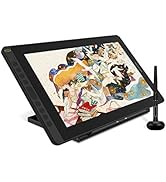
🎨 Elevate your art game with precision and color that commands attention!
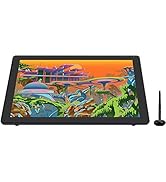
The HUION KAMVAS 16 is a professional-grade 15.6-inch pen display tablet featuring a full-laminated anti-glare screen with 1920x1080 resolution and 120% sRGB color gamut. It includes a battery-free PW517 stylus with 8192 levels of pressure sensitivity and tilt recognition, 10 customizable express keys, and versatile connectivity options including USB-C and a three-in-one cable. Compatible with major OS and creative software, it offers an immersive, natural drawing experience ideal for designers and illustrators seeking precision and vibrant color fidelity.


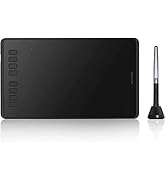

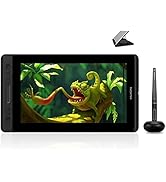

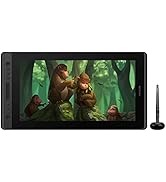

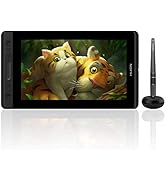


| ASIN | B08L6428YK |
| Best Sellers Rank | #1,603 in Computers ( See Top 100 in Computers ) #8 in Graphic Tablets |
| Country of origin | China |
| Item model number | KAMVAS 16(GS1562) |
| Manufacturer | HUION |
| Product Dimensions | 42.35 x 25.3 x 0.1 cm; 1.26 kg |
W**H
WORTH THE CASH, IT'S A GREAT INVESTMENT Y'ALL
This is hands down one of the best pen display tablets. After shifting from a pen tablet from Huion. This is the tablet you should choose to upgrade your equipment as a beginner or intermediate graphic designer or an illustrator or anything related to designing. People like me who haven't used the express keys before will have an easy way to learn how to use them. Because Kamvas 13 has 8 express keys and it's great for new "express key" user to get used to the much advance models like the Kamvas 16, 22, 24. Conclusion: Can handle anything you throw at it. You can use it as soon as you get it after downloading the driver and adjusting the pen pressure. And enjoy how amazingly this tablet will accommodate your drawing experience/skills.
S**N
Very high quality .
👍
A**D
No Support provided
I had to purchase another Huion even though my previous experience was not good. I bought the Kamvas 22 Pro which did not work straight out of the box. Huion did not provide any support as I purchased the item from Amazon. When I contacted Huion UAE they said they did not have any technical repair centre here and now that the item is out of warranty they cannot help. Regardless I bought another smaller huion which is working ok so far.
S**E
Great user experience so far
I received the tablet a couple of days ago and so far so good. Setting it up with the drivers was fairly straight forward and almost plug and play with the devices. Instructions are clear and to the point.
A**D
Very bad screen response and always lags behind the pen
Very frustrating product .. deeply regret The way the pen is delayed to appear on the screen makes the entire display useless.
A**R
Loved it
Always good
N**E
Love it!
I first started drawing on an iPad Pro but wanted to upgrade to a drawing tablet so I can practice digital drawing on Photoshop. The great thing about this is that there are not a lot of wirings cluttered around my desk as I only need the USB-C connection to my Macbook and one power output. In the case of drawing, I love that it's smooth and its response is real-time. Great stuff from Huion!
Q**I
Dead pixels
The tablet is great, display quality is good. But I gave it a low rating since it arrived with dead pixels making one green line vertically from the top edge of the screen to the bottom. The line is thin, about one pixel width but is still visible if the display is white or a light color.
U**1
كويس جدا
S**H
This is my first drawing tablet with a screen and I love it! The product packing was nice and sturdy, and it arrived in good shape. It was easy to plug into my PC, though the cord isn't very long. When using Photoshop or Affinity, the UI takes up a good chunk of the screen. I can hide the UI, thankfully, but that does add extra steps to the drawing process. It's possible to set the tablet to use part of another monitor's screen which may be a good alternative for more useable drawing space. Though I prefer having this as an extra monitor for when I'm not drawing, so I'll stick to hiding & unhiding the UI. It took me some time to get used to the smaller resolution and I did find it's not as crisp and clear as my standard computer monitors. I had issues installing the software & drivers. In the end I got it to work with the older Huion app. It's nice to be able to customize the tablet's buttons via that app! And especially that I'm able to do it globally as well as separately per app if I so choose (great if using two or more programs like Affinity Designer, Affinity Photo, Adobe Photoshop and Clip Studio). I like how the pen feels while drawing. Being able to customize the pressure in the Huion app made it feel more natural for me. I'd prefer a larger screen area to draw on but for the price (I got it on sale) it's absolutely worth it! I'd recommend going for a larger tablet if you have any vision issues when it comes to smaller resolutions, fonts etc. My partner has the 20 inch Kamvas Pro for work and it's perfect for them! As an aside, using this tablet for long periods with or without the stand can cause neck and back strain (hunched over, looking down). If you can find an adjustable monitor arm (with or without adapter) that will fit this tablet, that would be ideal. I'd say the stand is a must for this tablet.
E**S
I bought this as my husband’s main Christmas gift, but I was too excited to wait and gave it to him early. He loves it. I’m an artist myself and Huion has always been my go-to brand, so I felt confident getting this for him. He had been using one of my spare pen tablets and I wanted to upgrade him to a screen tablet, and this one was perfect. The screen looks great, the pen feels really smooth, and everything works exactly how you want it to. Setup was easy and it runs well with the programs we use. I’ve always had good experiences with Huion products and this just reinforced that. Definitely recommend!!
D**D
I've never used a pen display before but I've used a drawing tablet. I got this to use mainly with ZBrush (with which I'm a complete novice) and a few other programs. As a beginner, let me say that using this tablet is a breeze! It was simple to set up and easy to configure for ZBrush. And it makes using ZBrush feel so much more natural. There is no noticeable offset between the pen and the pointer, the screen is bright and easy to look at, the pen feels comfortable in my hand, and the display has a good heft to it without being overly heavy which is great for using it in my lap. I'm glad I got the 16" model. It's the perfect size for me to sit on my sofa with the device in my lap. If I had been able to afford to spend more, I would like to have gotten the newer 2.5k screen just so that I could have more working area in ZBrush but the 1080p version is more than good enough. I'm not sure I'd want the 4k version; ZBrush might be too small on the 16" screen at that resolution. I'm extremely happy with this device and I'm even happier with Huion's customer service. I think my display wasn't entirely new when I received it. The bezel around the USB port was damaged. It looked like a puppy had chewed it or (more likely) someone damaged it with a screwdriver or something and the first owner sent it back to Amazon who put it back into inventory without checking it. Being a novice with these devices, I thought it was merely cosmetic at first and didn't bother saying anything; I was ecstatic to have it and start using it. I soon began to realize that the damage was more than cosmetic though. The damaged bezel made it impossible for the cable to seat snugly in the device and the slightest movement would cause the display to disconnect and turn off. *BEFORE* I had a chance to mention anything to Amazon about it, Huion reached out to me just to ask how I liked the device. I explained the situation and they immediately offered to replace it. They sent me a UPS return label and I sent the device back on Friday December 16, 2022. I'm sitting here writing this review on Sunday December 18, 2022 with my replacement already in hand and working perfectly. According to UPS tracking, they haven't even delivered the old one to Huion yet (expected Monday, presumably because it's the next business day). One of the best customer service experiences I've ever had with any company. Huion has made not only a great device but also a happy and loyal customer for years to come! If you're debating between Huion and another brand, don't hesitate to get the Huion.
S**I
It is easy to use but not so easy to connect with pc. Another type c cable is needed for smartphone use, which is not included in the box.
Trustpilot
Hace 1 mes
Hace 2 meses