We remain fully operational. Our teams are working around the clock to ensure your deliveries continue safely.

Descargar la aplicación


Servicios al cliente
Sobre nosotros
Copyright © 2025 Desertcart Holdings Limited
Descargar la aplicación


🔌 Power Your Productivity with the Ultimate 6-in-1 USB-C Hub!
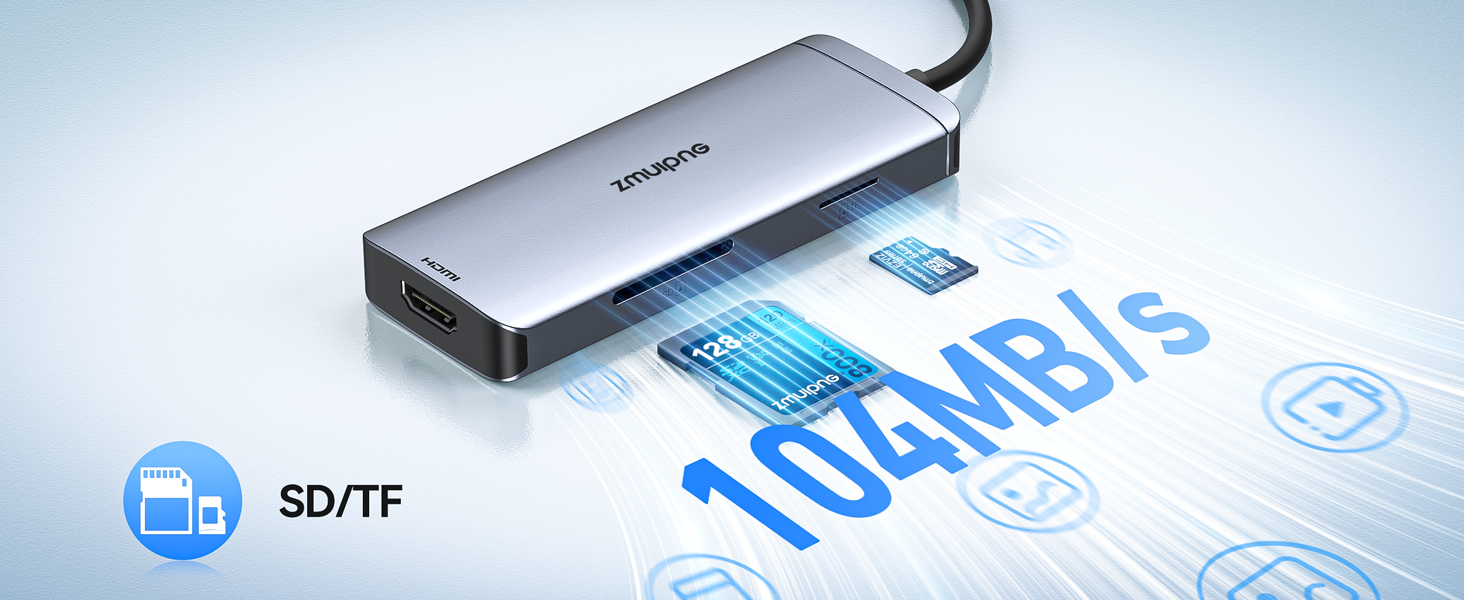
This 6-in-1 USB-C Hub combines 4K HDMI output, three ultra-fast USB 3.0 ports, and dual SD/TF card readers into a compact adapter compatible with MacBook Pro/Air and major USB-C laptops. Designed for professionals seeking seamless connectivity and high-speed data transfer, it supports vivid 4K video streaming at 30Hz and simultaneous card access, making it an essential tool for a clean, efficient workspace.


| ASIN | B09KC1TWP8 |
| Best Sellers Rank | 712 in Computers & Accessories ( See Top 100 in Computers & Accessories ) 105 in USB Hubs |
| Guaranteed software updates until | unknown |
| Item model number | ZM0116 |
| Manufacturer | WardDirect |
| Product Dimensions | 11.3 x 3 x 1.09 cm; 120 g |
A**!
Cheap yet... good?
The HDMI out isn't fantastic, it's limited to only 4k 30hz which is pretty ehh. If you're on a mac it'll force you to use the TV output as 4k 30hz. The usbs, there are 3 of them, seem quite good, very nice to give apple the finger and use my usb A devices. There isn't a power USB C port, or any USB C at all, which is a bit of a bummer, but who cares, you can spend more if you want that. It has an SD card reader though, which really is quite useful, 2 of them, ones small ones larger, which means if you have a microSD and an SD you can use them both at the same time.. It gets warm though, oddly.
P**G
Great
Works great with no problems Bought to use on an Apple laptop and is perfect for the job
J**K
Worked as expected.
I have only used it for two days. It worked as expected. If at any point in the future, the item no longer works, I will update this revi
A**R
Does the work and good value at the price but far from perfect
The main reason for buying this is I needed a HDMI connector to link my surface pro to a screen (surface pro only has a USB-C outlet). Works great for this, plugs well into the USB-C port of my surface pro and image is of good quality. However, only 1 of the 3x USB 3.0 plugs works with my wireless keyboard and mouse. And despite reading about the USB-C port in a comment, there is no USB-C port. Not that it claimed to have one but somehow I expected it and that's my fault I should have paid more attention. But for my main reason to buy - the HDMI adaptor- I am very satisfied so I still give it 4 stars. Quality seems fine as well, I shall update if it stops working or fall apart within a few months (but hopefully it won't).
A**A
Good lightweight connector
Just bought a new MacBook Pro 13 (< 2 weeks). I have connected it up so I can use my usb mouse and external monitor via HDMI, and both working fine without any issues. Thus very happy with the adaptor.
A**S
Great device for use with a MacBook Air M1 2020
What device do you use the adapter for? Macbook Air M1 connected to a MSI 24inch screen, with 3 external hard drives attached and at times to download files off SD card Did the adapter compatible/work with your device? No issues whatsoever, great plug and play, just adjust settings on Mac where needed How do you like it ? Its awesome
K**A
connects with everything so well
I use this for to connect my dell xps with my also dell monitor, plus a USB-A keyboard and a USB-A wired mouse, these devices connect seamlessly to one another :)) honestly such a great value for money, did exactly what i wanted. it’s a small hub too so you can carry it around too !! i just have it on my desk, connected to my monitor via hdmi cable and then the other part i connect to my laptop. it’s such a neat device !
M**C
USB not compatible for all devices!
I bought this item in conjunction with a new HP laptop as I needed to connect an HDMI cable to my monitor. I also bought a new Logitech combined mouse and keyboard which I planned to plug in to the USB port on the new adaptor. The HDMI worked fine but the USB port did not work. I was given this explanation: When a USB 3.0 device is working, it will cause noise and interfere with devices such as a wireless mouse/keyboard operating at 2.4Ghz. Intel has also confirmed this issue. For all hubs, this is an unresolved problem currently. What we can do is to reduce the noise interference to the 2.4Ghz channel, product itself has been shielded but it cannot completely block the interference. Especially the logitech mouse and keyboard, we tested out this brand of interference is more serious Have you try the methods below to decrease the interference? 1. Keep the wireless mouse/keyboard as close as possible to the mouse/keyboard receiver. 2. Or keep the receiver is as far away as possible from the USB 3.0 device. Use extended usb2.0 cable to plug your wireless mouse keyboard receiver or if you have another hub, you can plug the hubs into the sides of the computer, one hub with usb 3.0 device, another with the mouse/keyboard receiver. 3.Use cabled mouse, keyboard. Strange explanation but it certainly would have been nice to know before buying!
B**.
Produit acheté pour équipé un MacBook Air 2020, l'adaptateur s'adapte parfaitement bien et fonctionne à merveille. Vous pouvez acheté les yeux fermés.
A**S
Been using it for couple of months now and it is good. Came on time and the quality is very good
M**E
Auch nach vielen Monaten noch sehr zufrieden mit dem Adapter! Alles läuft wie es soll.
S**R
Good nice product
B**D
Super il marche super bien et me lache pas depuis plus de 4 ans d’utilisation
Trustpilot
Hace 1 mes
Hace 2 meses