
Descargar la aplicación


Servicios al cliente
Sobre nosotros
Copyright © 2025 Desertcart Holdings Limited
Descargar la aplicación

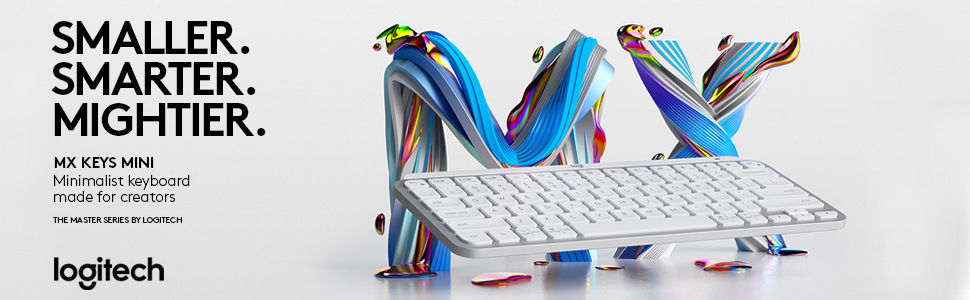
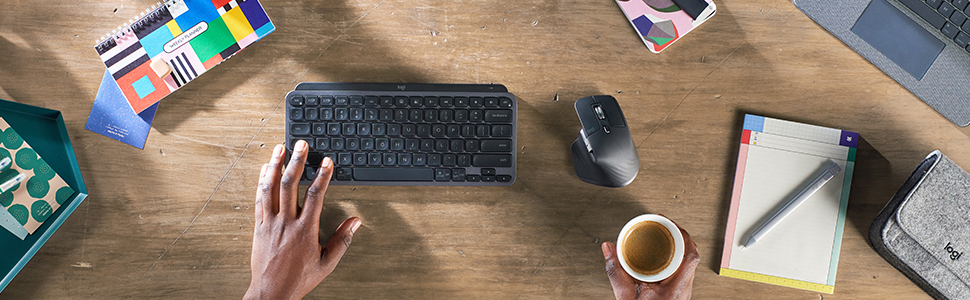
⌨️ Type smart, work sleek — the keyboard that keeps up with your hustle!
The Logitech MX Keys Mini is a compact, wireless illuminated keyboard featuring 73 Perfect Stroke keys designed for ergonomic comfort and precision. It offers smart backlighting that adapts to your environment, multi-device Bluetooth connectivity with seamless switching, and a robust metal build in graphite. With exceptional battery life exceeding 60 days per charge and a free Adobe subscription included, it’s engineered for professionals who demand style, efficiency, and creative edge in a minimalist form factor.


| ASIN | B09LYZP1LG |
| Antenna Location | Office |
| Best Sellers Rank | #2,364 in Computers & Accessories ( See Top 100 in Computers & Accessories ) #39 in Keyboards |
| Box Contents | Keyboard, Lithium Battery, User documentation |
| Brand | Logitech |
| Brand Name | Logitech |
| Button Quantity | 73 |
| Colour | MX Keys Mini Black |
| Compatible Devices | Laptop, PC, Tablet |
| Connectivity Technology | Bluetooth, USB-C |
| Country of Origin | China |
| Customer Reviews | 4.4 out of 5 stars 1,981 Reviews |
| Enclosure Material | Metal |
| External Testing Certification | ANATEL: 87102103229 |
| Global Trade Identification Number | 00097855169655 |
| Hand Orientation | Ambidextrous |
| Importer Contact Information | Rashi Peripherals, Rashi Complex, Survey 186, Dongari Pada, Poman, Vasai (E) Thane, Maharashtra -401208, Registered Address - Rashi Peripherals Pvt Ltd, Aristo House, 5th Floor, Corner of Telli Galli, Andheri (E), Mumbai 400069, India |
| Item Dimensions L x W x H | 30L x 13W x 2H Centimeters |
| Item Type Name | Wireless Keyboard |
| Item Weight Unit of Measure | 506 Grams |
| Keyboard Description | Multimedia |
| Keyboard Layout | QWERTY |
| Language | English |
| Manufacturer | Logitech, Logitech India Customer Care Toll free Number 1800 572 4730 (9:00am to 6:00pm -Mon- Fri) |
| Manufacturer Contact Information | Logitech |
| Model Name | Mx Keys Mini |
| Model Number | 920-010505 |
| Number of Keys | 3 |
| Packer Contact Information | Logitech Asia Pacific Ltd, Unit no. 1003, Tower 1, Cheung Sha Wan Plaza, Cheung Sha Wan Road, Kowloon, Hong Kong. |
| Power Source | Battery Powered |
| Product Features | Backlit, Ergonomic, Hotkeys and Media Keys |
| Recommended Uses For Product | Office |
| Special Feature | Backlit, Ergonomic, Hotkeys and Media Keys |
| Style Name | MX Keys Mini |
| UPC | 097855169655 |
| Unit Count | 1 Ounce |
| Warranty Description | 1-Year Limited Hardware Warranty |
S**R
Review after more than 1.5 months of thorough useage.
I am writing this review after approximately 2 months of daily usage of my keyboard. & in short, it's a decent keyboard for someone who is looking for it for the long term. First the Positives In the beginning, I was a bit skeptical about its battery performance, as I have a daily use of approx 6-7 hrs. I got it 60% charged, & after approx 2 months, it's still 51%, which is way more than what I expected in real-time usage with its battery performance. Its backlight keys are quite good, as the light bleed around the keys is very minimal from them & they don't distract much. (Though I still prefer to use it without the backlight in daytime, as it helps in saving some extra battery, as well as it doesn't distract me, by keep switching the keys lights on & off again and again( more on this in cons section) Shortcut keys, along with the Logi Options Software, helped me to assign various shortcuts, which are a big plus over any other keyboard. Last but not least, it gets connected really, really fast with the Logitech Bolt receiver. (though u have to buy it separately if you buy Keys mini) Now, The Cons I think, I noticed For context, before this, I had a long experience of typing on my laptop keyboard, which has a bit smaller keys & all the keys close to each other. So, since I shifted to my Keys mini, it kinda somehow feels not optimal for my long, fast typing experience. Believe me, the keys are good, the key travel is good, still, somehow I always end up pressing the wrong key whenever I try to type something in a hurry. It might be me only, so, not a con as such, but I expressed what I noticed. Overall, the keys are at a bit distance from each other than what I feel they should be for a smooth typing experience. Not giving a USB bolt receiver with the MX mini is a big con. Also, they have not mentioned it anywhere specifically that you have to buy it separately, is a bummer. Thankfully, I had Mx mouse already, so I didn't had to buy it again. I liked the older version of the MX Keys mini keyboard more, which the seller has used in the picture, with that big "Enter" button. But yeah, the newer version is okish too. It doesn't get connected via USB & not even sure about the Bluetooth. You have to buy the Logitech Bolt receiver for it. At this price, I think, they could have given this option at least, as nowadays, many laptops don't come with USB-A ports. If you use the keys' backlight, then be ready for it to go off again and again, as soon as you stop pressing the keys for even 5-6 seconds. It happened to me many times, while I stopped for thinking about something, the lights of off automatically to save the battery. After a while, it starts distracting more than increasing productivity. Overall, I gave it 5 stars, as it still feels very robust, and comes with a lot of positives than its downsides. Its slim design will gonna make you, do some more typing work.
B**A
Stable, great typing experience, long lasting.
After nearly four years of continuous, heavy use, I will say that this is a great keyboard! The typing experience is a dream and super smooth. The backlight is there when you need it (I almost always never do), and the keyboard's charge lasts a long, long time. It is also light and very portable. I've never had any problems with the bluetooth connectivity either, and there has never been any lags even when it has been tethered to more than one device. I bout the rose gold version, and it remains a looker! Highly recommended!
R**R
Fantastic keyboard
I’ve gone through many reviews both positive and negative before buying this keyboard. I was confused between Apple’s Magic keyboard and Logitech MX Keys Mini for Mac. But finally I decided to go with MX. Here are my takeaways : Positive side: 1. Key travel is just amazing, after few days of usage you will realise how amazing it is and apple keyboard will seems like nowhere to this. 2. Battery life is great. 3. Lag - I’ve not encountered. It’s so flawless. 4. Device Switching - It supports 3 device connections and with click of a button switching is so smooth. 5. Ergonomics - Logitech have taken care of this thing very seriously while designing it. 6. Backlit- With multiple brightness settings it looks amazing with backlit. Negative Side: 1. No wired connection- Yes you read it right, you cannot use this keyboard with a cable. Though you can continue to use it via bluetooth even while charging. 2. Top row keys are bit different from actual macbook’s keyboard. Maybe it doesn’t make difference for everybody but it is good to have exact key functionalities for a keyboard that is designed specifically for mac. 3. It is so expensive. It should have been placed somewhere in range of Rs 8000 to Rs 10000. Being available in USD99 same as that of magic keyboard which is being sold at Rs9500, this is a expensive deal. 4. Even if selling at this price fingerprint sensor could have been added. Conclusion : Still this is an amazing keyboard if you want to come out of apple’s ecosystem and want an alternative. I will rate this above apple’s magic keyboard. You will not get any different feel if you go for apple magic keyboard from that of your macbook’s keyboard. So I would recommend this one. If you read this review and find it useful, do upvote it as helpful. Thanks
H**H
Amazing keyboard!
I am adding this review after exactly 6 months (when my keyboard started showing red LED blinks) Amazing keyboard! I have done lot of research before I purchased this Keyboard, and I was of kind of not inclined towards mechanical keyboard (I know they are addictive once you use). Because of environments I may use is not welcoming to the sound :) Pros: 1) Very thin - it’s almost like a MacBook keyboard 2) As you might already know, keys press' are not wobbling; very steady, you can try pushing from any angle. I already forgot about Finger like curvature on keys after 1 month of usage. 3) Built quality is nice, never slips while you are typing, its heavy. Material feels like metal. I own grey one. 4) Ergonomic and usability - I don’t have to move my hands except for Del key, similar how I type on laptop. Even My Acer laptop have more space in between keys than MX. I keep backlight off during the day, I turn that ON at evening, when I am working late, I wish to use dim lights in room. 5) Battery: I purchased, charged, and started using on 27 Aug, today its 27th Feb when LED on keyboard started blinking red for charging- Backlight automatically turned off to save battery maybe. So, 6 months is battery life on single charge - when you use backlight ON and OFF for some days in evenings. I also occasionally turn keyboard OFF, For E.g., long weekends, vacation. 6) Shortcuts: I can easily switch between my 2 phones and laptop with Fn + shortcut keys. Useful shortcuts are - Switch device, Increase/decrease brightness, Smiley is good, Screen capture, Volume mute/Increase/decrease 7) I have MacBook and windows laptop I connect both to monitor, So I have purchased separate connector which I plug each time Cons: 1) Power ON/OFF switch feels not so sturdy, it feels like after many attempts it will lose its tick sound. So, I keep it ON during weekdays. 2) No dedicated stand to increase inclination in case you want to increase inclination. But for me I am now adjusted to this angle. Just go for it!
A**R
SOTA
Good. Minimalistic. Ease of use. Premium quality with great aesthetics. Must buy.
S**S
Excellent!!!!
Just excellent!!!! Nothing more to say
A**I
Zero repair service post warranty (not even local repair centres do it)
This keyboard has been excellent for the past three years. However, the problem arises when one or more keys stop working. While the keyboard comes with a one-year warranty, which is great, the hidden issue is that Logitech doesn’t offer any repair service beyond that period. For me, three keys stopped working, and I couldn’t even find a local computer accessory service centre willing to fix it, even in a city like Bengaluru. This is an expensive keyboard, but I now have no choice but to keep it in the attic or throw away. I now switched back to my old Apple keyboard, despite its lack of multi-device support, because at least Apple offers service after the warranty period. I bought logitech signature m650, ended up with same problem. It stopped working after 2 years, and no repair service. This is a great keyboard, but only consider it if you’re prepared to throw away if it stops working after a year.
G**L
Soft, smooth, and compact!
I am a keyboard enthusiast and have used many keyboards in the past. Mechanical keyboards to membrane keyboards. MX Keys mini is an absolute beauty! I have given the image to compare. You can consider it as a replica of laptop's keyboard. It has backlit, fn + arrows work as home, end, page up and down. Since it is mini sized, the mouse remains quite closer making it ergonomic. Mini is easy to carry in bag, so I preferred mini than the full sized mx. Noise is very minimal, lesser than apple's magic keyboard. It is smooth like butter! I got it for 6k during great indian sale. Just go for it!
Trustpilot
Hace 1 mes
Hace 1 mes