We remain fully operational. Our teams are working around the clock to ensure your deliveries continue safely.

Descargar la aplicación


Servicios al cliente
Sobre nosotros
Copyright © 2025 Desertcart Holdings Limited
Descargar la aplicación
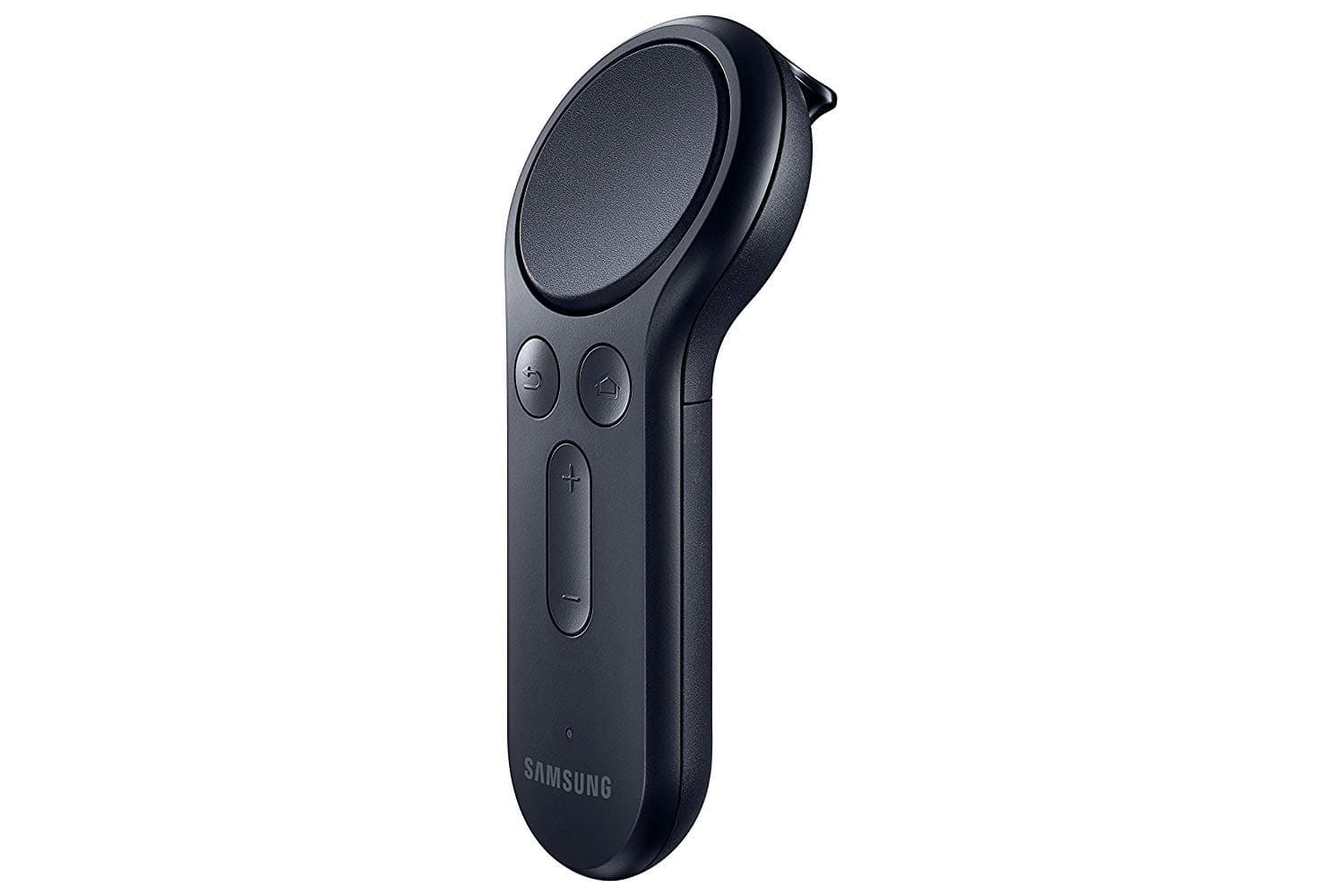
🎯 Elevate your VR game with precision and comfort — don’t just play, dominate!
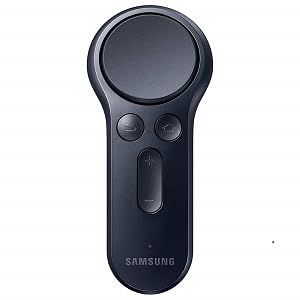
The Samsung ET-YO324BBEGUS Gear VR Controller is a Bluetooth-enabled, battery-powered motion controller designed for Samsung Gear VR headsets and compatible Galaxy smartphones (S6 to S8+). Featuring ergonomic design, intuitive trigger and touchpad controls, it enhances VR interaction with precise hand motion tracking, expanding the range of playable VR apps and delivering a natural, immersive experience.
| ASIN | B06XHXRXP1 |
| Additional Features | digital |
| Best Sellers Rank | #150,000 in Cell Phones & Accessories ( See Top 100 in Cell Phones & Accessories ) #226 in Cell Phone Gaming Controllers |
| Brand Name | Samsung |
| Button Quantity | 1 |
| Color | Black |
| Compatible Devices | Galaxy S8::Galaxy S8+::Galaxy S7::Galaxy S7 edge Galaxy Note5::Galaxy S6::Galaxy S6 edge::and Galaxy S6 edge+ |
| Connectivity Technology | Bluetooth |
| Controller Type | Button Control |
| Customer Reviews | 4.0 4.0 out of 5 stars (2,896) |
| Global Trade Identification Number | 00887276217529 |
| Hardware Platform | Smartphone |
| Included Components | Controller^Handstrap^2 x AAA Batteries |
| Item Dimensions | 4.25 x 1.88 x 1.49 inches |
| Item Type Name | Samsung Gear VR Controller - Black |
| Item Weight | 1.28 ounces |
| Manufacturer | Samsung |
| Model Name | ET-YO324BBEGUS |
| Package Quantity | 1 |
| Power Source | Battery Powered |
| UPC | 887276217529 |
| Warranty Description | Limited warranty |
A**.
It's great
For now I bought so I can use it with driver4vr and play some VR games so I can decide if I want a full on VR headset like the Acer windows mixed reality and I might buy another of this controller to connect to my PC if i can and use a Xbox Kinect with a headset to make a full diy VR setup if it's cheaper but it's works really well and didn't expect for the track pad to feel good and I thought it was gonna feel like plastic but it didn't and it feels high quality which I love and works for my needs
T**E
Greatly expands the Gear VR experience
Whereas some Samsung Gear VR apps can be controlled via the touch pad on the headset itself, a number of apps require a handheld controller. This is that controller. The controller pairs via Bluetooth with the Samsung phone (as opposed to the headset directly) and communicates with the Oculus app. I have a model SM-R322 Gear VR (November 2015), and this controller model is fully compatible with it. Presumably it would also be compatible with all newer Gear VR models as well, at least up to the SM-R325 (the latest model of which I am aware, at time of writing this). Powered by two AAA batteries, the controller is symmetrical and can thus be held in either hand (the Oculus app allows you to configure it for use in the right or left hand). Its control inputs consist of an index-finger trigger, a touch-sensitive circular pad for the thumb, a click/press of that touch pad, a "back" button, a "home" button, volume up/down buttons, and gravity and accelerometer data. Within the Gear VR home environment, the controller appears hovering in midair in approximately the location of the user's hand, tilting and rotating according to how it is being held, and emitting a laser-like beam that manifests as a white dot on the virtual control panels, allowing you to select controls with a click of the finger trigger or thumb pad. The behavior may vary within individual apps, but it is usually similar. The Gear VR home environment's control panels include a battery indicator for the controller, right next to the one for the phone itself. You may not be able to enjoy or even use many Gear VR apps without a controller. This greatly expands the number of apps that will be accessible to you. This controller is not intended or known (at least, as far as I know) to work with anything other than a Samsung Gear VR headset. Such VR controllers have not really become standardized yet.
J**D
works great but i had some pairing issues at first
works great but i had some pairing issues at first. i was getting an error that said i had to do an update to pair the controller and when i tried to, i got a message saying the update was completed. i got this about 5 or 6 times even after i restarted the phone. i had to uninstall and reinstall the whole app and everything worked fine after that. Overall i think this is a good addition to the gear VR. It definitely helps with immersion and makes it feel more like a quality VR unit.
M**E
Not compatible with Samsung phones produced after 2017
According to Samsumg, product is no longer in their inventory and is not compatible with any Samsung phones ( including Galaxy phones) produced after 2017.
G**R
This was such a good purchase! Really enhanced all of my gearVR experiences
This was such a good purchase! Really enhanced all of my gearVR experiences. It's easy to setup (I have an S7) and it works as well as you'd hope (so far). I like that once it's setup you can actually see it in your VR space as if you're holding it in VR. It shoots a laser pointer type of beam out of it while in VR so you can easily see where you're pointing. It has made navigating web pages in the browser much better because now I can scroll without accidentally clicking every single link I scroll over. It also feels way more intuitive than tapping and knocking the side of the headset. I got this for like $16 and at that price (or even at the original price of $40) I believe it was well worth it. It's not the same as a normal controller but for what it is, it does a fantastic job. If you are without any kind of controller with your GearVR, you have to buy this! You'll be glad you did.
R**K
It's an hour long project to connect it to the S7... unless you read this tutorial!
I'm giving the controller 3 stars because Samsung makes it excruciatingly difficult to connect your controller. I have an S7 Edge and it took me over an hour to make it connect. For those of you facing issues where the software says it needs to update before it can connect and then the window closes, or those of you who finally get past that mess and then have it say it failed to connect your Gear VR controller, here's how to navigate this annoying mess so you can use the controller your just paid for. TUTORIAL (Shorter version at the end of this review - no commentary) 1. Try to connect it normally as the manual says. It'll most likely fair. If not, kudos to you for having an easy process. Most of us are not so fortunate that all we need to do is RTFM. 2. Most likely in that last step you got a message in the Oculus app saying you need to update your your software, then when you try it gives you a message saying everything is up to date. (In other words, the app is just blowing smoke up your a** and spitting in your face.) 3. Now to get around that issue, you'll need to reinstall your Oculus app. Remember that Facebook and Samsung aren't bright enough to add it to Google Play, so long press the Oculus icon and click "uninstall." After that, just connect the Gear VR headset to your phone and it'll automatically install the Oculus app for you. (Don't worry. It's a shorter install than the first time and you won't lose all of your Oculus apps either.) 4. Now relaunch the Oculus app and you'll see a message asking you to watch a video to get rid of the annoying health warning every time the app launches. (HOORAY! They finally did something to fix that.) It's well worth it and the video is pretty funny. OK, now back to business. Go to the More -> Controllers page again and you should see it says "Pair" instead of giving you useless error popups. 5. Use the steps from the manual again involving the home button on the controller and click "Pair" in the app. See if it works, but most likely it won't. If you get a message saying "Failed to connect the Gear VR Controller" or some similar load of bollocks, go to the next step. 6. I know, I know. It should work especially if you restart the app or reset the bluetooth controller, etc. Surprise, surprise it doesn't, so restart, restart your phone! lol (Just restart it once.) 7. You're now nearing the end of our journey through Samsung's mayhem. (At least it isn't packed with explosives like those poor people who bought a brand new Note 8 last year, but I digress.) Now, you'll need to repeat the steps in the manual once more. This time it'll connect without issue. If not, perhaps you'd like to post a comment on this review showing people what you did to fix it. SHORT VERSION (No commentary) 1. Try installing it as per the manual. 2. Uninstall the Oculus app by long-pressing on the icon. 3. Connect your phone to the Gear VR headset to reinstall the Oculus app. 4. Watch the video to get rid of the annoying health warning every time to wear the headset. 5. Take your phone off of the Gear VR and restart your phone. 6. Retry the steps in the manual and it should connect without issue.
V**.
What Mobile VR has been missing. Opens up possibilities for so many new GearVR experiences.
A**T
Funciona correctamente, debes tener mucho pulso porque se te puede dificultar manejarlo, si mueves de más es muy sensible pero llego en excelentes condiciones y mucho antes de lo esperado.
P**D
Beautiful design and practical takes gear vr to the next level, it makes the user interface much easier to use if your not used to vr.
A**E
alles gut
M**S
Requires only 2 AAA batteries that are included. Not 3 as advertised. Great product, very pleased.
Trustpilot
Hace 3 semanas
Hace 4 días