We remain fully operational. Our teams are working around the clock to ensure your deliveries continue safely.

Descargar la aplicación


Servicios al cliente
Sobre nosotros
Copyright © 2025 Desertcart Holdings Limited
Descargar la aplicación
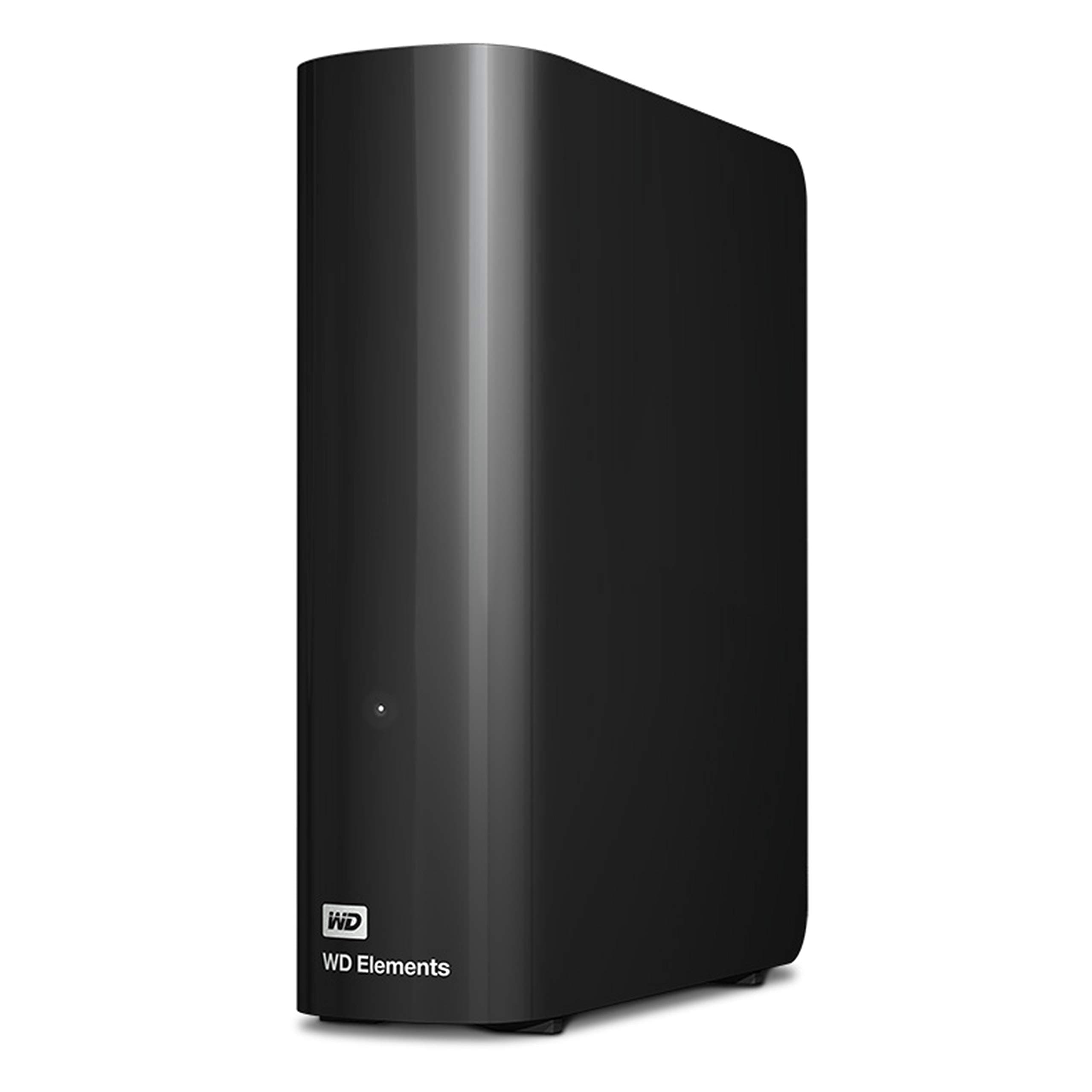
💼 Elevate your digital workspace with storage that works as hard as you do.
The WD Elements 20TB External Hard Drive offers professional-grade, high-capacity desktop storage with USB 3.0 connectivity for fast data transfers. Designed for plug-and-play ease with Windows 10+ and built with a durable, shock-resistant enclosure, it’s ideal for managing large multimedia libraries and boosting PC performance by offloading files. Perfect for professionals seeking reliable, expansive storage without complexity.


| ASIN | B09TYZCN61 |
| Best Sellers Rank | 610 in Computers & Accessories ( See Top 100 in Computers & Accessories ) 10 in External Hard Drives 31 in Components & Replacement Parts |
| Box Contents | WD Elements 20TB Desktop External Hard Drive - USB 3.0 |
| Brand Name | WD |
| Cache Memory Installed Size | 20 |
| Color | Black |
| Compatible Devices | Desktop |
| Country of Origin | Thailand |
| Customer Package Type | FFP |
| Customer Reviews | 4.5 4.5 out of 5 stars (19,473) |
| Data Transfer Rate | 5000 Megabytes Per Second |
| Digital Storage Capacity | 20 TB |
| Enclosure Material | Canvas |
| Form Factor | Portable |
| Global Trade Identification Number | 00718037894539 |
| Hard Disk Description | Mechanical Hard Disk |
| Hard Disk Form Factor | 3.5 Inches |
| Hard Disk Interface | USB 3.0 |
| Hard-Drive Size | 2E+1 TB |
| Hardware Connectivity | USB 3.0 |
| Installation Type | External Hard Drive |
| Item Dimensions L x W x Thickness | 34.3L x 12.2W x 41.9Th centimetres |
| Item Type Name | root->-home->-catalog->-PC-components->-disque-major |
| Item Weight | 0.3 Kilograms |
| Manufacturer | Western Digital |
| Media Speed | [EST] 300 MB/s |
| Model Name | WD Elements Desktop |
| Model Number | WDBWLG0200HBK-EESN |
| Network Connectivity Technology | USB |
| Number of Items | 1 |
| Product Features | Shock Resistant |
| Product Warranty | 2 year manufacturer |
| Specific Uses For Product | Videos |
| UPC | 718037894539 |
| Unit Count | 1.0 Count |
J**C
Great WD140EMFZ drives, easy to set up, huge storage in a single drive with huge potential uses...
I bought 2x 14TB HDD for £190 on Amazon Prime Day sale as a upgrade to my home server (and backup server) storage. Each machine was running a 8TB Toshiba, 4TB WD and 4TB Seagate. Intention is to eventually replace one of the 4TBs from each machine. But for now, they are running plugged into the USB ports. The drives arrived safely boxed and plugging in and switching on was very easy, with no drivers required. I reformatted them and copied the data from one the 4TB drives over. This was particularly painful and took about 2 days over the USB interface, achieving around 36MByte/s when I was checking which wasn't really USB 3.0 speed but more USB 2 speed. Though this could be down to my ageing servers rather than the drives. The drives themselves ran with relatively little noise, I'd say there were quieter in the enclosure than my Toshiba 8TB drives were inside my PC cases! The drives themselves did get quite warm, but not hot, certainly less warm than the Toshibas (though those did run hot) Once these bed in for a few more days and I've copied my data across, I will test my next plan and update the review accordingly... Update 20 Oct 2020: Having opened up the case, the drives are 14TB WD140EMFZ drives. I've "shucked" the drives out and attached them directly to the SATA connectors on my PCs. This has then yielded the full potential of the performance of these drives. I've sequential read of around 190MByte/s transfer speeds now which is pretty damn good considering it's in a 5 year old PC. Perfectly adequate for a PC storage drive or NAS drive. Random Read/Write is pretty bad, but in this age, spinning disks really are not the solution for such operations and I suggest you get yourself a cheap SSD for that sort of usage. Update 17 Nov 2020: These drives have been running flawlessly for a month now. My backup server had a PSU failure and upon replacing PSU, the drive (and others) carried on working falwlessly. To answer a comment. These drives when shucked out are exactly the same as form factor and data and power connectivity as any standard SATA internal 3.5" drive. screw holes etc are all in standard places. Update 23 Apr 2021: These drives have now been running for 6 months. I've upgrade my backup server and now both machines are running 24/7. Both 14TB drives still seem fine with currently no indications of any issues. Hopefully, touch wood this will keep going this way for a long time...
K**N
Incredibly reliable hard drive and fantastic price
Western Digital make great quality external hard drives and I have never had any issues with any of them...so far! touch wood I would always recommend getting a smaller size hard drive (4tb max size) if possible as they can fail and losing so much data (6tb+) can be difficult to take. I've also read that larger size hard drives are more likely to fail but cannot confirm this. These devices are incredibly easy to setup and use. Just plug in the USB cable and you're away. Note: I would highly recommend using a 3.0 usb slot when transferring large files. USB 3.0 does downgrade to USB 2.0 slots but the speeds are so much slower. If you dont have a usb 3.0 lot then use the 2.0 slot but if your desktop pc has multiple drives then make sure you use the faster 3.0 slot. As mentioned before, I can't fault these drives so far. My only concern is the varying write speeds. A few of the hard drives I have purchased seem to have much faster write speeds than others despite being the same model. I do not know why this is but others have mentioned possible cost cutting and use of slower drives/materials. It can be frustrating but isn't too bad on the whole, it just means waiting a few minutes more. Lastly, PLEASE DO NOT leave your hard drive on all the time! The heat generated will impact the drive and can lead to problems. These drives shouldn't be left unused for a long time but should NOT be used constantly as a seperate drive. They are for storage/backup of larger files to decrease file space on your pc/laptop. If you feel like the hard drive is getting hot or been on for a long time, then please safely eject the device and allow it to cool down. Overall I'm very happy with my purchase. Delivery was very fast and Amazon were much cheaper than any where else. I will definitely be buying another one in the future and hope Western Digital continue making high quality but affordable products like this.
D**N
Good, reliable drives
Nice big drives and totally worth it if you can get them on sale. They do make a noise every 4.8 seconds when they are connected and idle. It's a feature called PWL (Preventive Wear Leveling) that stops the reading needle from sticking and apparently prolongs the drive's life. On the 10tb or lower drives you might not notice it unless you are actually holding the drive. Larger drives (16GB+) have a much stronger vibration and it is quite audible if the drive is placed on a hard surface, like your desk, due to resonance. It can actually be quite annoying and they really haven't done anything to try dampen it's effect on these larger drives with better casing, insulation or anything. So, if you are getting the larger versions and plan to have it connected all the time next to you I highly recommend you put something soft under it, like an insulation pad or even just a folded cloth. That will reduce the effect of the PWL ticks quite a lot. You can allow windows to turn off the drive when it's not in use too if you find the right USB Mass Storage Device in Device Manager. That will stop the noise when it's not in use but obviously it needs to spin up again when you want to use it. The noise the large drives make when spinning up is also quite loud and grindy. Excluding the drive from Windows Defender checks, if you use it, will also reduce how often the drive spins up randomly from time to time. You just choose exclude folder, select This PC and then select and exclude the entire drive. Only do that if you are happy with it being excluded from all virus checks though.
G**Y
Excellent price for a reliable, quality product. Very happy customer here.
B**E
Never disappointed by Amazon UK, I have been buying several times from them, best quality fastest delivery even faster than from Australia domestic. Satisfied
O**D
منتج ممتاز وجودة وسعر بطل
S**T
Simple to hook up. Reliable as heck. I have many of this brand and this line (Elements), and have only ever had 2 fail (500Gb size) in the last 20 years or so. 1 failed due to a power outage while transferring files to it. The other was DOA. It's an amazing record for that long of a period. These are my go to hard drives of choice. I use them with my PC, laptops, and my Dish Hopper.
H**Z
Der WD Elements Desktop mit einer Kapazität von 20 TB ist eine ideale Lösung für alle, die große Mengen an Daten sicher und effizient speichern möchten. Als Ergänzung zu meiner bestehenden Speicherstrategie habe ich das Produkt für gelegentliche Datensicherungen speziell in Verbindung mit meiner Synology DS1621+ NAS gekauft. Funktionen und Vorteile Der Platte ist einfach in der Installation und Nutzung. Nach dem Anschließen mit dem mitgelieferten USB-Kabel kann sofort mit der Datensicherung begonnen werden – ohne zusätzliche Software oder komplizierte Einrichtungsschritte. Dank USB 3.0 ist die Übertragungsrate gut: Große Dateien werden mit bis zu 250 MB/s kopiert, wodurch Backups äußerst schnell erledigt werden können. Die Verarbeitung des Geräts ist insgesamt solide. Es wirkt robust und zuverlässig. Die Platte arbeitet relativ leise, was sie für den Büro- oder Heimgebrauch angenehm macht. Besonders praktisch finde ich die Kompatibilität mit meiner Synology DS1621+, wodurch die Platte bestens für gelegentliche Backups geeignet ist. + Einfache Installation und sofortige Nutzung. + Schnelle Datenübertragung dank USB 3.0. + Robuste Verarbeitung und relativ leiser Betrieb. + Kompatibilität mit Synology NAS für Backups. + Große Speicherkapazität für verschiedenste Anforderungen. Nachteile Trotz meiner positiven Erfahrungen gibt es eine kleinere Schwäche, die erwähnt werden sollte. Das Gerät erzeugt leichte Vibrationen, was dazu führt, dass ein leichtes Brummen hörbar ist – insbesondere bei empfindlichen Ohren könnte dies störend sein. Fazit Zusammenfassend ist der WD Elements Desktop 20 TB eine zuverlässige und schnelle externe Festplatte. Die Vorteile überwiegen für mich deutlich, hauptsächlich die einfache Handhabung, die Geschwindigkeit bei Übertragungen und die solide Verarbeitung. Sie eignet sich besonders für gelegentliche Datensicherungen und große Dateiübertragungen. Von mir gibt es daher eine klare Kaufempfehlung. Vor dem Kauf unbedingt der Preisverlauf beachten, da es verschiedene Angebote gibt, bei denen sich ein Kauf besonders lohnt.
Trustpilot
Hace 3 semanas
Hace 1 semana