We remain fully operational. Our teams are working around the clock to ensure your deliveries continue safely.

Descargar la aplicación


Servicios al cliente
Sobre nosotros
Copyright © 2025 Desertcart Holdings Limited
Descargar la aplicación
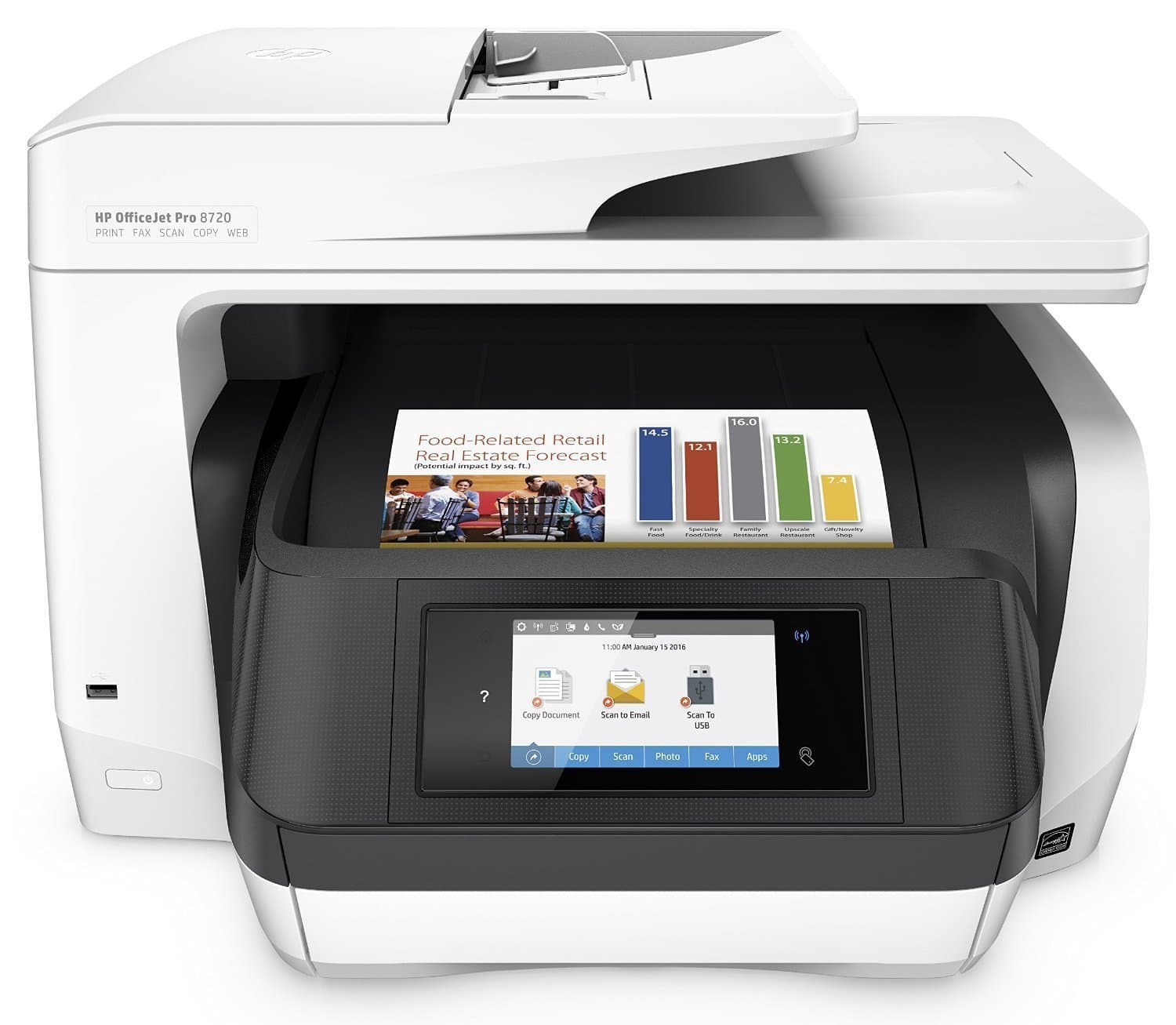
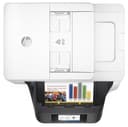
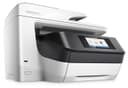
🚀 Elevate your office game with speed, style, and smart savings!
The HP OfficeJet Pro 8720 is a high-performance all-in-one inkjet printer designed for busy professionals. It delivers fast printing speeds up to 37 pages per minute in black and white, supports wireless printing from multiple mobile devices, and features a large 10.9 cm touchscreen for easy navigation. With HP Instant Ink compatibility, it offers significant ink cost savings and reliable supply. Ideal for office multitasking, it combines printing, scanning, copying, and faxing in one robust device.


| ASIN | B01E3UAO1M |
| Additional Printer Functions | All In One |
| B&W Pages per Minute | 37 ppm |
| Best Sellers Rank | 196,301 in Computers & Accessories ( See Top 100 in Computers & Accessories ) 395 in All-In-One Printers |
| Box Contents | 7 |
| Brand | HP |
| Brand Name | HP |
| Color Depth | 24 NA |
| Color Pages per Minute | 20 ppm |
| Colour | Black/White |
| Compatible Cartridge | HP 953 Black, HP 953 Cyan, HP 953 Yellow, HP 953 Magenta, HP 953XL Black, HP 953XL Cyan, HP 953XL Yellow, HP 953XL Magenta, HP 957XL Black |
| Compatible Devices | Smartphones, Tablets |
| Connectivity technology | Ethernet, RJ-11, USB 2.0, Wireless LAN^Ethernet LAN |
| Control Method | App |
| Controller Type | Android |
| Customer Reviews | 4.2 out of 5 stars 859 Reviews |
| Display Type | LCD |
| Dual-sided printing | Yes |
| Duplex | Automatic |
| Global Trade Identification Number | 00889899153895 |
| Hardware Interface | USB 2.0 |
| Ink Colour | Multicoloured |
| Item Type Name | Printer |
| Item Weight | 15.01 Kilograms |
| Manufacturer | hp |
| Maximum Copies Per Run | 99 |
| Maximum Copy Resolution Black and White | 4800 x 1200 dpi |
| Maximum Copy Resolution Color | 4800 x 1200 dpi |
| Maximum Copy Speed Black and White | 37 ppm |
| Maximum Print Resolution Black and White | 4800 x 1200 dpi |
| Maximum Sheet Capacity | 25000 |
| Maximum Supported Paper Size | A4;Legal |
| Maximum print Resolution Color | 576000 Pixels |
| Model Name | Officejet PRO 8720 |
| Model Number | 99999 |
| Model Series | OfficeJet Pro |
| Model name | Officejet PRO 8720 |
| Network Connectivity Technology | Ethernet, RJ-11, USB 2.0, Wireless LAN^Ethernet LAN |
| Number of Ethernet Ports | 1 |
| Number of Trays | 1 |
| Other Special Features of the Product | All-In-One-multitasking^Copy increase / decrease:Ethernet DMZ ports quantity (25 - 400%^Maximum copy resolution:600 x 600 DPI^Maximum number of copies (99 copies)^Operating temperature range:5 - 40 °C^Standard output capacity:150 sheets^Standard printer languages (Digital sound processing: PCL 3)^Text formats supported:PDF, RTF, TXT^Touch sensitive screen |
| Output sheet capacity | 150 |
| Paper Size | 210 x 420 |
| Print media | Paper (plain) |
| Printer Output Type | Colour |
| Printer Resolution Horizontal Max in Color | 4800 Centimeters |
| Printer Type | Inkjet |
| Printing technology | Inkjet |
| Processor Count | 1 |
| Product Warranty | 1 Year |
| Resolution | 4800 x 1200 |
| Scanner Type | Sheetfed |
| Series Number | 2 |
| Special feature | All-In-One-multitasking^Copy increase / decrease:Ethernet DMZ ports quantity (25 - 400%^Maximum copy resolution:600 x 600 DPI^Maximum number of copies (99 copies)^Operating temperature range:5 - 40 °C^Standard output capacity:150 sheets^Standard printer languages (Digital sound processing: PCL 3)^Text formats supported:PDF, RTF, TXT^Touch sensitive screen Special feature All-In-One-multitasking^Copy increase / decrease:Ethernet DMZ ports quantity (25 - 400%^Maximum copy resolution:600 x 600 DPI^Maximum number of copies (99 copies)^Operating temperature range:5 - 40 °C^Standard output capacity:150 sheets^Standard printer languages (Digital sound processing: PCL 3)^Text formats supported:PDF, RTF, TXT^Touch sensitive screen See more |
| Specific Uses For Product | Office |
| Total USB 2.0 Ports | 1 |
| Total USB Ports | 1 |
| UPC | 889899153895 |
A**R
Its a beast of a printer, but very simple and easy to setup and use
The printer has a large footprint but thankfully here is very little assembly required. The real beauty here has to be the LCD full colour display that not only makes setting it up easier, but navigating through the various menus is so much easier given its size and brightness. Setup for me was no problem and it does recognise the 5GHz WiFi networks. The Kids have already put it through its paces and seems to handle everything just fine, including printing from IOS devices wirelessly. I really like HP, they have great support (should it be required) and the look and feel of their printers has always been pleasing. On this occasion it was the cash back promo that encouraged me to buy it (Net cost to me after everything was £25!) and I am very happy with it. If the inks are exorbitantly expensive, I will consider switching to HP Instant Ink or (sadly) junk it and buy another.
M**L
Fast and good quality
Only had this a short time now, but was easy to set up and get running. The speed and quality of the printing is very good. I really like the fact that the inks are individual, makes a lot cheaper especially if you are using one colour a lot more than others. I got instant ink as well and that is great never running out of ink as they supply before you run out. The only con some people may find with this unit is the size and the amount of space it actually occupies is pretty large, just make sure you have the room for it before buying. Otherwise overall a great all in one product
M**A
Impressed so far. Great features and good print quality.
I've had the 8720 for a few weeks now and so far, the performance has been excellent. The printer has a fairly large footprint and will take up a good portion of a desk or small table. It's also tall and has a lid that opens so make sure you don't squeeze it into a tight space. The set-up process is not all that straightforward. You will need to have the printer connected to the Internet and your computer standing by. Once the printer does it's initial configuration, you need to be on-line and connected to the HP site (and the printer) in order to finish the set-up. You can also perform the basic set-up using the HP Smart app on your mobile device. The printer works best over wi-fi. In fact, if you have it connected to an Ethernet cable, wi-fi doesn't work. If you have a hidden SSID, you will have to un-hide it temporally so that the printer can see it and connect. For the more technically inclined, there are LOADS of configuration options; I spent the better part of an afternoon tweaking and customising things. I find this fun but it's not everyone's cup of tea. However, the complexity is a reflection on the fact that the 8720 is designed for a home-office and personally I like the level of control you can have over pretty much everything the printer can do. And this printer can do lots. One of the main reasons I purchased the 8720 was to AirPrint from my iOS devices; this works very well. Scanning to e-mail took a bit of set-up but it's working now. I haven't tested the scan to folder option or the USB print. A few things to note: I attempted to enable the in-built firewall but that caused all my connections to the printer to drop. I played around with the settings but never really got it working to my satisfaction. Secondly, the printer has the ability to receive print jobs via e-mail. You can customise the e-mail address and restrict the allowed senders to approved addresses so random people can't send print-jobs to your printer. However, getting the print from e-mail to actually work is pretty hit-or-miss. It will work for a few prints and then, from the same e-mail address and same device, it will stop printing. You still get a conformation e-mail saying that the job has been accepted but nothing comes out. After I purchased the printer, I signed-up for HP's Instant Ink. One of the annoyances of my last printer was that it liked to suddenly run out of ink at the worst possible moments. The 8720 phones-home to HP when the ink is getting low and they send you a new set of ink cartages. There are different pricing levels based on your usage and they all seem like a great deal when compared to purchasing ink cartages outright. One minor issue: the HP software keeps popping up with warnings on my screen telling me that the cartages installed are not genuine HP ones. This is not true. I eventually found a way to turn off those messages. Lastly, and this has to do with Amazon and not HP. After I purchased my printer, a friend informed me that HP was offering both an £80 rebate and a free 3-year warranty on the 8720: neither of which appeared on the Amazon site. Other retailers prominently displayed the rebate and warranty info but not Amazon. Thankfully I found all this out in time and applied on-line via HP but be aware that you should shop around and check the HP site to make sure you are getting everything you are entitled to.
S**M
Fast and efficient
Excellent so far; large but very fast at printing. Best features are the speed of double sided (duplex) printing, and the ability to scan stacks of documents, including double sided pages. Biggest disadvantage is the cost of ink, and HPs constant software 'updates' which disable non-HP cartridges. Just make sure you answer 'no' to any 'upgrades' and then unofficial cartridges (for 1/3 of the price) should work. I haven't tried it for high quality photo printing. Used with Linux via the HPLIP drivers and the web ui for scanning.
R**R
Paper Problem at start of initialisation
paper problem straight out of box means printer won't even initialise. Fault finding suggest treat as paper jam but there is no paper in machine - there never has been. HP user support unhelpful. No one else seems to have had this problem so will exchange and hope for a better machine next time (sensor faulty or damaged in transit?). 2 hours wasted. Vendor indicated it was an issue for HP warranty. Went through HP's warranty support (on line chat approx 1.5h) - machine diagnosed as faulty and exchanged under HP scheme. New printer to arrive in a week and HP will supply return information for faulty printer with replacement. Overall, okay in the circumstances but should expect it to work out of box - hence 1 star. Will rate printer itself separately. Replacement printer has now come. It arrived with printer carriage loose (I guess these things happen) and labelling shows it is a repaired unit not new. Registering it with HP indicates the manufacturers warranty expired a week ago. It installed ok and seems to work fine but having tried to buy a new unit I am stuck with a unit which is at least a year old and has already failed at least once in a major way, though it doesn't show signs of much use. I have been instructed I must now return the original faulty unit to HP within 3 business days but have been given no instructions on where to or how. I'm not minded to put much effort into it. For the moment I'm sticking with the 1 star rating fr the overall experience.
A**R
Beware the wrong plug
The printer works well and set up was surisingly easy. It has the benefit of HP's instant ink. However the printer arrived with only a 2 pin plug that cannot be used in in a UK socket. Amazon refused to supply one leaving me with choice of returning it for a refund with all the accompaning hassle, as it is now out of stock, or paying to buy the correct fitting myself at my own expense. I feel this is unreasonable and am very unhappy about this outcome. So if you buy this be prepared to pay for your own adaptor or a new lead.
D**K
Big, Bold and Powerful
Great printer, easy to use and has everything, Big- but has a great feeder links directly to google docs- so I can scan directly to gsuite /google docs. Great feeder- shows videos of what to do when you have a jam etc. Not sure on the cost of running as good as my old laser a little noisier. I would recommend.
H**8
Stress in a box
Printer is absolutely huge, which I had not anticipated! Power cable is two-pin so not compatible with my UK plug socket. Had to rewire. CD software linked to online instructions which were far from clear. Mac was unable to locate the printer whilst it was initialising, despite instructions to continue with installation. Initialisation took more than 2 hours (instructions said this would take 7 mins) with 2 reboots to clear and start again when the machine just stopped. You can't switch the machine off while initialising so I had to unplug it. Ended up rebooting my Mac, printer and router twice more before connection was made. Printer tray is sensitive with flimsy plastic fittings and refused to print several times, during test, despite being accurately aligned. Test is set to print paper smaller than A4 (Letter size) so had to switch off and start again a fifth time. Support pages on HP website just go to error 404 message and no live chat. Had to google a troubleshooting guide as the 'information' button didn't suggest anything that would help. Massively stressful 2 hours! On the plus side - cartridges are easy to install. Printer quality is ok but not worth the money. Would return the thing if I could face going through all that again. Make sure you have a G&T ready for when you finish the set-up. You'll need one.
Trustpilot
Hace 5 días
Hace 2 meses