We remain fully operational. Our teams are working around the clock to ensure your deliveries continue safely.

Descargar la aplicación


Servicios al cliente
Sobre nosotros
Copyright © 2025 Desertcart Holdings Limited
Descargar la aplicación
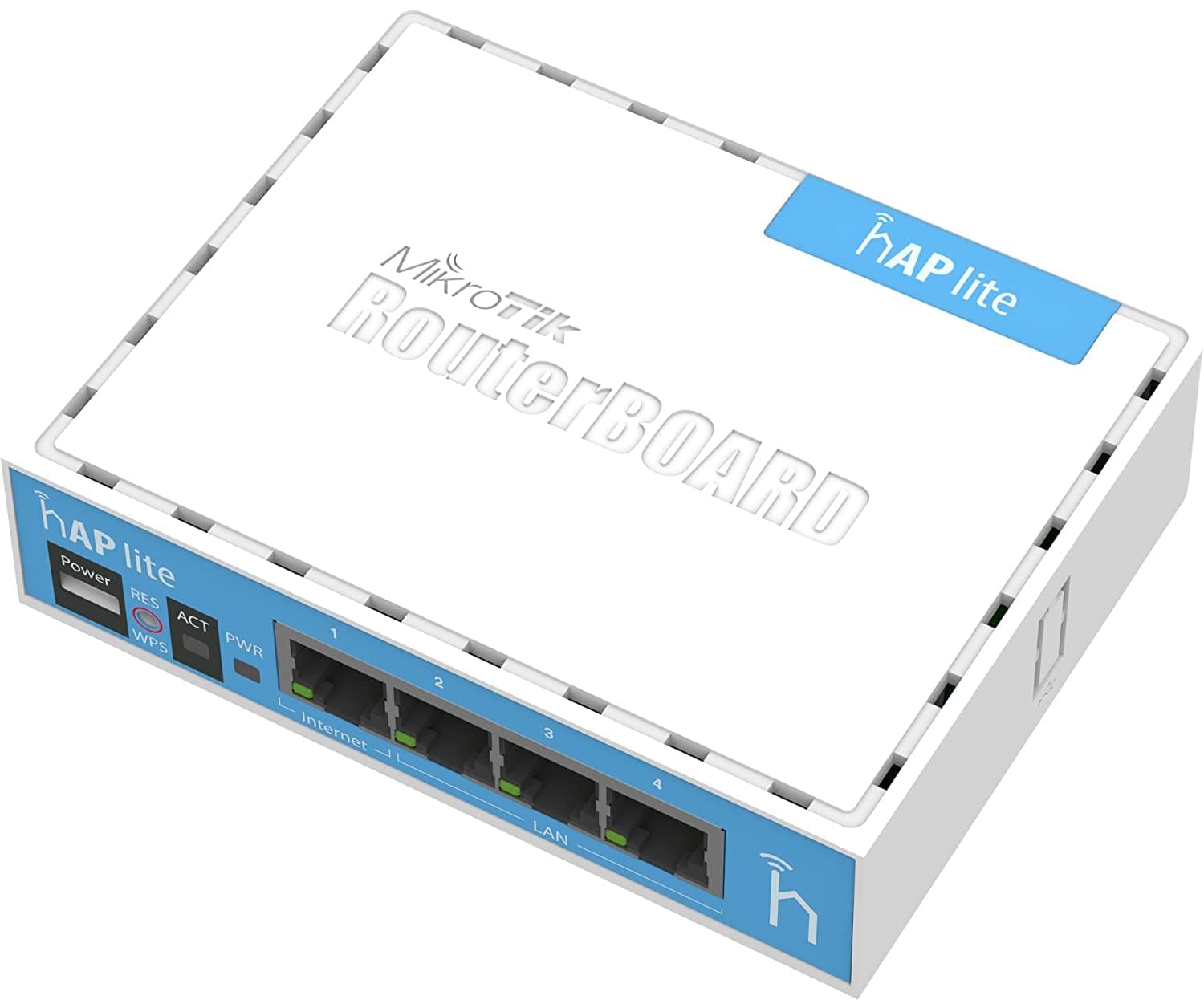

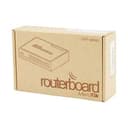


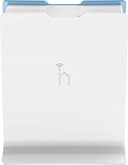
🚀 Elevate your network game with MikroTik’s powerhouse hAP Lite!
The MikroTik RouterBoard hAP Lite RB941-2ND-TC is a compact, dual-antenna wireless access point delivering up to 300 Mbps on the 2.4 GHz band with Wi-Fi 4 technology. Featuring WPA2 and WPA3 security protocols, it ensures robust protection for your home or office network. Powered conveniently via 5V 0.8A USB, it offers both wired and wireless connectivity with four LAN ports and a user-friendly Quick Set interface, while also catering to advanced users through its comprehensive RouterOS firmware.
| ASIN | B00UR758BM |
| Antenna Location | Home |
| Antenna Type | Internal |
| Box Contents | PSU |
| Brand Name | MikroTik |
| Colour | blue |
| Compatible Devices | Laptop, Personal Computer, Smart Television, Smartphone, Tablet |
| Connectivity Protocol | 4 |
| Connectivity Technology | Wi-Fi |
| Control Method | Touch |
| Controller Type | App Control |
| Country of Origin | Latvia |
| Coverage | Home or Office |
| Customer Reviews | 4.5 4.5 out of 5 stars (728) |
| Data Transfer Rate | 10100 Megabits Per Second |
| Frequency | 2.4 GHz |
| Frequency Band Class | Single-Band |
| Global Trade Identification Number | 00609722638050 |
| Has Internet Connectivity | Yes |
| Has Security Updates | Yes |
| Is Modem Compatible | No |
| Item Weight | 250 Grams |
| LAN Port Bandwidth | 100 Mbps |
| Manufacturer | MIKROTIK |
| Manufacturer Part Number | RB941-2ND |
| Maximum Upstream Data Transfer Rate | 300 Megabits Per Second |
| Model Name | RB941-2nD |
| Model Number | RB941-2nD |
| Number of Antennas | 2 |
| Number of Ports | 4 |
| Operating System | RouterOS |
| Other Special Features of the Product | WPS |
| Product Warranty | 4 |
| RAM Memory Installed | 32 MB |
| Router Firewall Security Level | Medium |
| Router Network Type | Wireless and wired |
| Security Protocol | WPA2, WPA3 |
| UPC | 708747431650 609722638050 680665927708 |
| Voltage | 220 |
| Wi-Fi Generation | Wi-Fi 4 |
| Wireless Compability | 802.11n |
F**Z
Non-standard wifi configuration, no support from the forum. You need to spend a lot of time researching wireless protocols.
Can't get better for the price, and although I have plenty of wireless experience this device would not talk to sonos play 3 unless wireless N was off, and then my macbook refused to connect. Didn't get much help from the forum. With a little persuasion these can run openwrt which I find far better to use, but then you won't learn the firmware which although highly complex, has every feature you could possibly think of. 5v .8a micro usb power is convenient, and will run happily from most devices USB port. Update Jun16. After my own router packed up, this was all I had. Plugged in, figured out port forwarding (NEVER via the web interface - command line only) and it has easily been the most reliable router I have used. There was a huge software/firmware upddate to 6.35.1 which fixed the wifi issues. It has been up for 4 months without a single problem. Very efficient wifi - Outperformed a RT-N66U with tomato. It's running from a USB port in the back of a DVD player. Although I find these things a bit bonkers configuration-wise, just find out what you need to do. portforwarding port 514 to 192.168.0.14 from the external web is as follows: /ip firewall nat add chain=dstnat dst-port=514 action=dst-nat protocol=tcp to-address=192.168.0.14 in-interface=ether1 Open the web interface's own command prompt, type that in and that's it. Nothing else. It simply works. Try that with your dlink/linksys/belkin jokers and it won't be as simple. Get one as a spare - Same price as 3 pints of poncy bitter up town.
M**.
The 'Quick Set' page is your friend
This is good value for money; - It's a nice size and the quality of the plastic moulded case is incredible (the whole thing cost £21!). - It wall mounted very easily. - The wireless signal is decent. There has been talk of the high configuration complexity. That ain't quite right; initial setup goes like this: - Power it on. - Connect via ethernet, or to the open wifi hotspot ('Mikrotik'). - Go to 192.168.88.1. You'll be presented with the 'Quick Set' page: - Set the WiFi network name. - Set the WiFi Password. - Set the router administration password. - Click 'Apply Configuration' The router now secures itself (the open hotspot disappears) and will work for 99% of use cases for a home hotspot. If you want to look at the hundreds of configuration options, you click 'WebFig' at the top instead of 'Quick Set'. Even though there are hundreds of settings, they are presented nicely on a tree-driven menu system. This is one of the easiest router setups I've ever done. That is why I'm going to rate it 5/5.
M**S
Very powerful little box.
I've been using mikrotik products for years - very powerful devices for cheap and cheerful money. There isn't much you cannot customize these to do. They run the same routeros software as the high end models (which we run in our head office) which allows you to minutely control every aspect of your network with layer 7, eoip, Ppp options (including IPsec / lt2p, pptp, TCP ovpn), custom routing and very advanced firewall.- bought 3 of these to use as VPN gateways for people to work at home and plug their deskphones etc in to. Openvpn only supports TCP on these which makes them tricky to setup with some other devices. But if you know what you're doing or have one both ends of the tunnel these are a great budget option for VPN gateways. I always have one of these little hap-lites kicking about to use in the lab before messing with the our production router. The 10/100 port is a let down as far as usability at home / work as a main router - but for £26 I am not going to complain!
M**M
Great little WiFi router, limited hardware though.
Nice little testing wifi router. I wouldn't use it in a production environment but it's great for tinkering on with RouterOS rather than a CHR in a VM.
J**W
Highly recommend.
It's hard to believe the amount of functionality and settings you get with this tiny little device. It has facilities that would cost many times more on other devices. The quick setup was all I needed for my use. It can do more than I could ever want. Understandably It could be complex to set up some of the more technical aspects, however, there's ample resources on the net to help with that.
A**R
Great router
This is the Lite version with 2.4GHz wireless only. Great router many many pro features and protocols. This is my second MikroTik router the first one (RouterBoard hEX) I use for gigs in the band. I prefer the RouterBoard hEX. However, I have no reservations in recommending the Lite version, but, take a look at the hEX.
P**L
VPN router beats Virgin and BT stream blocking for IPTV
Great piece of kit, takes a while to setup for VPN and Wifi, if you want yours configured email me support AT vfm DOT club and say you would like your VPN router setup, we put HIDE MY ASS 12 months VPN account on it and works like a charm streaming IPTV through it. Ask me and ill tell you who to use.
S**H
Faulty power socket
Router stopped working due to a faulty micro USB power socket. I only managed to use this router a couple of times before it stopped powering on. The range was quite good when tested as an access point. I also tried using it with OpenVPN to an Asus router but it doesn't support a couple of features like adaptive compression so you would need to disable some of the OpenVPN settings on the router in order to create a connection. It does have PPTP support if you don't want to downgrade the OpenVPN settings.
O**C
Je l'ai acheté car pendant mes vacances d'été j'ai pus me connecter sur l'un des Mikrotik qui avait a la plage. J'ai sus entré en tant qu'administrateur. Il y a tellement de paramètres. TOP ! Je l'ai acheté pour avoir plus d'expérience dans le réseau. Je dirais que ce WiFi conviens a une personne qui connait rien en informatique. Et ce produit est Plug and Play ça veut dire que des que l'appareil est en fonction et branché par un câble RJ5 il fonctionne directement. attention a ne pas avoir la même adresse ip : info l'adresse ip de ce Mikrotik que j'ai reçus est le 192.168.88.1 pour ceux qui se le demande. Pour info je l'ai su grâce a l'application fing qui permet de scanner les réseaux connecté. 5/5 et en plus minuscule !
G**O
Produto bom!! Gostei
T**S
Un prodotto molto completo, con caratteristiche per tutti i gusti e necessità. Ha talmente tante opzioni e configurazioni possibili, che ad una prima occhiata è davvero semplice smarrirsi. Dopo aver analizzato l'interfaccia, ci si accorge, anche con l'aiuto della guida online (quando non si sa ad esempio che cos'è "CAPsMAN" e simili) che alcune sezioni possono essere tranquillamente ignorate SE non utilizzate. RouterOS è un sistema proprietario; ho avuto qualche problema con la current version 6.41; funzionava davvero male per creare un "PTP Bridge AP" (Point To Point Bridge Access Point), sono DOVUTO PER FORZA tornare al canale "bugfix only" versione 6.39.3 e resettare le impostazioni, per far funzionare questo apparecchio come punto di accesso wireless attraverso una lan cablata e riuscire ad accedere correttamente alla gestione via web. CONSIGLI: Immagino che molti vorranno creare un semplice access point via LAN. Ad esempio in questo caso, basta usare le configurazioni rapide (Quick Set), PTP Bridge AP; Ho messo un IP STATICO fuori dal range DHCP del modem-router principale (consigliato); Gateway e DNS con IP del modem-router principale (nel mio caso il DNS era un server pi-hole); Nella stessa pagina impostare anche il Wi-Fi a piacere; FATTO. Insomma, per le configurazioni base non è neanche così complicato grazie ai preset. Ho disattivato alcuni servizi che non utilizzo nella sezione IP e disattivato il WPS nella scheda Wireless. A questo punto con tutta calma e se vi interessa, potrete fare degli approfondimenti online per vedere se ci sono delle opzioni che potrebbero essere interessanti da implementare nella vostra rete. Dato il prezzo onesto mi sento di consigliare ampiamente il dispositivo; ripeto, ho avuto solo qualche noia con il software ma rimanendo ad una versione precedente stabile e corretta (canale bugfix) non ho avuto più nessun imprevisto. Probabilmente il canale current è troppo ""instabile"" in un certo senso (o almeno nel mio caso). Sinceramente cambia poco nulla tra le versioni e preferisco la stabilità. Segnale Wi-Fi buono. CONSIGLIATO (allego foto con la router board interna)
A**E
Bor man i ett hyreshus och leter efter en väldigt svåg accesspunkt är detta en bra val. Men Har man lite större lägenhet Eller Bor man i Villa bli man bara besviken. Genererar hoss mig mindre än en tredjedel av yttäkning som en "vanligt" router.
J**S
This is a fantastic portable AP, I carry it to work with me to prove to customers their wireless APs are defective, or to hotels to have my own Wifi. Like other Routerboard products, you use Winbox to log in and manage the unit. Tons of features and can customize to whatever you want. Runs on Level 4 of the Mikrotik license, which is more than what you need for a home router or AP. Constant updates. Always adding new features and fixing bugs. This is by far the best I've seen from router manufacturers. Can be modified for a WISP, or a wifi-bridge. Can be powered from a computer/laptop. I'm currently typing this on a laptop with a USB cable powering the unit. BGP/OSPF/RIP routing protocols, which is great for testing or introducing into a large network environment. No Console port. Not even worth taking off a star. You can use Winbox to connect over MAC address even if you screw something up on layer 3. Overall, still a fantastic Wifi router/AP after a lot of testing and use.
Trustpilot
Hace 4 días
Hace 2 semanas