We remain fully operational. Our teams are working around the clock to ensure your deliveries continue safely.

Descargar la aplicación


Servicios al cliente
Sobre nosotros
Copyright © 2025 Desertcart Holdings Limited
Descargar la aplicación
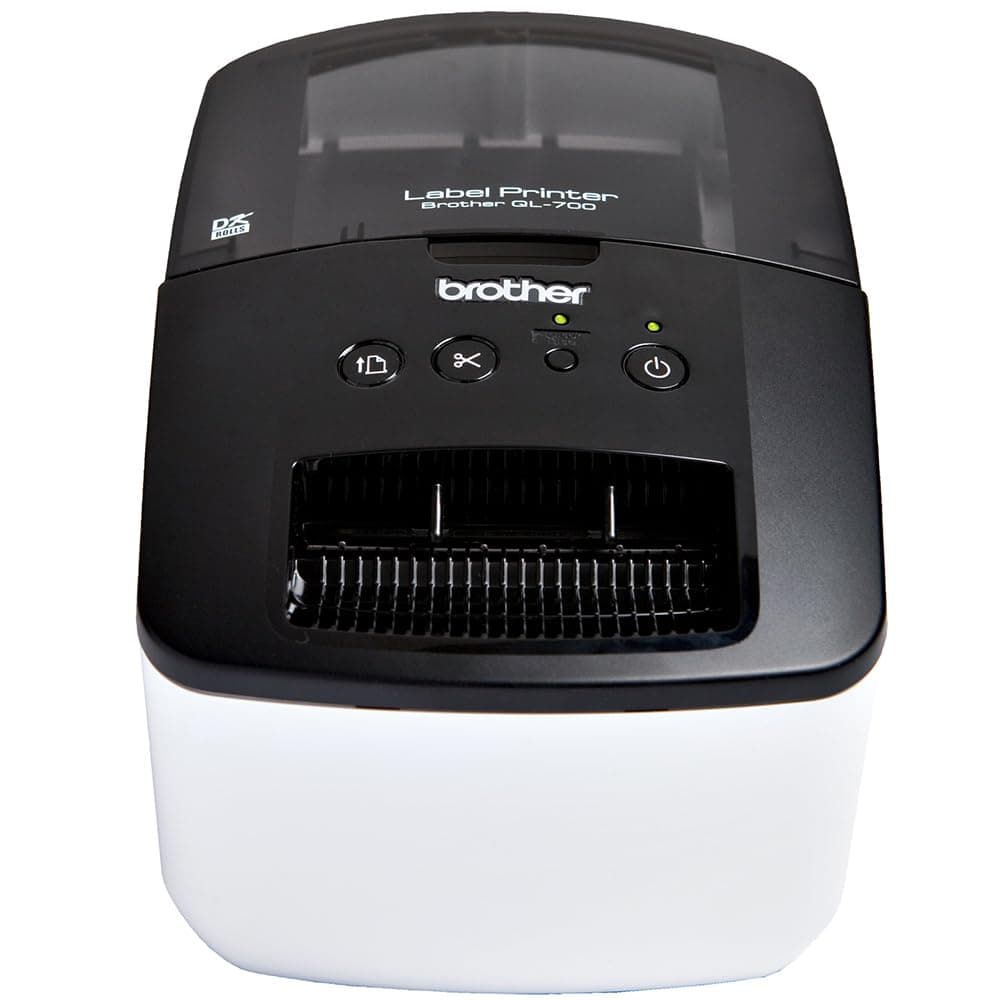


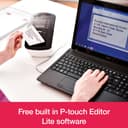


🏷️ Label like a pro, print like a boss!
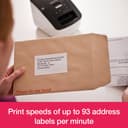
The Brother QL-700 is a high-speed, USB 2.0 thermal label printer designed for professional address labeling. It supports up to 62mm wide labels and custom lengths up to 1 meter, with seamless PC and Mac compatibility via P-touch Editor software. Its fast 93 ppm print speed, automatic cutter, and ink-free thermal printing make it a durable, cost-effective solution for office and business labeling needs.


| ASIN | B0071WACJE |
| Additional Printer Functions | Print Only |
| Best Sellers Rank | 7,963 in Stationery & Office Supplies ( See Top 100 in Stationery & Office Supplies ) 34 in Label Makers 50 in Labels & Labelling Equipment |
| Box Contents | Ink Bottles, Toner Cartridges |
| Brand Name | Brother |
| Color Depth | 24 |
| Colour | Black,White |
| Compatible Cartridge | Brother |
| Compatible Devices | PCs, Laptops |
| Control Method | Touch |
| Controller Type | Push Button |
| Country of Origin | China |
| Customer Reviews | 4.4 4.4 out of 5 stars (603) |
| Display Type | OLED |
| Dual-sided printing | No |
| Duplex | Simplex |
| EU Spare Part Availability Duration | 2 Years |
| Global Trade Identification Number | 04977766704298, 04977766707084 |
| Hardware Interface | USB |
| Ink Colour | White |
| Item Dimensions D x W x H | 23.9D x 26.2W x 18.3H centimetres |
| Item Type Name | Label printer |
| Item Weight | 1470 Grams |
| Manufacturer | Brother |
| Maximum Copies Per Run | 5 |
| Maximum Copy Resolution Black and White | 300 x 600 DPI |
| Maximum Copy Resolution Color | 300x300 dpi |
| Maximum Copy Speed Black and White | 93 ppm |
| Maximum Print Resolution Black and White | 300 dpi |
| Maximum Sheet Capacity | 1 |
| Maximum Supported Paper Size | 1 metre |
| Maximum print Resolution Color | 1200 x 4800 dpi |
| Model Name | QL-700 |
| Model Number | QL700ZU1 |
| Model Series | QL |
| Network Connectivity Technology | N,N,Data not available |
| Number of Drivers | 1 |
| Number of Trays | 1 |
| Other Special Features of the Product | Black Print Only |
| Output sheet capacity | 250 |
| Paper Size | 1 centimeters |
| Power Consumption Size | 10 |
| Print media | Unknown |
| Printer Output Type | Monochrome |
| Printer Type | Thermal |
| Processor Count | 1 |
| Product Warranty | 3 Years |
| Resolution | 300 x 300 |
| Specific Uses For Product | office organization |
| Total USB 2.0 Ports | 1 |
| Total USB Ports | 1 |
| UPC | 037332168436 013686000325 |
| Unit Count | 1.0 Count |
| Warranty Type | Limited Warranty |
| Wattage | 3600 kilowatt hours |
P**L
Brilliant machine and really good software - works well with MacOs
I was a little concerned about buying this due to talk of compatibility issues and poor software. But the QL-700 - USB only - connects fine to my MacBook Pro M4. Software downloaded from Apple app store and is very stable and user friendly. Quality of print is very high resolution and sticks well to most surfaces. More than met my expectations.
D**O
Over Fifty Thousand labels printed and still going strong - Top Quality bit of kit!
I first purchased this printer 2 years ago to print self adhesive address labels. As some other reviews have indicated, the set up can be tricky as I found initially. A quick internet search soon pointed me to a video clip on youtube which showed me how to update the firmware on the supplied printer to enable it to communicate with my Windows 10 LapTop. From then on the printer worked with zero issues, being incredibly easy to use and reliable 100%. I use it in the simple mode, utilising its excellent built in "PtLite10.exe" program, so as not to need any software on the lap top to operate it. Since then, two years ago, this little printer has printed out over 50,000 self adhesive address labels, and it amazes me how its self cutter blades have still not yet gone blunt! Because I can not believe that this little printer can go on much longer, I just took delivery of a second one as a spare. It too required a firmware update to work with Windows 10, as previously. It will now be kept as a spare should the first one decide that it needs to retire! Just on running costs for information: Labels and consumables: With this being a thermal printer, it saves a fortune not needing any ink, so ignoring its tiny power consumption, the only running costs are the labels that are used. I have only every used the "compatible type" labels for my needs, and they have proved superb and at a fraction of the cost you might pay for original Brother ones. Final important consideration on choice of address labels: If you aim to put this printer through its paces printing lots of labels, it is tempting to use the "continuous" labels (one continuous length of label cut off as required) , as the cutter chops off the label at the end of the longest line of text (seemingly more economical as less paper used), unlike using fixed length individual labels which are always cut at the end of (in between) each label. I moved over to fixed length individual labels for this key reason: The cutter blade on fixed length labels only has to go through the thin backing sheet. On continuous length labels, when the text ends, the cutter has to chop through all of the backing paper, a film of adhesive, and the label paper itself. That combination with the continuous labels would I expect, soon cause the cutting blades of this printer to get clogged up or blades made dull if using in volume. In Conclusion, aside from the Firmware updates I needed with both purchases, this printer gets maximum points from me for pure durability and ease of operation.
A**H
Easy to install and to use
This professional label printer exceeded my expectations. It’s fast, reliable, and produces crisp, high-quality labels every time. Setup was straightforward, and the software is intuitive, making it easy to customize labels to suit my needs. It’s also compact, saving space on my desk without sacrificing performance. Overall, it’s a fantastic investment for anyone needing efficient and precise label printing for their business or home office. Highly recommended!
A**R
Great product
Excellent piece of kit, although some may consider it over the top for home use
H**N
NOT for ARM processors
After quite a bit of fighting, turns out NOT compatible with an ARM processor, which I have. Now trying to connect it to an older laptop, and hoping that will work. Be aware that you need to know your processor type
R**H
Goodbye DYMO
Really impressed with this little printer. Had a Dymo Labelwriter 450 for many years and it became problematic and intermittent. I did plan to get another but as soon as I found out that DYMO were using chips to force users to by their own overpriced media that was it for DYMO. This printer is much better than the DYMO and cheaper. It has an optional cutting blade, it's quicker and the print quality is better. If you shop around genuine Brother media isn't overly expensive so that's a bonus. I also found the P-Touch editor incredibly simple to use, I had it kicking out a 100 label mail merge from a CSV file in a matter of minutes. I didn't see it mentiond but it does include 100-200 labels, highly recommended!
S**O
Super fast printer, with slightly out of date software!
I was very wary of buying a printer that boasted 50,000 labels printed so I did research on 10 other printers before buying this one. I then spoke to a few clients who are in the print industry and asked what they used and many of them said Brother. Overall, I have been hugely impressed with the printer and it would have been given a 5-star rating if not for two serious flaws with the product. If they do the two updates then I will edit and change to a 5-star rating. Flaw 1: The software is ancient - If you liked Lotus Smartsuite then you'll love this software, it needs to be upgraded and made easier to use for us younger people. It's clunky, out of date and does not work for this era as well as it could. Flaw 2: The power cable is approx. 0.5m, 22" in length. Every other cable manufactured is approx. 1.2metre so that it can reach a wall socket or extension cable. This means that the printer has to be literally right next to the socket. It's ridiculous..... I cannot believe in this day and age that they didn't think of this. Other than that this stock is not, in fact, new and has been sitting in a warehouse for 10 years waiting to be used. If a VERY short cable and out of date software is not an issue for you, this is a brilliant printer.
C**K
Quality is awsome
Easy to use however needs software installation, good quality, nothing to say about the price
C**N
L'imprimante est compacte, et s'installe très facilement. L'impression est rapide. Je recommande vraiment !
P**E
La brother non si smentisce, sempre prodotti di qualità. C'è un software integrato per la gestione della stampa, per il resto bisogna scegliere solo le etichette delle dimensioni che si vuole.
M**E
Tuvimos un problema con nuestra anterior impresora y nos decidimos por comprar esta. Fácil de instalación y genial para lo que nosotros deseamos. Estamos encantados con ella, rápido y con un servicio estupendo.
A**H
Ok
F**.
Pratica e veloce, facile da usare, per il mio uso (saltuario) perfetta. Il rotolo in dotazione è molto corto, consiglio di acquistarne subito uno di scorta, ha la taglierina che taglia in automatico, quindi per me meglio il rotolo intero
Trustpilot
Hace 2 meses
Hace 1 semana