We remain fully operational. Our teams are working around the clock to ensure your deliveries continue safely.

Descargar la aplicación


Servicios al cliente
Sobre nosotros
Copyright © 2025 Desertcart Holdings Limited
Descargar la aplicación
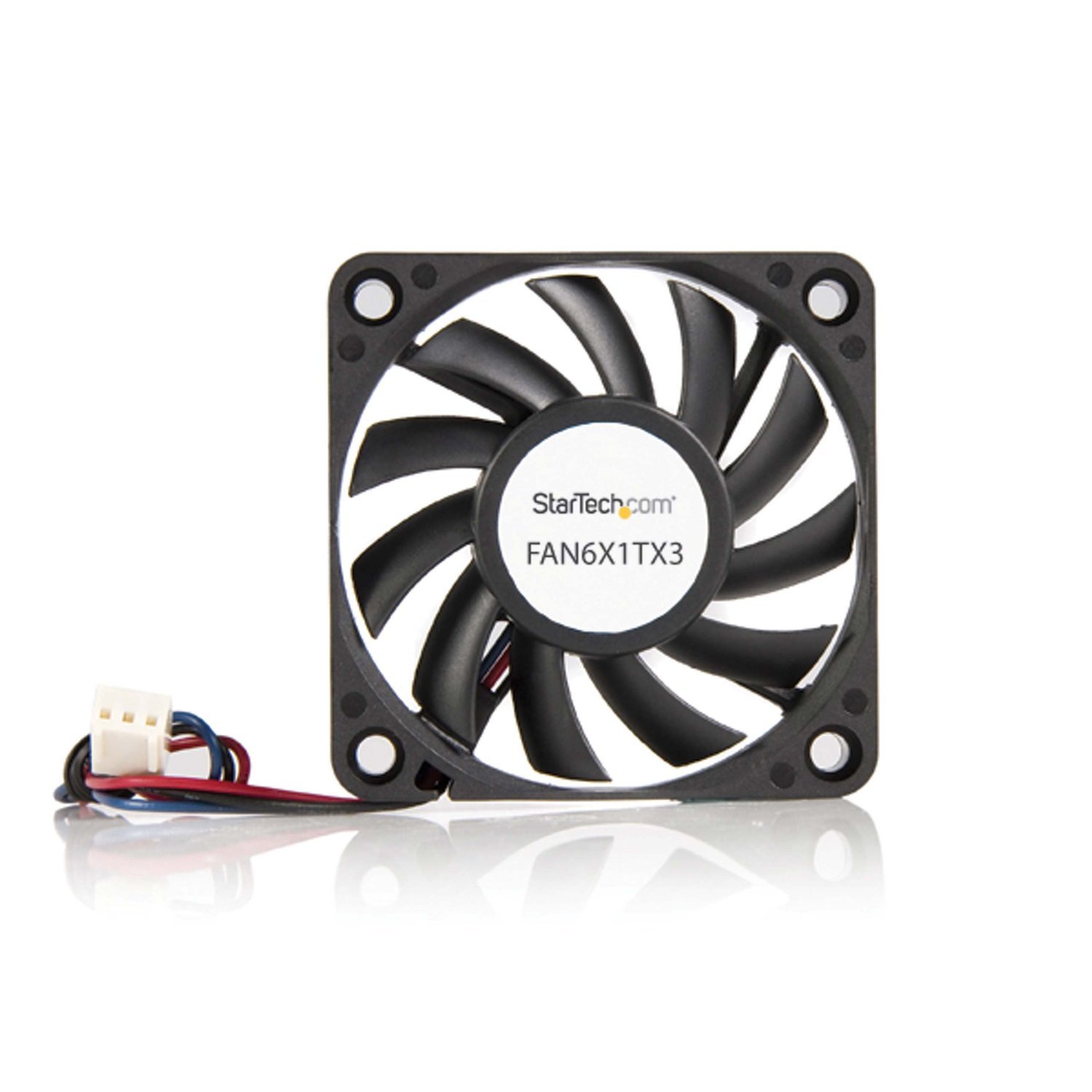
💨 Keep your system chill and your workspace sleek — because overheating is so last season.
The StarTech.com 60x10mm Replacement Ball Bearing Computer Case Fan delivers reliable, long-lasting cooling with its dual ball bearing design and versatile 3-pin plus 4-pin LP4 connectors. Operating quietly at 28 dB and spinning up to 2200 RPM, it provides efficient airflow of 15.49 CFM in a slim form factor ideal for compact desktops and ITX builds.


























| ASIN | B00006HOMA |
| Air Flow Capacity | 15.49 Cubic Feet Per Minute |
| Best Sellers Rank | #280 in Computer Case Fans |
| Brand | StarTech.com |
| Compatible Devices | Desktop |
| Cooling Method | Air |
| Date First Available | September 8, 2000 |
| Global Trade Identification Number | 00065030786355 |
| Is Discontinued By Manufacturer | No |
| Item Weight | 0.96 ounces |
| Item model number | FAN6X1TX3 |
| Language | English |
| Manufacturer | StarTech.com |
| Material | Plastic |
| Maximum Rotational Speed | 2200 RPM |
| Noise Level | 28 Decibels |
| Number of Items | 1 |
| Power Connector Type | 3 pin,3-pin,4-pin |
| Product Dimensions | 2.4"L x 0.4"W x 2.4"H |
| UPC | 151903683439 854587156625 023942474265 795327301496 065030786355 807320177173 803982997425 163121374907 012302235325 |
| Voltage | 12 Volts |
| Wattage | 1.92 watts |
A**E
Worth it with a good price point
Quiet, very effective. I used mine for a dimm cooling fan on my asus rog maximus z890 extreme build.
S**E
Low profile and efficient fans
My ITX-mini case came with a pair of 60 x 20 mm fans. However, I had to replace them with these slimmer (60 x 10 mm) fans in order to accommodate an upgraded power supply. The accommodation was achieved and I am happy with the efficiency of the fans. They are somewhat audible, the new build being on my office desktop next to the monitor. If the fans were quieter it would have been nice, but all in all I am happy with them. The ball bearings and rigid fan frames and blades emit very little or no mechanical noise, there is just the low rustle of air passing through the perforated vents on the case. It doesn't bother me, it's a kind of signature sound that I use to know the machine is working, and more importantly - cooling! The fans came with Molex 4 pin connectors so that they could be plugged together and then to a spare power supply connector. But I found that arrangement too bulky, space being such a priority in the ITX-mini case. So I soldered the wires neatly in a Y configuration and plugged it into the case fan header on the motherboard. If you don't think you could make a neat solder connection, by all means go ahead and use the connectors if you have to use a couple of fans together.
B**T
90mm direct install on PowerSpec B351 desktop
I installed the StarTech.com 90x25mm High Air Flow Dual Ball Bearing Computer Case Fan with TX3 Cooling Fan FAN9X25TX3H in a PowerSpec B351 desktop computer to replace a noisy OEM case fan. The StarTech comes with a standard three wire harness which was a 'plug 'n play' replacement for the OEM harness. It also comes with four self tapping screws which tap themselves securely into the plastic fan housing when mounting. No issues with unwieldy packaging, either - the fan shipped in a small box with only a single wire tie (to hold the screw package to the harness). Note that the fan can be mounted from either side (there are mounting holes in each side of the housing). In order to make certain that I installed the fan in the proper position (fan blowing air out rather than in) I checked the OEM housing to see which way the fan blades were positioned relative to the OEM housing that had the threads installed. (An alternative would have been to plug the StarTech fan in before mounting and power the computer up for a few seconds to check the air flow - or to Google which way the blades should be pointing; in my case it was expedient just to compare to the OEM fan). Driving the self tapping screws in was no chore, but one might want to use a #1 Philips screwdriver rather than one of the smaller "computer tool kit" screwdrivers; a larger handle gives one more torque to drive the screws home with less effort. The StarTech fan is noiseless in that I cannot hear it over the ambient noise in my 1 person office. I believe the dual bearing design helps in this regard over the OEM bushing design. Having put up with the "jet aircraft throttling up" noise coming out of the OEM fan for the last short period of time I'm quite appreciative of the new StarTech. I cannot comment on longevity (other than the 10 minutes it's been running) but overall it seems to be a reasonable product at a reasonable price and I wouldn't hesitate to order another StarTech fan if I need one in the future. HTH Regards, Jim
D**Y
Works well but ...
90 MM High Air Flow woeks very well but the air flowing is quite loud.
A**C
Great for old CPU coolers
This 50mm fan is great for replacing noisy fans in Socket 370 CPU coolers. It's audible but not annoying, and has good airflow.
T**H
Nice CPU fan
Super quiet and does what it's supposed to
A**S
Perfect fit for the (broken) fan in my Zyxel NSA325 dual NAS drive.
I recently had a storm related power outage. After that my Zyxel NSA325 didn't come up right. I rebooted and it came up. I logged on and found the it had a fan fault with "0 RPM" and that it was getting REALLY warm at 148 degF. Um? Seems fair as it was build back in 2012 (but I got it in 2014 and have used it since). I tried to find ANY disassembly instructions in my saved manual and online. Google/YouTube failed me this time. But after I unplugged and looked at it, "I thought it can't be TOO hard," or could it? There were only a few screws: 4 on the bottom and 2 on the front (after removing the drive access door and bezel) and 4 holding the fan guard and fan to the case. Removing all of this, everything came apart quite easily. The fan had a 3 pin connector, which I unplugged. So I googled "3 pin PC fan" and found a lot of hits. I was curious about the 3rd wire and found that its for a tachometer output (which is how the NAS drive "knew" it was at 0 RPM). I tried the old fan on my power supply set to 12V and it did not spin. I pushed it a few times and almost ever time it tried, but gave up quickly. So, next I got my calipers and found that the square fan was 60 x 60 x 10 mm. I googled that and naturally, Amazon came up. And since I pay for Prime, I checked it out and then ordered this fan. It did come two days later (although other stuff was and still is delayed due to a local ice storm). First I verified the new fan's plug pinout, which was compatible, and then tested it.. it ran fine. Reassembly was a lot easier (except for dropping a screw a couple of times and having to search for them, which took almost as much time). Now my NSA325 is purring along happily at 2400-2600 RPM (not sure why it seems to vary so much, but I bet is the software) and a cozy 104 degF. Much better. I'll need to run full disk diagnostics soon, since the drives are nearly 2 years old (I already replaced the originals). Now, the next problem...
R**0
A good fan with ball bearings
Needed a replacement fan for a small electric cooler, and this one works well. It's a bit noisy, but that's to be expected when enclosed in a cooler case. Having ball bearings should result in long term reliability
R**R
Well packed and suppliedwith mounting screws
S**A
muy buen producto
M**T
Great, only loud above 75% but they push a ton of air. Great for smaller cases such as Ridge, DC modulation works with no issues. Used as extra exhaust to aid heatsink,
S**R
It was to replace a fan in a power supply. Its better than the original.
A**D
Good fan, it was exactly as described
Trustpilot
Hace 3 días
Hace 1 semana