We remain fully operational. Our teams are working around the clock to ensure your deliveries continue safely.

Descargar la aplicación


Servicios al cliente
Sobre nosotros
Copyright © 2025 Desertcart Holdings Limited
Descargar la aplicación

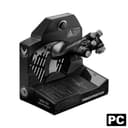
🛫 Own the Skies with the Viper TQS – Where Precision Meets Power
The Thrustmaster Viper TQS is a premium, officially licensed 1:1 scale metal throttle quadrant system designed for PC flight sims. Featuring 21 action buttons, 5 axes with disengageable detents, and ultra-responsive mechanical switches, it delivers unparalleled realism and control. Compatible with DCS World via plug-and-play, it includes iconic chaff/flare controls and adjustable friction for authentic flight dynamics. Expandable with the Viper Panel, this throttle system is the definitive tool for serious flight sim enthusiasts seeking immersive, professional-grade performance.


| ASIN | B0C3FKBB53 |
| Additional Features | Wireless |
| Best Sellers Rank | #11,687 in Video Games ( See Top 100 in Video Games ) #31 in PC Game Flight Controls |
| Brand Name | Thrustmaster |
| Button Quantity | 21 |
| Color | Black |
| Compatible Devices | PC |
| Connectivity Technology | USB |
| Controller Type | Throttle Quadrant |
| Customer Reviews | 4.4 4.4 out of 5 stars (107) |
| External Testing Certification | Não Aplicavel |
| Hardware Platform | PC |
| Item Weight | 4.18 Kilograms |
| Manufacturer | Thrustmaster |
| Model Name | TQS Viper |
| Package Quantity | 1 |
| Power Source | Corded Electric |
| UPC | 663296423733 |
| Warranty Description | One year |
S**H
Perfect for F16C/DCS
Pretty much plug and play for DCS. There are logical buttons for the detents for both going into and out of throttle, and into and out of afterburner. If the game doesn't detect those, you can determine the button number from the software and select that as your activation button. There are are a couple rotary buttons that aren't used in DCS that I rebound to zoom and other functions. The realism and quality for a sim HOTAS is awesome.
R**.
Works great and looks and feels like the actual throttle.
When you rest your hand on the throttle it just fits. All the switches are right there. I worked on the F-16 for many years and it just feels right in your hand. The lower assembly has a lot of switches and knobs all are programable. The gear handle is handy especially with VR. I may print an extension for the zoom lever to make it easier to move, it’s a bit short. There’s a lot more to talk about than I will comment on here. It is an investment and I personally think it’s worth it. Time will tell how well it holds up. It’s not quite the beast the Warthog is but then again it’s for and entirely different aircraft. .
S**!
High quality with well-made buttons.
A very nice throttle of high quality, with buttons of equally high quality. You can really hear and feel when they go in. Nothing has been spared on the Klitén here! You can enjoy, look forward to using this.
C**D
Buttery smooth thruster, high quality control panel
This throttle arrived double-boxed from Amazon and was undamaged. Initial setup is very easy, and I was up and running in DCS with "basic" functionality within a few minutes after installing the required driver and additional software. I ordered the Mission Pack version with the included Viper panel. Almost every input on both the throttle and Viper panel feels high-quality; the switches have a healthy bit of resistance to avoid accidental throws and click into place with a satisfying tactile feel. The push buttons have a short travel and tactile feedback, plus the cursor joystick on the throttle is ergonomic and accurate enough for my needs. The throttle movement is really smooth, maybe the smoothest I've ever used, with just a little bit of added texture as you push into the afterburner range. The lift mechanism is fluid and easy to use. Once you get the hang of it, the small pinky lever to move the throttle between cutoff and idle is very easy to operate without hitting any other inputs on the throttle handle. To push into afterburner, you just need to lift the throttle without using the pinky lever, so it's a very quick process. The only letdown input-wise for me is the landing gear lever; it's not bad, but it just feels a little more wobbly and out of place compared to all the other high-quality inputs. For VR use, everything is laid out in a way that doesn't feel too busy. The base itself is long and hefty. When I set up and tested the software, I didn't need a desk mount because it was heavy enough to stay put as long as I wasn't smashing the chaff button. The throttle structure and internals have a good amount of metal, enough to feel weighty and solid in the hand. That said, I do wish it had a bit more metal on the outside. The plastic throttle shroud/chaff button housing looks fine, but it can feel a bit cheap and sound hollow when knocked. It's not a deal breaker for me, but at this price, it makes me roll my eyes a bit. Who knows, maybe the plastic shroud keeps the center of gravity lower than a metal shroud would. I actually like the glossy acrylic cover for the Viper panel. I think it looks sleek. Mounting it in a cockpit is fairly easy, although one other minor gripe is that they didn't include any bolts/screws for the mounting points. Earlier, I mentioned I was up and running with "basic" functionality relatively quickly. By default, there are about 18 LEDs that just seem to stay off. To get the LEDs that control the landing gear knob, tire indicators, Search, ACT/PWR, Threat/Altitude, System Power, or the 10 individual LEDs to actually work, you need to get Thrustmaster's Target software installed. Target seems fairly powerful and maybe a bit complicated at first glance, but after a bit of messing around, things should become pretty straightforward. You then set up your own configuration file or script (or download someone's) to run from within Target. Aside from assigning custom keyboard inputs and macros to buttons, these configs/scripts tell the thruster and Viper panel when LEDs should come on or off, or even change color, depending on different inputs, timing, or in-game data. Thankfully, some talented folks have made a DCS2TARGET script that works fairly well without being too difficult to get up and running. Overall, I'm very satisfied with this product, and I think this is an excellent throttle and control panel combo if you're a fan of military jets or spend a lot of time with the F-16C DCS pack. I've found the throttle is also fairly versatile for a variety of other planes with a bit of tweaking. If you're looking for an F-16 throttle, you've got two main options: this Thrustmaster Viper option or WinWing's (or WinCntrl or whatever they're going by in the US market now) Orion2 with a ViperAce EX attachment. Both have their pros and cons, and I'm sure everyone will have their own opinions on which is best. Still, I chose to go with Thrustmaster since their higher-end products tend to hold up quite well over time in my experience, and their customer service has been helpful as well when things have gone wrong in the past.
D**S
Awesome but pricey!
Compared to the winwing model, this one is DCS friendly without having to bind every button, switch, and throttle. It does have a slight delay on cold and dark start to go to idle, but works great after. Easy to get used to in VR. It's overkill for war thunder players. Haven't tried MSFS 2020, but I'd imagine the 2024 will benefit.
W**R
Well Worth The Price of Entry
Way better than expected. While getting the LEDs to work with non-supported software requires some fiddling with some command scripting, they do provide you with the tools and there are guides on how to easily program and modify commands using the Viper panel. I made a basic LED tmc that I run before playing any games with it, so all of the buttons and backpanel lighting are activated, making it easy to see and read, especially when playing at night with the lights off. Other programs read it as a standard button-based USB device, so I was able to apply a bunch of system commands and flight controls to it in games like Star Citizen. Definitely useful for things like hailing, operator modes, ATC, and other logistics. Really adds to the immersion. Plus, this thing is VERY sturdy. Thrustmaster has developed a reputation for products that don't last long (and I can attest to that from firsthand experience with their controllers), but this thing was built to last. Very well rounded. The buttons have a good tactile feel, and the switches have good resistance so they feel nice and weighty. Only thing is I have not been able to get the landing gear toggle to work properly as a button -- you have to lift it up first and then pull the lever. While it reads as a button in the system software, it doesn't read it as a button in-game. I never bothered fiddling with it anymore, but overall I'm very happy with the results and it adds a ton of playability to the games.
M**L
I went with just getting the Viper Panel instead of the Viper TQS Mission Pack mostly because of the cost. Just the Panel on its own is about a quarter of the cost of the complete Throttle Pack. I mounted the Viper Panel next to my Thrustmaster Warthog Throttle and it works great. I have ordered the WinWing F16 Throttle combo with the Orion II base, hopefully will be here soon, which is way cheaper than the Thrustmaster Viper Mission Pack and I can use the Orion II base for other planes/helicopters. I only use my flight sim for DCS, F16C BLK50 for now and for the upcoming Heatblur F4 Phantom and Gazelle later, and this Panel works great for the Viper. I binded the buttons and switches to DCS ,and also managed to get the lights working ( Landing Gear, Speedbrake, Threat Warning Aux ) by using the TARGET software. I have only given 4 stars cause it was difficult to get the lights working ( I found a work around in DCS Forum) , the ACT/PWR square button light still doesn't work but works fine in DCS, and I cant get the virtual buttons to work in Windows, so some switches are still not working correctly- update on this issue, Diesel Thunder has a video showing how you can bind a switch in DCS and then select the OFF key binding for that switch. Update... got my Winwing F16 Throttle and Orion II base, works great along side the Thrustmaster Viper Panel. With the Thrustmaster Warthog Throttle, I have almost all the buttons and switches I need for the DCS F16
C**R
Super nice and great feeling buttons
T**M
what you expect from thrustmaster products very good quality and metal construction.
T**M
I only bought the panel as I have the Warthog HOTAS and don't need a second throttle. This is a nice add on but it's much lighter than the HOTAS and feels a bit cheap in comparison.
J**E
Buy it!
Trustpilot
Hace 3 semanas
Hace 3 semanas