We remain fully operational. Our teams are working around the clock to ensure your deliveries continue safely.

Descargar la aplicación


Servicios al cliente
Sobre nosotros
Copyright © 2025 Desertcart Holdings Limited
Descargar la aplicación



🔐 Elevate your entryway with the future of keyless security—because your home deserves the smartest welcome.
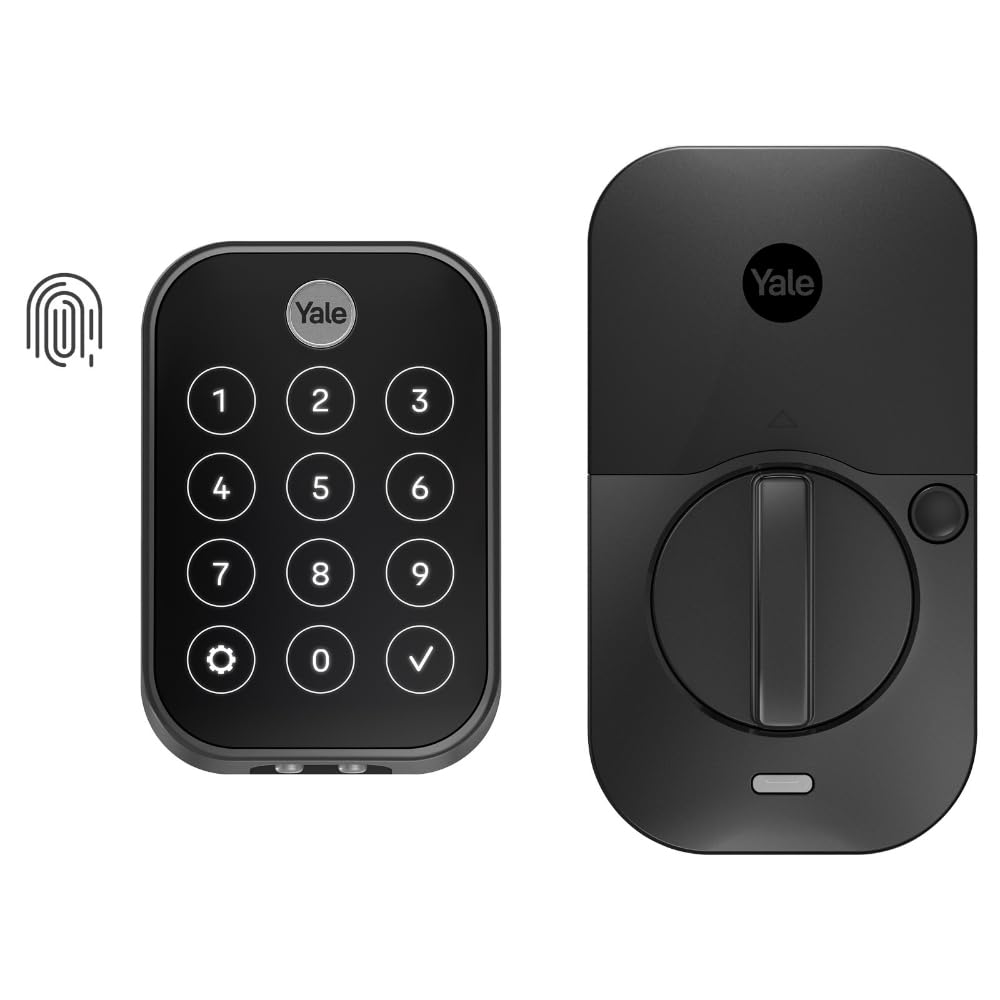
The Yale Assure Lock 2 Touch is a sleek, black suede biometric deadbolt featuring a fingerprint scanner with 99% accuracy and sub-half-second recognition. It offers keyless entry via fingerprint, keypad, or Bluetooth app control (no Wi-Fi), with hands-free auto-unlock and advanced security features like two-factor authentication and DoorSense auto-lock. Powered by 4 AA batteries, it delivers up to a year of battery life, making it a durable, convenient upgrade for modern smart homes in the U.S. and Canada.


| ASIN | B0CBN9RYHJ |
| Batteries | 4 AA batteries required. (included) |
| Batteries Included? | Yes |
| Batteries Required? | Yes |
| Battery Cell Type | Alkaline |
| Best Sellers Rank | #28,073 in Tools & Home Improvement ( See Top 100 in Tools & Home Improvement ) #143 in Deadbolts |
| Brand | Yale Security |
| Color | Black Suede |
| Connectivity Protocol | Bluetooth |
| Control Method | App, Touch |
| Controller Type | Android, Apple HomeKit, iOS |
| Customer Reviews | 4.1 4.1 out of 5 stars (319) |
| Date First Available | September 6, 2023 |
| Finish | Powder Coated |
| Finish Type | Powder Coated |
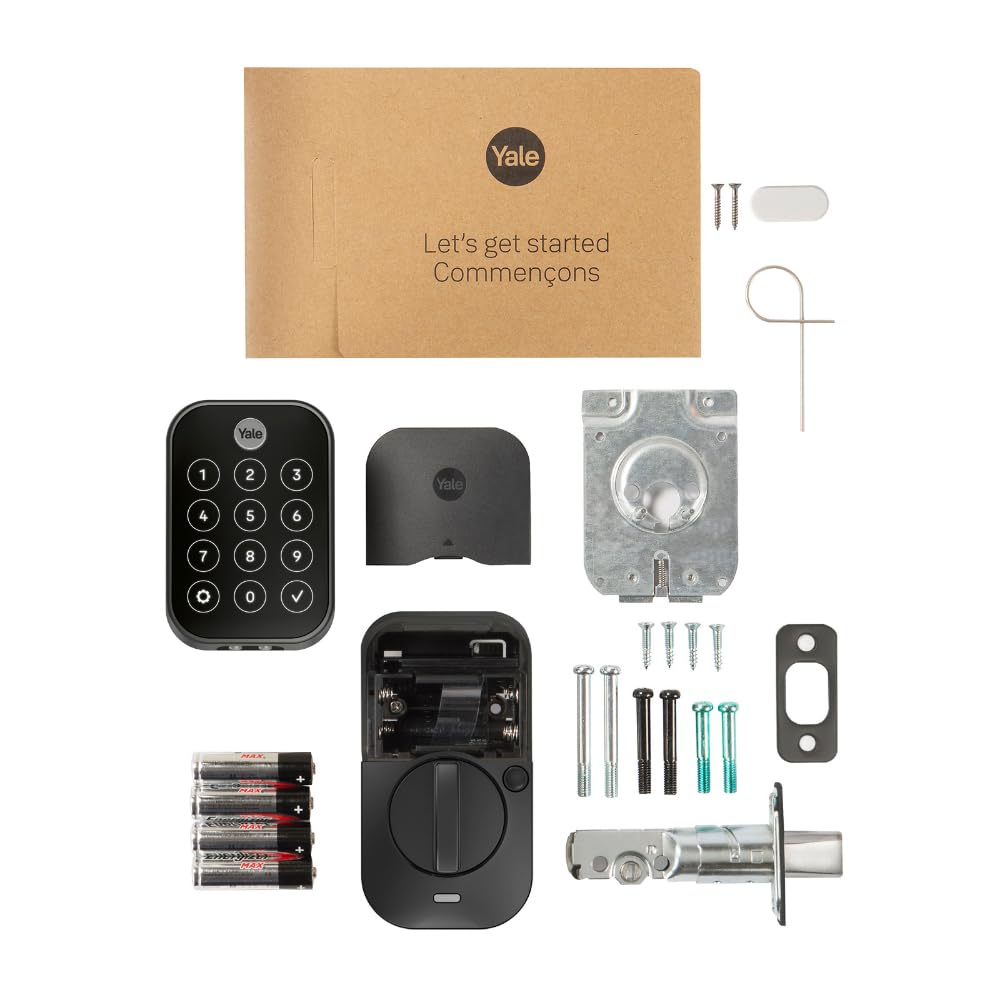
| Included Components | 4 AA Batteries, DoorSense, Mounting Hardware and Deadbolt, Yale Assure Lock 2 Touch |
| Item Package Quantity | 1 |
| Item Weight | 4.5 pounds |
| Item dimensions L x W x H | 0.88 x 2.5 x 3.75 inches |
| Item model number | YRD450-F-BLE-BSP |
| Lock Type | Biometric, Keypad |
| Manufacturer | Yale |
| Material | Zinc |
| Model Name | Yale Assure Lock 2 Touch with Bluetooth |
| Number of Pieces | 1 |
| Part Number | YRD450-F-BLE-BSP |
| Pattern | Key-Free |
| Product Dimensions | 0.88 x 2.5 x 3.75 inches |
| Recommended Uses For Product | Entry Door, Front Door |
| Shape | Rectangular |
| Size | Bluetooth |
| Smart Home Compatibility | Smart Home Compatible |
| Special Feature | Auto Unlock, Battery Indicator, Biometric, One-Touch Lock, Passcode Unlock |
| Special Features | Auto Unlock, Battery Indicator, Biometric, One-Touch Lock, Passcode Unlock |
| Style | Bluetooth |
| UPC | 081023115773 |
F**R
Excellent Electronic Door Lock - Highly Recommended
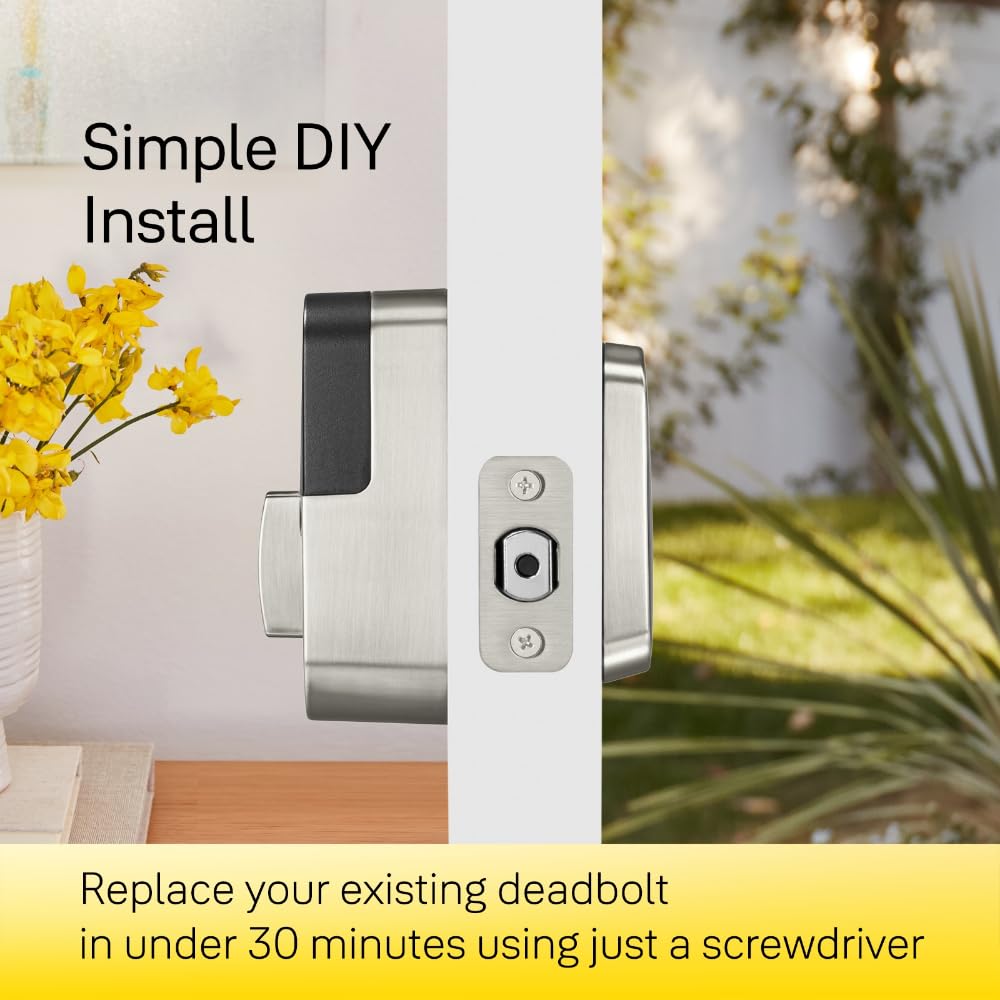
I recently bought and installed two Yale Assure Lock 2 Touch door locks. I elected to get the keyless version with Bluetooth only. It doesn't take too much searching to find plenty of YouTube videos that show how easy it is to defeat conventionally keyed locks. So right off the bat, going keyless was a step up in security. I chose the Bluetooth-only option mainly to keep battery drain to an acceptable level. But it's also the case that I have no need to remotely activate my locks or view their status - never had it and don't need it. On the other hand, without a Wi-Fi-enabled lock you lose geofencing capabilities and remote/timed entry for house cleaners, dogwalkers, and guests. Here though, something that isn't mentioned (or is easily missed) in their sales info is that Yale does not recommend using keyless locks if you only have one entry door because you can be locked out if there is a lock failure. That warning appears in the user's manual. But with the Assure Touch, there are three ways to open the lock: finger touch, keypad code, or with the app if you are within Bluetooth range. And if the batteries go dead, you can touch a 9-volt battery to contacts on the underside of the keypad to enable the lock. So there is plenty of built-in redundancy. It seems like the only failure mode would be if the actual motor-driven locking mechanism somehow broke or jammed. But there is redundancy there if you have these locks on more than one door since the chances that two locks would fail at the same time is probably highly unlikely. Installation was relatively easy but if you don't know what end of a screwdriver to pick up or are intimated by putting together Ikea furniture, it might be a challenge. My main issue came after installation. The user manual is very good in explaining the installation but not so much with getting the app up and running. After install, the manual just tells you to follow the instructions on the app on your cell phone. But I found it like following a road detour and suddenly there are no more signs to follow. I did not find either the app or user manual documentation to be forthcoming in telling you how to configure the lock and how to add other people. You can grant access to other homeowners and guests but it's not immediately clear how. I suppose there is always Google there to help, but at least at the time of this review, there is a 24/7 Yale customer hotline that proved to be quite responsive and helpful. But after you explore the app and get used to it, it offers a lot of functionality. I opted to install the Yale DoorSense hardware (which is nothing more than a little magnet) that lets the door "know" when it is opened or closed. This enables to door to automatically lock at a time delay of your choosing. So there's no more I-wonder-if-I-locked-the-door anxiety when you leave. You can also program in the number of tries someone gets to guess your keypad entry code before getting locked-out for a period of time that's also programmable. But the best part of the lock is the touch entry. It is amazing. You just have to touch (importantly, not press) the finger of your choice on the fingerprint reader and the lock opens instantly (you LOCK the door using any finger). Easy and convenient. This is a well thought-out lock that looks great and is easy to use. I very much recommend it. The only thing left to be assessed is how well it performs over time in regular use. But my immediate impression is that they are very well made and likely to go the distance. Update 7/17/2025 I chose the Bluetooth only version of the Assure Lock 2 instead of the WiFi version mainly to keep the battery drain to an acceptable level although at the time of purchase, I didn't know what to expect in the way of battery life. I just changed the batteries in my lock for the first time almost exactly a year after I installed it. The lock is on the door from the garage into the house and is my most used door. Changing batteries once a year is more than acceptable to me. Your mileage may vary. I also have an Assure lock on my front door that was installed a little later than the garage door. This door is used much less frequently than the garage door. So far I have not gotten a low battery warning. The low battery warning appeared on my phone app and indicated there was 20% battery remaining. One other observation is that somehow and for some unknown reason the locks get scrambled such that the lock/unlock status and door open/closed status do not agree. I have an idea what may cause this but can't say for certain that I'm on the right track. No matter. This has happened very rarely and is easily corrected by simply recalibrating the lock.
A**3
Going strong after a year
Reviewed after 13 months - overall this is a great lock that my family has been happy with. I did not want wifi connection and this fit the bill. The fingerprint sensor still works great and occasionally needs to be wiped clean to work properly. The keypad is difficult to see sometimes during the day and I wish there was some haptic feedback. It does light up when touched. The lock mechanism is loud and I wish it was quieter. I love the auto lock feature where the door locks after whatever timer you set. I never have to remember to lock the door. However the motor does run even after you manually lock the door which is not a smart design. Best of all, 13 months and after heavy use we only just starting to get a low battery alert. I think I can squeeze 14 months out of a set of batteries for our main front door. If you want a good fingerprint sensor keypad without wifi and long battery life and some useful programming features, then I recommend this one.
C**X
Love it!
I had an August lock for about 6 years, and it finally died (common issue with accelerometer ribbon cable snapping). Needed an upgrade and found this one. Man what an upgrade! The fingerprint sensor is a game changer. It works flawlessly so far, and being able to lock the door with just a touch without keys makes it truly keyless. I find auto-unlock is a tiny bit more responsive than the August lock but still not 100%. You still have to be within around 15 ft of the lock when it’s trying or it’ll fail. Having HomeKit is great I can also just as Siri to unlock the door if I have no hands free. The passcode on the screen is great for relatives or visitors that I don’t want to open my door all the time. Love all the options, the only one missing is Apple Keys which would round this out to be the ultimate lock, but it’s not necessary with all the other options available. I was able to swap in the cylinder of my old deadbolt into the lock (Weiser) and it fits ok. Not perfect but it works if in a pinch there’s an outage or the lock isn’t behaving, I still have a good old key. Also for any August coverts, yes this model still works with the old August connect wifi bridge that plugs into a wall socket, so save a few bucks and just get the base unit that has Bluetooth only and use your old bridge! Bonus the old plug in means the batteries last longer in the lock. So far loving this lock!
A**L
Fingerprint reader is unreliable!
Fingerprint reader worked at first but slowly becomes unreliable. We've resorted to using the code or unlocking via our phones. I do not recommend. Find a better product.
D**G
The lock (Yale Assure Lock 2 Touch YRD450-F-BLE-BSP) has excellent features, with fingerprint unlock which works fairly well and 'one-touch' locking from the outside. From the inside, the knob is turned to lock/unlock the door. This lock is the 'second' lock on the door. We purchased this lock particularly because it does *not* have a key (which could be picked), because it has decent batteries (4 x AA) and because Yale is a reputable lock brand. As some other reviews mention, although sold by amazon.com.au, the lock doesn't seem supported in Australia (or anywhere other than USA/Canada). This results in - for us - two separate problems (1) extra steps involved in configuring the lock with the 'Yale Access' or 'August Home' app (2) connecting the lock to the local network The second problem I have not been able to solve. As of July 2024, the 'Yale Access' app and 'August Home' app does not recognise the 'Yale Connect Plus Wifi Bridge' (currently sold in Australia) and the 'Plus' bridge is not listed in the manual product selector choices. I purchased the older version of the Wifi bridge (the version which is not 'Plus', and is no longer available from standard shops in Australia). Although I could connect to that older Wifi bridge with the app, trying to connect that Wifi bridge to the lock is not successful (the app reports an error). Another Amazon review - and an oblique reference on the Yale website - mentions that Yale Assure Lock can connect to the Wifi bridge, so I don't know if that is a problem with buying the Australian version of the old Wifi bridge or because the App doesn't like being outside North America (although I'm using an VPN). Sadly, z-wave standards are different in Australia compared to the USA, and there are some reports that using the Yale Assure 2 wifi module is detrimental to the lock's battery life. The first problem is solveable. As of July 2024, it *cannot* be configured with the "Yale Home" app which is available to Australian users of Google Play. Either the "Yale Access" app needs to be installed from another source or the "August Home" app can be used (available in Google Play for Australian users). Both these apps will not allow a lock to be 'added' to the 'home' unless the app believes the user is in the USA or Canada. Some other users mention using an American phone number. I used an Australian phone number, but used a VPN to 'fake' a USA location.
D**T
Was great when it worked. After about 3 months it stopped. Followed all support and replaced batteries and reset to factory settings.. it's useless. Very disappointed.
W**G
Las cerraduras Yale no funcionan en México, por lo que no recomiendo su compra. Es una pérdida de tiempo y dinero.
H**M
Please research this issue before buying: this lock doesn't work outside the USA as the manufacturer blocks it via software.
E**C
Very disappointed in this product. When you put fresh batteries in, it is fantastic, biometric unlock is fast and convenient for a short period of time. The problem is that it sucks through batteries FAST, and will just suddenly stop working with zero notification ahead of time. I am extra frustrated that I bought a second one of this lock in November that I had planned to install at the cottage, but forget that now, it will be no better than a dumb lock if it's dead without notice every time I arrive. I only use fresh Energizer AAs, with the bare minimum bluetooth with no extra modules, no added features like doorsense nor arrival unlock - the last two sets lasted about 1 month each (!!!) In comparison, I have 2 other older zwave-based yale locks installed in my house, connected to my Ring alarm, and they last most of a year without needing battery replacements, and one of those two locks is much higher traffic area than where I have this biometric lock installed. I suspect the issue draining batteries is the touchscreen, which I did not want, but they only offered touchscreen with this model until a few months ago. I'm not about to buy another one to find out though. Yale - one of the most important feature of a smartlock should be battery life - what good is the smarts if the damned thing is dead unexpectedly when you need to actually unlock the door - also please consider adding low battery notification to your app, not the current implementation where you only get a popup in the app when you open it - one that notified you in your phones system notifications like most normal smart products!
Trustpilot
Hace 2 semanas
Hace 5 días