We remain fully operational. Our teams are working around the clock to ensure your deliveries continue safely.

Descargar la aplicación


Servicios al cliente
Sobre nosotros
Copyright © 2025 Desertcart Holdings Limited
Descargar la aplicación
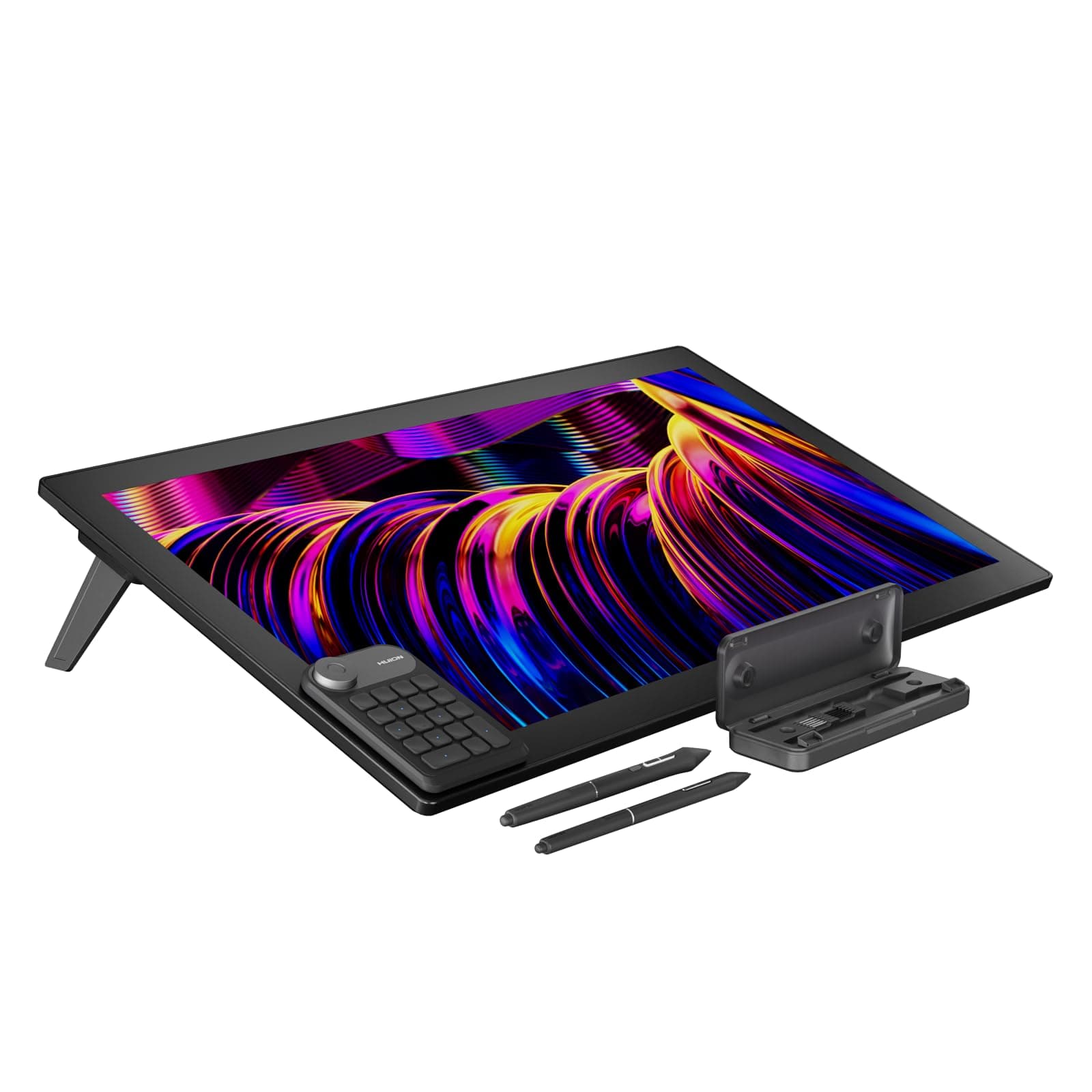
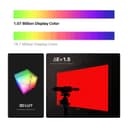
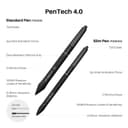
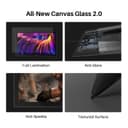
🎨 Elevate your artistry with the ultimate 4K creative powerhouse!
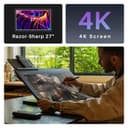
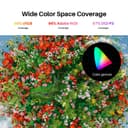
The HUION KAMVAS Pro 27 is a professional-grade 27-inch 4K UHD drawing tablet featuring a battery-free PenTech 4.0 stylus with 8192 pressure levels, 98% Adobe RGB color accuracy, and an anti-glare laminated Canvas Glass 2.0 screen. Designed for artists seeking precision, vibrant colors, and ergonomic multi-touch controls, it supports major OS platforms and creative software, making it a must-have for next-level digital artistry.


| ASIN | B0CP7TNB8T |
| Additional Features | Anti-Glare Glass, Canvas Glass 2.0, Full Lamination, Multi-Touch Screen, PenTech 4.0 |
| Best Sellers Rank | #122 in Computer Graphics Tablets |
| Brand | HUION |
| Built-In Media | Cleaning Cloth, Glove, PW600/PW600S/Felt Nib*5/Normal Nib*5/Pen Case, Power Adapter/Power Cable/HDMI Cable/USB-C to USB-A Cable/USB-C to USB-C Cable/DC Adapter, Quick Start Guide, Wireless Express Key |
| Color | Black |
| Compatible Devices | Desktop, Laptop, Smartphone, Tablet |
| Connectivity Technology | HDMI |
| Customer Reviews | 4.5 out of 5 stars 620 Reviews |
| Item Dimensions L x W | 25.83"L x 15.94"W |
| Item Weight | 17.64 Pounds |
| Manufacturer | Shenzhen Huion Animation Technology LTD. |
| Model Name | Kamvas Pro 27 |
| Model Number | GT270 |
| Operating System | Android devices that support USB3.1 GEN1 and DP1.2, Linux OS(Ubuntu 20.04 LTS), Mac OS 10.12 or later, Windows 10 or later Operating System Android devices that support USB3.1 GEN1 and DP1.2, Linux OS(Ubuntu 20.04 LTS), Mac OS 10.12 or later, Windows 10 or later See more |
| Pressure Sensitivity | 8192 Levels |
| Screen Size | 27 Inches |
| Special Feature | Anti-Glare Glass , Canvas Glass 2.0, Full Lamination , Multi-Touch Screen, PenTech 4.0 |
| Specific Uses For Product | 3D Modelling, Animation, Designing |
| Target Audience | Artist, Creator, Designer, Student, Teacher |
| Warranty Description | 1 Year Warranty |
A**J
100% Honest REAL review from average artist
Had it a week now but Ive been "unable" to just dive into it, theres things i didnt know i should keep in mind. Apologies for the length this might come out to but it sucks to get a new toy and then hardly get to play with it properly right away. So bare with me, im doing this for you lol. I will have an actual review as well at the end. YOU NEED TO CONSIDER CABLE LENGTH AND YOUR SETUP. are you using laptop or desktop, the provided cables are maybe 4ft, limiting how comfortably you can be set up if your rig isnt right next to you. highly recommend having a HDMI male to female extension cable and USB male to female extension cable if your rig is on the floor or further off to the side. *dont get a usb-c to usb-c extension as it wont fit the port on the display, youre welcome* CONNECTIVITY- if you have multiple monitors-i.e. i have a 1080ti with 3 display ports and 1 HDMI, though i have a TV in my setup so the HDMI on my graphics card is taken. You CAN use the onboard HDMI port if you enable a setting in bios just google it if you go that route, however when i went into settings there are some color settings and "Display" settings that were greyed out (not selectable), thinking this was maybe cus of the onboard HDMI somehow, I ordered a HDMI to Display Port adapter. Connecting to display port did not solve that issue, I havent figured that out yet as I just stopped to make this review, sorry. Out of box the colors look nice, though i do need to look more into why I cant access all the settings. Lastly, the stand....its nice, it works, fairly sturdy, but if you wanted to move the unit as a whole or even turn it a little, you would have to pick up the display and then the stand separately, its awkward to try and move them both cus the stand doesnt lock into place and its not wide enough to grab both from the sides. also if you wanted to draw vertically for whatever reason, this stand wont support it in that position and theres no room for the cable so you can only go vertical 1 way even if it could. this isnt a huge deal honestly but it is an improvable situation for anyone who might be bothered by it. For this im looking into laptop stand, and even considering a "monitor swivel" -THE REVIEW- This is my first step into becoming a digital artist outside of Sketchbook on my Note 9 so I dont have any comparison knowledge but...ive been wanting one for a long time and have been researching on and off for the past 3 or 4 yrs. I learned Huion is the much more affordable 2nd best just as good as Wacom, and that a display vs. one of the "blind pads" is all preference, but the "blind pads" allow you to be more ergonomically positioned while you work...and now that i have one i understand. This is a fantastic tool I cant wait to master. It feels worth the money, does not feel cheap, and the experience of the little bit of doodling ive been able to do so far was more pleasing than i imagined, they say things in reviews like "natural feel" "simulates paper surface" and you try to understand but you just cant fully grasp it til you try it, its nice. Really nice. out of box the settings seem acceptable but what do I know, and i need to figure out how to access ALL the settings. The software is simplistic and binding keys/shortcuts to the displays buttons is easy, though using the buttons isnt as cool as id hoped, i still like to use the keyboard, but better to have and not need then need and not have. The pen is accurate, i keep pushing one of the buttons on accident i wish they werent as easy to click as they are but to be fair it may be cus im used to holding my mechanical pencil with my finger resting on the button, the pencil i use has the button in the same place and pencil artists often rotate the utensil. I wouldnt call these things "cons" or downsides, but just what youre used to kinda things, and i have yet to get used to this new tool. OVERALL if you feel this might help you become a better artist, you owe it to yourself to find out, dont waste time, find out. Invest in yourself, you can always resell it if you find out its not what you expected but FIND OUT so you can move forward. I got it so I wouldnt have any more excuses, i have everything i need now to find my success as an artist. I thought having something fancy would reignite something in me to work harder or just be able to create more opportunities for exposure to other things so i can figure out what i want to do. Now I feel like I can, im glad i did. Hope this helps. Best of wishes on your journey, cheers. i got no discounts or payment for this review it is real and honest im not a Huion fanboy this is not a fake review.
G**A
Awesome and good feeling
Do ignore the second photo, I did figure out the issue! Long story: So at first I followed the instructions but I was getting that "device disconnected" and I didn't know why,I did different methods but it didn't work, I called the Amazon company and were nice enough to send me a replacement, I was told that It was both the cords and tablet, it came fast for both! The replacement they sent me was giving me the same message and I didn't understand why it was doing that, I found out there was a tool I had to download, so I installed it and fixed my problems! Now it's working! This tablet is big I mean really big, smooth feeling, the pen feels nice and unfortunately I didn't get to test much because I had to sleep, I feel terrible though because it wasn't the tablet or cords, I felt dumb stressing for hours when there was a tool I needed to install for it, thanks to somebody on reddit that had published the issue was fixed which I didn't see when I was searching for a solution. So yes this tablet is awesome and I can't wait to use it more! I've had a bad experience with Parblo cause they never messaged me back when I had an issue with the tablet,it personally feels weird in a good way because I've never had a working screen tablet,but now I do! I apologize to Amazon for inconvenience, it's just I didn't know at all and when I searched I didn't find any solution for it, I almost gave up, so pretty much there was nothing wrong with the tablet which me and Amazon thought it was, but nope at the end it was a tool I had to install. So the first one I'm going to send it back obviously and keep the replacement ,makes me feel really bad though, it was like they sent a replacement for nothing. Hopefully Amazon understands!
A**R
Wonderful tool but screen slightly fuzzy.
This is a great tool for sure. Half the price of the (overpriced) Wacom products and probably nearly as good. I've given 4 stars because of two reasons. 1) It took me 3 hours to get it working. I won't bore you with the details and I should say that I am very computer savvy, but suffice it to say that information about setting it up, on Huion's website is out of date. The website says that you have to upgrade the firmware to get the touch screen facility to work. DO NOT do this!! It breaks the whole thing. The firmware version offered is older than the one that the device came with. I would not have returned this item just because of the above. Having got it working perfectly now, but I would return it because the screen is just not quite sharp enough. This matters particularly for me as I am processing high resolution photos on it and the slight fuzziness is not acceptable to me. Below is two photos of a small part of the Huion screen, and the same bit of the screen on my LG monitor. Both at the same resolution and size. This IS a very small part of the screen and obviously you have to look closely to see the difference, but nonetheless. I don't think I can keep it. I am HOPING that there is an adjustment somewhere that sharpens the screen (haven't found it so far) or that this particular screen is slightly faulty, and the a new one will be better - in which case - 5 stars. Will update when I hear back, meanwhile have started the Amazon return process. First photo is Huion screen and second is LG screen.
J**B
Fantastic purchase
I love this thing. A little about me for context: I’m not an artist, and never have been, but I’m trying to learn how to draw. To that end, I don’t think I could have gotten a better tool for the job than this tablet. From the very moment I plugged it in and drew a stick figure in Krita (free art program) I felt completely at home. The side buttons on the screen and the two buttons on the pen were mapped almost perfectly for Krita out of the box. I changed the bottom button to ctrl+Z because it was set at shift+ctrl+z, but that’s it. I’ve been drawing with all default settings otherwise. I have no idea if this is good value for the money in comparison to other tablets, or how this stacks up against other art tablets or the myriad of other Huion tablets, cause this is the only one I’ve bought. But it’s fantastic and I don’t think I’ll be buying another any time soon (when I do, it’ll probably be a 2k resolution tablet). Some things you should know: -the screen on this can scratch. You should consider ordering a screen protector, and weigh the potential for increasing parallax against how afraid you are of scratching the tablet. It’ll only scratch if you let a nib (tip) on the pen wear a little unevenly, though. I let a nib wear unevenly to were it had a nice edge and put a noticeable scratch into the screen. -if you don’t want to buy a screen protector, then you should consider getting the felt nibs for this pen (517) that have much less of a chance to scratch the screen. Some people like the feel of them better too. Personally I don’t mind either way. -the spare nibs that come with the kit are stored inside of the pen holder. The top of it twists off and reveals a compartment on the inside containing the nibs and the removal tool. -if you’re plugging into a desktop computer with this thing, you’re probably going to need a female to male HDMI extender and two female to male USB extenders. And an open HDMI port on your graphics card. If you’re plugging in to a laptop, you’re probably fine just using the included USB C cable.
M**W
A good buy
So far it is great. Was surprised that I could just plug it in to my surface & it worked. No fussing around. Everybody always says their products are compatible, but they usually aren’t. This really was plug & go!! Will take a while to get used to having so much space to work on, but that is point! So far I am very happy with this purchase.
J**E
Great quality
Great quality and my son is loving it.
G**I
Answers all my digital art needs :)
Works just as specified :) Easy to connect and configure The tiltable stand feels sturdy and reliable Buttons feel great to use I thought i had pin accuracy problems but then i realized there's monitor calibration that solves that Overall answers all my needs :))
R**E
You will sooner put a hole in it before it stops working.
I've had this particular tablet for years (2022). I genuinely can't sing it's praises enough! I don't write reviews until I know it's worth it. Since I've had this tablet for so long I can without a doubt tell people, it's worth it! Both my cats and I have dropped or knocked this thing off its stand several times. It has it's battle scars but unlike another tablet this thing is still working! Even then the scratches aren't that deep and don't effect my drawing. The pressure sensitivity is still on point. Buttons still work. I've only had to change out the nib a few times. I honestly believe I will sooner put a hole in this thing before it stops working all together. This is a wonderful tablet for those who are deep in the digital drawing world and don't want to drop an arm and a leg on a tablet.
Trustpilot
Hace 3 semanas
Hace 2 semanas