
Descargar la aplicación


Servicios al cliente
Sobre nosotros
Copyright © 2025 Desertcart Holdings Limited
Descargar la aplicación


🚀 Elevate your workspace with smooth visuals and eye-friendly tech — don’t get left behind!
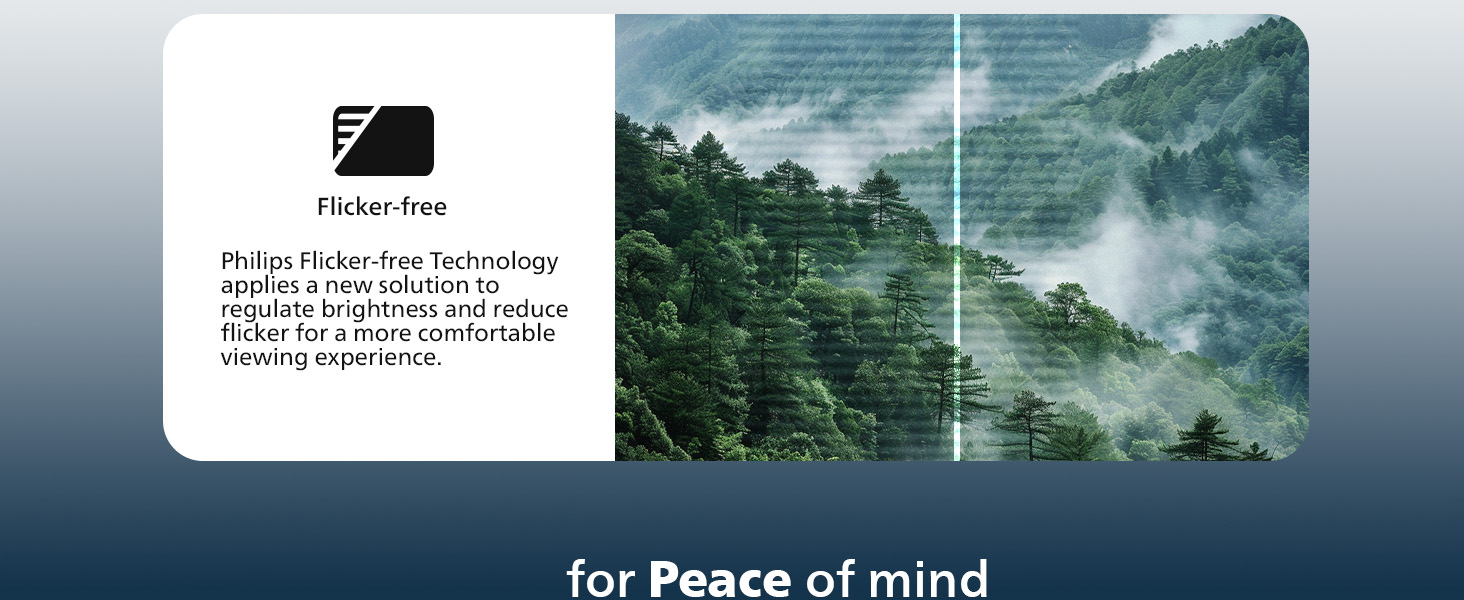
The Philips 221V8LB is a 22-inch Full HD monitor featuring a 100Hz refresh rate and Adaptive-Sync technology for fluid, crisp visuals. Its VA panel delivers vibrant colors and wide 178° viewing angles, while LowBlue Mode and flicker-free technology reduce eye strain. With versatile HDMI and VGA inputs plus VESA compatibility, it’s designed for professionals and multitaskers seeking reliable performance backed by a 4-year advance replacement warranty.






| ASIN | B0CVM2GJCN |
| Best Sellers Rank | #46 in Electronics ( See Top 100 in Electronics ) #1 in Computer Monitors |
| Brand | Philips |
| Color | Black |
| Customer Reviews | 4.6 4.6 out of 5 stars (2,973) |
| Date First Available | February 13, 2024 |
| Item Dimensions LxWxH | 8.6 x 19.4 x 14.5 inches |
| Item Weight | 9.27 pounds |
| Item model number | 221V8LB |
| Manufacturer | Philips |
| Max Screen Resolution | 1920 x 1080 Pixels |
| Product Dimensions | 8.6 x 19.4 x 14.5 inches |
| Screen Resolution | 1920x1080 |
| Series | 221V8LB |
| Standing screen display size | 21.5 Inches |
| Voltage | 12 Volts |
T**G
Great Little Monitor—Perfect as a Second Screen.
Does exactly what I need it to. I needed a smaller second monitor for my MacBook Air. Screen quality is good. It functions as intended and connections are easy to use. Love that it has an on/off button. I haven’t noticed any color issues. I would not recommend this monitor for a designer, but as a copywriter, it gets the job done. I generally need a second screen to research what I’m writing and this has been wonderful for that. It’s a great value for what you get. No complaints other than I wish I had a bigger space to have a bigger screen size, but that’s more of a me problem. LOL I would def buy this brand again. I don’t even remember assembling it which tells me it must have been very easy.
R**.
Great monitor!
My old monitor finally died, so I needed a quick replacement, and I’m really glad I went with this one. It’s a big upgrade from what I had before. The picture is sharp, colors look great, and the 100Hz refresh rate makes everything feel much smoother. Setup was fast, it doesn’t take up much desk space, and it’s been perfect for both work and some light gaming. Very happy with this purchase.
H**W
Perfect for me!
I bought this to function for two purposes: watch tv and a second monitor for my Surface Pro. I plug my Roku stick into it and stream movies and Bob Ross in my studio while I paint. The picture is clear enough to watch movies on. The monitor is plug and play so easy peasy set up. The sound isn't bad but I can connect my Roku stick to a Bluetooth speaker so that's what I use for sound. This monitor was a great value for me. The delivery driver took great care in the delivery and the monitor was intact without any damage out of the box. It is accurately described and works great for my purposes.
M**R
Very happy customer!
Great picture and took a couple minutes to set up without looking at manual. Came with the proper connections. Very satisfied. Great price for a good quality monitor.
L**T
Various observations
This review provides a list of my observations about the 21.4 inch (call it 22) Philips VA monitor 221V8LB. (Note: monitor sizes are measured *diagonally*, width and height are smaller.) But first let me explain why I got this monitor to replace my almost ten year old 27 inch HP IPS monitor 27wm. While the HP monitor was still fine, it had some superficial surface damage, visible under certain light, that annoyed me. And I decided I really wanted a smaller monitor to replace it. Cataract surgery, combined with one particularly problematic eye, has left me unable to focus at different distances. And progressive glasses are fine for driving a car or other vehicle, but not for much else. So I wear my reading glasses to view my monitor. And if the center of my 27 inch monitor was in maximum focus at about 12 inch, the corners really started getting far enough to get a bit fuzzy. In addition my eyes are very long, reducing my peripheral vision, so having the corners at a very large angle was awkward. A smaller size monitor, but of the same full HD resolution, like my laptop, seemed a good idea. And 22 inch seemed to be about the smallest they sell nowadays. (Also, while my laptop screen is a lot smaller at 13.25 inch, when I am traveling I do find that really too small to see easily.) The Philips was cheap, and worked out well in increasing my comfort. The list of my observations now follows. 1) Power cable. The monitor comes with a relatively short power cable of about 5 ft; too short for me to pull the monitor towards me when I am sitting back in my chair. For comparison, the HP power cord was a bit over 6 ft. In addition, you cannot simply switch power cords, because the Philips comes with a highly unusual monitor power connector. So, if 5 ft is too short, you may need some sort of extension cord. I had one handy, but if you do not, factor in another $5 or whatever and the hassle of getting one. (I do not know how many people return the monitor because the cord is not long enough, but I suspect the manufacturer might be penny-wise and dollar-foolish.) (I initially measured the length as 54 inch and was planning to subtract a star, but 5 ft vs 6 ft seems a bit too small for that, though the nonstandard cable does not help.) 2) Speakers. There are no speakers in this model, and the web page never claims there are. (But it also does not highlight that they are missing. Not smart, if you ask me. Think of all the hassle and expense of the user returning the product.) Apparently you need a model name ending in an A (for audio?) to get speakers. However, there *is* an aux port, unlike one review said. I found this aux port *very* convenient, as for unknown reasons the aux port on my docking station stopped working a long time ago. Now I could connect my aux stereo speakers plus woofer permanently to my monitor instead of awkwardly to my laptop itself. (Actually, I could do this also with my old monitor, but I never thought of it at all, and would have needed a HDMI cable instead of my VGA one. VGA does not do audio.) Note that analog aux is not going to be of the quality that digital HDMI could in principle provide. One reviewer complained that aux speakers are almost impossible to get nowadays. Well, as I write this, go to a big cheap department store near you and there they are for $13. I got these earlier for my spare old laptop and they work fine. 3) HDMI cable. The reviews AI claimed that some users complained of not getting a HDMI cable. Well, I went over the most recent reviews as of Oct 14, 2025, and I found 9 reviews explicitly stating that the HDMI cable was there and only 3 saying it was not. I suspect that these 3 may have bought used "like new" monitors, though only one of the 3 said so explicitly. Unlike the power cord, the HDMI cable turned out to be long enough for me to duct it through the cable guide of my MOUNTUP stand. It is hard for me to measure it accurately in its convoluted path, but it seems to be about 55 inch.
C**K
Perfect for Everyday Office Work
This is a simple, perfectly sized monitor for office work, not too big and not too small. It’s not a gaming monitor, so the clarity, sharpness, and brightness aren’t top-of-the-line, but it’s more than sufficient for everyday corporate tasks like working in Microsoft 365 programs. It was easy to assemble and arrived quickly, less than 72 hours after purchase, which was a nice surprise. My only downside is that it doesn’t adjust in height, and it sits a bit lower than my laptop stand. However, the base is wide and sturdy, so there’s no concern about it tipping over if you accidentally bump it while reaching across your desk. Overall, a solid choice for standard office use.
C**N
Perfect HOST monitor
I use this monitor for my host so they can see themselves on the main studio camera and if they are doing an interview of someone remotely, they can hear them with the earpiece. I got them, but they can also see them if I’m bringing them in visually and Its A Great monitor everything. Philips puts out my opinion is pristine perfect broadcast quality.
S**.
Worthwhile
I purchased 2 of these monitors "used like new" instead of new. As for the monitors themselves they are great for working from home, good quality and easy set up. I felt that it was worth my time to save the $50 by purchasing used "like new." I deducted a star because one of the two monitors was not repackaged in an acceptable manor. One monitor was great: protective film on the screen, protective sleeve on the unit, wiring tidy. The other monitor was repackaged with no care, not in a sleeve and no protective film on the screen - this led to a scuff on the screen and a lot of dust/debris all over the unit.
Y**L
se ve súper bien, la verdad estaba buscando algo a buen precio ya que por navidad ya ando en las últimas jajaa, y solo lo quiero para jugar xbox, se ve muy bien, eso si, no trae sonido pero nada que no se resuelva conectando unos audífonos a tu control, la verdad estuvo muy bien, lo recomiendo 🤭
A**S
Perfect for my desk setup and the perfect size! Might need to adjust my chair so the eye to screen ratio is fine BUT for the price I paid (on Black Friday), you can’t go wrong with it. I wished the height could be adjusted.
P**A
Excelente monitor , muy bonito me gusta que casi no tiene bordes fácil ensamble fue muy buena compra tiene entrada aux de 3.5 excelente imagen varios modos , si lo recomiendo .
B**N
Nice monitor, good size I was worried at first that you couldn’t adjust the tilt to the screen, but you can! You have to push a little bit harder at the beginning and once you do that it’s easier to adjust
E**D
excelente hasta ahora muy buena compra advertencia Amazon no le pone un embalaje extra como lo indica conserva el que viene de el fabricante aún así excelente equipo.
Trustpilot
Hace 1 día
Hace 3 semanas