We remain fully operational. Our teams are working around the clock to ensure your deliveries continue safely.

Descargar la aplicación


Servicios al cliente
Sobre nosotros
Copyright © 2025 Desertcart Holdings Limited
Descargar la aplicación
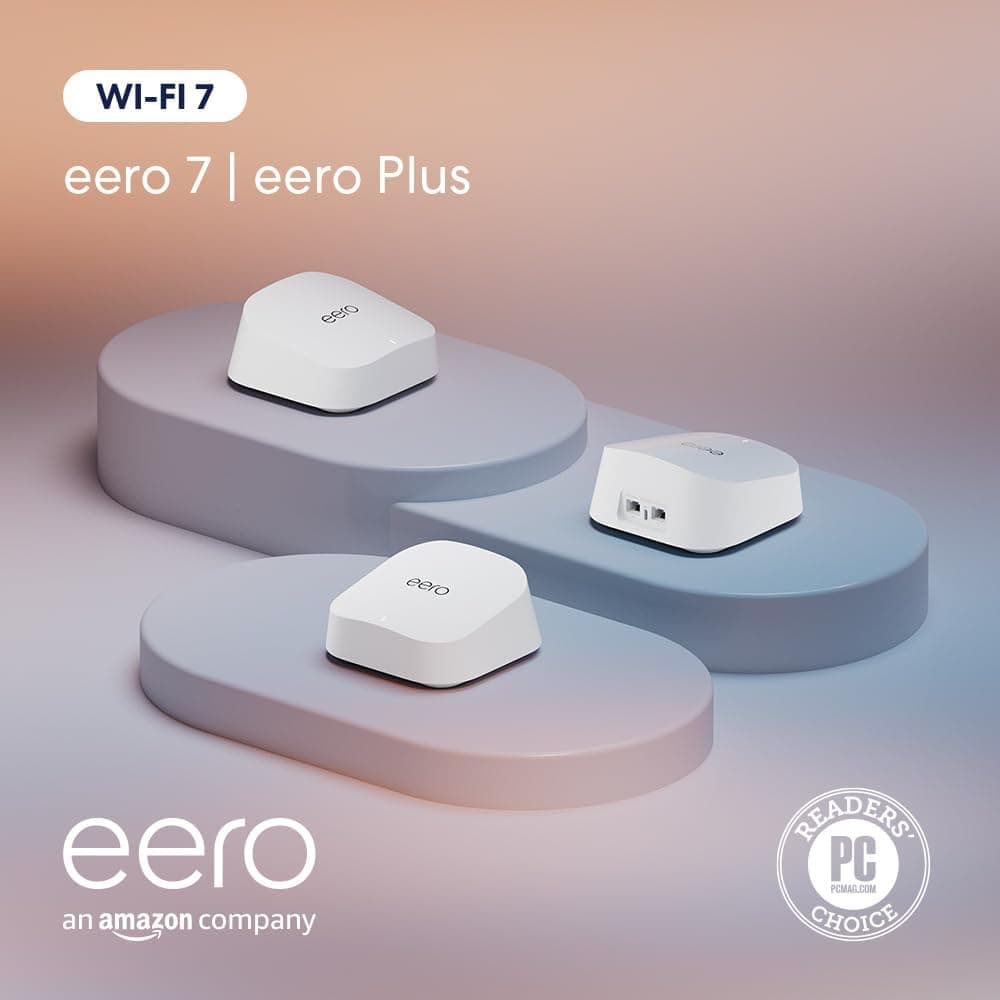

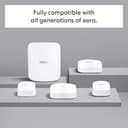
🚀 Elevate your home network to Wi-Fi 7 speed and security — because buffering is so last decade!
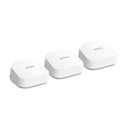
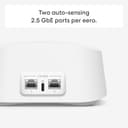
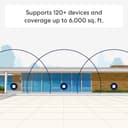
The Amazon eero 7 3-pack mesh Wi-Fi system supports blazing-fast internet plans up to 2.5 Gbps and covers up to 6,000 sq. ft., connecting over 120 devices simultaneously. Featuring Wi-Fi 7 technology with multi-link operation, dual 2.5 GbE ports, and a 1.1 GHz quad-core processor, it delivers ultra-reliable, low-latency wireless performance. The system doubles as a smart home hub compatible with Thread, Matter, and Zigbee devices. Included is a 1-month free subscription to eero Plus, offering advanced security, parental controls, and ad blocking to keep your network safe and optimized.
| Wifi standards | Wi-Fi 7 (IEEE802.11a/b/g/n/ac/ax/be) |
| Number of radios | 2; dual-band |
| Supported channels | 2.4 GHz: 20, 40 MHz 5 GHz: 20, 40, 80, 160, 240 MHz |
| MIMO | 2x2/2x2 MU/SU-MIMO |
| Spatial streams | 6 |
| Channel width | 20, 40, 80, 160, 240 MHz |
| Network security and services | WPA3 and WPA2 wireless encryption |
| Other Wi-Fi features | Support for IPv4, IPv6, UPnP, DHCP reservations, and port forwarding. WAN compatibility: DHCP, static IP, PPPoE, and internet VLAN tagging. |
| BE rating | BE5000 |
| Automatic Channel Selection | Yes |
| Band steering | Yes |
| Device/profile pause | Yes |
| Easy password sharing for guest and home network | Yes |
| Smart home hub | Yes |
| Thread | OpenThread |
| Bluetooth | Bluetooth Low Energy 5.0 |
| Zigbee | Yes (as a controller only) |
| Works with Alexa | Yes |
| Matter | Yes (as a controller only) |
| Antenna | 2x2 2.4 GHz 2x2 5 GHz |
| Frequency bands | ISM (2.4-2.484 GHz) U-NII-1 (5.15-5.25 GHz) U-NII-2A (5.25-5.35 GHz) U-NII-2C (5.47-5.725 GHz) U-NII-3 (5.725-5.85 GHz) |
| Types of modulation | OFDM (2.4 GHz, 5 GHz) DSSS (2.4 GHz only) |
| Ethernet | Two auto-sensing 2.5 Gigabit Ethernet ports, 1 USB-C port |
| Processor | 1.1 GHz quad-core processor |
| Memory | 1024 MB |
| Storage | 4 GB flash storage |
| Size | Width: 5.12 in. (130 mm) Height: 5.12 in. (130 mm) Depth: 2.52 in. (64 mm) |
| Operating temperature | 32°F–104°F (0˚C–40˚C) |
| Electrical requirement | 100-240V AC, 50/60 Hz |
| AC supply | 15W USB-C power adapter |
| OS support for eero app | iOS/Android app |
| Subscription | New customers are eligible to access eero Plus free for 30 days. Learn more about eero Plus. |
| Required for setup | Supported iOS or Android device and internet service (with cable, DSL, or fiber ONT modem, if required). See eero setup requirements. |
| Warranty and service | 3-year limited warranty. For warranty info, privacy policy, terms of service, trial and subscription terms, and more, visit eero.com/legal. |
| Included in the box | 1-pack: one eero 7 router, one 15W USB-C power adapter, and one CAT5e Ethernet cable. 2-pack: two eero 7 routers, two 15W USB-C power adapter, and one CAT5e Ethernet cable. 3-pack: three eero 7 routers, three 15W USB-C power adapters, and one CAT5e Ethernet cable. |
| Software security updates | Learn more about software security updates.. If you already own a Eeero, visit Manage Your Content and Devices for information specific to your device |
| Legal disclaimer | Works with Alexa not available in all countries. eero 7 and services, including eero subscription services, are subject to the disclaimers found at eero.com/disclaimers *Additional services each require a separate subscription. †Actual size and weight may vary by manufacturing process. ‡Insurance details: Insurance Benefits under the policy are issued and covered by Lloyd’s, under a master group policy issued in the name of Cyberscout Limited, Sontiq Inc. and all subsidiaries for the benefit of members. For policy terms, explanation of benefits and exclusions view the “Summary of Benefits.” for $1Million USD Plans or $2Million USD Plans. “Family” plan insurance will cover the primary account holder and his or her household residents. |
| Chipset | Qualcomm DragonwingTM N7 Platform |
J**.
Great little router
Used Eero 6 pro a few years ago. After a move I switched to an Asus router. Well moved again and decided to go back to Eero with the Eero 7. Very happy with it. Quick and easy setup. Almost too easy. And coverage for our 1300 sq ft home is great and that's with one unit centrally located in a smart cabinet. With echo devices now able to extend wifi coverage I only needed one eero unit with solid wifi throughout the house and front and rear yards. Couldn't be happier.
T**M
Excellent mesh system
This mesh wifi system was extremely easy to setup using clear instructions from the app. The system works flawlessly. The software updates automatically. The app is easy to understand and follow. My system is hardwired. I have 1 gps internet from the modem. My speedtest averages over 800 gps! I also have the Eero 7 outdoor unit, which works just as well as the indoor units. I highly recommend this system.
S**S
Excellent router
Fast and reliable Wi-Fi 7 router with excellent coverage throughout the house. Setup was quick and easy through the eero app.
R**N
Not Seamless if you have Legacy Devices
3 month update: After many weeks, the Cree bulbs connected, on their own, and work as expected through Alexa. The cameras are all connected but disconnect often. Signal strength is very strong at all camera locations. My failing Echo devices have stable connections now. The remaining persistent new problem is with my new Amazon smart plugs. They show as connected, but Alexa commands fail more than 50% of the time. Repeat the command enough and they work. Aug 2025: Eero 7 router connected seamlessly to my ISP and most devices, using the same SSID and password as my previous setup. However, connecting my numerous 2.4 GHz-only devices was challenging. Disabling the 5 GHz channel on the Eero allowed several devices to connect, but about 15 legacy devices remained problematic. Nest and Wyze wired cameras: These required reconfigurations to recognize the new network, which resolved their connection issues. However, the Wyze cameras, which I upgraded to the Eero for due to slow performance from weak signal (per Wyze's claim), showed no signal improvement. 1st-generation Amazon Echo: It connects initially but disconnects after a day or so. Smart plugs: Several older smart plugs failed to connect despite hard resets. Replacing them with new Amazon Basics plugs resolved the issue, as these connected perfectly. Cree Outdoor Smart LED bulbs: All connected immediately and appeared in the Cree app, functioning as expected. However, within a day, about half showed as offline in the Eero app. Despite this, they remained fully functional in the Cree app and responded to commands. Since the Cree app is linked to Alexa, the bulbs listed as offline in the Eero app also appeared unresponsive in Alexa. Overall, upgrading from an older router to the Eero required significant effort and expense, but the improvements in performance are negligible. Everything works, but nothing seems to work better.
O**B
eero is a rock solid mesh system you need
Big fan of the eero mesh wifi system. I've had a eero pro system for my home use and it's worked for several years without any issues. So when it was time to put mesh into another house, I went straight to eero again. I didn't need the pro version at the new place so I went with the eero 7. Very glad I did as it's just as good as the pro has been. Easy to set up, support is readily available, auto reconnects when internet is out, very stable and a clear winner for the money. It's also easily expandible which makes it versatile as my needs change.
T**M
Dependable performance and simple setup
High quality, easy setup. This mesh WiFi system does not have a bunch of deep customization options, but for a dependable, set and forget system, this one is great. I started with two eeros - one for my main router and one in my living room (our house is about 2500 sq. feet). I had Ethernet cabling in my living room, so was able to hard wire connect the 2nd eero to the main one. I recently bought one more eero for our den. The den had pretty weak wireless connectivity and the TV in there kept buffering when streaming. After installing the 3rd eero wirelessly, the TV no longer buffers and WiFi speeds are pretty decent. Adding the 3rd eero was super simple and took literally around 5 minutes. Highly recommend for dependable performance and simple setup.
D**I
Easy to set up, fast, stable connection.
Easy to set up and works very well. I previous had multiple wifi extenders but they were always slow and the connection was never stable. Now I have coverage in every corner of my house, including the upstairs and my detached garage. I still use a wifi extender to get coverage in a far corner of my yard, but these eero mesh devices now gives me a high speed, stable connection for the home office upstairs.
Trustpilot
Hace 2 meses
Hace 2 semanas