We remain fully operational. Our teams are working around the clock to ensure your deliveries continue safely.

Descargar la aplicación


Servicios al cliente
Sobre nosotros
Copyright © 2025 Desertcart Holdings Limited
Descargar la aplicación
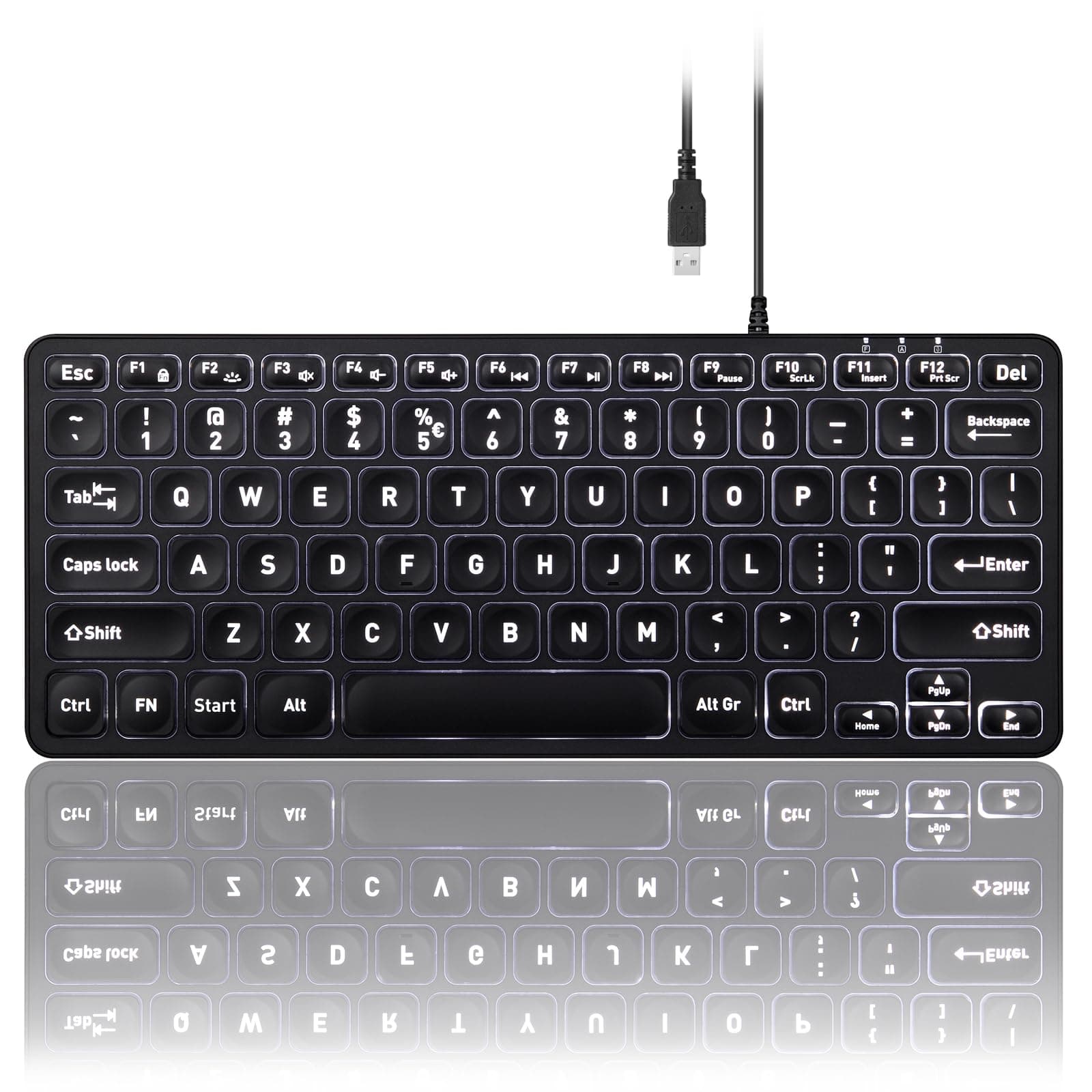


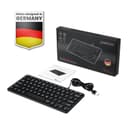

⌨️ Illuminate your workflow with sleek precision!
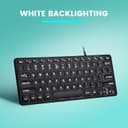
The Perixx PERIBOARD-332 is a compact, ultra-thin wired keyboard featuring adjustable white LED backlighting and laptop-style X-type pantograph keys. Designed for professionals who value minimalism and efficiency, it offers a clutter-free typing experience compatible with multiple operating systems, making it the perfect desk companion for modern multitaskers.


| ASIN | B09PYMGGDF |
| Additional Features | Backlit |
| Amazon Bestseller | #38,888 in Computers ( See Top 100 in Computers ) #630 in Computer Keyboards |
| Antenna Location | Office |
| Brand | Perixx |
| Built-In Media | USB Cable |
| Button Quantity | 3 |
| Color | Black |
| Compatible Devices | Laptop |
| Connectivity Technology | USB |
| Customer Reviews | 4.4 4.4 out of 5 stars (223) |
| Global Trade Identification Number | 04049571006086 |
| Hand Orientation | Ambidextrous |
| Item Dimensions L x W x H | 28.5L x 11.6W x 2.1H cm |
| Item Weight | 12.3 Ounces |
| Keyboard Description | Pantagram |
| Keyboard Layout | QWERTY |
| Manufacturer | Perixx(ペリックス) |
| Mechanical Keyboard Switch Model | パンタグラフ |
| Model Number | PERIBOARD-332 |
| Number of Keys | 84 |
| Series Number | 332 |
| Style Name | Wired Backlight |
| Switch Type | Pantagram |
| Warranty Description | 1 year warranty from date of order |
R**N
今迄ロジクールのパンタグラフばかりを使っていました。 あまりの安さと使い易さに驚いています。
A**ー
Very good USB keyboard with backlight.
I purchased this USB Perixx back-lighted keyboard and I have to say I'm very satisfied with my purchase. The typing experience is smooth and the backlit feature is a great addition, especially when typing in the dark. For the price, you really can't go wrong. I highly recommend this keyboard to anyone looking for a good value USB keyboard
A**様
雨の日、商品の箱に直接郵送ラベルが貼られた物がポストに入っていました。 箱は濡れていましたが中のキーボードは恐らくビニールで密閉されてるからギリセーフ…と思いつつ開封すると 閉じてないビニール袋に入ってました。 使えてるけど電気小物でコレは信じられない。
A**S
メカニカルキーボードのカチカチ感と分厚さが好みではなく、パンタグラフを主に使用しています。 普段はロジクールのk780, k380を使っていますが、5年も使ったk780の調子が悪くなり、こちらを購入しました。 デスクトップ専用として使うので有線に決定。しかもずっと探していたUS配列のテンキーレースキーボードがこの値段で買えてよかったです。 ロジクールやアップルのキーボードと比べると少しキーが高くて、重いです。なので、速くタイピングすると、それなりにカチカチと音がします。静音キーボードと呼ばれるメンブレンキーボードに比べると結構うるさいです。 自分はメンブレンキーボードの全てが嫌いなので使いませんけど、音だけで比べると、 静音メンブレンキーボード << ロジクールk780, k380 < アップルマジックキーボード << ぺリックスのこのキーボード <<<<<<<<<<< メカニカルキーボード 的な感じです。 キーの面積がちょっと小さいのは惜しいところです。キーとキーの間は十分スペースがあっていいんですけどね。 一般事務レベルでは十分だけど、作家さんとかプログラマーさんみたいにタイピング量が多い方は使いづらいと思います。(そういう方たちはメカニカルキーボードを使われているでしょう。) あと真ん中当たりの底面から、タイピング時にバネが跳ねるような小さい振動(と音も)が伝わってきます。フレームが薄いキーボードによくあるやつです。自分はこの値段なもんで許せますが、これは人によってかなりのマイナス要因だと思います。何年後になるかは知りませんけど、次買う時は上級モデルにしてみます。
H**E
パソコン起動時にバックライトが点灯するが、そのままだとcが打てない。 一度バックライトを消灯し、再度バックライトを点灯させるとcが打てる。 実害は無いが微妙。
最**悪
以前、PERIBOARD-432を購入して、同一の商品が欲しかったのでその購入履歴から飛んだらこの商品でした。 以前の432は、バックライトの設定が保持されてて、パソコン切っても次の起動時同じ明るさになっていたが、新しいのはパソコン切ると最大にリセットされます。スリープでもなります。 そして何より、この商品Amazonでの取り扱い日を見てもらうと2022年となってるかと思いますが、この商品、「PERIBOARD-332」は2024年4月ごろの発売です。 2022年は432のほうの取り扱い開始日です。 仕様の違う商品であるにもかかわらず同じ商品として売ってるのです。 もちろんレビューも2024年4月より前のものは「332」のレビューでなく「432」のレビューです。 ただ、アマゾンのカスタマーはその事を丁寧に説明したら特に難もなく返品の対応をしていただけました。 しかし、返品後もこの商品がこのままだったのでレビューを残します。
K**ー
小型のPCが英文のwindows10Proだったので日本語キーボードでは使いずらくて安いキーボードを探していました。これはお手頃で使い易いので満足しています。
J**U
1. heel goed, ook na meer dan een jaar ervaring 2. duidelijk drukpunt, als van Thinkpad 3. mooie witte verlichting 4. handig in omvang Johu
M**5
A solid build keyboard that feels great to type with, is bright when lit up on full and wired, so will never need to be recharged. It is comparable to my favourite keyboard of all time, the Logitech MX Keys Mini Minimalist Wireless Illuminated Keyboard but at a 3rd of the price. Even the body and build of the keyboard looks and feels almost identical. A very good value at $45.
R**T
good soup, got it under 3k
D**S
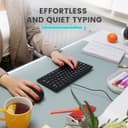
This Perixx PERIBOARD-332 wired backlit USB keyboard ditches the numpad, keeping the mouse close and reducing shoulder strain—perfect for people like me who have no use for stretched-out layouts. I also require the delete key to be in the most upper right position. And I chose the wired version because my desktop computer is too far from the keyboard for a wireless keyboard to work. Despite the smaller size, it has full-sized keys, all 12 function keys, and an excellent typing feel. Unlike my old mushy rubber dome keyboard that triggered letters with the lightest touch (causing endless typos), these sculpted scissor keys require a deliberate ~2 mm press with clear and quiet tactile feedback. Result: far fewer mistakes and almost no time wasted correcting. The large keycap letters are very easy to read. The backlighting has five levels (4 brightnesses and off), which is great for dimly-lit rooms. Unlike other reviews posted here, I found all rows to be backlit well. The only minor downsides for me are (a) there’s no dedicated INSERT key, but FN+F11 works just fine, and (b) the user can’t adjust the tilt of the keyboard. Bottom line: This is the best compact keyboard I’ve used for typing accuracy, readability, and ergonomics, and I recommend it highly if you can live without a numpad.
G**N
I bought the Perixx PERIBOARD-332 because I was looking to downsize from my Cherry Stream keyboard (I do not often use the number pad and found it to be a massive waste of desk space). I was torn between this and the PERIBOARD-432 (which is very similar, but not backlit), but ultimately went with this model because it had a few extra keys (Insert/Pause Break) that I use regularly that were mapped to the F1-F12 buttons; I considered the backlight a bonus. For the price, it's a nice, compact, solidly-built keyboard that lets me keep my mouse super-close to the rest of the keyboard. I love the function lock option as it makes the keyboard more versatile; if you don’t use the F1-F12 buttons, you can effectively make those buttons multimedia/extra keys. It's made of plastic so it's very light, though it does not move around while I type on it at all. I think the cord that comes with it is 5-6 feet or so, which should be long enough for the needs of most people. I’d consider it a definite candidate to be a travel keyboard it you want a wired one. The scissor switches are very nice to type on. They aren't silent, I'd say the noise they produce is about average for a scissor-switch keyboard, somewhere around the level that my Cherry Stream keyboard does. The noise level is still well within the realm of acceptability if you're using it in an office. These switches are also on the softer side, which I like (I don’t need to use as much force to push them down as I I did on my Cherry Stream). If you’re used to a laptop keyboard, you’ll feel right at home. Scissor switches in general are a HUGE improvement over the rubber dome switches one typically finds in cheaper keyboards providing a much more uniform typing experience with more feedback. If you’ll ever be using this with the backlight off, the keys are incredibly legible with it off. The keys on the keyboard are close in size to what one would find on a normal full-size keyboard, minus the smaller function key row and arrow keys. All keys except for those on the function row and bottom row are nicely contoured to the shape of your fingers and are pleasant to the touch. As for the cons, there are a few, but nothing terrible. The backlight is just OK. It’s still an asset as it does help increase legibility of the keys regardless of lighting conditions, but it doesn’t get terribly bright, particularly with the bottom row. You have the option to cycle through various brightness levels or turn the backlight off as well, but I don’t know why you’d wish to make the keys any dimmer (unless you’re turning the lighting off entirely). I’ve attached a couple of pics to this review showing the lighting on and off, both with lights on in the room and off. Because I’m close to my monitor, the large white key fonts pick up a lot of light even in low-lighting conditions, which is nice. The LEDs that power the backlight may be visible under the keys, depending on the angle you sit at (but because they’re not super-bright, they aren’t blinding). The biggest issue for me and one that really made me question making the purchase is that the tilt on the keyboard is non-adjustable. As somebody who normally uses a keyboard flat, I may end up buying a set of feet or something else to prop up the front end of the keyboard and make it flat or give it a slight negative title. Since the keyboard is so skinny to begin with, I let it slide as I can still usually keep my wrists in an OK posture. If you use a keyboard with a positive tilt anyway, you’ll likely be fine with it. If Perixx is listening, make the following changes and you’ll have created the perfect compact keyboard: 1) Make the backlight a bit brighter and angle the LEDs or adjust the keycaps so that they can’t be seen under them. 2) Make the tilt optional for people who would like to use their keyboard flat (if you want bonus points, make it so that a negative tilt is possible for even better ergonomics). 3) Make the left/right arrow keys full-size (there’s a little wasted space as-is).
Trustpilot
Hace 3 días
Hace 2 meses