

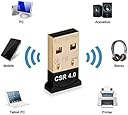


Btcsr40 Bluetooth Csr 4.0 USB Adapter, Gold Plated Micro Dongle for Desktop, Laptop (33 ft/10 m)
Product ID: 126865279
Details
- Brandkreya
- Colourblack
- Manufacturerkreya
- UPC720337889542
Description : Important Note: It is a only for laptop / Desktop & computer When you connect headset or speaker,feel the sound like handsfree, please You have to Uncheck "Handsfree telephony" from the services setting on your bluetooth device -> Control Panel/Hardware and Sound/Devices and Printers -> select your device and right-click, open Properties, then go to Services tab and uncheck Handsfree Telephony. Marked as your default device in Control Panel -> Hardware and sound -> Change system sound -> Playback -> select bluetooth device and select set defaults. CRS V4.0 Dongle Support Bluetooth voice and date transmission Ultra-compact, easy carrying and space saving. Experience stereo audio with Advanced Audio Distribution Profile (A2DP) support. Bluetooth Low Energy (BLE) protocol support. Up to 3 Mbps data transfer rate with Enhanced Data Rate (EDR) support. Backward support classic Bluetooth V3.0/2.1/2.0/1.1 Bluetooth version : 4.0 with EDR - data transfer rate up to 3Mbps ISM Band : 2.402-2.480GHz Support Profile : Serial Port, Object Push, File Transfer, LAN Access, Personal Area Network, Audio Gateway Compatibility : Windows 10, Windows 8, Windows 7, XP, Vista ,2003, 2000,Me, Bluetooth-enabled devices, like iPhone, iPad, iPod,Samsung Galaxy,note ,smart phones, tablets, keyboards, mice, speakers, printers, projectors,headsets & more
| ASIN | B07R6W5KK3 |
| Brand Name | kreya enterprise |
| Color | black |
| Customer Reviews | 3.5 3.5 out of 5 stars (3) |
| Manufacturer | kreya enterprise |
| Manufacturer Part Number | kreya095 |
| Model Number | kreya126 |
| UPC | 720337889542 |
Trustpilot
2 weeks ago
3 weeks ago