Desertcart purchases this item on your behalf and handles shipping, customs, and support to Panama.
🚀 Upgrade your network game — faster, smarter, stronger Wi-Fi & Bluetooth!
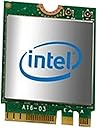
The Intel Dual Band Wireless-AC 7265 is a high-performance M.2 NGFF Wi-Fi and Bluetooth adapter delivering up to 867 Mbps on dual bands with 2x2 MIMO streams. Compatible with Windows and Linux, it offers enhanced coverage, stable connections, and Bluetooth 4.0 support, making it an ideal upgrade for desktops seeking faster, more reliable wireless connectivity.
| ASIN | B00RCZ4I6S |
| Best Sellers Rank | #954 in Internal Computer Networking Cards |
| Brand | Intel |
| Compatible Devices | Desktop |
| Compatible Operating System Family | Linux, Windows |
| Customer Reviews | 4.4 out of 5 stars 174 Reviews |
| Data Link Protocol | Bluetooth |
| Data Transfer Rate | 867 megabits_per_second |
| Global Trade Identification Number | 00735858292276 |
| Hardware Interface | Bluetooth |
| Item Weight | 4.54 g |
| Manufacturer | Intel |
| Mfr Part Number | 7265.NGWG.W |
| Minimum Required Operating System Version | Windows 7 |
| Model Number | 7265.NGWG.W |
| Number of Items | 1 |
| UPC | 735858292276 715663721772 |
I**A
Works better than I could have hoped. [XPS 13 9340]
I purchased this for my Dell XPS 13 9340 (2015), as the Broadcom chip that shipped with my device had trouble with range and Bluetooth connectivity. I also wanted the added benefit of Linux mainstream kernel support out of the box when I finish my transition to a GNU/Linux OS. Installation was a breeze, I followed the iFixit guide. While the instructions state that you have to remove the battery, I found this wasn't actually necessary. This chip has the pins to connect in the PCIe slot and two pins on the opposite end for the radio cables.The default radio cable configuration is different than the plug connections; The Broadcom chip has the pins on either side of the small rounded section in the center, while the Intel one has the pins on the right side. This complicated things slightly, and my large fingers had some trouble. But about 15 minutes and some tweezers later, installation was complete. After turning on the laptop post-installation, I was pleasantly surprised by the instant recognition of the new wireless card through Windows. It seems it runs out of the box on the compatible operating systems. Overall the performance is substantially better than the included Broadcom chip, the updated Bluetooth features are very nice, and the range is phenomenal! I cannot recommend the upgrade enough! The only qualm I have is that this chip does not support sniffing packets over the air, so if you're hoping to use this with Wireshark to do fun snooping, you'll have to stick to the Broadcom chip or keep looking.
G**K
Easy upgrade for Dell Inspiron 3000 model 3148
Just works in a Dell 3000 3148. Didn't even need to change a driver (Windows 10 Home). It seems to have decent range and sees both WIFI bands as expected. The only tricky part is re-attaching the tiny antenna leads but after a bit of manipulation got solid connections. A couple of observations - the card is physically a bit larger than the Dell part that it replaced. However the screw that holds the card in place was perfectly positioned in the center of the top of the card to allow it to fit and there is enough space inside the laptop to easily accommodate the slightly larger device. When I powered the system back up, it immediately found the new card and I was able to join WIFI access points. Shortly after that the system saw the new Bluetooth hardware and activated it after asking for permission. Considering how inexpensive this card is, it's a very easy upgrade.
F**A
Works great for my XPS13
I bought a dell xps13 recently and a lot of people recommend that the broadcom wireless card is exchanged for this one. This was the first thing I did after I got the XPS. I did notice that the signal strength increased so that was certainly a great morale booster. Also this card is supposed to have better linux support. I installed arch linux and this card worked without me having to install any drivers. I tried linux mint (which is ubuntu based) and I still had the same great experience with this card. The installation process in my dell xps was very simple. It didn't take too long. Overall I'd highly recommend it.
Z**Z
Quadrupled the Wi-Fi Speed for Dell Inspiron 11 (3000 series)
Literally quadrupled my Wi-Fi speed (see uploaded screenshots)! I only just installed in my Dell Inspiron 11 (3000 Series). Windows 10 recognized the card without issue and was able to connect to my network no problem. Looks and feels like a genuine quality product and am impressed so far. I will update if there are any issues in the future with it. The price is extremely affordable and I highly recommend it!
J**E
The adapter seems to work fine after all the drivers are installed
The adapter seems to work fine after all the drivers are installed, but therein lies the problem. While Intel's website/driver support is usually flawless, I had difficulties installing this adapter on two different PCs (one Win 7, on Win 10). The drivers are easy enough to find but don't necessarily install on the first try... Or the second... Or the third. I honestly don't know how I finally got them installed and working, but they are now, and I'm afraid to touch either PC because the wireless card may go back to not showing up in device manager at any moment.
C**T
Works
Direct replacement in my Dell Inspiron 7559. Went to 2*2 AC and increased speed of wireless connection. Good connection and Bluetooth works fine also. Only problem was connecting those tiny antenna jacks (at 65 don't focus close up on small things :D ) Once I got them connected (hint connect before you insert card) and buttoned up laptop it just worked. Replaced a 3160 so no drivers needed to be downloaded and installed. Would have prefered 8265 or 9265 but didn't know if they would work with a 4 year old laptop. For the price i paid was well worth the effort though. I saw that some have problems with the card but in my case it just works.
B**S
Works great in my HP Envy Slim Quad Core (late 2015 model)
This Intel 7265AC works perfectly in my HP Envy Slim Quad Core (late-2015 model). The HP wifi driver and firmware even recognized it, AND the laptop still lets me use the wifi on/off button on the keyboard, the BIOS knows if the wifi is on/off, etc. So clearly, HP has some firmware support for this 7265ac in my laptop, just not order-able that way from HP directly for some reason. Warning: The other somewhat-newer model Intel 8260AC had glitches in my HP Envy Slim Quad Core (see my other review of it), so I'm using this "older" model 7265ac instead without any problems whatsoever and it works great! To the best of my knowledge, the 7265ac and 8260ac are both the exact same max speed of 866mbs, so I don't personally care and I'm happy.
R**G
Fast and Easy
A very good WiFi speed upgrade for my Dell 3148. I replaced a cheap Dell DW1708 WiFi card which could not get WiFi speeds over 50 Mbps. The card was easy to install...I just followed the U tube how to videos. Now able to get full dual band WiFi @ 150Mbps capacity up and down load speeds with the Intel 7265. No additional drivers were required...started up immediately after the reboot and WiFi sign in. I highly recommend the genuine Intel WiFi 802.11ac !
A**E
carte wifi/bluetooth correcte mais livrée sans antenne
Fonctionne correctement. Attention, il s'agit du standard/format M.2 E. Par contre, pas d'antennes livrées avec. Il faut acheter au moins une antenne (deux ports d'antenne disponibles sur la carte) 2.4 Ghz pour M.2 E en plus si cette carte n'est pas achetée en remplacement d'une autre dont la/les antennes pourront être récupérées (attention, deux standards existent pour les antennes, renseignez-vous et vérifiez la compatibilité M.2 E).
W**R
Excellent upgrade, great speeds, faster internet
I replaced an Intel Dual Band Wireless-AC 3168 with this Intel Dual Band Wireless-AC 7265 NGWG in a HP laptop. It worked perfectly fine and the upgrade is huge. The Intel AC3168 was averaging 200 mb/s on speed tests and the Intel AC 7265 is averaging 560 mbps. Best Cheap upgrade to get faster internet
A**P
Excelente
Todo excelente mucha velocidad, tuve problemas al segundo día porque mi equipo lo apagaba pero la solución fue Administrador de dispositivos → Adaptadores de red → Intel Dual Band 7265 → Propiedades → Administración de energía -y QUITAR Permitir que el equipo apague este dispositivo para ahorrar energía
A**O
Muy bien
Cumple con su función
A**R
It is a good replacement!
It is a replacement that works with the Dell Inspiron 11; I am happy with the easy installation I had.
Trustpilot
1 month ago
3 weeks ago