

Desertcart purchases this item on your behalf and handles shipping, customs, and support to Panama.
💾 Turn nostalgia into shareable digital gold!
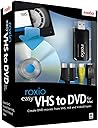
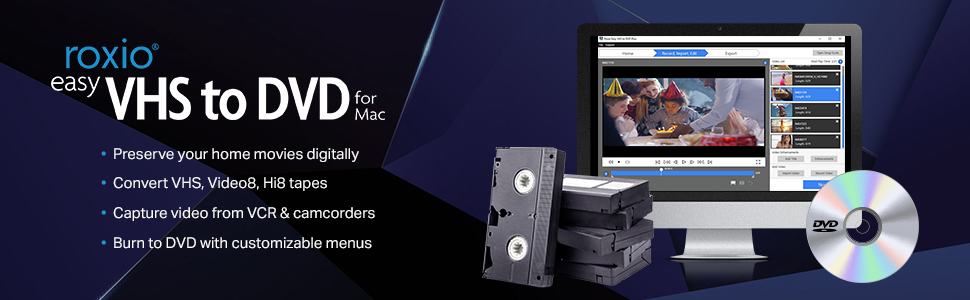
Roxio Easy VHS to DVD for Mac is a powerful converter that transforms your aging analog tapes (VHS, Hi8, Video8) into digital files or DVDs. Designed for Mac users with Intel or Apple M1 chips, it offers easy video capture, editing compatibility with iMovie, and custom DVD burning features, ensuring your treasured memories are preserved and shareable in modern formats.



| ASIN | B00266PHEK |
| Best Sellers Rank | #49 in Software ( See Top 100 in Software ) #13 in Digital Video #53 in Mac Software |
| Customer Reviews | 3.8 3.8 out of 5 stars (1,395) |
| Date First Available | April 9, 2009 |
| Item model number | 243100 |
| Language | English |
| Manufacturer | Roxio |
| Product Dimensions | 6 x 2 x 8 inches; 5.43 ounces |
D**E
This works Great ! Really is Easy user interface. I got all my 30-Yr-Old VHS-C Tapes Digitized ! Wow !
This worked great for me ! I digitized all my old VHS-C tapes with Roxio Video Capture. I was able to transfer the videos to a PhotoSpring Digital Picture Frame. The 30 year old videos came out great. There is a sizing option on the software so you can break up the video into smaller files. This was perfect for my purpose - recovering old VHS tapes before they rot. I was thrilled to see these old videos of family, friends, vacations. Now they are on a digital photo frame to see anytime. I was also able to see them on my TV with the Apple TV box (the PhotoSpring frame resolution looks better than on TV). I was going to make a return to Roxio at first because it crashed. (They do accept returns.) But I persevered and found out it was my VHS player which was broken. I bought a used JVC HRS5912U VHS player for $65, s-video male to male cables $12 to hook it up, and a VHS cleaning kit $10 to clean the heads periodically while running these old tapes through it. I already had a VHS_C cassette adapter (had to replace corroded batteries & clean up, otherwise new is $20). You also need RCA male to male Stereo cable - I already had lots of them. This all worked fine. The VHS player doesn't have to be hooked up through the TV, I just cabled it to my computer with the player sitting under my MacBook - when you hit play on VHS Player, the display goes through the Roxio Video Capture program. The Roxio USB connector was a little loose so try not to jostle it. I tested recording quality difference between a Composite -vs- S-video hookup: Definitely use S-video if you have the option, composite is not bad though. It was all worth it - the cash and the effort. The results are priceless ! Can you imagine getting to recover video from so long ago ? Thanks Roxio !
G**N
Roxio does it again
Roxio does it again. I tried many, MANY approaches to convert VHS analog video to digital and burn to a dvd. Went through a good deal of crap [sorry, but yes] and frustration and I'm a decent hacker. Part of the problem here is Apple. They simply walked away from support of any PPC [the older Motorola] chip in favor of Intel. If you can get access to an Intel machine running OS X 10.6 or better, this will work. Install the application on the enclosed DVD onto said machine, connect 2 plugs, cue up the tape and GO. 40 minutes later, you will have a 40-minute digital video file on the HD. Burn it, copy it, edit it, whatever. I ended up putting it on a 4GB flash drive. Please note: THIS WILL NOT WORK ON A POWERBOOK G4 OR IMAC G5, REGARDLESS OF THEIR OS X. IT JUST WON'T.
D**A
Very frustrating!
The Good -- I've used Roxio products for many years off and on -- always found them useful and user friendly. Always accomplished what I bought it for. The software on this product for MAC is great. Once installed it was simple to set up and begin converting VHS tapes. the BAD -- the device that connects to my laptop is terrible. First it took a lot of time and effort troubleshooting why there was no picture. I had to google it -- and found out you have to plug it straight to the laptop usb. New Mac laptops (at least mine) does not have the standard USB port anymore. Got out my older laptop, confirmed all was in working order and tried again. You have to wiggle and maneuver and wiggle and pull and wiggle, etc. ALOT before the picture will display. The tape is running, all the audio is playing but the video is not. Once you get the cable and USB JUST RIGHT -- DON'T TOUCH IT!!! It will take forever to try and wiggle it back in position. It's like the USB on the Roxio device just does not fit and connect well in the usb port on my laptop. now -- it's not displaying a picture anymore. It was an hour ago, now nothing. the video still plays, sound still going -- and I didn't touch the device or move the laptop at all. So very disappointed in the quality.
C**0
Works very good. Little more functions would be great.
Needed to convert some VHS and Mini8 to DVD. Reviews shown from 1 stars to 5 stars so kind of confused. After reading most of them. Realized some of the 1 star were from times when the product first came out. Also some of the problems that people run into seem to me are hardware problems and not software. Figured the developer would have enough time to clean up the bugs. So pick one up around $60.00 which I think it's a great deal. Installed the thing onto my 2.0 Ghz. Mac running OS10.6.8. Took only about 15 mins. including reading part of the manual and hooking up the wiring. Pop in the VHS and follow the instruction. About 1 1/2 hours later I have myself a recorded DVD. Cannot be easier. Only thing would like to see is maybe some extra functions such as pause and play etc... This way I can skip the parts that I don't want to record. So I don't have to waste time to edit it later. Bottom line, if you just need to do "Simple Transfer" like me. This is what you want. Good stuff.
I**S
Right out of the box!
I got this product a few short days after ordering it(via free shipping!) and brought it in to my workstation. Then I: 1)Installed the software. 2)Plugged in the intuitivel usb interface to my Mac Pro. 3)Hooked the other end up to my 10-year-old Sony VCR. 4)Popped in a VHS tape. 5)Hit the "Start Recording" button in the software window And BAM! had a video well on the way to being a DVD. All inside of 5min. This software is maybe TOO easy to use. I don't know if there are options missing that I will discover I need down the road, but for my immediate needs-pulling video from deteriorating VHS taped and digitizing it for DVD-this software/hardware package is elegant and perfect. This product has not been rated very highly anywhere I have seen it and I was reluctant to order it for that reason. I did so figuring I would return it if it didn't work for me. I can't stress enough how easy it was to set up and start working! Possibly the most mind-bogglingly simple-to-use setup I've ever encountered, especially with video. I used to use Formac Studio TV firewire interface for my conversion needs. It never seemed to work as advertised, and when it did work, it invariably rendered choppy video that cut out every time there was the slightest flaw in the video tape playback. The Formac interface cost me over $200! Needless to say, I was pretty disappointed with this machine but didn't know what else might be out there! When I found the Roxio Easy VHS to DVD for Mac I was at once excited and hesitant. The reviews nearly scared me off, but the price([...]) was right. I realize that this price is higher now, but having had the chance to use it for a while, I can say it is worth the $60-$70 I normally see it advertised for. If you are a CONSUMER LEVEL user who doesn't own professional video equipment, and you need to convert some old VHS tapes to DVD or Quicktime, this is what you need! Check the system requirements against your machine and go for it!
P**Y
Not supported by Catalina until version 4
Purchased this after reading a ton of reviews. Bought it just before the Christmas holidays, to make it one of the projects for the holiday. Installed it on my MacBook Pro running Catalina to find that the most important piece Roxio Video Capture doesn't run on Catalina. Opened a support ticket on December 14th, and never a response from Corel Customer Support besides the automated message telling me I opened a support ticket. Luckily have an old 17" MacBook Pro, running High Sierra. Roxio Video Capture upon start told me I needed to update. It worked without updates, but ran the update software within the application and it downloaded a 300MB+ update, restarted and everything has been working. It looks like this software will become useless in the not so distant future. I got lucky by having an older Mac to run it on. I of course am in the later stages of getting my kids videos off of VHS and into a digital format so the need to do this by others is rare I suspect. Update - Finally got a response from Corel Customer Support with "Actually it is an ongoing issue, Our engineers are working on it. If we receive any updates on this we will definitely let you know." Update - of 26 tapes I converted, 11 of them have sound dropping out somewhere in the recording. As soon as it drops out it never returns. So now rerunning 11 tapes through the process with fingers crossed it doesn't happen the second time around. Was all excited until we got 30+ minutes into a 2 hour video of my oldest and the sound disappeared. Changing my star rating from 4 to 2 because of this. Update January 2, 2020 - received an email from Customer Support with a download link for version 4. Downloaded and installed on my MacBook Pro running Catalina, everything started up without issues, did a quick capture of a VHS tape and everything was good on this first attempt. I don't have anymore to convert, though I suspect we will find a few in the future or help others. Boosting Rating to 3 stars at this time. If I find more to do and everything works 100% on those we will have 4 stars, will never reach 5 at this point though.
M**Z
It is so simple that one tries to make it difficult
Originally I purchased a competing product, but it utterly failed, so I opted for a few dollars more to buy this Roxio video capture system. The instructions, while sparse, are quite clear. The software is installed in your Mac and after installation, one is greeted with the now familiar compatibility warning that it is 32 bit and will soon not work on your Mac. Not to worry, almost immediately a popup reveals an update which you should download and allow to install and relaunch. Once done, connect up your device to your Mac and to your VCR or Camcorder, open the window and follow the easy directions. WARNING!!! prepare to go have lunch as the tape MUST PLAY IN REAL TIME. So, if a tape is 2 hours, that is how long it will take. Once done, you will find the completed .mov file in your User folder under Movies with a Roxio Video Capture folder that contains the movie. After that you can edit the movie in iMovie or, if it is good enough and you don't need sound track or titles, just burn it to an appropriate disk (CD, DVD or dual layer DVD). While I am not the world's greatest lover of Roxio, this baby works as advertised. Glad I bought it as I have some videos shot 40 years ago that needed to be saved digitally. My wife is happy. "happy wives make happy husbands". (old proverb)
A**R
Best final solution
I tried cheaper solutions but nothing worked as easily as this kit. After using a different random free software with this other adapter and some other brand's converter and failing to get it all working properly, I bought the Roxio bundle and couldn't be more satisfied. So easy to use and worked right from the start. Converting all our old VHS-C tapes to digital for my wife for Mother's Day this year. There will be tears. Tech support was five stars because although I didn't use the support, the documentation that came with the kit was more than sufficient.
S**D
Perfecto - easy, smooth
I came across this product after going through many wins and loses on eBay, trying to get my hands on a Digital-8 camcorder that had backwards compatibility. The last one i won on eBay didn't end up playing the footage back properly. Very distorted and unable to capture through the firewire. I did not know that there were such products as this Roxio Easy capture device for Mac. I thought it was a PC USB thing only. But alas, it does exist and after reading enough positive customers reviews, I thought i'd try it. 2 days later it arrives at my house. For 80 dollars this made a WAY better solution than these digital8 capture cams (which cost from 150 and up on ebay). Popped in the DVD, installed the software, then a software update at the programs launch, plugged in the camera, turned it on, and i was immediately getting to watch back my Video8 footage. Amazing. I set my media destination to be on my external harddrive, and the footage captures perfectly. No dropped frames or audio synch issues. This product is great. A great little feature with this software is the ability to snip out the bits you don't want from a captured clip, before you save it, finalizing the capture. That was a nice surprise. So yeah this bad boy is a gem! I wish i knew of it months ago when i started my digital-8 hunt. Though I haven't gotten to compare the capture quality of this Roxio vs. a Firewire DV capture device, the Roxio does a good job in my opinion. Smooth as eggs.
A**N
Excelente herramienta para convertir de bus a video digital
Increíble facilidad de uso muy buen dispositivo, calidad excelente y los archivos muy accesibles, es una herramienta fabulosa para cambiar de vhs a digital
E**M
Promising Product with limited compatibility to newer Macs.
I am very disappointed in this product. I ordered it without realizing that you have to have an older Mac in order for it to be compatible. My MacBook Pro is running on OS X Yosemite 10.10.5 and it would not recognize the device when I tried plugging it in. The Corel technical support team suggested that I try plugging it in to a different USB port to which I had no luck. I ended up doing some research and many other customers have had similar compatibility issues. Do NOT buy this product unless you check the compatibility requirements and your system is on the list. I have returned the product to Amazon and ordered Elgato video capture which upon much research, many people have said they wished they would have ordered first before trying anything else. Fingers crossed it works!
H**Y
No creerás lo fácil que es convertir tus vhs a digital
Lo recibí tal y como se describe en la publicación, su instalación sencilla y fácil al momento de manejar el programa. Dudaba que fuera a funcionar al 100 con iOS pero resultó muy fácil convertir mis vhs a digital. Gracias
M**X
No funciona, no gasten su dinero
Compre el producto para transferir videos de Hi8 de una video cámara y VHS de una video casetera a formato digital, para Mac, el producto no sirve, no da señales de funcionamiento, instale el software no es compatible, con High Sierra, no esta actualizado, la computadora no detecta la conexión a través del USB.
Trustpilot
2 months ago
2 weeks ago