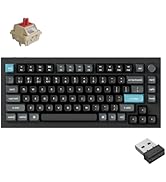
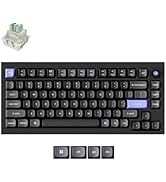
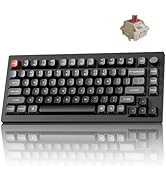
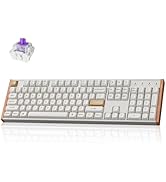
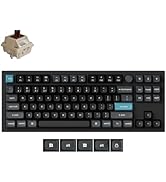
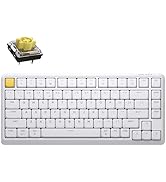
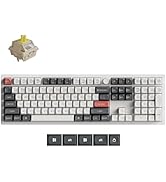
⌨️ Elevate your desk game with the Keychron K2 — compact, powerful, and wired for your success!
The Keychron K2 is a premium 75% mechanical keyboard featuring 84 keys with a Mac-optimized layout and extra Windows keycaps. It supports Bluetooth 5.1 multi-device connectivity and wired USB-C mode, powered by a robust 4000mAh battery offering up to 7 days of use. Equipped with tactile Super Mechanical Brown switches rated for 50 million keystrokes and white LED backlighting, it delivers a perfect blend of style, durability, and productivity for professionals and gamers alike.


| ASIN | B07QBPDWLS |
| Additional Features | Bluetooth USB C Wired dual mode, LED Backlit, Keychron Super Switch, Mac layout, Windows, Mechanical Keyboard |
| Antenna Location | Home,Office |
| Best Sellers Rank | #2,722 in Video Games ( See Top 100 in Video Games ) #19 in Mac Gaming Keyboards #238 in PC Gaming Keyboards |
| Brand | Keychron |
| Built-In Media | USB Cable |
| Button Quantity | 84 |
| Color | Brown Switch |
| Compatible Devices | Gaming Console |
| Connectivity Technology | Bluetooth, wired |
| Customer Reviews | 4.3 out of 5 stars 1,619 Reviews |
| Enclosure Material | Plastic |
| Generation | 2nd Generation |
| Hand Orientation | Ambidextrous |
| Is Electric | Yes |
| Item Dimensions L x W x H | 12.32"L x 4.84"W x 1.52"H |
| Item Weight | 30.86 Ounces |
| Keyboard Backlighting Color Support | Single Color |
| Keyboard Description | Mechanical |
| Keyboard Layout | QWERTY |
| Language | English |
| Manufacturer | Keychron |
| Model Number | Keychron K2A3 |
| Number of Keys | 84 |
| Power Source | Battery Powered |
| Recommended Uses For Product | Home,Office |
| Series Number | 24174368456844 |
| Special Feature | Bluetooth USB C Wired dual mode, LED Backlit, Keychron Super Switch, Mac layout, Windows, Mechanical Keyboard Special Feature Bluetooth USB C Wired dual mode, LED Backlit, Keychron Super Switch, Mac layout, Windows, Mechanical Keyboard See more |
| Style Name | Contemporary |
| Switch Type | Gateron G Pro Mechanical Brown |
| UPC | 757450959289 |
| Unit Count | 1.0 Count |
| Water Resistance Level | Not Water Resistant |
M**Y
Awesome first time mechanical keyboard!
So first off, a few disclaimers. One, I am no mechanical keyboard expert so take everything I say as experience, not expertise. Two, this is my very first mechanical keyboard purchase so I have no other mechanical keyboards I can compare this to. Three, if you know nothing about mechanical keyboards - go and read at least a couple articles about what the different aspects to them are. Especially the different types of switches. Depending on what type of sound and feel you want, knowing the switches will potentially make the difference between a happy purchase and an unhappy one. I’m glad I did the research because I ended up very happy with both the sound and the feel. Ok, all that said… on to the review. After using my last keyboard for about three years, I decided it was time to replace it. I had been hearing a lot about mechanical keyboards for a while and had been talking to others about their experience. I decided it was time to take the plunge. The challenge here is that there are A LOT of options out there. Here’s how I chose. I’m a big fan of the folks at the Wirecutter (don’t love that they sold out to NYT, but whatevs). So I read their research and testing on best options. Their pick felt way over my head, both in terms of acquisition (had to go some mechanical keyboard online shop), costs, options, and wait time. Their budget pick, the Keychron C1 caught my eye. But this was a wired KB and I wanted wireless. I also noticed that their upgrade pick was also a Keychron - so when I found this one, I thought it couldn’t be too bad. Plus it had the two main features I wanted (bluetooth and backlight). Plus it looked pretty awesome. The overall package - I have to admit for a brand I had never heard of before, the whole package - keyboard and all - was made with a considerable amount of quality. The construction feels solid and sturdy. The instructions were understandable and clear. It included extra keycaps if you wanted to use this keyboard with a windows machine. You could even change the keys in the corner to gray or orange. Your choice. But the most important question - how does it feel to type? Mind you I’m not wildly picky nor a typing snob - but I thought it was great. I love the feel of it and it has just the right amount of feedback and sound. I got the brown switches for just this reason. Again, I will stress the importance of knowing what kind of switches you want. What I like - Typing feels awesome. It looks amazing on my desk and blends well with my Mac and all my accessories. Holds a charge for a long time. Lots of fun backlight options. Easy to configure. Can use as wired or wireless. Everything is high quality. What I don’t like - It goes to sleep a little too frequently for my taste. Mind you, this is configurable and you can change the amount of idle time before sleep or turn off auto sleep altogether.I tried this, but I think I got something wrong and now it seems to go to sleep even faster. But this is truly a PEBKAC and not a problem with the keyboard itself. Who would I recommend this for - I would definitely recommend this keyboard for anyone looking for their first foray into the mechanical world. Nothing to overthink here. Just pick the type of switches you want (thank goodness there are only three available as opposed to the dozen or so that are out there) and order and you’re on your way to clickety-clackety nirvana.
P**R
A great keyboard if it fits your needs
I bought this for a home office that occupies a niche off the family living space and therefore should be as neat and minimal as possible. I especially want to avoid a tangle of cables. For years I used a Unicomp Model M at work, which I loved, but it was way too loud for home. I wondered how I would do with the Gateron blue switches, but in practice I like them just fine. The touch is lighter than the buckling springs of the Unicomp, but I have adjusted quickly and may soon prefer them. Anyway, after years of being forced much of the time to use laptop keyboards or the mushy junk at various offices this is quite satisfactory. I was also worried about using a Bluetooth connection, since other people have sometimes reported trouble, but it has worked like a charm. The connection was easy to establish and easy to restore after using the keyboard with other devices. I see no lag, no dropped characters, and no repeated characters. I don't game, so there may be a degree of responsiveness others need that I don't, but as far as I'm concerned each stroke has an instant result. It probably helps that I'm using this with a new NUC that has up-to-date Bluetooth 4.0. The keyboard goes to sleep after ten minutes and requires a keystroke to wake up. I realize that some sleep algorithm is necessary for battery life, but I wish that it were adjustable -- I would trade more frequent charging for longer wakefulness. However, I have quickly developed the habit of hitting the shift key after returning to typing. I was already acclimated to that from using laptops on dark airplanes to restore back-lighting. Speaking of which, I have found the back-lighting to be more useful than I thought I would. I got the model with the plain white LEDs and only the use the most boring, straightforward setting. I makes it easier to work in the dark, which I often do, and it serves as a reminder that the keyboard is asleep. The biggest bonus for me has been how well the keyboard works with other devices, like my iPhone and a smart Samsung television, filling a need I didn't know I had. I dislike typing long emails and texts with my thumbs. If the keyboard is in reach function-1, -2, or -3 quickly lets me switch with no problems. It has also spared me the tedium on text entry using the television remote when I am trying to search for a movie on Netflix or enter a password. My only objection to the keyboard is that, in practice, I don't love the form factor. That is not a design criticism. I thought I would, but now I think I would prefer a more expansive tenkeyless design, with the conventional layout for arrow keys and a little gap between the numbers and the function keys. This is perfectly designed for someone who wants to able to toss this in a backpack and use it in many places, but for pure keyboarding in one place, it is more compressed than I need. It also stands slightly higher than I would prefer, but that is really just a matter of the right wrist rest. The build quality is excellent, the keyboard feels solid and inflexible, and the weight (though far less than the good old Unicomp) is enough to keep it firmly in one place. I will definitely keep this keyboard, even if I end up buying a larger one for daily use. I know now how well Bluetooth and blue keys work for me. I recommend this to others for quality, but always subject to subjective preference and the job at hand.
J**E
Great budget board, with some issues
Great keyboard with a few issues. Switches work fine. Plastic case has a not too cheap feel, with a great color scheme. Biggest issue is the cable connection not working like half of the time, I was going to use it in Bluetooth mode 99% of the time so not a big deal. Software is a mess though, it will not register my keyboard despite it being actively connected. But having a Keychron on sale for about 60 dollars can’t be beat.
O**S
Has weird quirks, but one of the best keyboard designs
I got the K2 because most mechanical keyboards are designed with the "gamer aesthetic", and I needed multi-device support, similar to what Logitech has on their keyboards. Unfortunately compared to the K1, the base K2 does not have an aluminum backplate, which makes you question why you're paying so much for a keyboard. However, the plastic is pretty well constructed, and the features really makes this keyboard shine. First, multi-device support over cable and bluetooth. I use multiple devices between Windows and macOS, so having OS-specific modes was a really nice experience. The cable is type C, which is a really nice touch. Typing is what you would expect. I have the brown switches (wanted to get the red but the brown was on sale), so both typing and gaming are pretty good experiences. The backlight is great, but when I bought the non-RGB version of the K2, I wasn't expecting it to contain the same flash patterns as the RGB version, which is annoying for me since I was expecting the backlight to be only a off-on affair. It's not as big of an issue compared to the K1 though, since it's not as low profile and it's harder to bump into the backlight key. I think there's a firmware upgrade that gives you a feature to lock light patterns, so that probably solves this problem. I have found some weird things going on with this keyboard though. It doesn't play nicely on bluetooth with some macOS devices, and it seems to "keep" my 2008 Macbook pro constantly awake, which really annoying. A firmware update might fix this in the future. With power savings on the backlight, I got more than 2 days on battery with the backlight on when active. I normally keep it plugged in because I need the cable connection, but I wouldn't say battery life is too bad, given the backlight. Overall, there's not that many keyboards that is both mechanical and looks professional, let alone have both and multi-device support. I do feel the K2 is a bit overpriced, but if you can get a good deal on it, it's a very good keyboard. Just be sure you do want to invest in using mechanical keys, they might not be the best typing experience for some people.
A**O
Would buy again
Keyboard response is great great quality the keys feel nice it’s light and fits on the desk space not noisy
G**5
EXCELLENT KEYBOARD BUT!!!!!!!!!!!!!!!!!!!!!!!!!!!!!!!!!!!!!!!!!
UPDATE 2: So when i made my first review i was using it with a usb c cable however just right after i used the Bluetooth wireless feature it was very disappointing. my Computer is just 3ft away from my keyboard and the Bluetooth cant reached that far. it detects but damn the delay is insane and most of the time the key gets stuck meaning you press one button and it will type that letter forever its not the switch its just doesn't detect the keyboard well and thats just being 3 ft away from my PC. however if you have a USB Bluetooth dongle or have a laptop that is literally in front of your keyboard then there is no issue in the signal so i end up returning it for MAC users and most of you have your PC infront of your keyboard i dont see an issue as it work well with mine. however this keyboard was meant for my PC unfortunately its 3 feet away and that doesnt even work i guess bluetooth sucks on this keyboard. This is probably the best 75% keyboard for the price i bought the base K2 model for $75 and added my own keycaps which made the keyboard a lot nicer.. the keyboard is the one with blue and yellow keycaps. as you can see on the photo i have 3 and the lower is keyboard without a keycaps is a $400 keyboard which is also 75% all i can say that i put that keyboard away and using this keychron k2. ALL I WISH ITS HOTSWAPABLE. So in short yes i would buy it again hope KEYCHRON MAKES A NEW ONE WITH HOT SWAP SWITCHES.
T**E
Great keyboard! It's a keeper.
I really love this keyboard. The white backlight is enough for me, I don't need all the RGB color flashing everywhere. I got the model with the Brown Switches which provide perfect tactile feedback that feels amazing, it keeps wanting me to want to type and type more. I've been having a hard time finding a perfect keyboard that I want to keep, and I gotta say this one is a keeper. It comes with keycaps for an Apple computer, but they also include all the keycaps for Windows. Since I'm a Windows user, they were very easy to remove with the included key removal tool and pop on. Some other things that are great: It's light, it has keyboard title legs which I always need. (I actually purchased a keyboard a couple of months ago that didn't have these legs which left me puzzled.) The only alternative keycap colors are orange. There are two of these. One is for the ESC key and the other is for the far right of the keyboard where there is a button for toggling the lighting effect the keyboard backlight displays. The absolute only con is I wish they included colored keys for W, A, S, and D. Unfortunately they didn't. This is something I wish they did. I might email them and ask if there is any way I can get orange keycaps for those keys. Or there might be alternative keys you can buy that will fit on the keyboard perfectly. This is for a new computer I just built and it pairs perfectly with it. On my other system, I have cherry red switches, and they're just a little too clicky and loud. The brown switches make the sound just a little more muted and softer. The only other thing I'd have to say is I think the price point should be more around 80 dollars for this keyboard, so you're paying a premium price for this, however, there are much more expensive keyboards so it's hard to complain. If you're looking for an amazing keyboard I highly recommend this. I also want to mention it does come with a cable in case you don't want to go Bluetooth. That's what I'm doing at the moment, but I might try the BT later. Good luck!
H**Y
Arch GNU/+Linux Approved
Tested via evtest, perfect out of the box. Checked out their website, this is a solid choice. Tried Razer, Logitech, Corsair, this one is the best one, keycaps are smooth, clicks are pronounced without being obnoxious, lighting is tasteful, functional, not obnoxious. All the stuff you need is on their website, they have a full map of the shortcut keys etc. The keypuller that ships with it is wire design, meh, I used my own instead. It's not a bad keypuller, but it's not a top tier one, if that makes sense. The wire that ships with it isn't very long, get an extension cable if your tower is far away and you're not interested in the bluetooth functions. +2 intellect, was able to not have a 'windows key' and just left the option key installed instead. Seller suggestion - make different key caps for the super key for linux distros, would be a cool 'at the cart' upsell. Tip: Per some statements on reddit and github, if your keyboard function keys aren't working out of the box as they should (mine were, so I didn't see this problem), there are threads and repository discussions that will get you squared away.
Trustpilot
2 days ago
2 months ago