


Desertcart purchases this item on your behalf and handles shipping, customs, and support to Panama.
🚀 Upgrade your storage game with pro-level speed and flexibility!
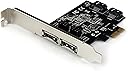
The StarTech 2 Port PCI Express SATA 6 Gbps eSATA Controller Card (PEXESAT322I) is a versatile PCIe x1 adapter that adds two configurable SATA III ports (internal or external) to your PC. Supporting up to 6 Gbps transfer speeds, it enables connection of SSDs, HDDs, and optical drives with Port Multiplier support. Compatible with Windows and PCIe 2.0 slots, it includes full and low-profile brackets for easy installation and comes with a 2-year warranty and expert tech support.


| ASIN | B00952N2DQ |
| Best Sellers Rank | #39 in Internal Computer Networking Cards |
| Brand | StarTech.com |
| Built-In Media | PCIe SATA Controller, SATA Cable, Low Profile Bracket, Driver CD, Manual |
| Compatible Devices | Personal Computer |
| Customer Reviews | 4.2 out of 5 stars 447 Reviews |
| Global Trade Identification Number | 00065030848428 |
| Hardware Interface | ATA, PCI, eSATA |
| Item Dimensions L x W x H | 4.8"L x 3.6"W x 0.8"H |
| Item Weight | 0.05 kg |
| Manufacturer | StarTech.com |
| Mfr Part Number | PEXESAT322I |
| Model Number | PEXESAT322I |
| Number of Items | 1 |
| Number of Packs | 1 |
| Operating System | Windows |
| Product Dimensions | 4.8"L x 3.6"W x 0.8"H |
| Style | 2x eSATA | 2x SATA |
| Style Name | 2x eSATA | 2x SATA |
| UPC | 065030848428 |
| Unit Count | 1 Count |
| Warranty Description | 2-Year |
P**Y
Works Great on Windows 11 25H2 with included Driver - Easy Install.
Working Great on ASRock B450M Steel Legend with Windows 11 25H2 fully updated. I needed a PCIe card with an external Esata and an internal SATA connection for a Blu-ray R/W Drive. I have several older Esata PCIe cards and none of them will work on any of my Windows 11 machines and I have 7 of those machines. So I had to find a new solution. This one’s a little pricey but it’s gotta work. So I went for it. Note: Because I did not have a working optical drive on the machine receiving this card I copied all the folders on the include CD to a folder on flash drive and then to the new machine / Desktop. How it went…”Set The Jumpers” Shut down-unplug. Put in the card-boot up / Device manager / IDE ATA/ATAPI controllers did show a new entry but it was labeled same as the other 3 “Standard SATA ACHI Controller”. Plugged in and turned on my external drive via Esata = No Go. Unplugged the external / Rebooted and installed the driver that came on the included CD per the instructions in the included manual, Rebooted, Device Manager / IDE ATA/ATAPI now only showing 3 Controllers – BUT…Device Manager / Storage controllers now shows an Asmedia SATA controller device. Connected the external drive via Esata – BOOM there it is. Shut down, unplugged, - connected internal Blu-ray R/W drive. Booted up, put a disc in the drive, - BOOM there it is. Yes I can see, read and write to the internal Blu-ray R/W drive and the external Esata connected drive at the same time…The drivers on the included CD work fine and If it aint broke I aint fixin it.
S**M
Good product
I used this to hook up two external SATA drive enclosures to my new computer. The card fit perfectly in my computer. I installed it and plugged in my drives and started up my machine. I then installed the latest driver from the startech.com site (nice site, BTW). Some of my drives were not recognized. I had to go into Windows Disk Management, where they were listed as Foreign Disks. Once they were "imported" Windows read the disks just fine. Everything seemed to work fine. But then, after working on the computer for about 15 minutes, got a blue screen of death. The error shown as DRIVER_POWER_STATE_FAILURE. After rebooting, got another BSOD, and another, and another. Every 15 minutes or so. This on a brand new computer. So I figured it must have something to do with the card since that was the only thing I had changed about the computer. I decided to walk it backwards one step at a time. I didn't want to uninstall the whole thing and start all over. So I went to the driver in Device Manger and just disabled it, then rebooted. Hmm, no more BSOD! What happens if I re-enable the driver now. Will the BSOD come back? It did not. So it seems like disable/enable the driver solved the issue. In retrospect, I should have installed the card, turned on the computer, installed the driver, then reboot. Then, shut down the computer, hook up the drives, and turn the computer on. I did these two steps as one. I highly recommend that you take it one small step at a time. Easier to sleuth problems that way. Other than that, this card has worked perfectly.
R**H
Finally got Windows 11 working without random crashing!
TL;DR - installed the Windows 7 drivers in compatability mode iin Windows 11 to get things to stably work in Windows 11, but I imagine you probably can't boot from it that way due to how long it takes to recognize the disks. The specific Windows 10/11 drivers are definitely unstable. When I initially installed the device I installed the drivers from the Windows 10, 11 folder from the zip I downloaded from StarTech. My Windows 11 system crashed and rebooted every 2-3 hours once I connected my old 8-bay Sans Digital JBOD with the two eSATA connections. If I powered off or disconnected the jbod, no crashes, but obviously the whole point was to be able use that JBOD on my Windows 11 system. So eventually I tried installing the Windows 7 drivers in compatability mode. Everything has been stable since and I get all my JBOD disks. Caveat: it does take the disks in the JBOD a few minutes to show up in disk management and drives on the system, but once they do they're good to go. I suspect I would not be able to boot from them, but I don't have a need for that. They are there for media storage for the most part. In summary, it's doing what I need it to do... I needed a two port card that would do port replication (like I said it's an 8-bay JBOD with 2 eSATA connectors) and it's doing that with the Windows 7 drivers installed in compatabil;ity mode on my Windows 11 computer (previously this was all set up on a legacy system that died with a card that wasn;t recognized by this Windows 11 box). I'm giving it 4 stars because it is doing exactly what I needed (able to use the disks in the JBOD), but obviously the Windows 11 drivers are garbage and have been for years and they don't plan to make any more updates to them. Installing Windows 7 drivers in compatability mode is not an ideal solution, but since it works I'm okay with it.
M**.
works perfectly in linux and freebsd
I have had this PCIe card in use for over a year now. Works perfectly in FreeBSD 14.x as well as Arch, Debian and Ubuntu linux. Uses the ASMedia ASM1061/ASM1062 chipset. It provides full SATA III speed to connected devices. Accommodates modern 4Kn HDDs without issue.
R**N
May not be compatible with Windows 11
I ordered this pcie eSata controller card (PEXESAT322i) from StarTech because not only was it advertised to have SATA 3.0 and up to 6Gbps transfer speeds but also an 8-device port multiplier onboard. (For reference, I use an MSI Pro Z690-A WI-FI DDR4 motherboard and an nVidia GeForce RTX 3080 GPU on my gaming computer, running Windows 11.) With that setup, this eSata Controller was not immediately recognized by the software, and I also was unable to find any available driver on StarTech’s website. So I used their online support service, and the technician pointed me to a website that he said contained the appropriate driver. Unfortunately, the page was blank. Then I called the telephone support number, and there the technician said the card didn’t require a driver. The second time I called, the tech told me that my problem was a known issue and the engineers were working on it. He promised to email me when a fix was available. Two weeks later, I called tech support again, and he told me the card “might” be bad, and I needed to see if another computer would recognize it. When that test proved negative, I called back. (By this time I was well beyond the return date.). When this tech couldn’t give me an answer, I told him that I would be willing to use a standalone port multiplier on one of my existing SATA ports with just a simple eSata connector. He said it might be possible and that he would check with his “team” to see if an arrangement could be made, after which he would email me back with the answer — that day or the next. I never heard from him again. That was 3weeks ago, so now I think I’m just stuck with an eSata controller that doesn’t work, and still no eSata port. Unless you know something I don’t, I wouldn’t recommend buying from this source. You’ll probably just get the runaround from their technical support team, and wind up without a workable solution.
Z**O
Supports PMP on *both* eSATA ports!
This is one of the few eSATA cards I have been able to find that supports having multi-bay eSATA docks connected to *both* eSATA ports simultaneously. These docks use SATA port multipliers (PMPs), and most motherboard chipsets do not support the PMP functionality well, even if they support eSATA. Even a lot of generic PCIe eSATA cards using this same Asmedia 1061 chipset don't always work well with PMPs, especially multiple ones attached to the same card. But this card works great! It's a little pricey compared to the generic alternatives, but worth every penny when you consider that it's a component that *needs* to be reliable. I am using it with a pair of Startech's SDOCK2U33RE dual-bay duplicator docks under Debian Linux 13, and it performs flawlessly. Seems to have no problem with big SATA disks (tested with disks up to 18 TB). You'll want to ensure the kernel limits the speed of the SATA link to 3.0 G, especially if you are using longer eSATA cables, like I am. But this combination is working flawlessly and I highly recommend this eSATA card.
J**O
May not be able to get the speed you expect. Easy to install.
I bought this for my Samsung SSD in my Dell desktop, but when I tested it using Samsung Magician, the drive was slower in all respects than using the SATA v.2 connection on the motherboard. In chatting with the helpful StarTech person, it turns out that, generally speaking, PCIe based controllers will always be a little slower as there is quite a bit more overhead required to run them and the data is passing through a different BUS. Also other devices like PMVideo cards and sound cards and other controllers can slow down the PCIe Bus 6Gbps is a theoretical max. in reality the speed is quite a bit lower. So I went back to the motherboard SATA connection. The SSD is noticeably faster than my old HD, but I was hoping to get closer to its maximum capability. I installed the driver first, and the board itself was easy to install. There were no problems with the computer finding the device. It seems to be a good product. But it is not right for my situation. Others may find it useful.
D**R
Works exactly as intended
This was purchased to use the eSATA port available on an external RAID drive I have and it's worked perfectly. This was a very simple installation, and I didn't need to alter any dip-switches since I only wanted to use one external port for a RAID drive. I downloaded the driver directly from the company website rather than use the DVD drivers (usually a good idea anyway to make sure you get the most current version). As it is, I believe Ports 1 External and 1 Internal are set by default. If you need a different setup, just be sure to do that BEFORE it's inside your PC. Also, be sure to have said computer unplugged when you're putting the card into your PC Express slot. I haven't done too much testing for speed, but as the drive I'm using is for backup and not intensive usage, it's certainly been adequate. Basic spec.s of PC Dual Xeon (12 cores/24 threads) 24 GB of RAM Windows 10
M**I
内蔵・外部(ESATA)両方使えて便利
内蔵SATAとしても、外付けのeSATAとしても使えるのが便利だと思って買いました。 とはいえ、eSATAでの使用に関しては現在(2024年初頭)では対応機器が手に入りにくいので試せていませんが・・・ 内蔵での動作は安定しており、問題なく使えています。 (注意・SATA/eSATAは排他仕様なので、全4ポート中合計2ポートまでしか使えません)
A**E
Tutto bene
Ho acquistato questa scheda perchè serviva Port Multiplier. Su un unico cavo Sata riesco gestire più dischi rigidi. Ed in effetti funziona. Nessun problema. La velocità è nella media secondo lo standard Sata.
J**F
Excellent card but a warning for Windows 10 1809 users !!!
Superb card. Plug in and away you go. 8x port multiplyer (JBOD) on eSata ext ports. Fast 6gbs transfer speeds. No dropouts or disconnects. Now the bad news - DOES NOT WORK (YET) ON WINDOWS 10 1809.17763.379. If you are still on revision 316 or lower including builds 1803 it works fine. The fault appeared to be introduced in 1809.17763.348 and Startech support are aware and hopefully working on a fix. Microsoft, as per usual will take a bit longer as getting the required info to the right people is almost impossible. I tried several other cards but this appears to be the only one on the market that supports 8 external drives. So don't waste your time on any alternatives (other Startech models or Marvell branded cards (they all use similar ASM CHIPS/DRIVERS)) BECAUSE i'VE TRIED THEM. They will WORK with 5 drives although the Startech recognised 6? I switched to USB mode (connection) which works fine whilst waiting for the fix. Will update when this happens.
B**.
It work the way it should. Top quality!
I needed this to put an extra SATA3 port on my older Z77 motherboard along with adding an E-Sata external port (yes, E-Sata ahaha!) I have an external IcyBox HDD bank and needed to connect it a bit quicker than USB 3.1 would do i.e. 6Gbps SATA Vs 5Gbps USB. Anyway, had a few boot up issues until I worked out what I was doing wrong (my fault, not StarTech). It is now up and running reliably and with the silly 'jumper switches which I hate (very fiddly) I can decide if I want 2 more SATA ports for my HDDs OR if I want 2 external E-Sata connections OR one of each. It is important to know that you can only have TWO of the ports operating at once - any combination of SATA or E-Sata but only TWO. Once you understand and are happy with that it is a great device to have on your machine. IMPORTANTLY, this card has a PORT MULTIPLIER. This means that any one of the SATA or E-Sata ports can handle MULTIPLE HDDs. If you tried this with a normal port WITHOUT a port multiplier you would have issues. I now have FOUR HDDs working from just ONE of the E-Sata ports on this StarTech card. It really is a remarkable little card. More ports would be nice but it is all I needed at this point. I have found StarTech very good with support in the past for other devices - I just called them for some advice on setup and they were great. The quality is more than worth it so don't be tempted by similar things on the web which are much cheaper. StarTech engineer these things properly to last - no bad surprises. HIGHLY RECOMMENDED.
S**.
Die Erlösung meiner Probleme
Da ich zuviele SSDs in meinem Rechner verbaut habe, hatte ich immer dass Problem, dass ein Teil nur über einen SATA2-Port angeschlossen werden und deshalb nicht mit voller Geschwindigkeit arbeiten konnte. Auf meinem Board ist zwar noch ein Marvell-Controller verbaut, doch bei diesem funktioniert der bei SSDs wichtige TRIM-Befehl nicht. :-( Also bestellte ich mir den PEXESAT322I von Startech. Nach einer problemlosen Erkennung durch Windows 10 und auch funktionstüchtigem Trim-Befehl, stand ich allerdings noch vor der Sache, dass bereits wie bei dem Marvell-Controller angeschlossene Laufwerke als "wechsel- und auswerfbar" in Windows erschienen. Bei internen Laufwerken ist das natürlich völliger Humbug. Durch Recherche im Netz bin ich dann auf diese Hilfsseite bei Deskmodder gelangt, wo genau dieses Problem beschrieben ist. Wer also ebenfalls das Probelm hat, soll sich hier umsehen. Übrigens. Eine Lösung für Windows 7 hatte ich schon früher. Aber die funktioniert unter Windows 8/10 nicht. Hier der Link, ich hoffe dieses ist erlaubt. [...] Update: Leider war der Link nicht erlaubt. :-( Dann googlet bitte nach dem Stichwort: "TreatAsInternalPort Windows10" ohne "" Sucht dann nach einem Ergebnis bei Deskmodder. Alternativ könnt ihr auch nach "KB3083627" suchen und dann den Microsoft-Link nehmen. Die Anleitung von Deskmodder ist die gleiche wie die bei MS.
Trustpilot
4 days ago
2 days ago