Desertcart purchases this item on your behalf and handles shipping, customs, and support to Panama.
🎯 Elevate your creative game with precision that never quits!
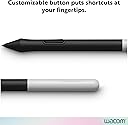
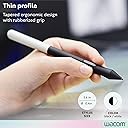
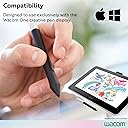
The Wacom One Pen CP91300B2Z is a battery-free, cordless stylus designed exclusively for Wacom One 12, 13, and 14-inch creative pen displays. Featuring 8192 levels of pressure sensitivity and natural tilt support, it offers professional-grade precision and control. Its lightweight design includes a programmable side button for quick shortcuts and comes with 3 replaceable nibs, ensuring durability and comfort for extended use. Trusted by thousands of digital artists, this pen enhances your workflow without the hassle of charging or bulky batteries.


| ASIN | B084DVTSC9 |
| Battery Description | Battery-free |
| Best Sellers Rank | #36 in Digital Pens |
| Brand | Wacom |
| Color | black |
| Compatible Devices | Wacom One (DTC133W0A) |
| Customer Reviews | 4.7 out of 5 stars 1,736 Reviews |
| Enclosure Material | Plastic |
| Global Trade Identification Number | 00753218985675 |
| Item Dimensions | 5.8 x 0.45 x 0.45 inches |
| Item Weight | 1.6 ounces |
| Item dimensions L x W x H | 5.8 x 0.45 x 0.45 inches |
| Manufacturer | Wacom Technology Corporation |
| Material | Plastic |
| Mfr Part Number | CP91300B2Z |
| Model Number | CP91300B2Z |
| Number of Packs | 1 |
| UPC | 753218985675 |
| Unit Count | 3 Count |
| Warranty Description | 1 year manufacturer |
A**R
The Right Stylus
I got this stylus because I was reading up on alternatives to the S-pen. I love the S-Pen but the nibs break so easily, & Samsung doesn't provide replacements for Tablet S-Pens. I had resorted on buying the generic nibs but those started snapping in the S-Pen. The only way of removing them was heating up a needle (red hot) and sticking it into the s-pen to remove the broke nib. This would damage the S-pen. So I bought some replacement S-pens. The replacements were the same as the original but the nibs were still the cheap ones. I felt like it was hopeless & that I was out of options. Then I found a Reddit forum that said you just need a stylus with EMR tech and they recommended the Wacom One Stylus. I was skeptical if it would work on my Galaxy Tab S3 (we're currently on S9). I looked into it a little more and went to artists' reviews & found a few where they specifically used it with the S3. I decided to order it. Just tested it out and its just like the S-pen. It takes some adjustments because of the grip and the nibs difference. I have a Wacom Intuos tablet so it was just minor readjusting in my case to something I my muscles could remember. For people new to Wacom, you might need to take a day or 2 to do so. The nib texture will feel different too. The S-pen nibs have a softer, more gripped feeling because the nibs are made with some rubbery material in them. This gives more smooth friction to your stroke when using the S-pen. An artist did mention this in his review & I do see it. It's something I can adjust to, I think, and I feel it might be a good thing for my stroke style. I have a tempered glass screen so the Wacom nib slides with little to almost no friction. If you want some sort of friction texture, a matte screen protector might help. My Wacom Intuos tablet has that matte surface texture that provides the friction some folks prefer. I am satisfied with my product as of its first day though. This really does work with all Samsung S tablets & I will be happy to use it in the future too. Maybe a caveat would be that it's pretty hard to find a compact case to store the stylus with the tablet. Like the S-pens are magnetic or there are cases with stylus slots. This is a little big so it would be good to have a pen case that can strap onto the Samsung tablet case cover or there being a case for the S-tablet with a pen slot that can fit the Wacom One Stylus. Or something magnetic like in the S-pen that helps it latch onto the tablet. 2 month Update: I've really gotten used to the Wacom One. I've been using my tablet every day for taking notes in class & doing homework. My teacher thinks its a pretty cool stylus too. I was able to fit it into a S-pen stylus case that straps onto the tablet cover. I'm still slightly traumatized from the S-pen nibs that would randomly break, however this nib for the Wacom One doesn't show any indications of material weakness. Sometimes I'm unconsciously putting pressure on the pen but this pen handles that. It's also been very good with drawing too. It's given my tablet a longer lifespan. It feels really good, even on the smooth screen. I even saw some screen protectors that were meant to have that paper feel. Its just the matter of finding one for your device. Now I can sit next to the iPad users with their Apple Pencils & my Stylus looks really cool.
S**E
Great Pen — Feels Natural and Responsive
I’ve been using the Wacom One Pen CP91300B2Z with my original Wacom One display for a while now, and I’m really happy with it. The pen feels natural in my hand—nice weight and grip without being heavy. The pressure sensitivity is spot on, which makes drawing and shading feel smooth and precise. I also like that it’s battery-free, so no need to worry about charging or swapping batteries. The side button is handy for quick shortcuts, which speeds up my workflow a lot. The only thing to watch out for is making sure you have the right pen for your specific Wacom model—this one works perfectly with the first-gen Wacom One, but not with other Wacom tablets like the One by Wacom line. Overall, it’s a solid, reliable pen that really helps bring my digital art to life. Would definitely recommend if you have the original Wacom One display!
A**Y
Using for Galaxy Tab S6!
As some might know, the Samsung Galaxy Tab S6 pen is flat and at times a little tedious to hold especially for long periods of time, and good nibs for it are hard to find. As Samsung's line of tablets uses Wacom technology, I read other reviews and looked online and decided to take a chance on this pen, as it is a bit of an investment. Lo and behold, it works perfectly! The nibs are firm, and provide a pen and paper feel with my matte screen protector, perfect for taking notes and drawing. It is accurate, has no lag, and the button even works as an eraser [in apps that support it]. The pen is lightweight, grips nicely and feels much better and more natural to write and draw with. The black material is smooth and grippy and the pen as a whole is durable. Overall, it's a great pen, even though I don't use it for the Wacom One, it's a nice alternative to the default S6 pen. If you want to use it on your Galaxy, go to your S-Pen settings and enable the use of multiple S-pens. Pros: - Works with Samsung Galaxy Tabs [that come with pens] and likely other devices that use Wacom technology - Feels nice to write with, good weight, good grip [lightweight] - Durable [I have dropped and flung it many times!] - Replacement nibs are easy to find - Battery free Cons [I'm being really picky with these]: - Nibs wear down fast [ESPECIALLY on matte screen protectors, but wacom nibs wear fast anyway unless they are rubber tipped] - No variety with nib types [a rubber or felt nib with this pen would be nice]
R**B
Great pen, works perfectly with Samsung Galaxy Book2 360
Been using Wacom products for years, from the old Bamboo tablets to the newer Cintiq monitors, and have always loved their stuff. Recently picked up a Galaxy Book2 360 for drawing (primarily in Photoshop, occasionally in ClipStudio Paint) on the go, and imagine my shock when I saw how expensive the Samsung pen was for it... First thing I did was do some digging to check if Wacom had a compatible pen for the computer and I landed on this one. The Wacom One Pen works perfectly, built sturdily, and is less than half of the price of the Samsung pen. There's no eraser end on this Wacom pen, so for those of you that like to use the eraser (I am not one of those people), that's something to keep in mind. It's also thicker than the Samsung pen, which has made it a lot easier to hold for extended periods of time, as someone with tendonitis and carpal tunnel. I have been using it for a few months now and haven't had any issues with the compatibility or durability of the pen, nibs, or computer screen. If you're used to a massive Cintiq or Intuos Pro with Wacom Pro Pens, obviously there is a bit of a difference in drawing output, but that's to be expected. It only has one click button on the side of the pen as opposed to the two that I am used to with other Wacom pens, which is the only thing that I consider to be a bit of a bummer. That's a small complaint when considering the cost and overall quality of the pen compared to competing pens, however. Overall, this is an excellent and affordable alternative to the more expensive Samsung pen if you've got a Galaxy Book product.
C**K
Great S Pen Replacement
LOVE IT! Would love a variety of replacement nibs, but nearly perfect. My S Pen nub broke on my Galaxy S 8 Pro, and Samsung is horrible with tip replacements. I bought this because it has replacement tips easily available and it compatible because Samsung worked with Wacom to develop the S pen. I wish it had the softer replacement tips that the S Pen has so it feels like a marker when drawing (That's how the S8 pen felt to me and I do miss it, but SPen is not worth the price for non-replicable nibs). OH and the unique angled side button changes the tip to an eraser when drawing, something the SPen didn't do. Doesn't need to recharge either. :D
S**8
Great EMR Stylus! My second favorite one!
I've been curious about this EMR pen for a while. I have tried out all sorts of pens over the last 5-10 years including a variety of EMR pens. My favorite I had identified as being the HP zBook X2 EMR Pen, with the two pencil-like EMR pens, the Dell EMR pen and the Staedtler Noris Digital, being close seconds. This looked a lot like the HP pen, and since I had been debating between a Samsung Galaxy Chromebook (which uses EMR pen technology) and an Acer Chromebook Spin 713 (which uses new USI pen technology), I finally decided to order this pen along with some USI styluses to try out. The nibs on this pen are the exact same that work with the HP pen, the Dell and Staedtler pens, and all the Samsung S Pens. It works just as well as the other EMR pens and feels just as smooth and fluid when writing. In terms of comfort, just like I had thought, it did feel very similar to the HP zBook EMR pen. The plastic the pen barrels were made of and the rubber the grips were made of both felt the same. However, I had gotten used to the longer length of the HP zBook EMR pen, so I found the HP pen to be slightly more comfortable than this Wacom one. Also, the HP zBook EMR pen has an eraser on the end, which while I normally don't use since I can just tap the eraser button in apps and not have to turn my pen around, it is nice to have spare as an extra feature on the HP pen. So overall I slightly prefer the HP pen, and especially since I ended up opting for the Acer device (though the USI writing didn't feel quite as nice as EMR, it wasn't a huge downgrade for the mostly note-taking I use computer styluses for, and the Acer won out in a number of other areas over the Galaxy Chromebook), I ended up returning this stylus. However, for only $30, if you have an EMR device (such as any of Samsung's S Pen devices) this stylus would be an excellent choice for a more pen-like experience. Especially since, while I bought my HP zBook EMR pen for about $30 and at that price I would definitely recommend the HP one over this Wacom pen, I have seen the HP one slowly become harder and harder to find and also increase back to its original price (~$100) or more. I would maybe recommend the HP one over this Wacom one still even if the HP one was around $40-50, but much more than that I don't think the HP one is worth the extra money, especially considering how close this Wacom one is to it. So if you are looking for an excellent, comfortable EMR pen, my first recommendation would be the HP zBook EMR pen if you can find it at a reasonable price, but otherwise this Wacom one is an excellent price and is extremely close to the HP pen in comfort and feel.
M**M
Great quality
Perfectly compatible with my Samsung Galaxy devices (Book4 Pro 360, S24 Ultra). The only thing I wish it had is a magnet inside or like a clip on the end for easy access/storage. I got this as a back up for my laptop's S Pens because I lost one. Interestingly, the included nibs fit in the S Pen, which is cool, although the tip is a slightly harder plastic than an S Pen. The Wacom pen is thicker and a touch longer than the S Pen, which is more comfortable in the hand too. The pressure sensitivity is super smooth and I haven't had a single problem with stability. Overall a great buy.
S**S
Great pen!!!
This pen was purchased to replace my S Pen that I just did not love. I use it for my galaxy tablet. I love the Wacom pen. I have had it for about a month now and it does not need to be charged. It writes smoothly and does not lag. I feel it is a better and more comfortable grip than the skinnier S Pen, which to me makes it easier to hold. I love the fact that I don't have to charge it. It has a button to use to erase, which is really nice. My only complaint is that it does not fit in the tablet case like the S Pen, but I got a pen case that straps onto my tablet and that works fine for me. I really like this pen overall.
�**�
Just as Described
I liked it while I was using it, great substitute for the S-pen -works on the Tab S8-, the pen tip is a type of plastic so it's a bit slick on the screen, but it was not that bad... You can easily lose it though so take care of it. I took off a star because I lost mine, and I hate it.
W**S
Great Pen Wacom One Pen Cp91300B2Z
Great pen, got a discount on it, usually it is expensive. Works great on my tab
V**R
Exelente
Es lo q buscábamos
A**.
Parfait !
Fait le job ! Un stylet simple et efficace pour écrire sur tablette. Je l’utilise à la place du stylet Samsung pour améliorer l’ergonomie, et franchement, c’est au top pour le prix !
A**R
Perfect
Use this with my Samsung Tab S10 Ultra, and it works like a dream. No hassle or complicated setting up, it just works.
Trustpilot
1 month ago
3 weeks ago