Desertcart purchases this item on your behalf and handles shipping, customs, and support to Panama.
๐ฎ Unlock 8K visuals & pristine audioโbecause your setup deserves the ultimate upgrade!
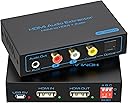
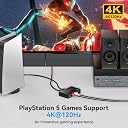
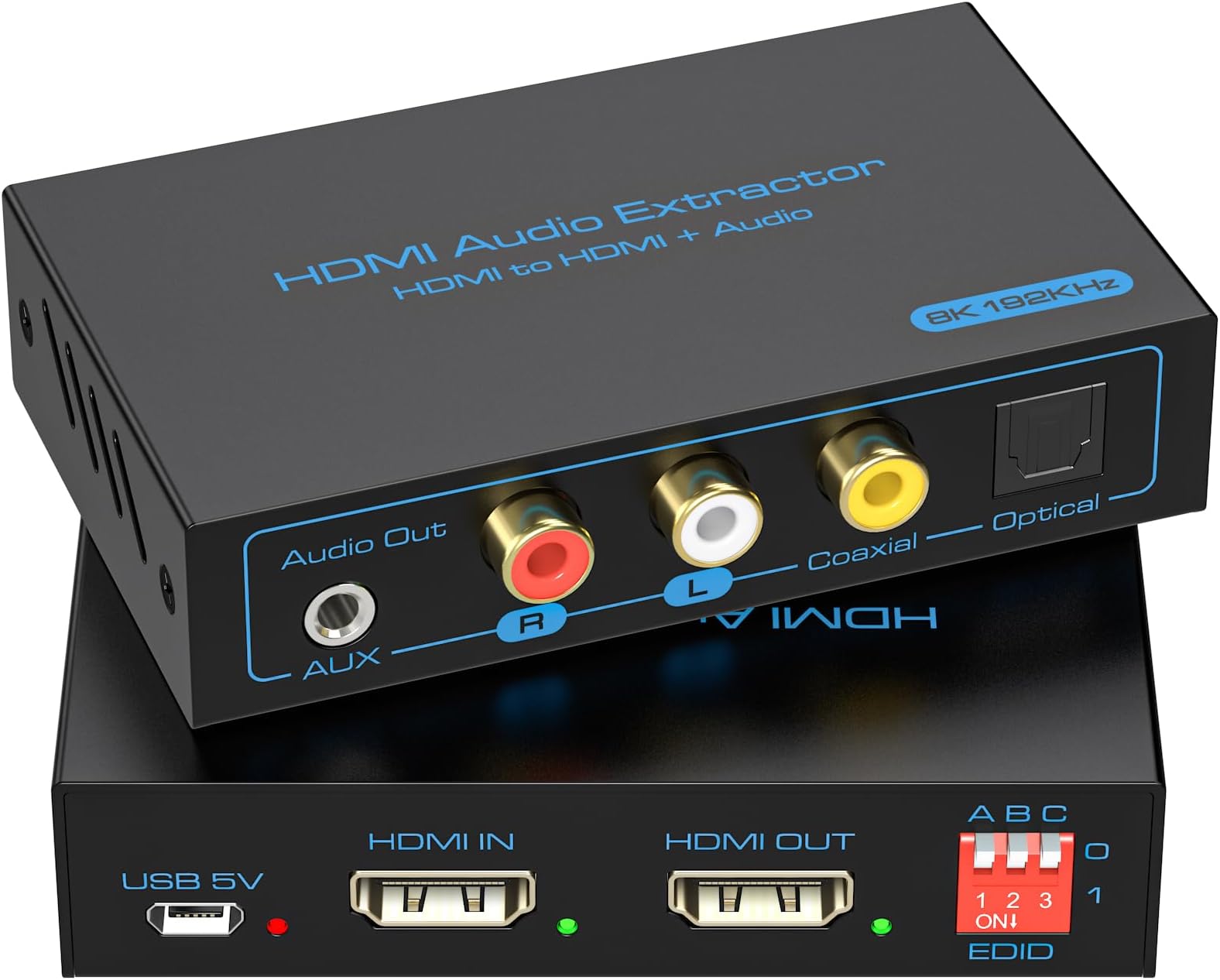
The VPFET 8K HDMI 2.1 Audio Extractor is a high-performance adapter that extracts digital audio from HDMI sources and outputs it via optical, coaxial, or analog 3.5mm/L-R connections. Supporting up to 8K@60Hz and 4K@120Hz video resolutions with 48Gbps bandwidth, it ensures ultra-HD visuals alongside DTS 5.1 and PCM 2.0 audio formats. Its versatile EDID management and plug-and-play design make it compatible with a wide range of devices including PS4, PS5, Xbox, Fire TV, and Blu-ray players, delivering seamless integration without the need for external power in most cases.


| ASIN | B089N85QLJ |
| Audio Output Mode | Optical, Coaxial, 3.5mm, L/R, HDMI |
| Best Sellers Rank | #1,108 in Electronics ( See Top 100 in Electronics ) #1 in Digital-Analog Converters |
| Brand | VPFET |
| Brand Name | VPFET |
| Compatible Devices | DVD Player, Television, Xbox |
| Customer Reviews | 4.1 out of 5 stars 3,528 Reviews |
| Interface | Optical, Coaxial, 3.5mm, L/R, HDMI |
| Interface Type | Optical, Coaxial, 3.5mm, L/R, HDMI |
| Item Weight | 2.3 ounces |
| Manufacturer | CMST |
| Material | Copper |
| Material Type | Copper |
| Model | lyspq01 |
| Number of Channels | 6 |
| Number of Items | 1 |
| Number of Packs | 1 |
| Number of Pins | 23 |
| Part Number | lyspq01 |
| UPC | 077063294165 |
| Unit Count | 1 Count |
| Warranty Description | 1 |
T**N
Great for Unlocking Digital Audio from HDMI-Only DevicesโWorks Perfectly on Old Blu-Ray & Linux!
This little gadget impressed me in two different scenarios, giving me digital (optical) audio out both times. First, a quick backstory: My trusty 20-year-old CD playerโs display finally gave out. Rather than buy a new player, I grabbed a spare Philips Blu-ray player I had lying aroundโbut it only had HDMI out, no digital audio output. The HDMI audio extractor solved the problem: it redirected the digital audio signal from the HDMI output to optical (TOSLINK) for my DAC. Worked flawlessly! (Side note: I later bought a remote for my old Sony Blu-ray, which has digital audio out built in, but the extractor saved me for a while.) Second (and more unique) use: I have a Linux computer that stores my music and also use it for work investigationsโI donโt want to risk messing up my work or personal machines. Audio on Linux can be hit-or-miss, and with both Dell laptops and an older Ryzen desktop, I always get interference through the 3.5mm jack. However, this desktop has an old Nvidia 710 card with HDMI out. According to the specs, it should pass digital audio over HDMIโso I tried the extractor here too. After making sure the right audio drivers were installed and giving the machine a final reboot, the extractor showed up as an audio device and I could select it as the default sound output. I sent the optical signal to my Klipsch Fives speakers, and for once I got the best sound Iโve ever heard from a Linux system in over 20 years. Sound Quality: When it comes to digital, people sometimes debate if different devices โsoundโ different, but in my experience, if the device reliably reads and passes along the source bits, the real โsoundโ comes from your DAC and speakers or headphonesโnot the extractor itself. For me, the digital audio from this extractor is perfectly fine. I canโt comment on 5.1 channel support since I only used 2-channel digital output, but for stereo listening, itโs rock solid. Bottom Line: If you need to get digital audio from a device that only has HDMI outโwhether youโre using Windows, Linux, or even an old Blu-ray playerโthis extractor does the job. Highly recommended, especially if youโre trying to squeeze more life out of older hardware.
M**E
Fine Gadget To Connect Noise-Cancelling Headphones
A really nice little kit at such a great price! The first one had intermittent signal issues, and the switch likely was inadvertently reversed in assembly. It was strange how the signal wouldnโt hold and blacken the video or pop the audio when connecting from the Roku device. I read reviews and saw nothing to the contrary and that it worked with Roku. I initiated a return and replacement. The new device arrived the next day. It was hooked up and it works perfectly with my small Roku and my LG monitor of 8 years. Very nice device. No external power necessary. The red and green lights are lit. The audio comes out of the 3.5mm jack, through the cable, and into the 2.5mm jack of my Bose noise-cancelling headphones. I simply mute or turn down my monitor volume (they simultaneously work which is a neat feature). This is well worth the price and was glad to go with a replacement for a second chance. The kit of all items is well done. The power is not necessary but a USB adapter cable is provided and you could connect it to an outlet (with USB to AC adapter) or a power bank. But it seems this isnโt necessary. I am quite pleased with this product. ๐
J**L
Worked Fine for 3 Years
I wanted to be sure the box was passing the 5.1 signal correctly so ran test tones for each channel through my Bluray player's HDMI port. When the switch is set to 5.1CH the extractor's optical output appears to be discrete 5.1 channel Dolby Digital output just as you'd get directly out of of the player's optical out. When I switched it to 2CH, the output changed to stereo PCM with the 5.1 channels appearing to be encoded to Pro Logic but I can't be 100% sure if it was the extractor encoding them or the player without further testing. I will follow up with more later. My only complaint with this unit is you can feel the circuit board moving side to side when you unplug the HDMI cables. This was remedied by taking the cover off one side and putting a piece of double sided tape on the edge of the board to take up the slack. Overall nice quality unit and package, comes with almost everything you need to hook it up besides the 5V power supply. After using this over a year, I've found one possible issue. I have never seen it pass Pro Logic encoded stereo AC3. For example MAX seems to stream all audio AC3 out of the Roku but some of their content has only stereo L/R signal present in the 5.1. There should be a tag to tell my processor to Pro Logic decode the L/R channels but this never happens. It's possible that it could be an issue with the content's encoding, but since I've never seen this format come out of this box, I'd tend to think it's the box. I guess you could set the switch over to 2ch to resolve, so not a big deal. Another workaround would be to temporarily set the streaming device output to stereo only. UPDATE 5/31/25: I have used this little box for nearly 3 years but I am replacing it with a switcher that extracts audio. I could still recommend this unit, but at this point you probably want an extractor that is compatible with the ARC standard, as some current televisions don't provide an option to pass standard HDMI audio formats. Why this is?? idk, it's pretty stupid imo. But if you buy a TV that has ARC audio out only then this device won't work for you.
S**.
Didn't work with Amazon Fire TV.
It didn't work with my Amazon Fire TV. I followed the steps of setting sound to PCM. Picture went through fine. Just no sound. However, it worked with a game system but not the Amazon Fire TV. I ended up using a HDMI to VGA converter that has an audio out to extract the sound to my speakers. The video quality is a little lower though. But at least I can use the Fire TV with a computer monitor.
J**.
Great Customer Service, But It Didnโt Work With My iPhone Karaoke Setup
This HDMI audio extractor arrived on time, was well packaged, and made a great first impression. The unit itself feels solid, the included cables were good quality, and the instructions clearly explained the connections and the function of the switches. Setup was quick and straightforward. Unfortunately, I wasnโt able to get it to work for my particular application. My goal was to separate the audio from my iPhone (connected via HDMI) so I could send the video to my TV while routing the audio to my karaoke speaker. I used quality HDMI cables and followed the instructions, but I could never get the audio to separate properly. What really stood out, though, was the customer service. Their support team responded quickly by email, patiently walked me through multiple troubleshooting steps, had me verify both iPhone settings and the extractorโs switch configuration, and stayed with me through several rounds of testing. Even though we couldnโt get it working with my setup, they were professional, friendly, and never made me feel like I was on my own. In the end, they promptly issued a full refund with no hassle. While I canโt recommend it for my specific iPhone karaoke setup since it didnโt function as I needed, I can absolutely say the company stands behind its product and provides excellent customer support. That level of service deserves recognition
S**T
Easily got surround sound for my Roku box
Needed my surround sound to work for my Roku. Bought this, easy installation, built solid and itโs small and doesnโt take up much room at all. Functionality is fantastic, hooked it up to my receiver with an optic cable and my sound has never sounded better
B**R
Not for me-maybe for you
Iโm not even sure how many stars to give. I could not get this item to work with my 10 year old TV and newer sound bar that needed the optical connection. Or so I thought. I followed instructions and could not get my tv to output audio through the soundbar. I searched the web for more instruction and tried other configurations and still could not get the sound. Functionally, Iโm not sure if the device, the sound bar or me is the problem. I found it difficult to use and I have 18 years of experience as a video engineer in the cable industry who setup TVs as part of my job. If I could get it to work itโs a value for the money. But I didnโt get it to work. Iโm going to try again this weekend. It could be a compatibility issue between the older tv and newer sound bar, or it may not. The power source appeared to work just fine. The installation use cases should be better defined even if they are a link to a webpage. I would not buy this item again with the current install guide.
C**Y
Simple to use and it works
This was the first working solution to connect my Chromecast to the B zone if my Pioneer Elite receiver to use for my outdoor speakers while I use zone A for my indoor surround sound. Simple as plug in and go. The Chromecast I have is old but it was able to power this device before I even plugged the included Micro USB cable into a USB power supply and then a 3.5mm to RCA cable. And the sound came through the receiver as I wanted!
J**L
Excelente producto
10 de 10
M**R
Super
Marche bien. Super pour mon projecteur
S**E
It works perfectly
It works perfectly. Thanks
J**A
Muy bueno
Excelente dispositivo, no pierde calidad de audio muy recomendable!!!
Z**Y
Great product but cuts in and out(updat)
This device works great on my projector paired with a ps5, my biggest problem is that every once in a while the screen will suddenly cut out for a few minutes or freezes completely. I have paired the splitter to an optical out, new micro usb with power adapter, and an HDMI 2.1 input. Verry hard to find help for this issue. Update. Just messaged the seller about my issue and emedietly they sent out a new device! Works much better and no issues, the replacement came super fast and the seller was willing to replace withing the 12 month purchase date with no strings attached.
Trustpilot
2 weeks ago
4 days ago