Buy anything from 5,000+ international stores. One checkout price. No surprise fees. Join 2M+ shoppers on Desertcart.
Desertcart purchases this item on your behalf and handles shipping, customs, and support to Panama.
🎬 Elevate your remote presence with crystal-clear clarity and panoramic views!
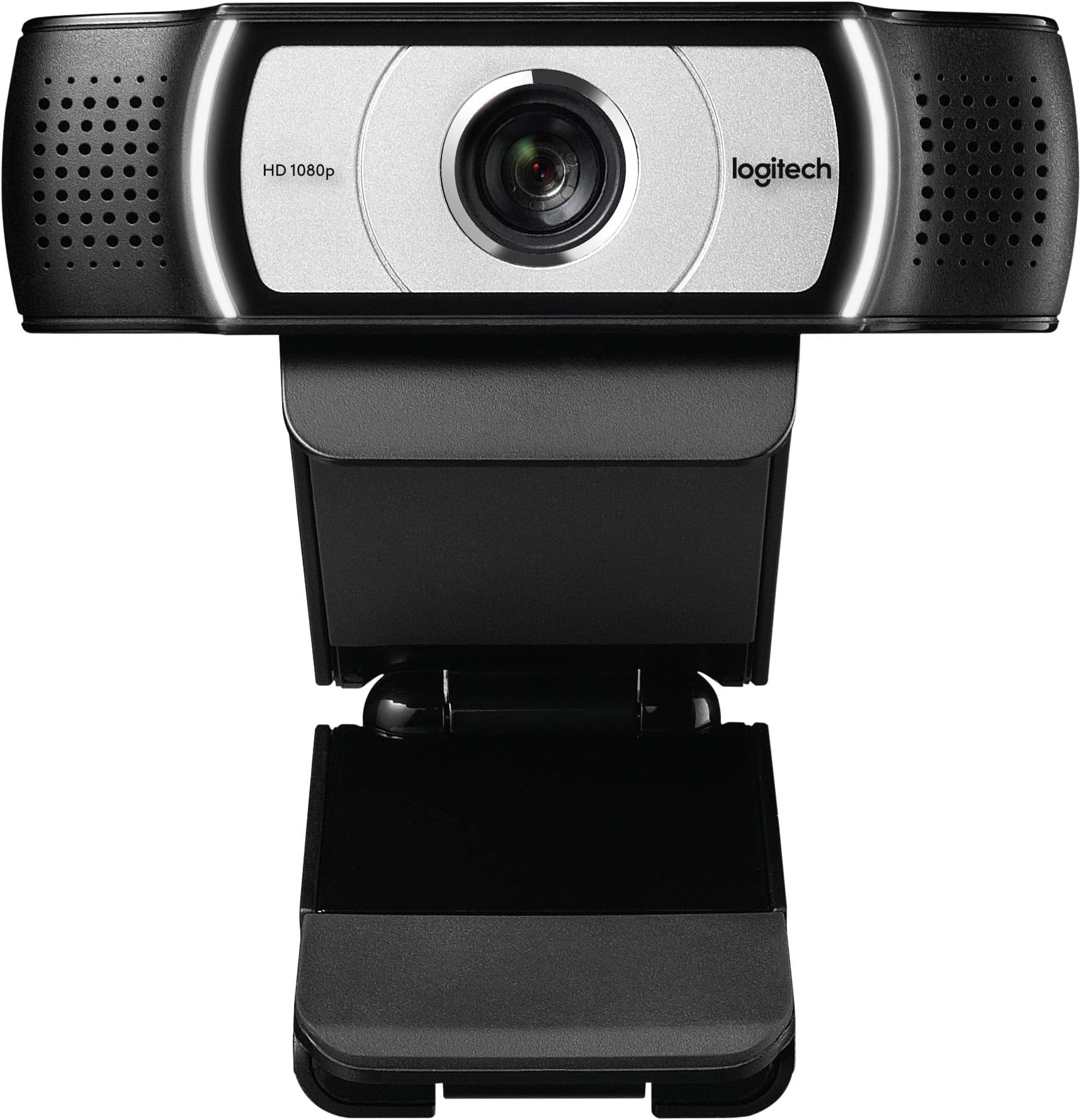
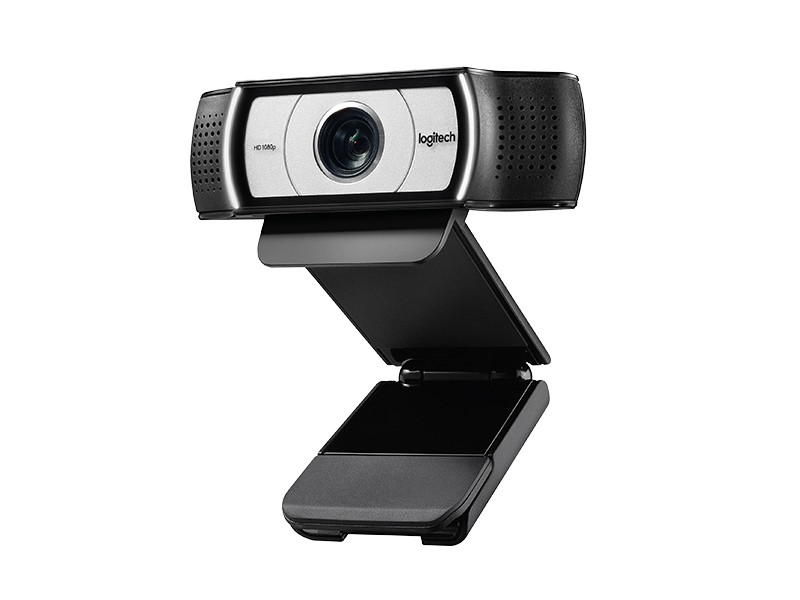
The Logitech C930e is a business-grade 1080p HD webcam featuring a 90-degree wide-angle lens with pan, tilt, and 4x digital zoom. Certified for Microsoft Lync 2013 and Skype, it offers plug-and-play USB 2.0 connectivity with H.264 video compression for efficient bandwidth use. Designed for professional environments, it includes privacy lens cover and software controls for optimal video customization.


| ASIN | B00CRJWW2G |
| Antenna Location | Videoconferencing |
| Are Batteries Included | No |
| Best Sellers Rank | #77 in Webcams |
| Brand | Logitech |
| Built-In Media | Webcams |
| Camcorder Type | Video Camera |
| Color | Black |
| Compatible Devices | Web Conferencing Applications |
| Connectivity Technology | USB |
| Customer Reviews | 4.6 out of 5 stars 5,244 Reviews |
| Digital Zoom | 4 x |
| Display Resolution Maximum | FHD |
| Effective Video Resolution | 8 MP |
| Exposure Control Type | Automatic |
| Features | Lightweight |
| File Format | h.264 |
| Flash Memory Bus Interface Type | SD |
| Flash Memory Speed Class | C10 |
| Flash Memory Type | SD |
| Flash Memory Video Speed Class | V10 |
| Focus Type | Auto Focus |
| Form Factor | Desktop |
| Global Trade Identification Number | 00097855095985, 10097855095982 |
| Has Image Stabilization | No |
| Image Aspect Ratio | 16:9 |
| Image Capture Speed | 30 fps |
| Image stabilization | Digital |
| Item Dimensions D x W x H | 0.95"D x 3.7"W x 3.7"H |
| Item Weight | 0.35 Pounds |
| Lens Type | Zoom |
| Manufacturer | Logitech |
| Maximum Aperture | 2 f |
| Maximum Focal Length | 94 Millimeters |
| Minimum Aperture | 16 Millimeters |
| Minimum Focal Length | 2 |
| Model Name | C930-e |
| Model Number | 960-000971 |
| Number of Batteries | 1 Nonstandard Battery batteries required. |
| Operating System | [VARIOUS] |
| Optical Zoom | 100 x |
| Screen Size | 3 Inches |
| Shooting Modes | Automatic, Continuous shooting recording, Sports |
| Style Name | Webcam |
| Supported Audio Format | AAC, MP3, oder PCM |
| Supported Image Format | JPEG |
| UPC | 097855095985 |
| Unit Count | 1.0 Count |
| Video Capture Format | ASF |
| Video Capture Resolution | 1080p |
| Video Resolution | 1080p |
| Viewing Angle | 90 Degrees |
| Warranty Description | 1 year |
| Water Resistance Level | Not Water Resistant |
| White Balance Settings | Auto |
| Wireless Compability | Radio Frequency |
| Zoom | Digital |
B**I
Fantastic camera for both Mac and Windows
This is a really fantastic webcam. I have a mac laptop with both OSX 10.9 and Windows 7 installed, and this camera was literally plug-and-play with both operating systems; I didn't even have to install any other drivers. I was looking and looking for a HD webcam that offered Mac compatibility as well, so I was very pleased that I finally found one that works so seamlessly (even with FaceTime and Photo Booth). The picture and audio quality between this camera and my laptop's internals isn't even comparable. I switched between the two a couple times, and noticed that the internal camera was at least 50% blurrier, and the ceiling light behind me gave off quite a glare (my lens is clean, by the way). When switching back to the C930e, the picture was crystal clear and the glare, while not totally gone, was diminished to an acceptable level. I then did a couple of focus tests; it only took the C930e about 1.5 seconds to focus between my ring held about 1.5" away from the lens and the ring held 2' away from the lens. Very impressive, as my old internal wouldn't even come close to focusing on something that close. The audio is crystal clear on the other end of the connection; I even gave a go at recording a movie of myself playing guitar, and the audio came through amazingly clear for just a home webcam. I'm not sure if they mention that this comes with it in the description or not, but there is a little rubber "cap" that can fit over the lens when you're not using it, and then easily and quickly flip up when you want to use it. Great for both protecting the lens and if you're paranoid that someone can get access to your webcam without your knowing. There are lights on either side of the camera that light up when the camera is active. I had thought these would be rather distracting, but they are very unnoticeable; they give a clear indication when your camera is on, but they definitely wouldn't distract you from a conversation. The only other thing I'll mention is the software; there is a link to their site in the manual to download it. It's a regular download for Windows, and a link to the app store on Mac. It allows you to zoom, and then once you're zoomed in it will tilt, pan, scroll, etc. You can also adjust things like the white balance, brightness, contrast, and color intensity. You can download it without purchasing the camera if you'd like to take a look at it first, just google "Logitech Camera Settings download" and that should take you to the Logitech site. All in all, I am incredibly happy with this camera. True, it is quite expensive, but (at least right now) it is the top of the Logitech line; in this case, you really do get what you pay for.
K**R
Great webcam
My first order resulted in a medicine bottle being delivered by mistake. Amazon did an OK job of replacing the bogus delivery with a replacement webcam a few days later at no cost to me (except a trip to the UPS store) which was appreciated. I rarely have bad service from Amazon so its nice to know they do well enough to make things right. The actual webcam is as expected and has been fine. It was plug and play for me. I'm on Windows 8.1 and it worked fine in both a USB2 and 3 port and cable with no complaints. I downloaded the latest software from Logitech's website and after a quick reboot everything was fine. The only real thing the software adds is the ability to do digital zoom and focus (there is no manual analog zoom - the digital zoom basically wastes pixels and only shows a cropped portion of the total picture. PC World does a really good job of explaining this. It works just if high resolution is important to you and the ability to zoom in then this may be a concern). There is no disk in the package which was fine. Again it was plug and play for me on a relatively modern Windows 8.1 USB2. The user manual is very light on useful info and the warranty info in the box was all in Spanish which was odd but doesn't bother me. Those usually go into the trash after a few weeks once I know I won't return it. The fit and finish are great. I've owned four Logitech webcams over the years and this is one of the nicer ones. It feels heavy for its size (which is really much smaller than any of the photos do justice). I really like Logitech's solution for how to hang from a monitor. The lens cover is also nice and grips tightly. I suppose it could be more prone to be lost but only if you're a really forgetful person. One big thing to note is the wider lens is exactly as described by other reviewers and the marketing information. It takes some getting used to though having came from several other traditional lens webcams. Your audience seeing you on the webcam will have a very slight fish-eyed view of you which is a little odd. Most people place a webcam sitting say 2-3 feet away on or near a computer monitor for instance. If you place this cam in the same place as other traditional cams you will appear somewhat smaller. And obviously the background of your room around you will be much more visible. That may or may not be a concern just be aware it'll take some getting used to. I bought this cam because our family tends to have Skype webconfs with others in the family (holiday dinners with family overseas helps keep those distant feel closer) so there are always a few of us who want to be in the picture. And having a toddler running crazy is easier to keep in view with a wider lens. The microphone does a fine job of squelching out normal echo and reducing background noise. But I wouldn't set it next to a noisy computer fan or have a radio playing behind it and expect it to filter out all of the extra noise. All in all I'm very happy with the purchase and continue to appreciate Logitech's webcam solutions.
D**G
Great webcam! Much better exposure control than the Logitech C92X series for bright background!!
This is my 2nd webcam in 2 months. My first one was a Logitech C920/922/925 series webcam. While the picture quality and the sound capture of the C920/922/925 series was very good, the webcam had significant issues focusing on me during Zoom calls. I attributed that issue to my office layout that has large, bright windows behind my chair - this is a tricky situation to capture accurately even in normal photography. Even so, I expected the webcam to settle on an exposure setting after couple tries; unfortunately, that didn't happen. The webcam kept on going in and out of dark / light exposure constantly. Even switching to manual exposure mode didn't help and that became very annoying for me and my fellow Zoom attendees! I then returned that webcam and bought the C930e. This webcam has a wider optical lens and inbuilt image processing chip. While the Logitech website says this camera has the same exposure algorithm (RightLight2) as their C92X series, this darned thing nails the exposure after a single try! And yes, it has the same high quality picture and sound! For folks with bright backlit background like me, this is the webcam to buy, no question! I am really happy with this purchase and my fellow Zoom attendees thank me for not giving them a headache by blinding them with alternate light & dark Zoom image :)
S**O
Own Logitech C910, bought 1 C930e for parents, on testing, owned it, and bought another for them.
This camera is simply amazing. With the previous C910, I thought it was already good enough for whatever purpose, but still the view angle was a hurt and it didn't allow 1080p Skype, due a lack of internal encoding to output h.264. C930e solved both problems, and comparing to C920, this one clearly has a better CMOS with equal if not better image quality natively over C910. Goods: -Same, high quality microphone as C910 has, good noise isolation -Large view angle, true 90 degree with accurate autofocus -Better color performance than C910, with C910 my skin looks pale under daylight, while C930e did a good job correcting. My mum said I look more like a "real person" now on screen -Better clamping tool. While C910 has a fixed back clamp which hold barely on the monitor top, C930e now has a movable clamp that adjusts itself to the flat surface of the monitor. Also, the cam won't "stick out" as much as C910 would on top of my monitor. -Has cap. This is simple yet very useful. With C910 I had to unplug it when I am changing cloth or sth, but now I can just close it much easily. Bads: -Expensive, if price matters, paying half for C525 would give you basically 75% of C930e, in terms of view angle and pixels -Shorter cable. Replacing C910 with it I realized that the cable was significantly shorter, so if you now own C910 and is having a just long enough cable, do prepare an extension. -Less support from software. No face detection and autozooming, if these matters. Overall I am very impressed. I thought USB 3 is necessary for this quality, but C930e clearly proved me wrong. Although it is advertised for commercial use, it's a clear improvement for personal purpose and is the best within a hundred. Now it is being offered at $85 (June-26-2014), there is no reason you have to hesitate if you are serious about your webcam. Update on Aug-1, developed dead pixel on camera, flashing all time at a dot. Returning it for repair, will update if this is fixed.
N**I
Worth the money
superb clarity and field of view / degree of focus. LogiOptions+ offers very customization
C**R
Best webcam option available.
I use my C930e for streaming gameplay on Twitch and making video calls to relatives out of state. In this form factor (webcam... not other camera types) this is the best quality and value available. Pros: - VERY WIDE FoV [field of view]. Seriously... this thing is amazing. If you are going to be doing any green screen work you will appreciate this more than other people. This will mean that you don't have to worry about the top of your head, arms, or other parts of you from falling out of the field of view and making some odd looking artifacts. For video calls it's nice that 2 people can sit 3 feet from the camera and both be entirely in the shot. - The light to indicate that the camera is on is white. That may seem like no big deal but if the light were red or green and I would be in a low-light area it could affect the color of my skin on camera and be distracting. - Including the lens cap is perfect. When you are wanting to be seen you can leave it open and when you are not expecting to be seen you can close it and make sure that no prying eyes can see you. In cases of auto-answer for Skype calls or other [hacking] situations you can be sure that only audio could be grabbed because this cap is solid. - The clip for your monitor is great and securely holds the camera to your monitor or if you should choose to you could use a mini tripod. Cons: - Auto exposure won't yield the **BEST** results. They are good but they are not perfect. - Loses focus when you move around from time to time. You don't need to wave your hand in front of it or anything, but if your needing perfect focus while sitting in front of it you can lock focus using the setting on the Logitech app or in other software like OBS. - The built in mic is on par with an integrated mic from a laptop at best. Not enough people realize the power of good audio ESPECIALLY when it comes to video calls or recording. There are a lot of cheap options and some better more expensive ones but if space on your desk won't allow... the built-in mic will pass.
J**A
Best webcam ever!
I do a lot of video streaming in HD. Almost every day, and for hours at a time. Ever since I got this camera I have had so many complements of how great the video looks. It's clear, bright, and crisp. The sound quality is also wonderful, people can hear me, even when I have music playing (though don't play the music too loud, because the sound is really that good). You have to download the software from their website (or in my case the app store on my mac) to use the zoom, autofocus, and adjust the color balance. The software does not have a video recording option. I haven't tried to record any videos yet, but I have heard that it will record them in 720p, which is fine with me. I will update once I have recorded some stuff. I do wish the software for the camera have video recording included, but there's a lot of stuff out there. That is the only downside to this webcam. The still photos I have taken with it are also wonderful. You can just tell that a quality camera is being used. If you stream a lot, definitely go for this one. Especially if you have a mac. This camera works wonderfully on my new iMac and my late 2012 MacBook Pro. It connects to Photobooth easily, and I also frequently use it with Adobe Flash Media Live Encoder (which it also works great on).
R**S
Amazing webcam for streaming or even recording headshot video for other purposes...
This is an absolutely amazing webcam. I make online training courses. I record "head shot" videos to intro and then picture in picture over the screen grab. My laptop webcam was so lame that it was unusable. I tried to use my Sony a6000 but it was a royal pain to futz with and get it positioned etc. With this Logitech webcam I can set it up, then zoom and pan as needed to get my squarely in the shot. It is a breeze to set up with OBS Studio. I have used it with Adobe Premiere Elements also. The OBS Studio is very easy though, and free!! I set up OBS to save as MP4 file. You can also use it if you want to stream like on Twitch with the webcam as a picture in picture on side. The video is clean and crisp. The resolution is amazing. Even though you are doing digital zoom and pan with this you still get amazing video quality when zoomed in. The mic is OK... but it is a webcam mic, and will be quite distant to you. So if you want good audio plan on using an external USB mic of some sort. That will always get you much better audio. You don't have to spend a load on a Blue Yeti or something... although those are nice.
P**S
Won't work with Smart TV
The Good.... Very swift shipping and good quality; Great field of view (via PC) The (very) bad, at least for my needs... Beware this will not work smart TV. Of course it would have been helpful to be advised of this before ordering from Logitech shop!! Found deep on Logitech site FAQ, after purchasing: "My Logitech webcam isn't working on my Smart TV" This article is relevant for the following webcams: Webcam C930e Webcam C925e B525 HD Webcam Business Webcam C920e Business Webcam C505 Your Logitech webcam won't work with your Smart TV, as it was designed to be used with personal computers only."
D**L
Sobrevalorada
Por un precio mucho menor puedes comprar algo similar. Si la iluminación no es adecuada mete ruido y aunque intenta corregir la iluminación y los colores, para mí no es lo suficiente. Si tienes un lugar bien iluminado debería verse bien. En cuanto al sonido bien, sobretodo si lo combinas con la eliminación de ruido de nvidia broadcast por ejemplo (eso suprimirá el ruido de las teclas y los clics) Adicionalmente, la compré en condiciones aceptables y en la descripción no decía que le faltaba la carcasa frontal. Y además el vídeo no funcionaba bien. Devuelta.
M**D
انصح بشراءها
انصح بشراءها
A**K
great especially for small offices or group calls
Great web cam. image quality is crisp and sound is a large improvement over my previous logitech camera. The wide angle is not for everyone, but it's perfect for what I use it for. Especially, if you are close to the cam, or want to have the ability to skype with several people in the same room, the wide angle is great! Otherwise, I use the skype setting to crop in on me, when I do not require the extended visual field. After months of use I have not experienced any problems with it. Audio seems fine too, though I never checked it specifically.
V**Z
muy bueno
el paquete llego antes de lo previsto y sellado, funciono perfecto la imagen y los colores son de calidad y no tuve ningun problema a la hora de utilizar o instalar los drivers
Trustpilot
1 month ago
3 weeks ago