🚀 Upgrade your connection game—fast, flawless, and future-ready!
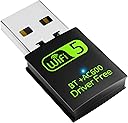
The Auscoumer USB WiFi Bluetooth Adapter delivers up to 600Mbps dual-band wireless speeds with built-in driver-free installation for Windows systems. Featuring Bluetooth 4.2, AP mode support, and a compact design, it effortlessly upgrades any PC or laptop with reliable WiFi and Bluetooth connectivity, ideal for streaming, gaming, and seamless device pairing.


| ASIN | B07YDFZWT8 |
| Are Batteries Included | No |
| Best Sellers Rank | #1,523 in Computers ( See Top 100 in Computers ) #10 in USB Computer Network Adapters |
| Brand | Auscoumer |
| Color | 600Mbps |
| Connectivity Type | Bluetooth 4.2 |
| Customer Reviews | 4.1 4.1 out of 5 stars (4,718) |
| Date First Available | 12 November 2019 |
| Item Weight | 13 g |
| Item model number | 4510AC |
| Manufacturer | Auscoumer |
| Operating System | Mac OS 10.11-10.15, Windows 7/8/8.1/10/XP/vista |
| Product Dimensions | 1.52 x 0.76 x 3.3 cm; 13 g |
R**.
Good product
working as described
R**N
Very bad
Doesn’t work total waste of money and trust me that 5g is fake guy don’t get scammed and go buy from tp link
O**Y
They show 5g but send 4 dongle don't buy and bluetooth don't even connect
D**B
{Using Windows 10 for this review. Don't let this review scare you with all the details.} Pros: Truly affordable, near-instant install, stable and reliable connection(s), sufficient speeds, online in less than two minutes, WiFi/Bluetooth combo, definitely discrete, and perfect for desktop PCs. Cons: I did have to dig around and poke at settings. By default, the adapter operates on 2.4GHz, and not 5GHz. [Check Your Install] The drivers are on the adapter and installs in seconds (When plugging in for the first time, it will appear as a storage drive. Double-click the newly appeared drive to start the seconds-long install. The drive will disappear and your Wi-Fi/Bluetooth will be active, no restart needed.). The mini-CD is a backup just in case. You may need to double-check Bluetooth settings, and test peripherals to ensure operation (like an XBOX controller). Remove/add Bluetooth devices if necessary. [2.4GHz or 5GHz?] By default, 2.4GHz may be active. You can check by going to your "Wi-Fi Settings". Click on your connected network and scroll down. Look for "Network Band" to check the frequency. If it's not 5GHz, keep reading. To switch to 5GHz, go to Device Manager > Network Adapters > mine reads "Realtek 8821CU Wireless LAN 802.11ac USB NIC" > (right-click) Properties > Advanced Tab > Wireless Mode > Switch the Value to "IEEE 802.11ac" > OK. Give it several seconds and check the Wi-Fi Settings like before. This time, it should read 5GHz for the Network Band! [Speedtest.net Sample Results] On 2.4GHz, I had 4ms ping, 36.15Mbps download, 47.23Mbps upload. Best I could get after multiple tests. On 5GHz, I ran one test. Ping is 5ms, Download is 134.56Mbps, and Upload is 53.22Mbps. MUCH better. In short, buy it. It's the BEST value you'll ever get for a Wifi/Bluetooth combo USB adapter/dongle. For over 95% of people, this is all you need. Use 2.4GHz for everyday usage. Use 5GHz for gaming or 4K video streaming.
R**R
Excellent device—cheap and powerful. Both Bluetooth and Wi-Fi are in the same device, supporting 4G and 5G at same time without any interruptions.
D**.
When plugged in, internet keeps disconnecting resulting in really instable connection.
J**S
Para mi laptop fue más que suficiente
Trustpilot
2 weeks ago
1 week ago