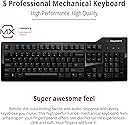
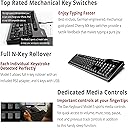
⌨️ Elevate your typing game with every click!
The Das Keyboard Model S Professional Clicky MX Blue Mechanical Keyboard combines precision tactile switches with a durable mechanical build and reliable USB connectivity, delivering a premium typing experience favored by professionals and enthusiasts alike.


| ASIN | B008PFABI8 |
| Brand | Das Keyboard |
| Brand Name | Das Keyboard |
| Button Quantity | 104 |
| Compatible Devices | Laptop |
| Connectivity Technology | USB |
| Customer Reviews | 4.4 out of 5 stars 462 Reviews |
| Global Trade Identification Number | 00855800001227 |
| Hand Orientation | Ambidextrous |
| Item Type Name | keyboard |
| Item Weight Unit of Measure | 1.36 kg |
| Keyboard Description | Mechanical |
| Keyboard Layout | QWERTY |
| Manufacturer | ibm |
| Manufacturer Part Number | DASK3MKPROCLI |
| Model Number | DASK3MKPROCLI |
| Number of Keys | 104 |
| Number of Sections | 1 |
| Product Features | Mechanical |
| Special Feature | Mechanical |
| Style | Modern |
| Style Name | Modern |
| Switch Type | Mechanical |
| Total USB 2.0 Ports | 2 |
| UPC | 855800001227 796594220664 |
K**M
Absolutely amazing.
So I have never written a product review before. I have never felt the urge to sing the praises of a product like I do with the Das Keyboard. First, let me begin with stating that my profession requires a ton of data entry and when I am not at work I am typing up multitudes of papers for school. I do quite a bit of typing on a day to day basis and usually spend upwards of 8-12 hours a day in front of a computer, between work and school. For the past 10 years or so I have used terribly designed membrane keyboards that usually come stock with new computers. Due to my extreme amount of typing I have also developed a consistent pain in my fingers after typing for more than a few hours at a time. Due to this I decided to go ahead and bite the bullet and purchase a quality keyboard. After a few weeks of researching which switches would suit me best I finally decided on Cherry Mx blue switches as noise was not an issue and extreme comfort and tactile response were of utmost importance to me. I am the kind of person that will go ahead and spend the money up front on a quality product rather than going low-mid range and having to replace the product many times over. At first I thought the $120+ price tag on this product was ridiculous but after reading many reviews I decided to go for it. The keyboard arrived at my doorstep a few days ago and I have used it for 8-10 hours a day since then. I can report that it is by far the best keyboard I have ever owned and it has spoiled me for life. I love this keyboard so much that I will soon purchase another to use at work as well as home. The tactile response of the keys is superb and the build quality is second to none. It is very hefty and extremely sturdy. I do a fair amount of gaming as well, anything from your typical FPS games to MMORPGs. This keyboard does not disappoint when it comes to gaming, although I have a feeling the Cherry Mx Black switches would probably be a bit better, the Blues are more than adequate. Also, this keyboard is very professional looking and definitely looks like something that belongs on a grown adult's desk. The lack of gaudy lighting and neon green logos is refreshing. If you do a fair amount of typing in your day-to-day life please do yourself a favor and order one of these keyboards ASAP. The price tag may seem a little steep but once you type on one of these you will be spoiled for life and will never go back to cheap stock keyboards.
P**.
Decent but NOT like the Ultimate.
WELL. It is a DAS. That much I 'll give it to them. Unfortunately, a comparison between this product and the Ultimate Clicky which I also own can show that this iteration is totally inferior. The Ultimate not only has switches that respond much better to typing but also these switches are used in all the keys, including e.g. space bar and the other keys that have stabilisers. If you can, order the Ultimate model and buy additional keycaps to switch the keys if you so desire. The quality is there but I believe that for its' price you can get far better mechanical keyboards. A quick research shows that the professional keyboards use different switches (not Cherry MX) than the ultimate ones. If you are really picky, you should avoid it all the way and get a true Cherry MX experience. Because the Model S Professional, simply doesn't cut it. On the pros side, if there is one, it's a bit more quiet (I compared blue switches in both cases) than the Ultimate one - but if you are going for the blue switches, noise I think is not your main concern now, is it?
D**G
Straordinaria
La tastiera ha una qualità costruttiva eccezionale, la risposta dei tasti è precisa e veloce; ha un hub con due prese usb sul lato destro che restituisce le porte occupate dalla tastiera sul retro del pc (una per la tastiera e l'altra per l'hub); si tenga presente che questa versione ha gli switch MX Blu e che quindi produce un piacevole ticchettio durante la digitazione, se vi serve una versione silenziosa assicuratevi di acquistare quella con gli switch MX Brown. La finitura lucida è molto elegante (e viene fornito un panno in microfibra per eliminare le ditate a fine sessione). Il layout è americano, quindi non troverete i caratteri accentati. Perfettamente compatibile con Linux e Windows, se avete il Mac acquistate la versione specifica per Mac.
B**N
Très bien !
Très bon clavier, j'adore les switchs cherry et les blue sont justes parfaits. Le hub USB intégré est une bonne idée. Le confort de frappe correspond tout à fait à mon activité (programmation majoritairement.)
P**.
Click Click Click
This keyboard feels amazing. It's nice and heavy, so there is no sliding around to be had here. The keyswitches feel definite and the sound is delightful. What I don't understand is why they decided to go for two USB connections on the cable instead of connecting the keyboard through the existing hub that they must have included for the two USB ports on the side. The USB ports would also be better suited on the top of the keyboard instead on the right side, where they interfere with the mouse.
Trustpilot
5 days ago
1 month ago