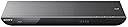
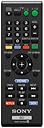
🎬 Elevate your home entertainment—stream, play, and socialize in stunning 3D and HD!
The Sony BDP-S590 is a 3D-capable Blu-ray player featuring Full HD 1080p playback, built-in Wi-Fi for seamless streaming from top services like Netflix and YouTube, and multi-room music streaming via Sony HomeShare. It supports a wide range of disc and media formats, offers quick start times, and can be controlled remotely via a dedicated smartphone app. Designed for reliable wireless performance even at a distance from routers, it combines advanced connectivity with immersive audiovisual quality for a modern home theater experience.
| ASIN | B006U1YUZE |
| Analog Video Format | NTSC |
| Audio Output Mode | Surround |
| Best Sellers Rank | #241,419 in Electronics ( See Top 100 in Electronics ) #131 in Blu-Ray Disc Players |
| Brand | Sony |
| Built-In Media | Sony BDP-S590 Blu-ray Disc Player, Remote Control (RMT-B119A), 2 x AA Batteries, A/V Cable, Warranty Card, Owner's Manual and 1-Year Parts & Labor Warranty |
| Color | Black |
| Compatible Devices | HDMI-compatible devices |
| Connectivity Technology | wi-fi_built_in |
| Connector Type | HDMI |
| Controller Type | Remote Control |
| Customer Reviews | 4.4 out of 5 stars 2,011 Reviews |
| File Format | AVI, GIF, JPEG, MP3, MP4, MPEG-2, MPEG-4, MPEG1, PNG |
| Global Trade Identification Number | 00027242840300 |
| Item Weight | 4.4 pounds |
| Manufacturer | Sony |
| Media Type | Blu-Ray Disc |
| Mfr Part Number | BDPS590 |
| Model Name | Sony BDP-S590 |
| Model Number | BDPS590 |
| Number of Items | 1 |
| Number of Packs | 1 |
| Other Special Features of the Product | 3D |
| Resolution | 1920x1080 |
| Special Feature | 3D |
| Supported Audio Format | MP3, AAC, PCM |
| Surround Sound Channel Configuration | 5.1 |
| Total Number of HDMI Ports | 1 |
| UPC | 027242840300 |
| Unit Count | 1 Count |
| Video Encoding | MPEG-4 AVC (H.264) |
| Video Output Resolution | 1080p |
J**N
Best I've Found For Wireless Service
In April I decided that although I loved my LG blu-ray player for Netflix and watching blu-rays, I wanted a new player that would let me watch Amazon streaming and have an updated and easier to use Netflix interface. My old player worked perfectly for what it did, I just wanted something that did more. First, based on my great experience with my LG player, I ordered the LG BD670. I liked the interface, liked how it played blu-rays, loved that I could search Netflix from the blu-ray player itself (the old player would only let you view your queue and a few of the specific categories that it chose, you had to go to another device if you wanted to search or even browse beyond that) and I loved Amazon streaming. But it did not play Netflix well: during the course of pretty much anything I'd try to watch, whether it was a 2+ hours movie or a twenty minute tv episode, it would lose the sound and have stuttering picture for anywhere between a few seconds to several minutes. After less than two weeks I contacted Amazon and sent it back. I put my old blu-ray player back and it worked with no problems, for Netflix and blu-rays both. Then, based on glowing reviews, I tried the Panasonic DMP-BDT220. Initially it seemed great. I liked it even more than the LG. Then it started having connection issues. Actually, it started having connection issues the first day, but I didn't realize right away that it was going to be a *constant* problem. There was not one day that it did not lose the internet connection. Granted, where it was set-up is as far away from my wireless router as it can be while the two devices are still the house, so some connection issues are understandable, but it would lose connection when nothing else in the room it was in had lost their connection and beyond that even, it would not reestablish its connection until I'd cycled it off and on, sometimes several times. I really wanted it to work, since when it was working, I loved it. I did not contact the company, in fairness, so I cannot say if they could have helped me or comment on their customer service. I did check online reviews and message boards and found that I was not alone in having internet connection issues with it. I tried some fixes that were posted but nothing worked. I read more than one person complaining that they *had* contacted Panasonic and were told that the wireless in the player just wasn't that strong, and the only real cure for connections issues was to move the player closer the router. That wasn't an option for me so, incredibly frustrated, after almost a month of it, I contacted Amazon and sent it back. Again I put my old blu-ray player back and it worked with no problems. Finally, as a last resort, I tried this player, the Sony BDP-S590. Tentatively, hesitantly, I would say it *seems* I've found my player. I admit, I held off on the Sony because it was more expensive than the LG, and at least at the time I was first looking, the reviews weren't as good as for the Panasonic. But for me, it's working. It sits where the Panasonic sat (and where the LGs sat) and doesn't have any connection issues except when there is genuinely an interruption that is affecting everything else that's connected to the router--and even then as soon as the router is doing its thing again, all I have to do is hit "Retry" and the player is connected again, no turning it off and on repeatedly. It has no problem playing Netflix, or Amazon streaming, or Crackle, or Youtube, or good old blu-rays. I appreciate that it's got the only remote that actually controls my not-that-old Toshiba tv, which isn't a big deal, but it's nice. I'm not an audiophile or videophile or whatever, so I can't comment on the technicalities of the sound or picture; it sounds and looks fine to me. The loading times aren't long enough that I get impatient, but I'm not the sort of person who times those things as long as they aren't long enough to make me take notice. As far as I'm concerned, if you just want to watch stuff, it works. And if you have any sort of distance constraints on where you can place it (like if you don't want to/can't put it in the same room with the router) this is your best bet. I waited to write this review, paranoid after the first two blu-ray players, but after about a month of this, I'm still pleased with it.
J**A
Very feature rich blu-ray player for the price.
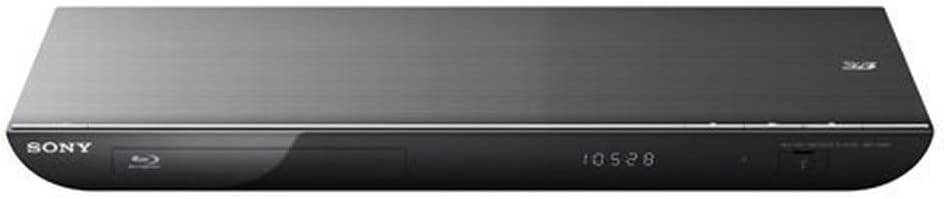
After a bit of shopping around and looking at a number of reviews I decided to go with the Sony BDP -S series. I settled on the 590 because it seemed to have the most bang for the buck. The upgrade to the 790 did not seem worth the price: I don't have a TV capable of 4k resolution, and given the location of my TV I don't need an IR port. The dual core processor in the 790 sounds nice, but having used this player for about two weeks responsiveness is not a problem, so I have a feeling that it is only required for the 790 player. Setup was mostly automated by the device, and only took about 15 minutes. It is a little bit of a pain to type letters (wireless network names, passwords) using the remote. Numbers 1-9 are mapped to three or four characters the same way you would send a text message on older phones. Once you get used to it, things aren't that bad. Otherwise I had no problems connecting to my home network, Amazon video, Netflix, Hulu, etc. One of the big reasons I upgraded was for streaming content. Previously I'd been streaming content to a Wii and I wanted to finally see Netflix and Hulu in HD. Streaming on this thing is a dream come true for those of us who were previously stuck in standard definition. My town has a very speedy and reliable internet connection, so I have no trouble watching HD over the internet. Among other cool applications are the Amazon app for prime users and youtube. Previously I'd been stuck watching Prime only on my laptop because there was no Wii app. I haven't noticed the noise reduction feature, but I consider that a plus. If a noise reduction application is doing its job correctly you're not going to notice it running in the background. There are a number of other available apps, but I haven't had time to explore all of them. I look forward to getting to know them all. All of the apps on the Sony entertainment network have a similar look and feel, so its pretty easy to get to know new applications. I've also downloaded the remote control apps for both my android tablet and my iPhone. Both are very responsive, and contain more fathers than the remote that comes with the unit (including a simulated touchpad for navigation and a frame that gives you information on whatever disc is currently in the drive). Not surprisingly, Blu-rays look great. The box's dvd upscaling works well, so DVDs also look very clear on a 1080p TV. The player looks good on my TV stand. It has a very slim and sleek profile. My TV does not support 3D (its a feature that I'm not terribly interested in), so I cannot comment on the 3D quality. Yes, there are other players out there with more bells and whistles (there will always be something better available), but for the price this thing is a steal. If the feature set is compatible with what you're looking for I would highly recommend this player for your media room.
A**A
Great Value For The Price, but slightly disappointed!
So I was looking for a device that could replace my home theater pc since I was not using it much for TV anymore. My main goal was to find a product that I could use with Netflix, Amazon, etc. but even more so, was the fact that I needed to be able to play all my home movies. I have a NAS device with a DNLA server where I store all my movies, videos, and photos so I needed a device that could play a various amount of file formats. After doing much research online in my price range, I narrowed it down to The BDP-S590 and an LG BP620. I chose Sony for two reasons even though the LG had a much larger file format support. 1) It had support for Amazon Instant Video, and 2) It supported Divx and xVid. I have to say that I was VERY disappointed with one aspect of the Sony, and this is not stated anywhere on any product info pages. The file formats supported do not work via all mediums. All of the listed formats are supported ONLY via a USB drive connected to the back of the player. DNLA only supports a few of the listed ones, so your option is either to encode all the videos in one of those supported formats, OR use real time transcoding software like PlayOn or TVersity. For me, since transcoding is very CPU intensive I have chose to re-encode all my videos, but this is not feasible for a lot of users so it may be easier to just dump them on a local USB drive. I will provide more details on specific codecs below. One last thing to note is that you had to enable "Internet Video" before it would see files on the network, took my a minute to realize that. UNBOXING: Not much to say here. Very clean box with just the DVD player, Remote, Manual and Cables. I was mildy disappointed that it only came with composite cables. Would have been much nicer to come with HDMI. INSTALLATION: Again pretty simple. Just plugged in to the wall, plugged my network cable, and plugged my HDMI cable into the TV as well as my optical audio cable to the receiver. SETUP: Initial setup was pretty simple, most of the menus did everything automatically; HOWEVER, since I was using a wired connection with easy network setup, it already pulled an IP address and was working perfectly. I did not test configuring a wireless connection. INTERFACE: I have read some reviews online that complained about a laggy interface or some lag when playing videos etc. I have not noticed this as of you. Everything has been blazing fast. I personally do not care for the Playstation/PSP style layout as I like Eye candy, but its very clean and easy to navigate. DVD/BRAY: Oddly enough, I have yet to test Disc playback, and do not own any blu-rays yet. There is no reason to believe this would have any issues but I will edit this review if it comes up. FILE FORMAT SUPPORT: This is taken from the manual, and as you can see is a bit convoluted. You need to make sure you encode your video as well as the audio portion of the video in a format that is supported if you want to use it over DNLA. *1 The player does not play coded files such as DRM. *2 The player may not play this file format on a DLNA server. *3 The player can only play standard definition video on a DLNA server. *4 This player can play AVCHD Ver.2.0 format. *5 The player plays AVCHD format files that are recorded on a digital video camera, etc. The AVCHD format disc will not play if it has not been correctly finalized. *6 The player does not play coded files such as Lossless. *7 The player does not play animated PNG or animated GIF files. *8 For MPO files other than 3D, the key image or the first image is displayed. Audio: MP3 (MPEG-1 Audio Layer III) ".mp3" AAC/HE-AAC *1 *2 *6 ".m4a" WMA9 Standard *1 *2 *6 ".wma" LPCM ".wav" Video: MPEG-1 Video/PS *1 *2 MPEG-2 Video/PS,TS *1 *3 ".mpg," ".mpeg," ".m2ts," ".mts" MPEG-4 AVC *1*2 ".mkv," ".mp4," ".m4v," ".m2ts," ".mts" WMV9 *1*2 ".wmv," ".asf" AVCHD *2 *4 *5 Xvid ".avi" Photo: JPEG ".jpg," ".jpeg" PNG ".png*7" GIF ".gif*7" MPO ".mpo"*8 SUPPORTED DISC FORMATS: I will update my review with this info, but here is the list of playable disc/formats Blu-ray Disc*1 BD-ROM BD-R*2/BD-RE*2 DVD*3 DVD-ROM DVD-R/DVD-RW DVD+R/DVD+RW CD*3 CD-DA (Music CD) CD-ROM CD-R/CD-RW Super Audio CD *1 Since the Blu-ray Disc specifications are new and evolving, some discs may not be playable depending on the disc type and the version. The audio output differs depending on the source, connected output jack, and selected audio settings. *2 BD-RE: Ver.2.1 BD-R: Ver.1.1, 1.2, 1.3 including organic pigment type BD-R (LTH type) The BD-Rs recorded on a PC cannot be played if postscripts are recordable. *3 A CD or DVD disc will not play if it has not been correctly finalized. For more information, refer to the instruction manual supplied with the recording device. Discs that cannot be played * BDs with cartridge * BDXLs * DVD-RAMs * HD DVDs * DVD Audio discs * PHOTO CDs * Data part of CD-Extras * Super VCDs * Audio material side on DualDiscs OVERALL: I would give this unit a 7/10. Mostly because of the file format issues, to support a format but only allow it via usb and not DNLA is absurd to me. I also think the interface could look a little more "Casual" and less "Business". For the money I am not sure you will find anything better. There are only about 3-4 other competing brands for the price/features, and they all excel in other areas while falling short in others. This Sony was the best all around one of the bunch.
T**R
VERY nice machine, extremely easy setup
We have been waiting on the blu-ray craze until prices settled down, and now with many players also including streaming in their functions, it seemed like a good time to buy. We bought this from Amazon for just over $100 and have been EXTREMELY pleased with the product. Shipping -- it came from Amazon, nuff said. It got here fast and safe. Setup -- Once I had the machine connected to the TV and power outlets, which took about 5-10 minutes including getting the machine out of the box, it took another 7-10 minutes to get the player connected to our wifi so we could view Netflix movies. Setup was extremely simple, although it is helpful if you do a quick review on how to use the remote. The only thing that might be tricky is that it's not always simple to tell what "choice" you are getting ready to make. When the machine highlights a selection prior to you pushing the "enter" button, it turns the background white, but sometimes it's not that evident at the beginning. The only other thing about the setup is to be sure that you have your computer on as well. (we can have our wifi on and the computer off at the same time) You'll need to visit a website to confirm the connection, but it's not a big deal. Quality -- never having had a blu-ray player before, I'm extremely happy with the quality of our movies -- both those that are blu-rays and just regular DVDs. The other night, my wife put the "Cars" movie in for the kids to watch. It was amazing to see the difference in the picture quality. We are using an HDMI cable. But instead of paying a crazy price at an electronics store, I found one on Amazon for less than $2 -- it is doing the job beautifully! In addition to the quality of the blu-ray, the Netflix movies which are streamed over the wifi at a distance of roughly 10 feet, going around a short corner and through some glass, are fantastic. Frankly, the Netflix quality is better on the TV (through the wifi) than it is directly on the computer monitor through an ethernet cable. I've also tested it using YOUTube and it worked fine as well. Ease of use -- very simple. It takes a little getting used to as a home menu pops up most of the time even when you put a movie in, but it's pretty simple to select your entertainment choice and go from there. Netflix can be just a little cumbersome if you are searching for a specific movie and need to enter the title. You have to scroll for each individual letter of the title, but it's really not that big of a deal. Our 7-year-old can operate the machine for anything with no help at all. Cost -- I searched around and this model had some of the best reviews and as I mentioned -- the cost was very reasonable on Amazon. It's always tough with electronics because the minute you buy something, a newer version has hit the stores. However, I'm hoping we'll have this for several years. Size -- just a note, this machine is quite small. Not near as deep as many DVD players we've had in the past and not very wide. I would highly recommend the machine to anyone who is getting into blu-rays and also is interested in internet streaming.
D**D
One of the best affordable Blu-ray players on the market
I spent a few months researching Blu-ray players before purchasing the Sony BDP-S590. Another strong contender was the Panasonic DMP-BDT220, but I chose the Sony after several others recommended it and from my own research. Since this our first Blu-ray player, I don't have extensive knowledge or experience by any means, but I knew what I was getting, and I was not disappointed at all. The S590 has many connection options besides the standard HDMI, including a composite RCA video connection for older systems. Additional audio options include both coaxial and optical digital audio, as well as standard RCA analog out. 100 Mbps Ethernet LAN is of course included for Internet connectivity, although this player has built-in WiFi (no expensive adapters needed!) for your convenience. The S590 has two USB ports: one on the front panel for playing media from flash drives etc., and one on the back for BD-Live storage. I like the sleek glossy look of this player, although it does show dust and smudges fairly easily. The front panel display has several brightness levels, but even at the brightest setting it can be hard to read from the other side of a well-lit room. Also, the front panel display does not show CD track numbers, but only the time counter. This is slightly disappointing, as we play many CDs on this Blu-ray player, but it isn't a huge problem at all. The Now Playing interface for CDs, USB and network media is very aesthetically appealing, and the Gracenote integration works well. Other than CDs, we mostly play DVDs in this player, although I've played a couple of Blu-rays as well. The quality is excellent, and I find no problem with it. I can't really comment on the DVD upscaling quality, as I have nothing to compare it with. Load times do not seem to be excessive, although, seriously, why are we so impatient to watch a good film? So what if your player takes 20 seconds longer than some other player? It's worth the wait! Startup time, however, does take some time, which is slightly frustrating for playing CDs. This can easily be rectified by changing a setting which causes the player to start very quickly, but at the cost of higher stand-by power consumption. The only Internet apps I have used are Amazon Instant Video and YouTube, and both apps work great with no complaints. I actually quite like the UI. It is very responsive, and fun to use. All in all, I highly recommend the Sony BDP-S590 to anyone! It's an amazing player with great features and a great price!
K**S
S590 A Great Player At A Great Price
I've been looking for a Blu-ray player for awhile now and my purchase was delayed a bit due to so many conflicting feedback entries over products. I finally decided to go with a brand I trust, Sony, that had the features I was looking for and just see what happens. The S590 is 3d capable, but I have no interest in 3d and that is why I do not address it in my review. Out of the box the player is a bit plasticy. (Is that a word?) Yes it feels a little cheap, but on the upside it is light and matches my other equipment. I don't need a Blu-ray player that is built like a tank. After all, it is just going to sit there on my media shelf playing movies. I don't get why people complain about it. Do they take their players mountain biking with them? So yes, the case is plastic, but I could not care less. One important note, an HDMI cable is not included with the unit, so be sure to have one if you want an HDMI connection. I plugged in the player via HDMI and turned it on. First thing I established a wireless connection so I could update firmware. My router, in the next room, was seen immediately, along with routers from neighbors. I entered my password and was connected. Next, I updated the firmware. That took less than five minutes to do. Amazon Prime connectivity was next, then Netflix. No issues at all. I then decided to stream an Amazon Prime movie, Mission Impossible 3, as it is hi-def and I wanted to see what performance was like. The movie started up within 30 seconds, I saw I was getting between 8.4 and 10.2 megabits per second. The picture was clear and smooth. Over the weekend we streamed from Amazon Prime and Netflix and were very happy with the speed of connection and quality of video and sound. I also tried playing Blu-Ray and DVD movies, both with no issues. I did not time how long it took to get a movie playing, but I can (very unscientifically) say that it was faster than what I have seen with several units. Everything played as expected. Boot up time is acceptably fast. I chose the slower boot process as I don't want the player in standby mode all the time. When I turn the player on, I am able to choose what I want to do in about 15 - 20 seconds. More than acceptable. Overall, I am extremely happy with the player. It is responsive, boots quickly and has handled my needs, (Blu-Ray disks, DVDs, Amazon Prime and Netflix.) I have not tried other features, so I can't speak to them. Given my experience, I would expect they would work as advertised, but you never know until you try them. If I have friends looking for a Blu-Ray player, I won't hesitate to recommend the S590!
L**S
Good so far
I recently bought this blu ray player to go with my 3d projector. I have not tested the 3d on it yet, but I did stream a movie last night on VUDU. The movie looked great and played great. One big difference I noticed with this over my previous blu ray player, was that this was the first blu ray player I was able to steam a movie in HDX on VUDU without it stopping and buffering alot. In fact, it didn't stop at all. Now alot of factors could play into that I guess, but I thought it was worth noting. When I first opened the box I was very disappointed with how cheap and flimsy the player looked and felt, I even commented that to my girlfriend before i read reviews on here saying the same. The blu ray player we replaced is a Sony as well, and the one replaced feels alot tougher and looks tougher too than this one (last years model blu ray player). I guess it shouldn't be much of an issue since I don't beat up my electronics. I just hope the inside of it is good! The remote is fine and is comfortable in the hand for the few seconds it might be held. It does it's job well, but I am replacing it with a Logitech Harmony 700 remote, to eliminate 5 remote controls, so the remote won't be used by me once that arrives. The player discovered my wireless network fine and was easy to setup. As stated above, the streaming was excellent. I watched it on my 106" screen with 3d projector and the picture looked amazing with no skipping, buffering or any other annoyance. The update to the player once connected wirelessly to my internet did take quite a long time. I did not time it, but I'd wager a good half hour. You will need to do the update if you plan to stream, because the player did not have vudu/netflix/etc preloaded, and only came up after I updated, which is expected with electronics now a days. Why do Blu-ray players not come with an HDMI cable? They can't be that expensive to produce with the players. It seems like they would be standard on a blu-ray player, but it isn't. You will probably want to buy a cable to go with it if you don't have spares. Rating a 4 so far because for the price I would have expected it to feel a bit more sturdy. Will update later when i watch a 3d movie. *UPDATE* Updating review to add the 3d movie experience. I purchased Polar express 3d that came with the red/blue glasses. The 3d looked good, but the glasses were uncomfortable so i stopped watching. Yesterday I watched Avatar 3d with the active glasses and the experience was awesome. I am not sure what kind of role the Blu ray player plays in 3d quality, if any, but the quality was great. My girlfriend usually gets bored during a movie and will read her Nook, but this movie she actually watched all the way through and stayed attentive. She has seen Avatar before, so that impressed me as well. She commented several times how amazing the 3d was. Well, thats it for now, my review.
A**E
It's like magic!
This is the first bluray device that entered into my house. I purposefully stayed off of the bluray bandwagon for the first few generations, and I'm happy to say that this player has made the transition quite pleasing. Paired with our 46" Samsung HDTV, the quality of the bluray movies we've watched so far is breathtaking. The difference between what our old Sony DVD player delivered and what this bad boy delivers is indeed noticeable. But I'm sure you all know about that whole story--bluray delivers much higher definition video than we're used to. Fact. The DVD upscaling on this player is tremendous. All of my kid's movies now fill the whole 1080p HDTV with only a few artifacts here and there that suggest you're NOT watching a bluray movie. We're very pleased with this feature. We use the built-in WiFi and LAN adapters every single day to access Amazon Prime and Netflix content. The quality and speed of these services is amazing. I'd say that Amazon delivers much higher quality video than Netflix on the majority of the shows that we've watched, and the Amazon interface is nicely integrated with the rest of the menu system. I also enjoy being able to control the player with my Android tablet. Typing in search terms and whatnot using the numbers on the included remote is ... less than ideal (unless you text on your old school phone all the time). Sony's Media Remote app allows me to either type in (or even speak) words using my tablet, and it saves me a lot of hassle. The built-in USB ports make it very easy to watch content that you have downloaded on your computer. My wife and I just watched two movies using the USB port this evening. Plugged in the thumb drive, it appeared on screen within a second or two, and our movies were easily accessible right away. One thing that I've yet to figure out is the DLNA capabilities of the player. I've configured my computer as a DLNA server, and the player recognizes this. The only problem is that none of the videos on my computer appear to be compatible with the player. Each video I try to play comes back with a message like, "Invalid or corrupt video." Still working on a solution for this. UPDATE: Adrian in the comments suggested Serviio, and it did the trick for me!
B**U
EXCELLENT
EXCELLENT PRODUCT. EASY WIFI SETUP.
H**J
自作3Dビデオ撮影のBDを見るために購入。
レンタルショップなどから借りてきて見ることはあまりありません。 自分でビデオ撮影、編集、BDへのオーサリングしたりする自作派です。 3Dのカムコーダは業務用と民生用の両方を所有しています。 3Dで撮影したビデオを、3D編集ソフトを使って3Dの立体ビデオのBDにしています。 アナグリフ(赤/シアン)通称赤青メガネ方式とかサイドバイサイド(ハーフ)方式とか、 ラインバイライン方式などにするのは、どうしても納得できず。 フルハイビジョンの3Dのまま、BDに書き込むやり方が、3D編集ソフトの説明書を 読んでもわかりづらく、書籍にもアナグリフとかサイドバイサイド(ハーフ)での やりかたしか見つかりません。 そこで、このBDプレーヤーを購入してテストすることにしました。 私の3D編集ソフトでは、「新規プロジェクト」では、「AVCHD」と「Blu-ray Disc」と 「メディアの設定を一致させる」の候補で悩みました。 次に「プロパティ」でステレオスコーピック3Dモードで何を選ぶか3候補ありました。 最後にツールのディスクの書き込みのBlu-ray Discで、レンダリングパラメータの ビデオ形式で自分の中で3候補ありましたので、 3×3=9枚の未使用のBDディスクを用意して順番に設定を変えて書き出し、 この購入したBDプレーヤーで視聴してみました。 なんとか8枚目でサイドバイサイド(ハーフ)やアナグリフにしなくても、 3DのフルハイビジョンビデオがBDに書き込むことができました。
M**A
With uses Regon1 DVD Disk Player
Regon1のDVD再生ができるプレーヤーを探していてこれを購入。BDのプレーヤーとしても起動が早く楽です。ただ問題があるとすればSony製品同士でリモコンの設定がかぶる場合に、リモコン1と2などの設定ができないので、別のBDプレーヤーの電源が同時に入ったり再生モードになったりと困ります。このあたりの設定は残しておいてほしかったです。 それと、DLNAネットワーク先の音楽ファイル再生時はファイルが文字化けして、WMAもMP3も再生ができませんでした。
P**E
Wifi Capable Player with style
Love this so far. The wifi is great and means I don't have to run wires. The menus and multi language capability are tops and the picture quality is good.
花**樹
SACDとリージョン1のDVDの再生が目的です。
Amazonでアメリカの昔のSFドラマ(猿の惑星TVシリーズ・バイオニック・ジェミー他)を購入することが多くなり 今まではリージョン1のDVDはPCで再生していたのですが、Windows8では標準でDVDの再生はできないとかで 再生ソフトよりは専用機でプラスSACDとブルーレイの再生もと探していたら、これを見つけました。 他にも全てのリージョンコードのソフトが再生できる専用機もあるのですがDVDは購入するときにリージョン1にこだわっ ていたので私の場合は問題がなくリーズナブルで高機能であるというポイントで選びました。 並行輸入品ということから何か違っているところはないかとソニーのサイトから日本語版マニュアルをダウンロードして英文 マニュアルと比較したところリモコンのテレビ操作の入力コードのメーカーが大きく違っていました。 ソニーのテレビを使っている方はブラビアリンクで問題がないでしょうが他メーカーの方は注意が必要です。
Trustpilot
1 month ago
4 days ago