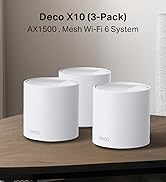
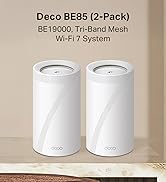
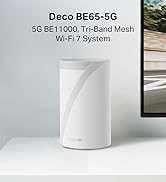
🚀 Elevate your home network to pro-level speed and security — don’t get left buffering!
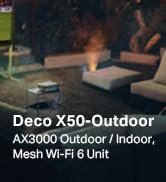
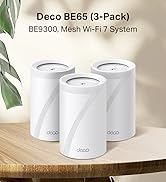
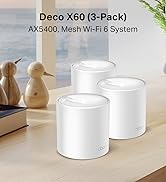
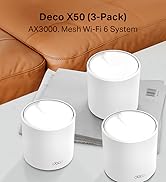
The TP-Link Deco X50 (2-pack) is a cutting-edge WiFi 6 mesh system delivering combined speeds up to 3000 Mbps with dual-band coverage. Featuring AI-driven mesh technology, it intelligently adapts to your home environment to provide seamless WiFi coverage up to 4,500 sq ft and supports over 150 connected devices simultaneously. Each unit includes 3 Gigabit Ethernet ports for wired connections, while TP-Link’s HomeShield ensures enterprise-grade security. Easy to set up via the Deco app, this system is designed for modern smart homes and busy professionals seeking reliable, high-performance wireless networking.


| ASIN | B09QMN7PRZ |
| Are Batteries Included | No |
| Best Sellers Rank | 682 in Computers & Accessories ( See Top 100 in Computers & Accessories ) 3 in Whole Home & Mesh Wi-Fi Systems |
| Brand | TP-Link |
| Colour | White |
| Connectivity Type | Wi-Fi |
| Customer Reviews | 4.4 4.4 out of 5 stars (6,070) |
| Date First Available | 18 Jan. 2022 |
| Guaranteed software updates until | unknown |
| Item Weight | 380 g |
| Item model number | Deco X50(2-pack) |
| Manufacturer | TP-Link |
| Operating System | Linux |
| Product Dimensions | 11 x 11 x 11.4 cm; 380 g |
| Series | Deco X50(2-pack) |
| Wireless Type | 802.11ax |
C**N
Solid Mesh WiFi System Even A Non-Technical Person Can Install
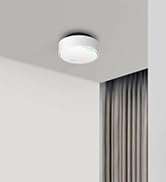
Whilst our house isn't that big, trying to get decent wi-fi coverage throughout has been difficult. With the main telephone jack located in the study at one end of the house, the signal from the ISP provided router (a BT Homehub) would drop out alarmingly by the time you reached the other end. Previous efforts to boost signal strength using powerline systems or wi-fi booster had been partially successful but inelegant and problematic. I was looking for something that would give us a stable, uniform wi-fi network that was easy to set up and maintain and also user friendly. A mesh system seemed to be the way to go. Having looked a various options in detail on-line I went for the TP-Link Deco system. Not only were online review generally positive, but I was also familiar with other TP-Link products, such as their wi-fi enabled smart sockets and smart bulbs, all of which I had found worked well. I went for the triple pack to give me a primary hub, a second hub for the ground floor and one for the first floor. Having used the Deco now for a couple of months I could not be happier with the way it has performed. Set-up was ridiculously easy, with the Deco App on my mobile walking me through each step clearly and logically and checking as we went along that everything was working as intended. Nothing failed to complete and the new network was up and running in next to no time. Since then I can't report any fault or outages. Even when we changed ISP a few weeks later and swapped modems from the Homehub to a Fritzl Box the Deco system linked up without and fuss. Best of all, because we weren't relying on the wi-fi router built into the new modem we didn't have to reset all our many devices. The network management App also works very nicely, showing you exactly what you have connected to your network at any time and allowing you restrict or prioritise access for specific devices with just a couple of easy to follow steps. Adding new devices using WPS also no longer involves rushing from device to router in order to press a button; you can do it all through the Deco App whilst standing next to the device in question. I haven't played around with functions like parental controls yet, but from a quick look they seem relatively straightforward to operate. In terms of looks, the Deco units are nicely low profile and unobtrusive. One of the things that made me reject the mesh systems offered by BT and others was the sheer size and prominence of each the hubs. Lying flat, only more than a few centimeters high at their tallest point and with a single LED indicating each hub's status, the Deco units don'r draw the eye and are easy to mask behind other objects. You can even set the Hubs to 'night mode' which automatically turns off the LEDs after a certain time of day. All in all, the Deco system has provided exactly what I wanted; a stable, uniform wi-fi network that provides coverage across our house and is easy to manage and maintain. The hardware may not be cheap, but you get what you pay for in terms of performance and user friendliness. Highly recommended.
C**W
Very simple to setup, but you have to change the Wi-Fi on everything you own
UPDATE: Changed to Sky Q because they force you too from Sky HD. The TP Link really struggles to cope as Sky Q has its own mesh for three units. Downloads, BNC iPlayer and Netflix failed to connect via TP Link Deco 5. I had to use my Amazon Fire stick on Virgin router to watch Netflix. Downloading a program on TP Link Deco 5 took 24 hours each episode. BAD! I reverted the Sky Q back to the Virgin media hub and it now functions. BUT, a power cut and it went back to TP. So block sky from connecting to TP in the app. ————————————————- Original review now. Very simple to setup, but you have to change the Wi-Fi on everything you own. This would be an issue for less bale homeowner, especially if disabled or much older, it take as lot of time and the Meross WI-FI ambient light no longer functions on the mesh or with Alexa.. Yes, everything needs to be ported and in the case of TV's and Sky, entering passwords is a right pain from the remote. It seems to work very well once setup Note the initial instructions are confusing about turning your modem off, well they meant the wi-fi and just use it as a signal decoder, not Wi-Fi I guess. Badly worded as you need a decoder on the end of the line to function. The first unit plugs into you existing Decoder or Modem ( mine is a Virgin cable system, so not a modem technically, via the phone line would be an ADSM modem). The only way to set these up is via a smart phone and the app, it is straightforward once you have registered your self on the app. The first Deco is slow to set up, the 2nd and third ones piggyback onto the first one and they remember the password. Tip: is you use a suggested password, like ~!8"^%*/ etc, oit is near impossible to type it on a sky remote and sky won't use my USB keyboard, the two Sony Tv's did however. There is no WPS button on the Deco M5, but is it asks you if you want to use WPS. HOW? Update WPS is hidden in the phone app. In use the network is good, I added a brick built front extension and the Ring Doorbell (which is mandatory) would not work when re-positioned due to the brick twin walls. My Existing TP link Wi-Fi extended AS 1900 could get a send a signal out; so Amazon laid y my package out in the rain, instead of using my parcel bin, and no Ring doorbell signal did not help. I have mounted the 2nd Deco C5 on a table near the extension, 50% signal, it was better yesterday, weirds how it changes for no reason. It will have it's own power supply in the extension when wired up. Now how does one mount it away from the all-fingers grandson? Buy a wall mount, well they are cheap plastic and ship from China, slowly at £10 each for simple plastic plate with 3 clips. Honestly, they cost pennies to make, so include them in the box. I have already paid enough guys! Frustrating, but essential. I will experiment with a windowsill siting to see if the signal to the porch is better, maybe from above is the answer. If so, I will update this.
T**Y
Good WiFI Upgrade
I bought these Deco X50 Mesh 6 as an upgrade to a TalkTalk router as this was causing issues, poor wifi in back of house and never worked well with extenders. So after much research of functionality need against price (you can easily buy something you don't need with these systems and spend huge sums!) I chose the Deco X50 double pack. Pro's Easy to set up via the app, only took me a few minutes and I am deffo not a tech or even close! Wifi signal improved a lot (have a 1911 victorian terrace on 3 floors) and having the same wifi name as previous meant did not need to reset anything eg. Computers, TV's etc. I got the double pack and then realised as good as it is, it was not really sufficient and should have got the 3 pack, so ordered another single one which paired immediately. Now have full coverage at full strength as I move around the house. The ports are also useful if needed. Cons The double pack came with 2 pin plugs so had to use adapters (very annoying) but not the end of the world, however the single additional one came with a UK plug! You will NOT get wifi any faster than your package allows for, what you should get is the max you pay for depending on placement of the routers around your home, and wall thickness. So all in all very happy, been running now for a month with no drop outs or anything.......it just works! Will likely upgrade in years to come to whatever the standard is by then, but for me this is all I need so getting a wifi 7 version would not make any difference as it gives me max speed for my package anyways with the X50 so why pay for something I don't need! Overall, would recommend if you have weak areas or use additional extenders that have different connection names.
D**R
The product is sold for delivery Belgium, but cannot be used, due to UK standard plugs, not compatible with Belgian power outlets. This is NOWHERE mentioned explicitly!!
J**Y
Pratique, simple à mettre en place Très bonne portance
J**N
Great WiFi product
M**K
Unfortunately I made a huge mistake by getting this product from the UK The power adapters are not suitable for the Australian market and I would need to buy converters. Also I am unable to get Australian power adapters anywhere They are not sold as a separate item
M**Z
Seems like this is an old/used piece. The box says it included a power adapter but it’s missing.
Trustpilot
3 days ago
2 weeks ago