


Desertcart purchases this item on your behalf and handles shipping, customs, and support to Panama.
๐ Upgrade your WiFi game with Pandaโs ultra-reliable, cross-platform power adapter!
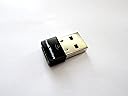
The Panda Wireless Ultra WiFi USB Adapter delivers up to 150Mbps on 2.4GHz Wireless-N networks, compatible with a wide range of operating systems including Windows 7-11 and popular Linux distros. Its compact USB design supports both infrastructure and ad-hoc modes, featuring robust WEP, WPA, and WPA2 security protocols for safe and flexible connectivity.


| ASIN | B00762YNMG |
| Best Sellers Rank | #156 in USB Computer Network Adapters |
| Brand | Panda Wireless |
| Color | black |
| Compatible Devices | Laptop |
| Compatible Operating System Family | ChromeOS, Linux, MacOS, Windows |
| Customer Reviews | 4.4 out of 5 stars 1,789 Reviews |
| Data Link Protocol | USB |
| Data Transfer Rate | 150 megabits_per_second |
| Hardware Interface | USB |
| Item Dimensions L x W x H | 5.6"L x 3.8"W x 0.4"H |
| Item Weight | 18.14 g |
| Manufacturer | Panda |
| Mfr Part Number | PAU03 |
| Minimum Required Operating System Version | Windows 7 |
| Model Number | PAU03 |
| Number of Items | 1 |
| Number of Packs | 1 |
| Product Dimensions | 5.6"L x 3.8"W x 0.4"H |
| Unit Count | 1 Count |
D**B
Good Value and Performance with Win 10
Following upgrade to Win 10 my Dell XPS laptop became unreliable on my home network. My judgment is that the network card drivers are at fault since Dell has stopped supporting upgrades for my particular laptop model. So I opted for the Panda USB device since it was low cost and among a limited subset of these products that support Win 10 out of the box. And true to their claims the device has been totally PnP. I just plugged it in and only followed the quick set up instructions (I did not install the Panda drivers from the product-provided CD). It immediately found my network, and upon logging in I was up and running with good reliability and performance. Connectivity has not been totally flawless in the month or so I've been using the device, but the number of times the connection has hanged have been very limited. Performance (processing speed) is good as I qualitatively detect no difference in web responsiveness and download speeds as compared to when my laptop was set up on Win 7 Pro and its internal net card. In sum, at this price point the device is a very good value and performs well -- so with no real issues I'll go 5 stars.
M**T
Linux Mint 15 user
I have just had this item for three days now, but so far I'm impressed. My internet service is through Verizon Wireless Mobile Broadband using a ZTE 890L hotspot. I own two laptops, one with Linux Mint 15, the other with Windows 7. My Linux laptop is the one I prefer to use the most, but I've been having serious problems with my internet connection going away. The problem was only with the Linux laptop and always when it was warm inside (over 80 F). So ordering this USB WiFi device was an experiment to see if using an alternate WiFi transmitter would solve my problem. So far, the answer appears to be yes. It has not dropped my connection once. Now for those of you running Linux, here's my experience with the install. I plugged it into a USB port, and stared at my screen for a bit wondering "OK, now what?" The next step is to go to the networking icon at the bottom of the screen. Left click to get the list of available WiFi connections. You should now have a a double list if you have WiFi built in. If you have a computer with no WiFi, then it will be a single list. If you did not have any WiFi before, you will need to right-click on the icon and enable networking and WiFi. Click on the device you wish to connect to and enter the password (if appropriate). You can edit the connection to autoconnect when the connection is available. If you have a double list, look for the set for the Ralink device. I had my connection set up to connect automatically, so it fired up BOTH WiFi devices next time I booted. Went back in (edit connection) and unchecked the autoconnect box for the original Realtek WiFi. BTW, the Panda device has a small blue light that lights up when it's working, if that helps. It looks like I have found a $10 solution to a failing built-in WiFi transmitter. I will report back if I have any problems. Update: January 2015. It began to overheat and disconnect. I replaced it with an Edimax EW-7811Un (which is working well) sold here on Amazon. I suggest if you find a WiFi adapter that works for you, keep a spare.
H**Y
Mini, Works - Take that, Airport Card!
So I switched from pc to Mac, and all was well until I realized the Airport card in the Macbook Pro would lose its wireless connection every 3 minutes. Which would be fine if I wasn't filling out a form or shopping online and clicking submit. Either I'd have to start over or get charged twice without knowing until it was too late. I called Apple customer service and found several forum topics (one over 104 pages long) with people having the same issue. I was told in no uncertain terms it was my router even though it had been replaced (now three times) and every other device (ipads, iphone, pcs, ps3s, androids, etc) connected and stayed connected without issue. The Apple customer service also tried to explain to me how the internet worked. That was a lovely call. Enter the Panda Ultra Wifi Mini! I was tempted to just go to the Apple store over and over until they replicated my issue and changed out the Airport card but who has time to sit and wait at an Apple store everyday for a month? Okay, well, I don't. This little gem of a wireless adapter saved my Macbook Pro from being a nice paperweight. I now stay connected to the internet, and imagine that, its the same router that gave the Airport card fits. Anyway, not to bash Apple, as I do in fact like my Macbook Pro, despite its wireless card issues, this Panda Ultra is awesome. I like that it blinks blue when it is connected and is so small. Set up was really easy. I did contact technical support for something and they were quite friendly and responsive. So anyone else with a Macbook Pro and a wifi card issue, get this and save yourself the hassle. Part of me wanted the Airport card to just work considering how much I spent on the Macbook, but most of me just wanted a simple solution that didn't involve Apple Customer Service. Panda is it.
J**N
Really Helped with Raspberry Pi 4 & Raspberry Pi OS
The on-board wifi adapter with this model of Pi was badly dropping connections in Raspberry Pi OS, requiring a reboot each time. I tried another USB Wifi Dongle with the Pi. The connection was stable but throughput was anemic & very slow. I heard that Panda adapters worked well with Linux distros, so I tried this one. This device has given my Raspberry Pi 4 new life. I can now video stream at 1080p & 720p instead of 360p, and file downloads & transfers are 10 times faster than before, though transfers can be a bit sluggish at times. This Panda model is highly recommended. Let me add that you still have to turn off the drivers for the Pi's onboard wifi card. Of course, backup your system and Google this for more information so that you understand what you're doing before adding this code to your Raspberry Pi OS system. Also note that this code only works for Raspberry Pi OS, as far as I know. To turn off the drivers for the onboard wifi card, create a text file using the following sudo command: sudo mousepad /etc/modprobe.d/raspi-blacklist.conf In that file, add & save these 2 lines: blacklist brcmfmac blacklist brcmutil Shutdown, plug in the Panda wireless adapter, and power on. The new adapter worked for me automatically, on a plug-and-play basis.
J**N
Panda Ultra Wifi b/g/n 150Mbps Wireless-N 2.4Ghz USB Adaptor
I give this device 5 out of 5 stars, since it completely and fully works with all three of my OS's. I triple boot OSX 10.7.5, Windows 7 Home Premium and Debian Linux 6.0 (Squeeze). The Linux driver on the install CD, as well as the one on the support website works flawlessly, although I did have to recode the config.mk to build properly. **SEE LINUX README BELOW FOR DETAILS AND HOW-TO*** Basically, add this to the config to allow for proper build on linux kernel. Tested on Crunchbang Linux (Statler, BPO and Testing), and Debian Linux (Squeeze/Wheezy/Sid) : ### INSTRUCTIONS TO ALLOW FOR SUCCESSFUL COMPILE ON DEBIAN LINUX (SQUEEZE) OR ANY OTHER LINUX THAT DOES NOT SUPPORT THIS DEVICE OUT OF THE BOX. KERNEL 3.0+ HAS NATIVE SUPPORT BTW on ANY LINUX. USEFUL FOR 2.6 AND BELOW KERNEL. ##### This device uses the RT5370 kernel module.. ******** READ ME LINUX COMPILE KERNEL 2.6.34.13 and BELOW ****** HOW TO COMPILE AND LOAD ****** Ralink RT5370 ***** usb device support. Code: This is the changes needed in the config.mk located in the WiFi Driver\Linux directory on the install CD. I used the archive utility on Linux to unpack the directory, which is named ( "2011_0719_RT3070_RT3370_RT5370_RT5372_Linux_STA_V2.5.0.3_DPO" ) The config.mk file is located in the OS directory. # Support Wpa_Supplicant HAS_WPA_SUPPLICANT=n Now change the "n" to a "y" (Without quotes of course!) Now scroll down again until you find(should be right under last one): Code: # Support Native WpaSupplicant for Network Maganger HAS_NATIVE_WPA_SUPPLICANT_SUPPORT=n Like before, change "n" to a "y". Save. Now, we have to blacklist some other conflicting drivers. Open Terminal again. Type: Code: sudo gedit /etc/modprobe.d/blacklist.conf **You could also use nano just in case you don't have a GUI installed as of yet, or VIM. Any text editor will work for this. NOTE: you can open the blacklist file with you preferred text editor besides gedit if you like. Scroll down to the very bottom of the blacklist file. Type: blacklist rt2800usb blacklist rt2870sta I'm not sure if blacklisting rt2870sta does anything, but I do it just in case. Save. Reboot (IMPORTANT TO UNLOAD/LOAD NEW CONFIGS!!) Once back in at the desktop, open Terminal. "cd" to your Desktop. Code: cd /home/YOURUSERNAME/Desktop Replace your "YOURUSERNAME" with your Linux username. Once you are "cd" in to your desktop, you need to "cd" again to your ralink folder. Code: cd ralink You can change the name "ralink" to whatever you named the folder. ***** Code: AS ROOT: apt-get install module-assistant (needed to pull in kernel headers and relevant compile tools for build) AS ROOT: m-a update (this will update module assistant AS ROOT: m-a prepare (this will install gcc compiler 4.3, make, and relevant kernel headers for proper compiler setup) AS ROOT: EXIT module assistant (return to build directory) su (to switch to root user...enter password for root at prompt for password) make clean make make install modprobe rt5370sta exit During "make", if you get warnings, don't freak out. It's ok, just basic compiler warnings..no biggie. Now, if it worked correctly, Network Manager should be able to find networks and connect to them. Congrats! You got your net working! You may or may not need to reboot after you do the modprobe of the kernel moduel, as I found a reboot unneccessary for Crunchbang and Debian Squeeze. Happy browsing!
K**Y
Works well on my old XP laptop!
I have an 11 year old Windows XP laptop which I connect to the internet via a 10 year old NetGear WG511v2 card. When I recently moved and Verizon Fios upgraded my wireless router to their latest and greatest router, all of a sudden my old laptop would not connect to my wireless network. After some frustration, tech calls, and intense Google-ing, I discovered the reason was that my old WG511v2 card did not support WPA2 network encryption, and only supported the older, less secure, WEP encryption protocol's. I was left with two options... upgrade to a wireless card that can handle WPA2, or manually switch my new router to the older WEP protocol. Sooo I tossed my old card in the trash and ordered this one which stated it works with WPA and WPA2 encryption. When it came in the mail, I installed the drivers as per the instructions on the CD it came with. I plugged in this little guy, and BOOM! I was back online within minutes. I even got a friendly email the manufacturer (through amazon) saying to contact them if I have any questions. Since set up was so easy I didnt need to call, but it was nice they did that. The only negative I have noticed thus far is signal strength. My Verizon Fios plan gives me 50Mbps/25Mbps-Upload/Download speeds. So I should be able to acheive 25Mbps since this states it can handle up to 150Mbps.. however even when I am right next to my router I get 10-15 max. This is still by far enough to browse the web, download MP3's, stream youtube, etc. However if I try to stream and browse at the same time, or while downloading MP3's, things slow down a bit. And if I am a couple rooms over or outside the signal gets even worse. I dont mind the slightly weaker signal, especially since it is a small unit and it so cheap. Plus I only use this old laptop for web-browsing and updating my iPod. All of my gaming and streaming is done on consoles or my iPad anyways. So I just needed something to connect my old dinosaur of a laptop and this did the trick. If the signal strength was better I would have given 5 stars, but all in all as long as it doesnt break, Im happy. If you want an easy, inexpensive, way to connect to networks with the latest protocols, this little adapter should do the trick. EDIT: I fixed my weak signal problem by enabling "Windows Zero Configuration" in XP. This solved my weak signal issue and now this little bad boy is giving me 70+ Mbps, which is more than enough. It also maintains good strength in adjacent rooms from where my router is. So I upped this from 4 stars to 5. Now I can keep rocking my 10+ year old XP Laptop!
J**K
Panda wireless N USB adapter -- immediate plug-n-play and totally compatible with Linux (Mint) -- RECOMMENDED!
This Panda wireless N USB adapter was described as plug-n-play, and totally compatible with Linux. I inserted this adapter into a USB slot and within a moment the system (Linux MINT 17) proudly announced numerous WiFi identifiers in the area and asked which I wanted to connect to. I typed in the security key and this cutie has been running flawlessly since. I thought I might need to provide an initial wired connection for Linux to upload the proper driver, but this Panda adapter came ready-to-use out of the box. No feedback on performance, it's within 15 feet of the router and shows 100% reception. Also sports a wireless icon that flickers a dim blue during network activity... nice visual to know it's online and working. Impressive. pain-free. A couple more of these and I might enjoy moving my various systems to other places in the house. Update Dec 2014: also plug and play with Debian, PClinuxOS, seemingly to any Debian-Ubuntu-Mint OS that I tried on an old Dell Inspiron with an AMD chip and only 1Gb ram. "Not Visible" to CentOS, simply does not find this adapter, odd as this is Red Hat based, like Fedora. Might work with these distros if on a newer PC (ie, 5 years old or less). Just a hunch. Update Jan 2015: Decided to upgrade my older wireless adapters and so compared the Panda to other brands: connect speeds are all in the same range (on my gigabit router with N150-N400 wireless), and the Panda EXCEEDED all others in signal strength, by about 15% according to my Linux network tools.
M**T
Does not work on Mac OS 10.9
The description says this is compatible with Mac OS 10.9, but the Panda Wireless website does not have the 10.9 driver. They tell you to email Panda support for the driver. Why? If it's created and it works why not put it on the website? After emailing, I got the driver and installed it. No dice. I suppose I'll be returning this. UPDATE: After uninstalling and reinstalling the driver a couple of times, I got this adapter to work, and it works better than the Edimax adapter I had before I bought this one (My issues may be related to the fact that I had an Edimax USB Wireless driver installed at the time I tried to get this adapter to work. I still disagree with their decision not to offer the Mac OS 10.9 driver on their website, but this device is good. I don't regret purchasing it. Their customer service is prompt and completely willing to help in the process of getting this device to operate properly. I give them an A-, only because I had to connect multiple times via ethernet to get the driver successfully. Once you get this product to work properly, I don't think you could find another adapter that has the same reliable connection and range. UPDATE #2: After awaking from sleep, this adapter ceased to operate at all. It lost all ability to assess any internet connection at all. It's no wonder they make you email them for the Mac OS 10.9 driver. It doesn't work. My MacBook Pro went to sleep and the adapter was inoperable. I uninstalled and reinstalled the driver. It works fine after the installation, but as soon as I awoke my computer from sleep, nothing worked again. Clearly they advertised that this adapter is Mac OS 10.9-compatible without testing. It is not at all worth messing with this adapter if you have a Mac. I'm currently using my Edimax adapter, because, although it doesn't have the best range, it's at least reliable.
N**1
Thnaks
Great product, very useful ๐
T**P
perfetta
funziona perfettamente e non da problemi, con i sistemi operativi linux. l'attacchi e funziona senza installazioni ed altre cose del genere. ottima
V**N
Panda Ultra.
Expensive but it is good in use with Tails and Mac .
J**S
Buen producto
Todo bien gracias
J**G
Todo correcto
Funciona perfectamente para sistemas linux
Trustpilot
2 weeks ago
2 months ago