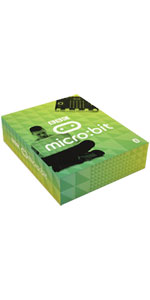
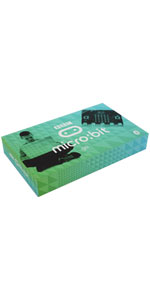
🚀 Unlock your coding superpowers with micro:bit Go – where creativity meets tech!
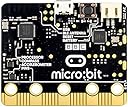
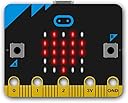
The micro:bit Go is a compact, versatile coding starter kit featuring 25 LEDs, multiple sensors (motion, light, temperature, compass), Bluetooth & radio wireless connectivity, and an edge connector for expansion. Compatible with Scratch, Python, Swift, and more, it empowers beginners and pros alike to build interactive projects. The kit includes everything needed to start coding immediately, making it a perfect gateway into programming and electronics for all ages.


| ASIN | B01G8X7VM2 |
| Aspect Ratio | Unknown |
| Best Sellers Rank | 52,962 in Computers & Accessories ( See Top 100 in Computers & Accessories ) 147 in Barebone PCs |
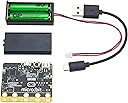
| Box Contents | micro:bit, USB cable, battery holder, 2x AAA batteries and user guide |
| Brand | micro:bit |
| Brand Name | micro:bit |
| CPU Model Number | BBC2546862 |
| CPU model | ARMv7 |
| CPU speed | 0.08 GHz |
| Colour | Original Version |
| Compatible Devices | PC |
| Cooling Method | Passive |
| Customer Reviews | 4.4 out of 5 stars 2,048 Reviews |
| Display Type | LED |
| Global Trade Identification Number | 00640522711055 |
| Graphics Card Interface | AGP |
| Graphics Coprocessor | Integrated Graphics |
| Graphics Description | Dedicated |
| Graphics Ram Type | Unknown |
| Graphics card description | Dedicated |
| Graphics co-processor | Integrated Graphics |
| Hard Disk Description | SSD |
| Hard Disk Interface | Solid State |
| Hardware Interface | USB |
| Human Interface Types | Buttons |
| Item Dimensions | 16.3 x 12 x 2.8 centimetres |
| Item Weight | 10 Grams |
| Keyboard Description | Gaming |
| Keyboard Layout | QWERTY |
| Manufacturer | CPC Farnell |
| Maximum Display Resolution | 3840x2160 Pixels |
| Memory Storage Capacity | 32 GB |
| Model Name | Bit Go |
| Model Number | BBC2546862 |
| Model Year | 2016 |
| Native Resolution | 3840 x 2160 |
| Network Connectivity Technology | Bluetooth |
| Operating Systems | Windows 10 |
| Operating system | Windows 10 |
| Personal Computer Design Type | Mini PC |
| Power Plug Type | No Plug |
| Processor Brand | microsoft |
| Processor Count | 1 |
| Processor Series | ARMv7 |
| Processor Socket | DIP |
| Processor Speed | 0.08 GHz |
| Product Features | Motion sensor |
| Product Warranty | 1 year manufacturer |
| RAM Memory Installed | 0.13 MB |
| RAM Memory Technology | DDR |
| RAM Type | DDR DRAM |
| Ram Memory Maximum Size | 1 GB |
| Resolution | 3840 x 2160 |
| Speaker Description | built in |
| Speaker Type | Built-in |
| Specific Uses For Product | All Ages |
| Specification Met | Hazardous: No |
| Style Name | BBC Micro:Bit Go |
| Total Expansion Slots Quantity | 1 |
| Total USB Ports | 1 |
| UPC | 640522711055 |
| Unit Count | 1.0 count |
| Video Output | HDMI |
| Video Output Interface | HDMI |
| Video Processor | Intel |
| Wireless Compability | Bluetooth |
| Wireless Network Technology | Wi-Fi |
| Wireless Technology Type | Bluetooth |
N**E
The Micro:bit Go is a wonderfully cheap introduction into programming for kids and adults alike.
The Micro:bit is a great introduction to programming and teaching kids how to code, you do require a computer or a tablet to do the programming to download your code to the Micro:bit. You can start off using the simple Micro:bit Blocks development language on the Micro:bit website but as you progress you can switch to other languages such as Python, Swift, Java and others.. some of the main languages used to develop software in industry. The Micro:bit has buttons, an accelerometer, a LED display, a compass, Bluetooth and the ability to connect and control other components such as motors, servos and sensors. The beauty of the Micro:bit is that kids can write a program, download it to the Micro:bit and then using a couple of AA batteries power the board and show there friends, independently of the main computer. You can write simple games, create electronic projects and work your way up to small but complex programs. I've used a Mac, PC and an iPad to program the Micro:bit all very easy to do if you follow the instructions. It's fun and has bags of potential for not a lot of money. Loads of support and example programs online. Hopefully you find the review helpful 👍
H**L
Good for learning coding!
I bought this for my son who is studying microbits in his first year of high school. I would highly recommend! It has encouraged him to have a go at home and seems easy enough to operate on his own. The bbc website has loads of ideas on how to use it and he has been working his way through these. It has helped his school work massively in IT and given him an interest in coding. Worth every penny!
T**A
Good, simple programming device
well lit with its 25 leds on the board with simple features. Bluetooth works well with computers when you use Scratch (needs scratch link). Not recommended for tablet use
G**R
Great for kids... big ones too
I got this to get my youngest excited about coding (he's seven). We've had some great fun with it and have even attached a Snowman (SnowPi RGB, on Kickstarter - great product). I'd thoroughly recommend this to any aspiring coders (or their parents). The BBC website has great support, with both Scratch style coding and Python coding as an option. It's a doddle to get going with, and there's a growing number of accessories. With the second generation model coming out soon, the future is bright for this little computer.
C**N
Micro:bit board let down by no switch battery pack
The microbit is great but the battery pack supplied with this package has no on/off switch to power off. This is a significant missing as the JST plug connection to the board is not intended to be pulled in and out on a routine basis. It's fiddly and only a matter of time before something breaks or a lead comes off. Better to buy the microbit as a stand alone item and purchase a separate 3rd party switched battery pack of which there are several available. I have since bought Kitronic's MI: power board from Amazon supplied by Utronix which is excellent and can't see myself ever using the Micro:bit go's supplied battery pack. I would give the Micro:bit itself 5 stars but the battery pack only 1 star. For this reason only 3 stars for this kit.
M**E
Son loves it
Brought for son to use. As he likes to design games on scratch. Great value for money. And he loves it
D**R
A real opportunity for young people at the beginning of a revolution
Great little device, to introduce young people to a level of computing that will be the basis for our immediate future, as we start to find micro controllers in every thing we own. BBCMGo is very easy to use, does interesting things out of the box, yet has the potential to do many many things with minimal additions. As an old fogey who had to build his own first computer in the 1960s out of transistors and other discrete components, I envy young people discovering the technology at the beginning of another revolution. Its also a lot of fun for me!
M**R
Get Hooked Onto Programming.
This is what the Raspberry Pi should have been. I was up and running in seconds, following the very clear instructions. It does something compelling straight out of the box. I loaded Python and there was a full detailed tutorial. I reached this stage in less than 5 minutes and had a programme I had edited running a new message on my MicroBit. Now I am ready to get back into programming. Just like my experience with an Amstrad CPC464 in the early 80s. It is that, I think Raspberry Pi wanted to emulate, but the steep learning curve of a miniature computer really missed the point when I tried it with my (then 15 year old) son. This, however, really does the job. Hooked onto programming in a few minutes with something that does amusing and intriguing things from simple programmes straight out of the box.
Trustpilot
2 months ago
5 days ago