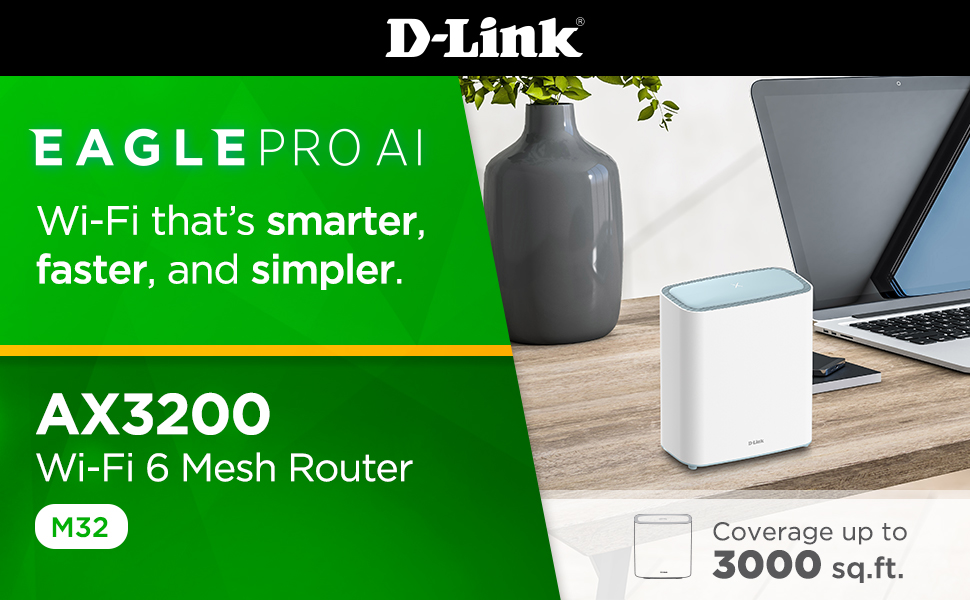
🚀 Elevate your home network to pro-level speed and control — because buffering is so last decade!
The D-Link M32 Eagle Pro AI AX3200 WiFi 6 Router delivers next-gen wireless speeds up to 3200 Mbps with advanced features like OFDMA, MU-MIMO, and 8 simultaneous streams. Its AI-powered optimization ensures peak performance and reliability across 3,000 sq.ft coverage. Compatible with Alexa and Google Assistant, it offers intuitive app-based setup and robust parental controls, making it the perfect smart router for modern, device-dense homes.


| ASIN | B0B9QPTQP1 |
| Best Sellers Rank | #161,070 in Electronics ( See Top 100 in Electronics ) #1,126 in Computer Routers |
| Customer Reviews | 4.0 4.0 out of 5 stars (606) |
| Date First Available | February 12, 2023 |
| Item Weight | 1.09 pounds |
| Item model number | M32 |
| Manufacturer | D-Link Systems, Inc. |
| Product Dimensions | 6.5 x 2.8 x 7.31 inches |
J**E
Great for multiple devices!
DLink has never let me down over the years this is replacing an old gaming version of a N+ Dlink that finally crashed enough after 10 years of service. This was easy to install and with the app you can control your router. This also means who goes on your router and etc. while you are connected to the router. No crashes and it is a great product for multiple devices. Having control from the phone will having you feel like the architect from the Matrix... in your home. You have no access into the Matrix. Clean your room.
M**R
Easy setup as extender with Xfinity router, and delivers strong signal!
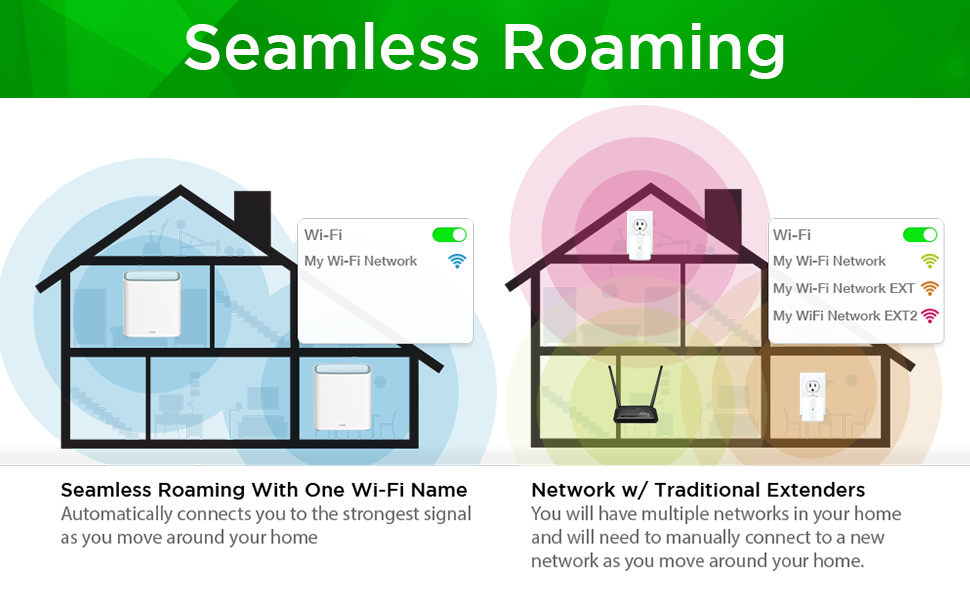
It was very easy to set this up as a mesh extender used with the Xfinity router. Does just what is expected: makes a fast connection with the router and then provides strong, fast signal to the extended area. Uses the same SSID and password as the router (picked it up automatically from the router). Once started it automatically started picking up connections to devices on our network and improving their connection. That includes our main TV (Samsung) and a couple of the Xfinity boxes in our house. All of those are visibly faster! Like, a lot faster! Loading up an app on the TV (e.g. Netflix or Prime or Max) goes so much faster it is astonishing. Well worth this price.
J**X
Not too shabby router
PROs: Quality 12v 2a power supply. FAST service router. Configurable WAN GW throughput (goes up to 1GB). 2.4ghz & 5Ghz bandwidth. Easy setup IF, you are a techie person (3.5 mins). Configurable SSIDs for each bandwidth (5g or 2.4g). CONs: Tricky to get the feel of the configs initially. 5GHz bandwidth is tricky to setup for Samsung phones. You must use the higher channels or those phones wont see the 5ghz SSID (trial and error). Use 157 and over channels for 5ghz. If you set it to use auto mode, it will default to the lower channels and will NOT broadcast the SSID. Wifi range is about 3000ft, IF there are no obstructions !!! Configuration settings are limited. The time to boot and time it takes the save the configs are extremely long (like over 150 seconds). Unable to limit the Wifi mode to the latest (AX/AC/N). It s either ALL or in the middle or individual which makes no sense. Verdict: If you are on a budget and have patience, this a good buy. Its obviously NOT the greatest and that is really because of the available config settings and not the physical device !! IF D-LINK makes these changes via firmware update then you will really come to love this router.
K**E
One of the worst routers I have ever had the misfortune of using.
I used to have a D-Link router years prior to this, which is why I chose to go with this model after my Asus router died a while back. What a mistake! The configuration menus are designed for smooth-brained casual consumers and don't have any of the advanced features the old routers had. Additionally, every once in a while (around 3-4 times so far owning this product) I have woken up to the router being completely unresponsive. I literally had to go downstairs and hard-reset the device before it started working again. What a joke! I've never in my life had to do this for a router before this often. On top of having these issues, the performance is complete garbage. Not even considering the wi-fi performance, even having my computer plugged directly into the router, I was unable to even stream 1080p@60hz video. The video just kept cutting out and buffering, and eventually downscaling to 480p@30hz. I KNOW FOR A FACT it must be this product causing the issues, because I plugged my PC directly into the wired network which the wi-fi router was using and all the above issues ceased. DO NOT BUY THIS GARBAGE!
M**S
worked fine for a while
had the system for almost a year and it just froze. not talking/listening won't respond to resets or anything else, just a brick. on edit- - - 5/11 the tech service people know their stuff. the tech walked me through a reset (had to do twice) and got the system working again. THANK YOU! i also adjusted the rating from a 3 to a 5 star
O**E
Fast when and where it works... with many issues...
Update: I had to move this to a switch as having in plugged directly into the router or another AP was again causing timeouts... for now the issue seems to be resolved -- but give it another day and I am sure everything will change. --- I ordered this 3-pack to replace my DLINK M15 extenders... assuming from the reviews that I read at other sites were correct and this was just a fast upgrade. Unfortunately, none of the issues with the M15s have been corrected and this model is even more buggy. I intended to use these as extenders for a second WiFi network... but I lost much of the speed with another AP, so I put one of these in place as the extender... though since it was in mesh mode, it took my existing WiFi network down as well as it reprogrammed my M15 extenders to join the mesh. It took almost 10hours to determine the issue and to fix it properly by turning of mesh and reconfiguring all extenders to the proper network with a factory reset. I tried to make the mesh work with all DLINK mesh devices as they were recognised, but there were too many issues to resolve. Supposedly, all of these should be able to extend a network to another network name on 2.4g and 5g channels (as it works on M15s). I determined that these would not consistently configure as my M15s did though with WPA3 with the master AP and extending to a different SSID with WPA2... sometimes it would work temporarily, but sometimes it work accept the configuration, reboot, and no longer function. If it did not function, a system reset would work though the default password no longer would work. This issue caused a return as DLINK support wanted me to ship it to them for warranty repair. I cannot recommend the US support as they do not respond to online tickets or chats and they will only lookup those tickets after you are on the phone. For the nodes that I managed to implement as a master and extenders, I was able to get much lower latencies and about double download speeds as compared to the M15 kit... though this is due to the unique nature of this set as they split the increased 5g AX bandwidth into a dedicated backhaul with two of the four antennas. Unfortunately, this did not work well with any other brand nor model of DLINK equipment. When initially doing setup, I tried the Eagle AI app. Unfortunately, it still does not work if you want to setup any device as anything other than the master router directly connected to an internet connection -- even then I could not get it to work with TMobile nor Spectrum. I then tried the web interface setup... interestingly, this required connecting to the WiFi as it would not allow initial setup from the ethernet ports. After setup as a non-mesh router so that I could use it as an AP, there seemed to be many other options that I had to keep going back to change (aside from the initial DHCP stated in the online help document). It seemed to cause packet storms and routing issues, until I disabled the SmartConnect (to allow channel selection besides AUTO) and the AI Optimiser. While these could cause connectivity issues, I am unsure why they would take down my routing tables as well as my switches. After you get the first node setup (only with WPA2 as WPA3 disables WPS), you can have the other nodes join the new network by pushing the WPS button on the master for 5sec, followed by the new node for 5sec... just be sure that you have them setup as you need for mesh or non-mesh before joining. Otherwise, you can use web setup and install the extenders with WPA3 and configure everything manually... though you will still want to review the ones setup with WPS as the time servers and other autoconfiguration details are likely not perfect. Placement was something that caused another intermittent issue. While all of the nodes had a white light which means an excellent connection, they would often lose connectivity or have tremendously long latencies which would interrupt the entire network instead of just the one WiFi network. There are no included tools to analyse the configuration nor signal for placement during setup nor while in use. I also found that most of my other issues were caused by being unable to setup the WiFi channels and the auto optimise... so while I could disable these, DLINK should allow you to lock your WiFi channels whether in Mesh mode, Smart Connect mode, or neither. These two issues are amplified in older houses with thicker walls and brick. While I like the idea, DLINK is not good at implementation anymore. They really need to solve issues with the configuration options, the setup, the app, their customer service, and device interactions with their own products. The speed and latency are much better when it works... but trying to use one as an AP in router mode is very fraught with peril... as is placement and setup... just avoid the app altogether until everything is working and then you can use it for monitoring if you like. Avoid customer service as well... and may even the product if you have older Eagle AI or DLINK mesh products as these may not function together as one expects. I used to be a diehard DLINK fan... I dropped the cameras first due to issues, then everything except the routers, then finally the routers. I was hoping that they could make a comeback with WiFi 6 mesh... but so far, even if I can make these work, most end users may not be able to do so. I am therefore rating these three stars. As always, your mileage and preferences may vary...
J**I
Awesome
C**T
Artículo sin actualización desde 2021. Por lo que algunas funcionalidades, ya no son compatibles (por ejemplo: la prueba de velocidad integrada) Extremadamente restringido en cuanto a opciones, configuración y compatibilidad. Material de muy baja calidad, lejos de parecer un router decorativo, parece un juguete mal terminado. Pésimo rendimiento. Olvídate de jugar si alguien abre un vídeo o descarga un archivo. La velocidad se ve extremadamente restringida (y eso que es una línea 100/50 de fibra óptica)
N**R
I had a previous good experience with this item but Unfortunately this time although well connected it didn't improve my signal at all even with devices located very close in same room
T**.
Hands down this is the best router I've ever owned/used. Setup is incredibly simple, using any device you have. WiFi connections are strong and fast. Coverage is amazing, no drop zones throughout my 3 level 1500 sqf. house and outside patio, it doesn't cover my whole property but does provide more outdoor coverage than I've had from any other router I've had in the past. There are dozens of other networks around me, this router deals well with frequency overcrowding, automatically scanning the environment and adjusting itself once a week. I've only had to manually reset this router 4 times since June, 3 of those times in one day because of ISP issues. It works with Alexa I know that for sure and I think it works with whatever Google is calling their assistant now. (Some may notice the ASUS router in the pic. I turned the WiFi off and use it for my wired devices in my entertainment unit.)
G**B
UPDATE. OCT. 3.25. ONE OF THE THREE UNITS no longer works!!! ONLY BEEN IN USE FOR 16 MONTHS. VERY DISAPPOINTING. Previous:We have had these for a while now. Basically they work well. They are very hard to get working again after a power outage. It takes several attempts to get them up and running again after a power outage, this is very frustrating.
Trustpilot
2 days ago
1 month ago