Desertcart purchases this item on your behalf and handles shipping, customs, and support to Panama.
🚀 Unlock your data’s full potential with TERRAMASTER D6-320 — where speed meets scale!
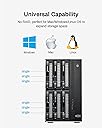
The TERRAMASTER D6-320 is a robust 6-bay external hard drive enclosure designed for professionals demanding high-speed data transfer and massive storage capacity. Featuring USB 3.2 Gen2 with up to 10Gbps throughput, it supports six SATA drives up to 22TB each, totaling 132TB. Its plug-and-play compatibility spans Mac, Windows, and Linux, while hot-swappable bays and an intelligent cooling system ensure seamless, reliable operation. Ideal for data-heavy workflows, this metal-encased enclosure balances performance, scalability, and convenience with a 2-year warranty backing.


| ASIN | B0BZHSK29B |
| Best Sellers Rank | #15 in Enclosures #930 in Data Storage |
| Brand | TERRAMASTER |
| Built-In Media | Hard Drive Enclosure |
| Compatible Devices | Windows, Mac, Linux |
| Connectivity Technology | SATA, Thunderbolt, USB |
| Customer Reviews | 4.3 out of 5 stars 114 Reviews |
| Data Transfer Rate | 10 gigabits_per_second |
| Enclosure Material | Metal |
| Hard Disk Form Factor | 3.5 inches |
| Hardware Interface | USB 3.2 Gen 2 |
| Hardware Platform | Windows, Mac, Linux |
| Item Dimensions L x W x H | 8.58"L x 5.12"W x 8.9"H |
| Item Weight | 4.1 kg |
| Manufacturer | TERRAMASTER |
| Material | Metal |
| Mfr Part Number | D6-320 |
| Model Number | D6-320 |
| Product Dimensions | 8.58"L x 5.12"W x 8.9"H |
| Supported Devices Quantity | 6 |
| Warranty Description | 2 Years |
A**U
Plug-n-play. Easy to use. Packaging however not spot on.
From the moment the TERRAMASTER D6-320 External Hard Drive Enclosure arrived, it promised simplicity and efficiency. Designed to partner seamlessly with large-format hard drives, it sparked excitement for what was to come. However, tech's unpredictable nature soon unveiled itself – a USB connection issue surfaced, casting a shadow of doubt. Was it the enclosure or something else? The plot thickened when the hard drive, purchased separately, was discovered dead on arrival (DOA). Here, Terramaster shone brightly, their customer support stepping in like the heroes of our story. They facilitated a swift return and replacement through Amazon, showcasing their commitment to customer satisfaction. Yet, the twist in our tale – the same USB mystery reappeared. Despite this, the enclosure soldiered on, functioning as intended, a testament to its resilience and quality. The only hiccup? A missing protective sleeve in the second shipment, a minor blip that required a dash of creativity to solve. In the end, the TERRAMASTER D6-320 External Hard Drive Enclosure stands as a beacon of reliability, backed by stellar customer support. While the journey had its ups and downs, the product delivered on its promise, albeit with a gentle reminder: in the world of tech, sometimes, you have to expect the unexpected (and maybe improvise a little). Pros: Reliable performance Exceptional customer support Cons: Potential USB connection mystery Packaging inconsistencies Final Verdict: A great product with a few quirks, the TERRAMASTER D6-320 is for those who value reliability and are ready to tackle minor challenges head-on. It’s not just about the destination but the journey – and this journey, with its mix of trials, tech, and terrific support, is well worth it.
A**R
Solid and reliable with excellent speed. Worth the price.
This is the third 6+ drive enclosure I'd tried. The first two kept suddenly failing and disconnecting from the PC while writing which required a partition repair repeatedly. They were 2/3 the price, but were garbage. Terramaster is solid and much more compact than the previous units. I did have to buy a USB C to USB A Cable 3.1/3.2 Gen 2, which works great with excellent speed. Ordered a second TERRAMASTER D6-320. Don't go cheap on these enclosures and you'll save money.
C**E
Nice DAS. Performs well. Attractively priced.
Bought in July 2024. Still working very well. Great price for a 6 bay DAS. I'm using with Win 11 Storage spaces. Two of the drives are set up in a RAID 1 config. The others are in a single drive config. Performance is very reasonable over USB 4. However don't expect super speed. If you REALLY need high performance use an internal SSD directly connected to the motherboard. I just need plain vanilla storage in a large volume with RAID configuration options and this serves me very well. To date, the drive configs have been stable with no issues. See enclosed benchmarks. I'm driving the Terramaster D6-320 with a Geekom A7 mini PC. I've moved from a tower case with a 750W power supply to the Geekom A7 and the Terramaster D6320 and I'm VERY happy. This config runs at a fraction of the power draw of my tower and is MUCH quieter.
J**J
D6-320 off to a good start
I bought this to use with a mini pc as sort of a poor man’s NAS. Being used with Windows 11, drivepool and snapraid. I have four HDD and two SSD in two different pools (each serves its own purpose). Windows saw all drives and drive pool created my two pools without issue. So far it runs quiet and cool. Nitpicks: screws for the drive sleds are tiny but on the upside the included screw driver is magnetic. The lights on the front are bright and not easily covered by tape. The power button is like looking into the sun at night, but that one thankfully is easily covered. It would be nice to have the option to disable status LEDs. Over a solid deal in a good footprint from Terramaster.
X**X
Underwhelming build quality
Reviews for Terramaster products over various tech and computer communities were fairly positive. After receiving this item, I am disappointed in the build quality of the Terramaster D6-320. It is optimized for cheapness, while using good chipsets. The drive trays are made of thin metal, and you have to add a thin insert that is included to protect the hard drive PCB from touching the metal drive tray. But the thin insert barely covers all the areas where the PCB may touch, leaving zero room for error. The mechanism to remove, insert and secure the drives are good. Although the instructions seem unclear whether I need to use screws to secure the drives, and if I should use bottom screws or side screws. After installing five drives, upon powering up, I am faced with vibrating and rattling side panels because they are so thin. They stop after a while and some pressing. winsat test shows about 150-160 MB/s for read and write to one drive. Drive cooling compared to a Syba is inferior. The same drives run about 1-3 degrees Celsius higher. It seems to use ASM235CM USB-to-SATA bridge, does not use a port multiplier, possibly uses separate bridge device for each drive, so good components overall. Ultimately, I think I should have stuck with the newer revision Syba.
B**L
MacOS - this is the one (Windows and Linux also)
Not all enclosures play nice with Mac, this one does. Finding Thunderbolt, is rare, but also that has 6 bays & can handle 20TB drives is harder than you would think. This one handles all of that, and does it well. My only issue is that 10gbps is slower transfer than I hoped for, really wanted 80gbps, but TB5 enclosures are very rare. Even TB4 is very rare at this time. I appreciate the build quality, very solid, the box has some heft to it. The drive trays are all metal, slide in HDD, add 4 screws in the bottom to ensure rock solid stablity. The drives use the lever/latch method, which I prefer, really adds a solid feel and connection, which gives you easy access, and a solid lock down. Power supply meets the needs. The cooling fans keeps things cool, but run quiet. This box is compatible with macOS, Windows and Linux - options abound.
E**C
Works extremely well on Linux
Works extremely well. I was able to add six old hard drives that I had laying around, and access them on my PC running Linux Mint (I did have to add two udev rules to authorize it so it would mount, but that's not too hard). Quality is good, and the drives sit snugly in the enclosure.
J**N
Good customer service after encountering hardware issue
Edited 11/2025: * Terramaster provided two USB cable (A to C) and (C to C). After replacing the cable it has resolve the instability issue. Thus far the system has been stable for the last week. Currently rebuilding the RAID10 array. Edited 10/2025 1/5 Stars: Critical Hardware Failure - Unstable Under Load, Not Safe for RAID Model Purchased: Terramaster D6-320 (Direct Attached Storage) I purchased the D6-320 to host a large 6-disk RAID 10 array. While the initial setup was fine, the enclosure has proven to be critically unstable and unreliable under load, making it unsuitable for any data storage that requires integrity and redundancy. The Core Problem: The enclosure repeatedly suffers from intermittent disk dropouts, which is evidenced by repeated failures in my mdadm RAID 10 array (/dev/md127). The array first went degraded when three disks failed spontaneously. After successfully re-assembling the array, the subsequent resync process (which puts high load on the hardware) failed again at 84% completion, taking out three different disks, two of which were previously stable. Crucial Troubleshooting Steps: To rule out drive or power issues, I performed extensive testing: * Reseated existing disks * I installed a new set of disks. * I swapped the unit's power adapter for an alternative power supply. The failure pattern remains consistently repeatable whenever the array is under heavy I/O load. This conclusively proves the issue is not with the drives or the PSU, but with the D6-320 enclosure's internal components, specifically the drive backplane or the host controller. Conclusion: This is a fatal hardware flaw. A storage enclosure that cannot handle a simple array resync is not fit for purpose and poses a serious risk to data integrity. I am now forced to initiate an urgent warranty claim for a replacement. If you plan to use this enclosure for a critical RAID array, be warned: this model appears to contain a hardware defect that makes it fundamentally unreliable when stressed. Look elsewhere for stable, redundant storage.
J**.
Works well
Good specs. Well made. Everything works. I wish the box has better sound proofing. HDD clicking noise is amplified by the tin box.
T**N
Excellent DAS
Excellent DAS, simple design and setup. Plug and play. Bought an extra long usb c cable so it sits in the server cabinet and out of the way.
K**N
So easy a 5 year old could do it
Well I had 5 external hard drives hooked up to my server, I ran out of electrical outlets so I wanted something to change that. This was seamless, I shucked all the external drives and popped them in. Connected the USB-C and started up the server. All drives remained the same drive letter and I was back in business. I added some foam on the bottom as the hard drives have quite a bit of vibration when spinning (Enterprise drives) and this reduced the noise to nothing. Transfer speeds/read write are limited to what the drives can read/write and not what the controller/interface can handle. Overall great product, solved my needs, simple to setup, and I have a free bay for later expansion. The hot swappable feature is also very nice to have.
S**E
Working well so far
I only have two large Seagate Ironwolf Pro drives in it so far but everything has been running nicely for the last few weeks. I’m using this with ZFS for my Proxmox host running on an Intel NUC, so this drive bay is great for this since I don’t have any internal expandability in the NUC for storage apart from its built in M.2 drive. Would be nice to have USB4 speeds for when I put two SSDs in a mirror configuration in too but at the moment I’m not close to saturating the 10 Gbps so can’t really complain. Anything like that is at least twice the price at the moment too so this chassis is great for the price.
F**H
Good but make sure update for server
Didn't work with SMART testing. But after firmware update it now fully functions. Refer Terramaster website for program to update for server compatibility.
Trustpilot
1 month ago
1 month ago