
Desertcart purchases this item on your behalf and handles shipping, customs, and support to Panama.
🚀 Upgrade your home network without rewiring—speed meets simplicity!
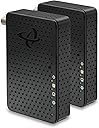
The Hitron HTEM5 MoCA 2.5 Network Adapter 2-Pack leverages your existing coaxial TV wiring to deliver up to 2.5 Gbps wired Ethernet speeds, ideal for high-bandwidth applications like 4K streaming and gaming. Designed exclusively as a network adapter (not a modem or router), it requires an active internet connection and compatible coax wiring (cable TV, not satellite). The kit includes two adapters, Ethernet and coax cables, and power supplies for easy plug-and-play installation, supported by free technical help to ensure optimal network extension across your home.


| ASIN | B0C47MJT83 |
| Best Sellers Rank | #71 in Audio & Video Connectors & Adapters |
| Brand | Hitron |
| Built-In Media | 2 Power Supplies, 2 Coax Cables, 2 Ethernet Cables |
| Color | 2 pack |
| Compatible Devices | Desktop, Game Console, Laptop, Requires existing network equipment, Smart TV |
| Customer Reviews | 4.3 out of 5 stars 457 Reviews |
| Data Link Protocol | Ethernet 2.5 Gbps |
| Data Transfer Rate | 2.5 gigabytes_per_second |
| Hardware Interface | Ethernet |
| Item Dimensions L x W x H | 4.33"L x 2.76"W x 1"H |
| Item Weight | 110 g |
| Manufacturer | Hitron |
| Number of Items | 2 |
| Number of Packs | 2 |
| Product Dimensions | 4.33"L x 2.76"W x 1"H |
| UPC | 860009155343 |
| Unit Count | 2 Count |
M**L
Can’t run Cat6 or open walls? This is the perfect solution
These MoCA 2.5 adapters worked perfectly for my setup. I needed a fast and stable connection in a room where running Ethernet wasn’t practical, and this solved the problem instantly using the existing coax cables in the house. Setup was quick and straightforward—plug in the coax, connect Ethernet, and the link established immediately. The connection has been extremely stable with excellent throughput, making it perfect for streaming, gaming, large downloads, and working from home. As a cable technician, I’ve worked with coax networks for years and was impressed with how well these adapters performed. I tested them in a 100-year-old house using older copper-braided RG59 coax and was still able to achieve over 1 Gbps throughput with zero packet loss, which was really impressive considering the age of the wiring. I’ve used these both to extend Wi-Fi coverage by feeding another access point and to connect a network switch for additional wired devices, and they’ve worked flawlessly in both scenarios. Latency has been low and the connection has remained stable with no drops. The build quality also feels solid and well made. One note: if your coax cable is damaged, corroded, excessively long (150+ ft), or already had signal issues before installing MoCA, you may experience connection problems. In most cases that would be related to the condition of the coax line itself rather than the MoCA adapters. If you already have coax wiring in your home and want near-Ethernet performance without opening walls or pulling Cat6, MoCA is an excellent solution and these adapters deliver exactly what they promise. Highly recommended. ⭐⭐⭐⭐⭐
G**M
Best use of the old cabling! Fast speeds!
My daughter was complaining of the WiFi but she did not have any Ethernet drops in her room but had a single cable connection so ordered this set and she is loving the speeds! The speed test is in the 900s (I have gig Fios) with low ping and latency times. Very easy to setup. In her room, just plug this into the cable outlet and her computer (plus add power). In the basement, connect the other one to the other side of the cable (it’s a direct run) and then into the switch for the router. Works beautifully (with one windows caveat). The hardest part of the install was finding which cable in the next if cables in the basement. I used one of those “tone” devices. Connected the tone generator in her room and then used the wand side to identify the cable. Without that, would have been a lot of trial and error. On the Windows install, I was running a Speedtest and noticed Windows would lose internet access. So I ran a ping -t to the router and kept doing the speed test. That told me windows was having an issue. To resolve it, I turned off the power savings on the Ethernet port and it’s been stable ever since. While a little pricey to do the whole house, for specific places this is great!
A**R
Worth Every Penny!
OUTSTANDING! Solved my internet connection problem! Instructions for set-up were very easy to follow!
C**D
It works!
Bought the pair since I was getting rid of broadband and going to TDS fiber instead. Everything comes into my house in the basement and my router is on the main floor in the middle of my home. So why not use the existing built in coaxial cable to get my fiber signal to my living room router. It works! They ran the fiber wire inside to the ODN unit. Then I setup the ODN to MoCA via ethernet. Then MoCA to my living room coaxial line via coaxial where I joined them with a barrel connector and removed it from the coax splitter it was attached to. In the living room I connected my coaxial input to the second MoCA unit via coaxial and then connected that to my router via ethernet. All hardwired directly to my Router directly from the ODN where there is very very little speed loss. I’m really impressed.
K**N
Never again
I just wasted 3 weeks trying to troubleshoot my network packet loss. I decided to expand my network by purchasing two pairs of HTEM5’s. I have worked with moca several times in the past, so I am familar with how they work. Around the same time I installed these adapters, I was also swapping out a few other items. About a week after installation, the stability of my network plummeted. I was hitting random packet loss within my network. After many many hours of isolating portions of my network did I realize it was the two sets of HTEM5’s that were problem. I swapped my actiontec 1gb moca adapters back in and havent had a single problem. I will never buy another Hitron product again
K**K
Works as Advertised So Far
I moved my office setup to my unfinished basement where I have no ethernet cable feed from the Xfinity router upstairs on the first floor. I can get a pretty good wireless connection, but I have too many devices that I want/need to have a fast stable network connection. My main Xfinity cable connection comes into the basement and then splits to the rest of the house. Thus, I heard about and researched MoCA 2.5. The set of devices arrived packaged neatly and in good shape. If you've done your research on how to setup a MoCA network, then the connection of the devices will be pretty straight forward. I purchased new coaxial splitters rated for use of MoCA to ensure that the network to work properly. Also, you will need a MoCA PoE filter device, sold separately, on to the main cable TV/internet cable that comes in from the outside from your cable company. This needs to be added BEFORE the first split in the house. This prevents your network signals from leaking to the outside via the coax network. Once setup, my MoCA devices and network switch all indicated that my network was running at 2.5Gb/s. I was happy. The only bad thing that I encountered was the lack of instructions on that you may need to make changes on your router. There were no indications on the small "Get Stared" card included in the box. Upon initial setup, connecting the MoCA knocked out the wireless and wired Xfinity network. After about 45 minutes of Googling, I finally read that the Xfinity router has a setting for MoCA in its advanced settings which is not easy to get into. The MoCA setting was already "Enabled" but the things were still not working. More Googling. Eventually I read that with some MoCA devices if the router's MoCA setting is enabled, the network may not work because the MoCA devices could be trying to push Its own signal and would conflict with the router's setting. I changed the Xfinity router's MoCA setting to "Disable" and the entire network ran smoothly. It would have saved me a lot of time and headache if the instructions included some information about this. Otherwise, I am very pleased that I have a wired ethernet network in my basement via the existing coax cable network in the house.
T**V
It just works.
I last tried MoCA adapters back in 2013 with mixed results. Seeing these newer MoCA 2.5 adapters I decided to give them another shot. I have Spectrum 2GB internet and I now get a full 2GB upstairs which is superior to my wifi mesh system. Easy setup, with clear instructions. If you have an older house with a jumble of coax wires mixed in with defunct DTV wires and splitters a coax continuity tester will be your best friend. With these you can have a full speed connection at the farthest point in your home as opposed to a weaker mesh signal. You can plug a device directly into the adapter or you can plug in an access point to maintain a high speed connection in hard to reach places as long as their is a coax drop nearby. It just
T**O
Quick installation
When I purchased these, I was in the process of transitioning from Xfinity to Ziply Fiber. The house contains coaxial lines in every room and they have worked well when working from home. After putting the POE filter on and updating a few splitters, it connected to the system right away. I had to force IP addresses, on the router, because they were drifting when a wifi extended was being configured. Make sure the primary device is the one that is connected to the router or next to the cable modem (if you are using the splitter method). I'm getting ready to buy two more. This system is running in 1gb for now. I installed a Netgear Mesh adapter (wifi 6) in a dead spot in the house with the moca adapter. It now broadcasts in Wifi 5 throughout the property without any dead spots. Since switching the system, from Xfinity to Ziply, I had to add uninterrupted power supplies for each adapter. Once was already on the data center end but one was added to the network equipment side since there were several drop offs happening. That did the trick. An APC BE425M works. That is one of the lower end models. I replaced all the network cabling with CAT8 since the included cabling was too long but the included cabling does work well. I replaced the splitters with the recommended frequencies. The wiring was configured, in the same way the documentation suggested on the three way splitter area. I only had to replace 2 coax lines due to length and thickness. Make sure you don't run live coax lines with excessive length. The shorter they are, the better off you will be.
C**A
Excellent product
This product is excellent. Was having Wifi issues with “Smart LG TV” which was downstairs and through a few walls and one floor. Since coax jack was nearby I used this MoCA to basically hardwire the Smart TV so it receives internet signal over hardwired ethernet. No more dropped or glitchy signals. Quality product for good price. Easy setup, easy setup instructions. You need two MoCA’s to do this and having a 2 pack was handy. Comes with 6’ ethernet jacks (2 of them), power plugs/adapters, and 6’ coax cables (2 of them). Would buy product again.
J**.
Puertos 2.5Gb
Me sirvieron para interconectar 2 switches con puertos a 2.5Gbits la ventaja es que ya había cable coaxial y era complicado poner un cable ethernet, el precio me pareció un poco elevado.
G**R
Fantastic solution to turn coaxial instillation into a Ethernet LAN connection
Does whatnot Dayz in the box Easy and simple to install Really helps when you renting and can’t run your own plan cables and there is existing coaxial installed. Great solution Side note: This unit won’t let u send tv and Ethernet at same time it would need to be one or the other so if u need tv and Ethernet some models do that.
Y**.
In house ethernet solutions
This unit arrived on time and worked correctly and was easy to commission....
J**E
USA plugs. USA Import duty.
Technically these work but I'm getting less than 100Mbps so it's slower than the wifi 6 that I've already got. The main problem though is that I ordered them from Amazon.de (Germany) and they came from the USA. They were supplied with American plugs which are no use to me and I had to pay import duty from the USA. That is not why I use Amazon.de! When I've paid for delivery I expect them delivered and I expect European plugs.
Trustpilot
1 month ago
2 months ago