


Desertcart purchases this item on your behalf and handles shipping, customs, and support to Panama.
🚀 Elevate your Raspberry Pi game with a touchscreen that’s as smart as you are!
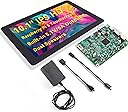
The SunFounder 10.1" DIY Touchscreen is a high-definition IPS display designed for Raspberry Pi 5 and earlier models, featuring a 1280x800 resolution, 60Hz refresh rate, and 10-point capacitive touch. It includes built-in 5.1V/5A USB-C power output, HDMI connectivity, and dual speakers, enabling a plug-and-play experience across multiple OS platforms. Ideal for gaming, smart home projects, and multimedia, it supports versatile mounting and DIY customization with detailed online tutorials.


| ASIN | B0776VNW9C |
| Additional Features | Touchscreen |
| Aspect Ratio | 16:10 |
| Best Sellers Rank | #82,527 in Electronics ( See Top 100 in Electronics ) #1,982 in Computer Monitors |
| Brand | SunFounder |
| Compatible Devices | Raspberry Pi, LattePanda, Beagle Bone, Banana Pi M5, Rock Pi X Model B, Libre Computer Board |
| Connectivity Technology | HDMI, USB |
| Contrast Ratio | 2000:1 |
| Customer Reviews | 4.3 out of 5 stars 393 Reviews |
| Display Resolution Maximum | 1280 x 800 pixels |
| Display Technology | LCD |
| Display Type | LCD |
| Hardware Connectivity | HDMI, USB |
| Image Contrast Ratio | 2000:1 |
| Included Components | 1 x 10.1'' IPS Touch Screen, 7 x M2.5 x 14.4 Copper Standoff, 2 x M2.5 x 22 Copper Standoff, 1 x HDMI Cable, 1 x Micro USB Cable, 1 x USB Touch Screen Cable |
| Item Dimensions D x W x H | 3.6"D x 11.7"W x 8.2"H |
| Item Weight | 1.9 pounds |
| Manufacturer | SunFounder |
| Model Name | TS-10 |
| Model Number | TS-10 |
| Native Resolution | 1280x800 |
| Number of Component Outputs | 1 |
| Picture Quality Enhancement Technology | IPS |
| Pixel Pitch | 0.18 |
| Power Consumption | 4 watts |
| Processor Count | 1 |
| Refresh Rate | 60 hertz |
| Resolution | XGA Wide |
| Screen Finish | Glossy |
| Screen Size | 10.1 inches |
| Screen Surface Description | Glossy |
| Shape | Flat |
| Specific Uses For Product | Business, Education, Gaming, Photo Editing, Programming, Video Editing |
| Total Number of HDMI Ports | 1 |
| Total USB 2.0 Ports | 1 |
| Total Usb Ports | 1 |
| UPC | 606034416819 |
| Viewing Angle | 178 degrees |
| Voltage | 5 volts |
| Warranty Description | 1 Year Guarantee |
B**.
Superior to the "official" Pi display in every way. A little tricky to get working with Volumio.
This is a higher quality display with higher resolution than the official 7" display for only slightly more cash. The touchscreen also works better. I find that scrolling is barely useable on the 7" display, while it is FAR smoother and more responsive on this 10.1" display. The fact that this 10.1" display includes the brick and can also power most Raspberry Pi boards actually makes it great value versus buying the 7-inch display plus a separate good power brick. The only Pi I have had trouble powering from this display was the newest Raspberry Pi 3B+ model. That board gave me a low voltage indicator in Raspbian. For me, it was worth buying a separate brick for the Pi 3B+ to have this screen. I'm using it with a Raspberry Pi 3B+, a HifiBerry DAC+ Pro, and Volumio as a desktop FLAC player. It makes Volumio far more usable. I don't think I could ever go back to using the official 7" display after using a couple of these on projects, so far. Highly recommended. [UPDATE] I'm still using these displays, so I thought I'd give an update. A few weeks ago, I had to use their customer service for a problem. I discovered that one of the displays I originally purchased had a dead area where the touchscreen wouldn't let me click. I contacted Sunfounder support via email and received a fairly quick response. They gave me troubleshooting steps to try which verified that the display was malfunctioning. They replaced the display immediately and the replacement has worked perfectly. Their support was very good, which is something I can't say about a lot of companies selling online. They actually cared whether I was happy with their product. Because of their excellent support, I actually logged onto their website to look at their other products. (I like purchasing from people who take good care of me after the sale.) I can see why a lot of teachers are using them as a source for STEM-oriented equipment, project kits, and accessories. Being able to get help when you need it is extremely important when you're trying to teach technology in today's overcrowded classrooms. Anyway, I'm an old-school gadget geek (an "ancient geek philosopher") who makes a variety of devices as a hobby. Browsing through their items, I found several cool components I plan to use on future projects. I found myself wishing a lot of those kits had existed when I was a kid. Being a picky old guy, I can always think of things I would improve on any product I've ever purchased, so here are a few things I'd like to see on these displays. 1. Instructions for configuring these displays with the most common operating systems on single board computers, like the Raspberry Pi. The documentation site was helpful, but I would love to have seen a printed page or even a link to a better set of instructions online. 2. Some sort of basic desktop stand. I had to design and 3D print my own stand to use these and not everyone has a 3D printer. Plus, I could have started my project quicker if a stand were included. 3. Slightly more power output for powering the latest, more powerful single board computers. I was using the latest Raspberry Pi 3B+ and got low power warnings. More current (~3A) and slightly higher voltage (~5.3V) would have saved me from needing a second power brick, making this screen an even better value. These three wish list items weren't deal breakers for me, so I'm only mentioning them in case others have different requirements. The bottom line is, I still highly recommend these displays, but now I also recommend Sunfounder for their customer service. I hope this update helps.
J**R
Beautiful screen for makers
It's hard to find a screen that's bigger than 7" and combines touch capability with high resolution. At 10" and 1280X800 this screen is a rarity. The screen doesn't come with a case or frame - which is perfect for makers who want to use the screen in their own projects. That said, out of the box it's designed to be used somewhat like a tablet - your raspberry Pi or similar can be attached to the back of the screen and the supplied standoffs ensure that the screen will sit level on a desk. I think you would probably want to build some kind of case around it to protect the electronics though. One thing that isn't published is that the screen supports sound over hdmi so you can connect some speakers without using your computer's 3.5mm output. In my case (!) I used the screen to build a raspberry Pi powered laptop (see attached images) and I've placed the raspberry Pi inside a separate case to the screen to provide easy access to the GPIO pins. The high quality screen really makes this project work - the touch screen means that you don't need to rely on the flaky touchpad on the keyboard and the high resolution means that you can work comfortably without feeling like you're peering through a keyhole. I also want to call out Sunfounder's customer support which has been very responsive to my questions - I usually get a reply in 12 hours. All in all a high quality bright screen with the best spec I could find for this application.
A**R
Great touch screen kit for pi. Not happy with "No Cable" graphic when pi sleeps
I only just received this display and have it all up and running. Install, mounting of a pi 4, and setup was a breeze. The touch works well. Probably not the best touch response I've used, but I'm very happy with how it performs. The one complaint I have is that if the raspberry pi goes to sleep and powers off it's HDMI output...the display does not go to sleep. Instead it displays a 'no cable' graphic in the middle of the screen. As far as I can tell, there is no timeout on this behavior...it will sit there burning "No Cable" into the screen indefinitely. It would be much more sensible if the display would go into a low-power mode instead. I was hoping there was a way to chance this behavior..but I haven't found it yet. Update: I contact SunFounder technical support through their website and they responded quickly through email. It took a little back-and-forth through email, but eventually they decided the circuit board that comes with the display was defective and preventing it from properly entering power savings mode. They shipped me a replacement board at no cost, and after swapping out this circuit board, the display works correctly. It now automatically enters power saving mode when either the cable is disconnected, or if the raspberry pi goes to sleep and turns off it's HDMI output. The tech support was very courteous and helpful, and my issue is resolved so I am happy to update my review to 5 starts.
S**N
SunFounder 10.1" HDMI touchscreen
I bought this screen because I am making a network packet sniffer with a Raspberry Pi (RPi) and want it as portable as possible. My first thought when I opened it today was that this will certainly be better than the 3.5" unit I got. Don't get me wrong, that little screen is nice for some things (I'm going to make a portable media player with it for the car), it just didn't meet my needs for this project like I'd hoped it would. At 1280x800 native resolution, this is a good high-res screen that displays Wireshark much better than the 3.5" unit. It even displays 1920x1080 (Full HD), though it's a touch distorted and not quite as clear. That's to be expected of any screen when it's adapting an image that isn't its native resolution. It also displays resolutions smaller than its native, stretching them to fit the entire display area. Depending on the resolution in question, of course, that means the image may be distorted as well. As an IT professional and an electrical engineer, I found it fun to put together, though some people might not. I love that it can be used with any device that has an HDMI output, and that the touch is sent via USB, making the touch feature usable on any computer, not just the RPi line. It requires no drivers, either, so it works with a large number of operating systems and installation is a breeze - it's plug and play. The screen is powered by an included 12 Volts DC power supply. If you are using it with a single-board computer that is powered by a USB 5-Volt power supply, like the RPi, it will power that for you as well - no need for a separate power supply to power your RPi. It also has a power button on it that operates both the screen and the USB power outlet, so that button turns everything on and off together. The only down side of this feature is that the port is only able to deliver 2 Amps of current instead of the 2.5 Amps (in Wattage terms, that's 10 Watts instead of 12.5 Watts) that the Raspberry Pi Foundation recommends for the model 3 B / 3 B+. I haven't found that this is a problem, but if you are going to build a hardware circuit project that will push the RPi to its power limits, you'll need to use a separate power supply for the RPi itself. When my RPi 4 B comes in, I'll see how this does for powering that (the recommended power supply for that is 5 Volts & 3 Amps, or 15 Watts). I expect this will probably do fine unless I try to run a bus-powered USB 3.0 hard drive with the RPi 4 B. The one thing I am not happy about, and the biggest reason I only gave 4 instead of 5 stars, is the stand to keep the screen upright. Maybe I didn't read the description carefully enough, but I thought this came with the stand: IT DOES NOT! In the last section of the manual is a link to a file to 3D print the stand if you need it. REALLY?!? How many people have 3D printers? I only know 1, and I'm in the IT industry! The university I teach at has a couple, so I might be able to get someone to print the stand for me, but that's just ludicrous in my opinion. Fortunately, I'm not bad at woodworking, so I can make a wooden stand / frame for it. The screen is supposed to come with 7 short standoffs (pre-mounted), 7 medium ones, and 2 long ones. As you assemble the unit, you mount the controller board to 4 of the pre-mounted short standoffs by running the screw-base of 4 of the medium ones through holes in the board into the short ones. You are then supposed to mount whatever single board computer you choose to the other 3 short standoffs with the remaining 3 medium ones in the same way. The position of these 3 short standoffs is adjustable using the 2 included wrenches so that you can mount any of the single board computer systems available (any version RPi, any other "fruit" boards, Libre Computer boards, etc.). The 2 long standoffs are for the opposite end of the screen from the controller to stabilize it as it sits on a table or desk for use. My kit did not come with this configuration. Instead of 2 of the long standoffs, it only had 1 long one and 2 extras of the short ones, not mounted. This would have been REALLY annoying to most people, I expect, and is the other reason I've only given 4 stars instead of 5. The manual (which is reasonably well written) had 2 covers on it for some reason, so I removed the outer one and folded it until the combined layers were the same thickness as the circuit boards I mounted. I then carefully poked a hole through this to make a paper spacer. I screwed one of the medium standoffs into one of the spare short ones through the paper spacer (and trimmed the paper to a reasonable size) to make a long standoff and used the other spare short one to attach my RPi to one of the other, pre-mounted short standoffs. It is a rather jury-rigged fix, but it is working well. After the assembly instructions in the manual, there are directions on how to install an on-screen keyboard in Linux (which most single board computers run by default). I'm OK with this - it means I installed the most current version for my board.
S**2
This is a strong choice in a crowded field of products.
I have several display's from this brand, they all work well, and they have all seen daily use, in mobile set-up's. I have no complaints on the picture. I've had a number of other displays in the 5, 7, & 10-inch range and the quality can vary greatly at this price-point. Glad I found this brand. One negative, the internal speakers are marginal. They certainly don't sound as good as the flat speakers in my iPad, but then again this montor is 10 times less expensive. I just use a good bluetooth speaker or headphones if a need the best sound.
N**R
PLEASE include compatible M2.5 screws for mounting; Needs case option;
PLEASE include compatible long and short M2.5 screws for mounting or attaching a 3D printed back / mount. I had to drop $12 for an assortment just to get a few screws (I had other size standoffs in my stash and a variety of M2.5 with different TPI, so no joy). minus 1 star I need dimensions of the standoff screw locations and outer dimensions in a 2d or 3d DXF or STEP file. I checked the images, I checked the user manual, I checked your website and there are no diagrams with dimensions. You really need a case option for sale or some pre-made 3D designs (I saw you had legs, but I want some other options please). minus 1 star. Otherwise, so far so good. plugged Raspberry Pi 4B and touchscreen worked out of the box with no additional software or configuration.
K**R
Works through 1/4" glass and plug and play from start with win 10
I waited awhile to write this review, but I have to say it's great! I bought it for a smart mirror but didn't finish it yet. So while it's been sitting there, I decided to try it for my gaming pc to use to boot up for the oculus rift so I don't have to find a time to play when the kids want to watch TV (I use me TV as a monitor too). Its plug and play; the PC instantly recognized it as a touchscreen monitor! My PC case has a glass side, so I put the 1/4" glass up against it and the touchscreen still worked! I loaded oculus and was able to play with no problems at all. Basically turned a full desktop into a laptop! I just bought a second one for the raspberry pi to finish my mirror. Very happy with this display!
S**H
No documentation, no device protection, board wires bent out of shape, spaghetti cables
WARNING! This page is for two completely different products! The overwhelming majority of reviews appear to be for the LCD screen, NOT the touch screen! This review is for the touch screen Item arrived without so much as a sticker for documentation. If it wasn't for the single line of text on the product page, there would be zero access to any instructions, contact info, etc. Unlike the LCD product, the touchscreen DOES NOT COME with protection plates for either the screen's board or your SoC. Instead, all you get are a handful of standoffs that don't protect anything. This wouldn't be a problem if this screen came mountable or with a stand, but it doesn't. This devise is set up to be hand held, and the only place to put your hands is on the boards. That means oils and gunk all over the circuits, capacitors, etc. The screen's main board arrived with the capacitor wires bent all out of shape. Unfortunately, they also seem poorly soldered, so be carful about adjusting them and be mindful of the exposed wires while holding the device. This screen has to be plugged into an AC outlet, not an external usb power source. Every single image omits the power cable, but this is not for mobile use. Not only that, but the proprietary power cable is ONLY 3 FEET LONG. That means that you're almost always going to need to pair this with an extension cable anyways (that, or hovering within 3 feet of an outlet). So, you have a device that doesn't come with any mounting hardware, has to be plugged into an AC outlet, and has to be paired with a supported extension cable. At this point, you're better off getting a touch screen monitor... Touch input is communicated using a VERY FLIMSY exposed 4pin connection. Not only does this also limit your ability to use this with a device not directly mounted on the screen, but it will completely negate having a touch screen once it brakes, and it will break. There's a reason why none of the pictures show it with the wires hooked up. That's because it is a MESS. The provided cables are too long to look at all decent with the SoW attached, yet too short to coil or use with your SoW in a stand-alone case. I know that this is just aesthetics, but it was still a disappointment.
J**4
Good screen for hobyist projects.
I bought this to build a custom software defined radio appliance and I am very pleased with its quality and functionnality. It provides mounting and power for a Raspberry Pi 4 that works pretty well. The video driver board features a built-in stero amplifier that picks its input from the HDMI feed from the RPi. You can use a 4 pins JST2mm connector to drive two 4 ohms speakers up to 3W which is a good thing for my project and saves me from adding a separate amplifier. The only minor drawback is that the 5 display control buttons are mounted directly on the board and there is no connector to mount them remotely. Jumpers can be easily soldered to install remote switches to control the display.
D**N
il n'y a pas de pieds pour le faire tenir debout scandale voir ci dessous
de plus la notice n'est qu'en anglais inadmissible en France (je crois qu'il y a une loi la dessus) et comme je le disais : il n'y a pas de pieds pour le faire tenir debout Grands princes ils vous offrent le plan (zippé) pour l'imprimer chez vous alors il reste l'option d'acheter une imprimante 3 D pour fabriquer deux pieds à quelques centimes Je trouve ça mesquin, à moins qu'ils ne vendent aussi des imprimantes. messieurs de la SunFounder Compagny, Je ne vous salue pas et la prochaine fois je passerais mon chemin. Si quelqu'un trouve leur adresse mail je le autorise et leur demande de leur envoyer mon mécontentement. je vous en remercie et vous adresse mes meilleures salutations [email protected]
S**A
Ha dei punti di forza molto importanti
Il grosso vantaggio di questo monitor 10", oltre ad una risoluzione nativa superiore alla concorrenza è che la scheda di controllo alimenta direttamente il raspberry, evitando di dover acquistare un alimentatore extra. D'altra parte il connettore di alimentazione non è USB e quindi può essere scomodo in alcune situazioni. Altra scomodità è che il montaggio prevede che la scheda MicroSD del raspberry finisca accanto alla scheda del monitor rendendone difficoltosa l'estrazione. Però sono problemi minori e in ogni caso lo consiglio vivamente.
T**B
Good value for money. All needed in the box
I like there is power supply as well as all the cables needed to connect raspberry pi, nothing extra is needed
S**1
Gutes helles 10 Zoll Display - sauber verarbeitet, mit PI Netzteil onboard
Das Sunfounder 10.1 Display eignet sich hervorragend für die Anzeige von z.B. Hausautomatisierung. Ich habe es als Monitor für die Anzeige der FTUI - Tablet UI des Fhem Servers in der Wand verbaut. Das Display ist sowohl bei Tageslicht als auch bei Dunkelheit gut ablesbar. Es ist aus einem großen Blickwinkel gut und scharf zu erkennen. Der PI erkennt das Display problemlos. Das Display trägt durch seinen Rahmen etwa 2 mm auf die Wand auf. Beim Einbau ist genaues Sägen gefordert, da der Überstand des Rahmens mit ca. 5 mm relativ schmal ist. Die Touch Funktion ist zuverlässig und präzise. Alle benötigten Kabel werden mitgeliefert. Durch die auf der Rückseite des Displays vorgesehenen Gewindebohrungen lässt sich das Display gut montieren. Da die Rückseite Metallisch ist, ist auch eine Frontalmontage mit Haltemagneten in einer Hohlwand möglich. In meinem Fall ist auf der Rückseite der Wand eine Revisionsluke, so dass ich die Befestigung mit 4 Klammern aus dem 3D Drucker gelöst habe. Dies ist auf den Fotos gut zu erkennen. Das Display geht beim Abschalten des HDMI Anschlusses nicht in den Standby, sondern zeigt ein Not Connected Bild an. Dies lässt sich hervorragend umgehen, indem man den Powertaster am Display z.B. über einen Optokoppler mit dem Ausgang des PI verbindet. Ich habe das mit einem CNY17/3 gelöst. Der Zustand des Displays lässt sich gut über den Enable Pin des Verstärkerchips auslesen. Dieser ligt bei aktiviertem Display auf 3,3V und kann direkt mit dem PI ausgelesen werden. Ein Foto des entsprechenden Pins habe ich angehängt. Das Display wird in meinem Anwendungsfall über ein kleines Pythonscript, welches einen PIR Melder ausliest, angeschaltet und nach einer Minute ohne Bewegungserkennung wieder deaktiviert. Die Spannungsversorkung des PI bleibt dabei im Standby erhalten. Ein kleiner Schaltplan ist in den Bildern angehängt. Auch ein Platinenlayout habe ich angehängt. Mein Fazit zu diesem Display: Für Steuerungsaufgaben ist dieses Display absolut gut zu gebrauchen. Der Support durch den Hersteller ist einwandfrei.
Trustpilot
5 days ago
2 months ago