Desertcart purchases this item on your behalf and handles shipping, customs, and support to Panama.
๐ฅ Cook smarter, not harder โ the future of microwave mastery!
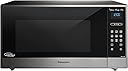
The Panasonic Cyclonic Wave 1.6 Cu. Ft. Countertop Microwave (NN-SE785S) combines advanced Cyclonic Wave heating and patented Inverter technology to deliver fast, even cooking with 1250W power and 10 adjustable levels. Its spacious 1.6 cubic feet interior accommodates diverse cooking needs, while sleek fingerprint-proof stainless steel and intuitive touch controls add style and convenience. Designed for professionals and food enthusiasts alike, it ensures nutrient-rich, perfectly heated meals every time.
| Additional Features | Universal |
| Asin | B00Z7R0J8O |
| Best Sellers Rank | #225,991 in Kitchen & Dining (See Top 100 in Kitchen & Dining) #167 in Countertop Microwave Ovens |
| Brand Name | Panasonic |
| Capacity | 1.6 cubic feet |
| Color | Stainless Steel |
| Controller Type | Touch |
| Cooking Program | cooking, defrosting, reheating, sensing, turbo defrost |
| Customer Reviews | 4.3 4.3 out of 5 stars (132) 4.3 out of 5 stars |
| Defrost System Type | Power Defrost |
| Energy Consumption | 1460 watts |
| Global Trade Identification Number | 00885170188907 |
| Heating Method | Cyclonic Wave |
| Human Interface Input | Touchscreen |
| Included Components | Trim kit for built-in installation (sold separately) |
| Inner Material | Stainless Steel |
| Installation Type | Countertop |
| Item Dimensions D X W X H | 21.88"D x 21.9"W x 11.94"H |
| Item Weight | 31.5 pounds |
| Manufacturer | Panasonic |
| Manufacturer Part Number | NN-SE785S |
| Material Type | Glass, Stainless Steel |
| Model Number | NN-SE785S |
| Number Of Items | 1 |
| Number Of Packs | 1 |
| Number Of Power Levels | 10 |
| Number Of Programs | 20 |
| Power Consumption | 1460 watts |
| Recommended Uses For Product | For Surround Sound Systems |
| Timer Function | Timer Function Available |
| Unit Count | 1 Count |
| Upc | 885170188907 |
| Voltage | 120 volts |
| Warranty Description | Contact Manufacturer |
| Wattage | 1250 watts |
User
Sounds gimmicky? Sure, but it is awesome. If you're not convinced, read on.
OK... So, the interface is completely alien, like something from the way far off future and that takes getting used to, BUT...This is THE best microwave I've ever owned. It's covered in what seem like marketing terms, GENIUS SENSOR, CYCLONIC WAVE, INVERTER TECHNLOGY.... But after reading up a lot about the technology I wanted a unit that has all three. Truth is, Panasonic only makes like 2 units with this combo and this is one of them. Sadly... Cyclonic wave eliminates the cold spots, inverter heats the entire time at various power levels which means less cooking time overall, and the genius sensor bit basically senses how hot and humid the inside of your microwave is, so it knows when your food is ready.BUT WHAT DOES THAT ALL MEAN???? What it means is the weird alien control panel is actually way easier for you to get better results (if not to use) than the old style poke, time, poke start, cross fingers, method.... Cold pizza you want to reheat? Normally would never do that in a microwave yeah? Hit the upside wifi looking button (sensor heat) hit your up down slider till you get to pizza, press the flashing button... wait... receive pizza. It is that easy. Each function you select will darken out any of the irrelevant keys, just walking you through what you do next.. The only thing to remember is what the initial buttons are which honestly only took me a couple of days. I don't think Panasonic promotes this interface because people generally fear change. people also don't generally read instruction manuals, but do yourself a favor and at least go to the page that explains what the buttons are.That said, this microwave is very big inside, just as big as my monster over the range unit, but without all the over the range bloat. To put it in perspective, I can put two large Pho bowls, side by side on the turntable and they do not hit the walls! What?? And again with the sensor bit, I just hit sensor cook > soup > start. Heck, you can even just do sensor cook > reheat > start... Gone are the days of guessing and being disappointed. I eve test with an infrared thermometer. Before I had pizza where it is nearly 200 degrees on the outer edges and maybe body temp on the inside, now there is maybe a 20 degree difference. Edges will always be a bit hotter because theres nothing to the side absorbing the heat, but gone is the let it sit for several minutes then reheat and end up with inedible concrete crust...Ok enough before (too late you say?) this turns into a rant. I love this microwave and wished I had made the switch earlier.
User
Great microwave and they fixed the door
I had a previous Panasonic microwave and liked it a lot, so when it finally died, I bought another. This appears to be the updated equivalent of my previous model, with a significant improvement--the door latch is fixed! You no longer have to slam the door to get it to latch. A fairly light push with close the door. Otherwise, seems to work as well as my previous model.The only thing keeping me from giving it 5 stars is the function panel. It's confusing to use at first. I've kept the instruction book nearby so I can look up the various icons and how to use them. Also, at first I thought that the microwave wasn't working. It took me a while to figure out that there was a protective film over the panel made to look like the actual panel. There was a small note at the bottom of the film stating to remove it, but it wasn't easy to see when standing in front of the microwave and looking down at it.
User
Surprisingly easy to use
We got this expecting to have a bit of a learning curve, based on the other reviews. However, it's SO much more simple than we realized. For basic heating (ie, leftovers or a mug of cocoa or a donut or frozen dinner) which is what we use this for 95% of the time, you don't need to remember anything crazy. There are 2 simple options:-Use the - + bar right below the clock. Either hold down the plus/minus, tap it, or swipe and hold in either direction and it adjusts the cooking time to what you desire. You can do 1 second increments up to 10 seconds. Then it does 5 second increments up to 1 minute. Then once you reach a minute it does 10 second increments. Then press start (the bottom right button). I use it this way every time I use the microwave and find I do not miss the numbers at all. Super simple and easy.-The other option is to use the "+30" button, which as you may have already guessed, will bump up the time in 30 second increments. Press start and you're done. My husband uses this function primarily, and it's how he also used our old microwave that did have number buttons so this has had no adjustment period for him.For the less often used functions, there is a very useful legend right on the inside behind the microwave door. So if you're wanting to do something you don't usually do like set the cooking timer or the popcorn setting or power levels, etc, simply glance at the inside of the microwave when you put your food inside and you'll know what you need to press. No need to keep the physical manual and flip through pages every time you want to figure something out. Again, super simple.As far as the inverter cooking technology, we both notice a difference in how our food is being more evenly cooked. My husband likes to heat his food to boiling hot temperatures so he notices it more than I, who prefers my food lukewarm. But something I really noticed is that when I cook my steel oats in the morning, it NEVER boils over. In our old microwave (which was also Panasonic but not with this new inverter technology), I'd have to put a plate under my oatmeal bowl so when it boiled over it would at least make cleanup easy and I'd just eat out of the sticky, oatmeal covered bowl. To prevent it from happening I'd have to constantly be opening the microwave and stirring the bowl and keeping a very close eye on it once it got hot. With this, the oatmeal boils but it never ever boils over. I don't know what kind of sorcery this is, but I LOVE not getting my hands coated in oatmeal when I eat in the morning. It's definitely doing something special.The other thing I want to note, which may seem really silly to everyone else, but I really love this: if you take your food out before the timer is done, after 5 minutes the screen will automatically reset to show the clock. I use the microwave as my primary clock in the kitchen and sometimes it just really drove me crazy to see the leftover cooking time always on our old microwave instead of the current time of day. This may not matter to everyone, but I personally was just thrilled with this โfeatureโ and it pleases me to no end to simply glance over and see the clock - without needing to grumble to myself about people not pressing the cancel button when they were done with using it - as I walked over to press it myself to see the time. Do I overreact to the time not being on the screen? I'm sure. But now my personal shortcomings donโt matter as much since this fixes that one problem for me!Overall, after using this for the past 3 weeks I can say we are both extremely pleased with our new microwave. We were expecting some initial frustration while we got used to it, but there really has been none of that and from the first day we both found it very intuitive and easy to use. And the fact that it cooks more evenly than our old microwave is another nice bonus. And I think my husband likes that the buttons make this look like something more futuristic like something he'd imagine on the star trek enterprise. We also got some microwave brackets (from amazon, of course) to mount this under our upper cabinets to make countertops feel more spacious and less cramped and are very happy with that decision. We would definitely recommend this microwave - don't be intimidated it's really easier than you'd imagine! Hope this helps you make a more informed decision.
User
Fabulous results, steep learning curve to learn to use it
I bought this because it got good reviews regarding it ability to cook food evenly. It does a great job of making baked potatoes and thawing meats using the preprogrammed functions. Frozen meat comes out perfectly thawed with no cooked spots which is remarkable. I cook bacon to a very crispy texture with no burns using a level 8 temperature setting and paper towels to catch grease. Bacon cooking requires setting the timer unlike most cooking chores which are preprogrammed. So far I have used the potato setting and the reheat settings with great success. Here is the rub, there is no number pad to set time. You can set a cook time and power setting but it is done by swiping the controls with a finger or touching one of the buttons multiple times. While this is somewhat cumbersome, I found that the system is really designed to cook using the preprogrammed functions. These functions use an internal sensor to tell when food is ready instead of forcing the operator to guess at a time and power level to cook. The good news is the preprogrammed functions work quite well, the bad news is it is a completely foreign paradigm for us old folks and it takes some getting used to. Is this reason to pass on the oven, NO WAY. I love the performance of the oven, just keep the manual nearby to know which function number to choose when cooking.
User
Highly recommended
Excellent product
User
Good value but not user friendly
Build quality and dimensions are fine. Especially build quality.But the controls are unnecessarily obtuse and not at all well thought out for human factors. I certainly cannot think of a good reason one has to resort to the handbook to enjoy the simplest of operations. Programming geeks have their fingerprints all over this. Because of the value I would still buy again without any expectation of doing anything but turning it on from 0-4 minutes in :30 second increments.
User
Beware third-party seller. $75 return shipping if you're not satisfied
User control panel absurdly unintuitive, requires a high degree of trust that the technology knows best, which it doesn't, reference self-driving vehicles. Ultimately it was the fact that the reminder beep failed to work even after numerous reboots that convinced me to return this junk. Yes, surprisingly Consumer Reports highly rated this oven. They're credibility just dropped a notch; intuitive ease of use matters, it's a stupid microwave! Sellers are third-party, and I had to pay $75 return shipping. Now 2 weeks since UPS confirmed delivery, I have yet to receive any credit back onto my card, or any communication. I need a microwave, but I'm not going to commit another $400 until this is resolved. Do yourself a favor, don't purchase this oven, and be aware of third party seller policies. Neither are in your best interests.
User
Great if you use the sensor cook feature
I had some concerns about the interface, but after using the microwave for a few weeks I'm glad that I got it. I mostly use the sensor reheat feature so heating something up is three quick taps, and I don't have to think about cooking time.The buttons seem to be capacitative (like a phone touchscreen) so they are nicely responsive, and don't require any pressure to activate.In cases where I do want to cook for a certain time, like heating up a sealed edamame packet, I press the "add 30 seconds" several times to get the time I want. I think that would be annoying if I had to do that frequently, but since I only need that for sealed packets it's ok with me. You can also enter a time by sliding a finger across the swipe bar to set a time in 10-second increments which is pretty responsive (again, it's like moving a slider on a phone); but it takes three swipes and a little adjustment to enter, e.g., 2 minutes so I think the 30 second button is faster.
Trustpilot
3 weeks ago
1 week ago