Buy anything from 5,000+ international stores. One checkout price. No surprise fees. Join 2M+ shoppers on Desertcart.
Desertcart purchases this item on your behalf and handles shipping, customs, and support to Panama.
🎤 Elevate Your Online Meetings with Style!
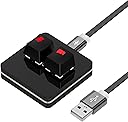
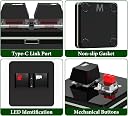
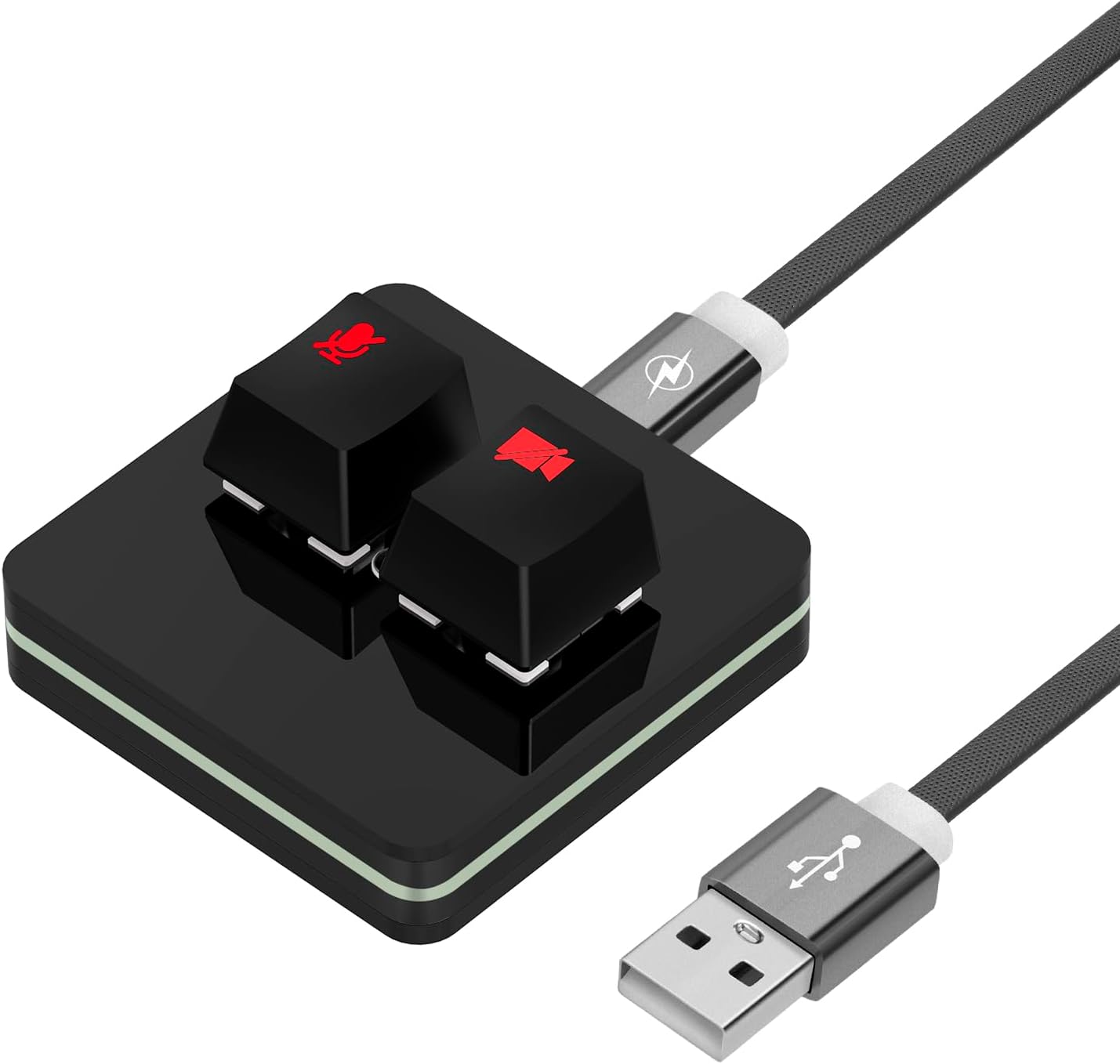
The Geekria RGB Meeting Mute Controller is a sleek, acrylic device designed for seamless control of your online meetings. Featuring mechanical red shaft buttons and vibrant RGB lighting, it allows for quick mute/unmute and video control, all without the need for drivers. Perfectly compatible with the Windows version of Google Meet, this controller enhances your virtual classroom or conference experience.
| ASIN | B0CGLRRVF2 |
| Best Sellers Rank | 114,109 in Computers & Accessories ( See Top 100 in Computers & Accessories ) 292 in Computer Microphones |
| Brand | GEEKRIA |
| Brand Name | GEEKRIA |
| Button Quantity | 2 |
| Colour | Black |
| Compatible Devices | Windows, Win11, Win10, Win8, Win7, Win XP |
| Compatible devices | Windows, Win11, Win10, Win8, Win7, Win XP |
| Connectivity technology | USB |
| Controller Type | Button Control |
| Country of Origin | China |
| Customer Reviews | 4.2 out of 5 stars 6 Reviews |
| Item Weight | 42 Grams |
| Manufacturer | GEEKRIA |
| Manufacturer Part Number | PJZ160-29 |
| Maximum Range | 6 Feet |
| Model Name | RM |
| Model Number | PJZ160-29 |
| Network Connectivity Technology | USB |
| Number of buttons | 2 |
| Product Features | Start/Stop Video, Mute/Unmute Microphone Audio |
| Product Warranty | 1 year manufacturer |
| Smart Home Compatibility | Not Smart Home Compatible |
| Special feature | Start/Stop Video, Mute/Unmute Microphone Audio |
| Unit Count | 1.0 count |
D**R
A great mini USB keyboard for muting in Google Meets (I set it up to work for Discord mute instead)
I believe this would work well for Google Meets, the key lights up when clicked and turns off when clicked again and sends the keyboard shortcut Ctrl+D which should work in Google Meets. The light might go out of sequence if you log out muted and log in unmuted. It only sends a keyboard shortcut to Meets after all. Easy to fix though, just mute manually once in Meets to sync the light up again. The unit seems to be well built, has nice rubber feet that grip the table, the keys feel good and the cable is quite long. (This is how I got the mini keyboard to work for Discord muting, I did check and it can be set back to Ctrl+D for Meets using this method, however, do this at your own risk.) I didn't buy this for Google Meets, I got it to see if it would work for Discord as I like to use the mute keyboard shortcut instead of push to talk. This mute key is set to use the Ctrl+D keyboard shortcut which out of the box can't be changed in Windows and this shortcut is used in web browsers and software for other functions so is not usable for Discord muting. I sent Geekria a support request not thinking I'd get a response but they did respond and told me how to remap the keys using a small program called MINI KeyBoard v02.1.1 I found the software through Google, virus scanned it then ran it, selected key 1 and set the bind to Ctrl+Shift+, clicked "download" and closed the program. It's now flashed the bios to send Ctri+Shift+ which I then assign to my Discord Mute button in the Keybinds section. Seems to work well! Not used it a lot yet so we'll see but it's very cool so far!
C**G
Tolle Verarbeitung - ein Stern weniger wegen Hardkodierung
Im Prinzip ein einfaches Produkt und tut, was es soll. Ein Stern weniger, weil die Tastenkombinationen vorkonfiguriert sind und man diese nicht ändern kann. Damit das Ganze bei mir mit MS Teams funktioniert, musste ich die Windows Power Tools installieren, wo ich dann konfigurieren konnte, dass mit Strg + D das Mikrofon dann stummgeschaltet wird. Es wäre toll, wenn man das einstellen könnte.
Trustpilot
1 month ago
1 month ago