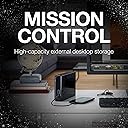
💼 Backup Plus Hub: Your powerhouse storage & charging command center.
The Seagate Backup Plus Hub STEL8000100 is an 8TB external desktop hard drive designed for professionals needing vast, reliable storage. Featuring USB 3.0 for fast data transfer and dual USB ports for device charging, it supports both Mac and Windows platforms with included NTFS drivers. It also offers automated backup scheduling via Seagate Toolkit and a complimentary 4-month Adobe Creative Cloud Photography Plan membership, making it a versatile solution for data management and creative workflows.


| ASIN | B01HD6ZLQ6 |
| Best Sellers Rank | #84 in External Hard Drives |
| Brand | Seagate |
| Color | tf2-black black-aztec tribal cosmic |
| Customer Reviews | 4.5 4.5 out of 5 stars (9,844) |
| Date First Available | June 23, 2016 |
| Flash Memory Size | 8 |
| Hard Drive | 8 TB Desktop |
| Hard Drive Interface | USB 3.0 |
| Hardware Platform | PC;Mac |
| Is Discontinued By Manufacturer | No |
| Item Dimensions LxWxH | 4.65 x 1.61 x 7.8 inches |
| Item Weight | 2.34 pounds |
| Item model number | STEL8000100 |
| Manufacturer | Seagate |
| Number of USB 3.0 Ports | 3 |
| Product Dimensions | 4.65 x 1.61 x 7.8 inches |
| RAM | 8 TB |
| Series | Segate Backup Plus Hub |
N**Y
... for a few days but so far I really like it. I'm using it for backups and for ...
I've only had the drive for a few days but so far I really like it. I'm using it for backups and for that role it's ideal. The information below is intended for people who really want to understand this device. If you want it to "just work", you are likely using Windows and you won't have to do very much - it comes pre-formatted with an NTFS partition that has good defaults. If you are using it that way, you will enjoy the full performance capabilities of this device. I run a 64-bit Gentoo Linux system that, among other roles, runs a Samba server (compatible with Windows File & Printer Sharing) on the LAN. You might be begging for trouble if you make a Samba server Internet-accessible (use SSH/SFTP instead), but on the local network it's great. All of my machines can easily back up files to this drive. This can be automated which is even more convenient. While the USB spec is backwards compatible (so you COULD connect this via USB2), I use USB3. I observe an average ~115-120 MB/sec speed when writing files to this drive. This is measured using the utility "iotop" while copying data several times larger than my RAM to reduce the influence of kernel caching. Read speeds from the disk as measured using "hdparm" are ~190 MB/sec (buffered) and still ~ 189-190 MB/sec using direct I/O. Read speeds just from the drive's on-board cache memory (i.e. not the spinning rust and not from buffers in RAM) are about 258 MB/sec. The spec for USB 3.0 lists a max total speed of around 625 MB/sec, though that is a raw signaling rate - accounting for protocol overhead, USB 3.0 has a real-world max of around 450 MB/sec. That's very good for an external drive designed for large capacity, not raw performance. I believe that inside the enclosure is a Seagate Archival Drive. This is an Advanced Format disk - it has a physical sector size of 4k (4096 bytes). Until recently, all (or nearly all) hard drives had a physical sector size of 512 bytes. This allows the device to transfer more data with each operation and makes sense for such a large disk. The disk will report a logical sector size of 512 bytes -- systems that don't understand Advanced Format can just treat it like any prior device and the drive's internal firmware will translate. This is known as a 512e Advanced Format device, but if your OS is modern enough, it will know the difference between the physical and logical sectors. Linux is Advanced Format aware and has been since 2009-2010. This is also an SMR drive. That's an entire research topic if you want to really understand it, but the bottom line is that there will be some write amplification. That is, if you write X MB to the drive, then internally (not visible to the system) the drive may (depending on where other data is stored) physically have to write X + Y MB. This is the trade-off of using SMR to increase storage density. So all things considered, this drive is a great balance between affordable low price-per-GB and performance, with emphasis on the former but not totally neglecting the latter by any means. To get the best performance with this disk, your filesystem (ext4 in my case) should use a 4k block size to match the physical sector size. Any partition should also begin on a sector number that is a multiple of 8 (512b * 8 = 4k). That way the drive won't have to perform extra physical operations (which would slow it down) to deal with writing data that does not correspond to its physical layout. All things considered, this drive was a bargain and I really like it. I hope that in time, I can come back here and tell everyone how incredibly reliable it is.
R**O
Just Great, A Big Drive for all Video Needs
I have 2 of these, it's now 3 years, they store all my video entertainment. Beyond Backup; the drives are used as primary storage for many thousands of Gigs. I'm a collector of old football games. I store seasons of shows, movies, whether moved from DVD or blu-ray; shared with me, etc. I use this drive with its plug in power and speed to watch seamlessly 720, 1080 and higher resolutions. The higher take up more space, and so external drives are the only way to go. I used to install internal drives but that's gotten more difficult to do on PCs. And the USB only drives might not have the required speed to be able to handle direct from drive viewing. The 2 extra ports are great for moving files to other drives which must be going on when you're someone who needs 8 TB of storage here. You must have smaller drives, and you want to compact things a bit, put from many places into one place, and vice versa, for sharing. It does what you expect it to do. It's a little slow on the copying; 3-4 TB might take 13+ hours, you'll have to let it run with some Air conditioner while you head to work or sleep. Since I see it doesn't have a fan. I had one fall over and damaged, but Windows Checkdisk repaired it. Be delicate with these things. Full disclosure, its been purchased 3x, once was a noisy 'lemon' I got replaced, quickly and efficiently by Amazon. Once I heard a lot of grinding as I moved the data I realized I'd better replace it. Lemons HAPPEN; with every product. Apple supposedly has the best reputation but they had IPODs bursting into flames. If you're lucky you recognize it early, before putting precious data on it.
B**N
Fast, Stable Archive Solution with Extra USB 3.0 Hub Topping 185MB/s Read
INFO: The availability of an 8TB model is certainly a very important release for many, as data size and storage requirements continue to grow at a very fast pace. As such, the 8TB unit is ideal for professionals who deal with extremely large files and need an archive solution. The new Seagate external drive is also catered towards consumers looking to backup and protect the entire contents of their computer and on their frequented social media websites. Under the hood lays the 8TB Seagate Archive HDD, a drive used predominantly for active archives, featuring a relatively low price point as well as a very energy efficient design. Users can also install the pre-loaded NTFS driver for Mac on the Seagate Backup Plus, which allows them to use the drive interchangeably between both Windows and Mac computers without having to reformat the drive. A closer look reveals both the piano black exterior and the front mounted USB 3.0 hub. Of course, we also have some Seagate branding down the spine. PERFORMANCE: The performance of this drive is nearly spot on, topping 185 MB/s read and 180 MB/s write. One thing to note: If you use any HDD monitoring program you will notice that when the HDD reaches 50 Celsius, it will start throttle down, better use it in AC room and not on summer days. NOTE: The trotting down issue is relevant to ALL Hard drives, be it external or internal, all of them do it (even SSDs when reach certain point, usually 70 Degrees Celsius start to throttle down) when they reach 50 degrees, external reach such temperatures rather fast, its not a BUG or Broken, its just IS, its how HDDs works (motors spins metal rings in oversimplified language) so it gets hot.
J**A
Ótima velocidade para passar as imagens. Pra uso profissional, um tamanho excelente, fácil de usar. Recomendo
L**.
Ho acquistato questo disco per utilizzare su pc locale alcuni database Microsoft sql Server. I database sono stati ripristinati sul disco direttamente connesso su porta USB di una Appliance Arcserve UDP 8300 a velocità molto vicina alla nominale massima dichiarata. Ottimo funzionamento anche su P.C. locale connettendo i db con client SQL Server Management Studio 2017. Il disco in se e per se è un Segate Barracuda pro da 3.5 inches e funziona correttamente con ottime prestazioni. Una delle unità da 4 GB che posseggo si è guastata ed all'accensione non si avviava connettendola alla porta USB del computer. La ho smontata ed ho trovato che Il guasto riguardava la scheda elettronica con funzionalità di cache, i/o USB e serial ATA ed alimentazione mentre il disco era perfettamente integro e funzionante. Smontato il disco e rimontatolo su un case esterno Salcar funziona perfettamente con le stesse prestazioni di prima e lo utilizzo da oltre un anno sul mio pc desktop con OS Windows 10/11 e Linux. Quindi non mi sembra di avere rilevato problemi di scarsa qualità come da altri clienti ampiamente esposto. Ritengo personalmente che al giorno d'oggi un hd da 10 GB è un componente sicuro anche se destinato al mercato pc / notebook. Certamente non è un prodotto per dispositivi server, storage area network ecc. quindi non si deve fare confusione in questo senso e comunque nel data center della mia organizzazione ho rilevato alcuni guasti anche su unità HD di server, appliances, SAN.
J**E
J'ai acheté ce disque dur pour étendre le stockage de mes films et séries, il me restait un port usb libre sur mon routeur. Je l'ai utilisé sous Windows 10 pour transférer mes fichiers, le taux de transfert est très bon dans l'ensemble, avec quelques petites baisses de débit par moment, mais rien de gênant. Il émet un léger bruit, mais c'est la ventilation pour la surchauffe. Le raccordement à mon routeur n'a posé aucun problème, tout fonctionne parfaitement.
P**A
Great excellent service
M**X
Bought this as a new back-up for movies, music, tv and books. I've been using a LaCie 4TB hard drive for my backups for the last three years or so, but I was getting worried it might be reaching the end of its lifespan. This wasn't for any particular reason, it's just that I've heard too many stories from friends about backups suddenly dying and everything being lost... The Seagate 8TB is fine so far. Tons of space and works smoothly and fast. Plus, I still have the LaCie in the cupboard with all the old stuff on it, so now I can sleep more easily at night, knowing I have two sources for backups!
Trustpilot
4 days ago
1 week ago