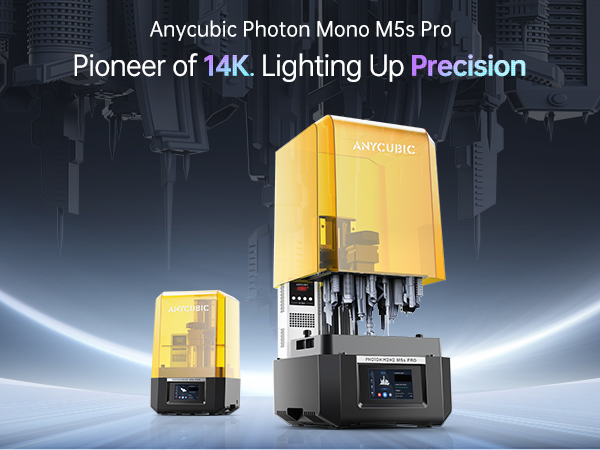
🚀 Print Big, Print Fast, Print Flawless — Join the Resin Revolution!
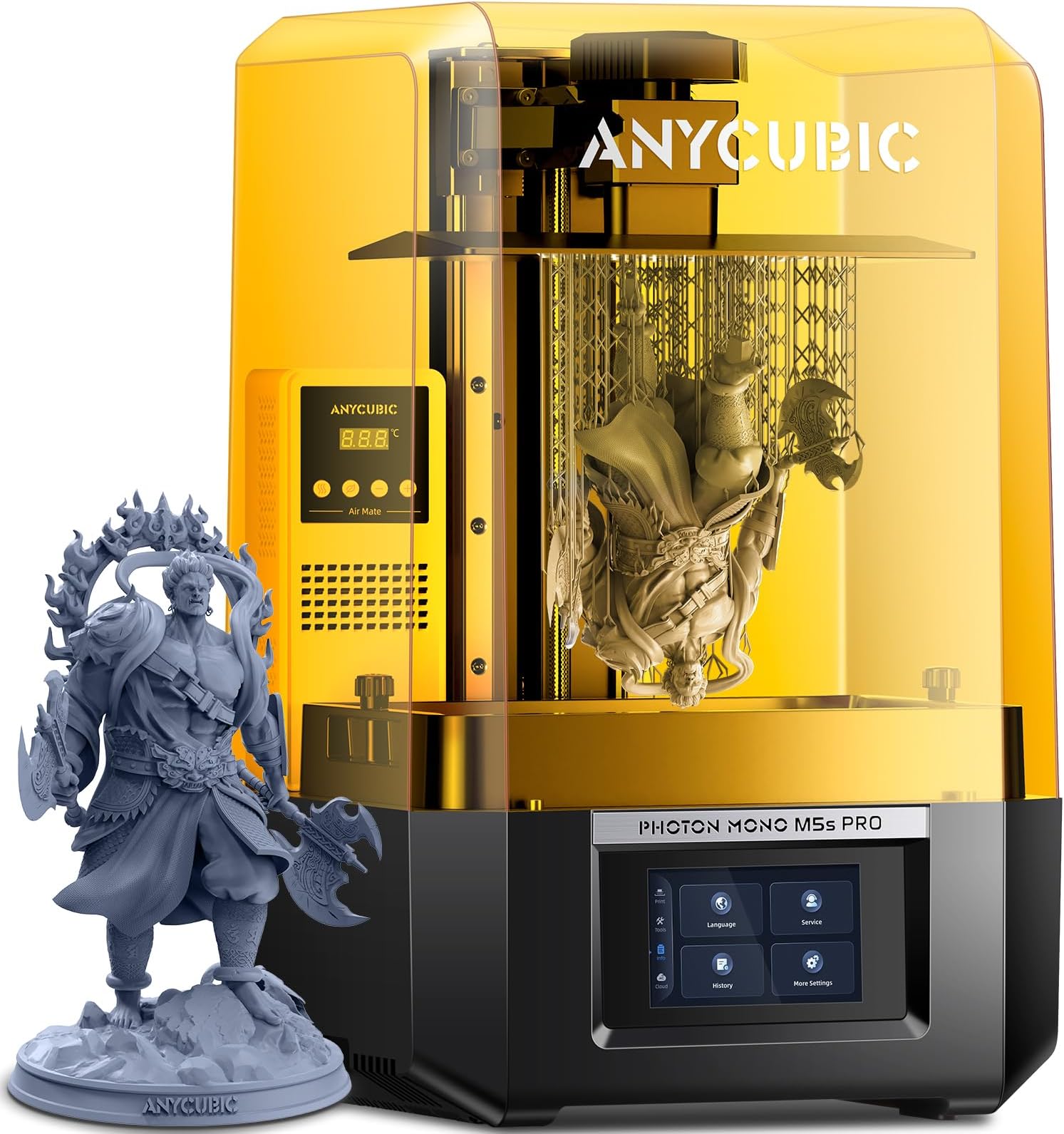
The ANYCUBIC Photon Mono M7 MAX is a professional-grade resin 3D printer featuring a massive 298×164×300mm build volume and a stunning 13.6’’ 7K monochrome LCD for ultra-fine detail. Powered by the advanced LighTurbo 3.0 light source and dynamic resin temperature control, it delivers prints at speeds up to 60mm/h with exceptional precision. Its user-centric design includes a flip-open cover for easy access and smart resin management for seamless operation, making it ideal for engineers, designers, and creators demanding high-quality, large-scale resin prints.




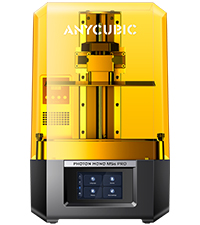


| Best Sellers Rank | #257,066 in Industrial & Scientific ( See Top 100 in Industrial & Scientific ) #217 in 3D Printers |
| Brand | ANYCUBIC |
| Color | Black,Yellow |
| Compatible Devices | Personal Computer |
| Customer Reviews | 4.3 out of 5 stars 142 Reviews |
| Item Weight | 11.6 Kilograms |
| Material | Metal |
| Product Dimensions | 35"D x 36"W x 59.69"H |
P**7
Wow!!
RIGHT OUT-OF-THE-BOX PRINTING This printer works right out of the box. Period. Unboxing to set up was about 15 minutes. Figuring out which file to print FIRST took more time. SPEED TWO print speeds are pretty much given; standard (with normal resin) and fast (with high-speed resin). The default settings for the FAST print had the test model done in about 17 minutes; this would normally be about a 4 HOUR process with traditional printers. The default standard print of the test model still comes in at an impressive 1 hour. This is due to the usage of the ACF over the old-school FEP and even newer nFEP. Do NOT be alarmed with the “matte” finish! This is also the same type of film used by the M3 Max and works flawlessly! RESIN TYPES The high-speed resin from Anycubic is STINKY. Maybe even a little more so than usual. But, it works GREAT. May have to look at more ventilation or moving the printer to a more open area to reduce the smell. Using Anycubic's Craftsman, which I also use in my Photon Ultra, makes for a much finer detailed print overall, even with slightly increased speeds and layer line thickness. INCLUDED HEATER AND AIR PURIFIER Don’t expect miracles with the purifier. It’s a simple fan system that does its best to circulate the air inside the chamber, but let’s face it; resin is stinky. I used some odor-neutralizer in the carbon filter to reduce the odor. The HEATER works wonderfully! The entire unit is self-contained. The heater and purifier are one piece with its own power cord/source. Rumor has it that this unit WILL be available as a standalone purchase in February. WI-FI A little buggy at the beginning but once it’s detected your network and connected, it works flawlessly. The procedure requires you to download the Anycubic Cloud App to start. This also allows you to monitor and print from your phone. Once the app has detected the printer is configured to the network, then you can add the printer to the home network and the process is seamless. AUTO PLATE LEVELING Plate dynamically levels every single print with this option enforced. This mitigates possible failures due to improper build plate leveling. This is done right out of the box during the initial equipment check. You also have the option to manually level the plate, but that seems to be only for specific errors or situations; most operations will not require this at all. VAT CLEANING MODE Easy to use. Use the Lychee Vat Cleaner Tool to assist. No longer need to empty vat, remove particles. Place LVCT in the corner of the vat, utilize the vat cleaning option (10, 20, or 30 seconds…20 worked fine for me), and peel the cured resin out. All foreign particles and failed pieces are trapped within the cured resin and can be removed all at once. FOREIGN OBJECT DETECTION When the plate is lowered, if it detects even the tiniest foreign object in the vat, it stops and raises. An error is displayed allowing you to investigate as needed. OBJECT FAILURE (ZERO PEEL FORCE) If the printer senses that the print releases with zero force, it stops the build process, allowing you to investigate. This saves a LOT of time, frustration, and most importantly, resin. Rather than having to wait until the plate reaches a certain height to visually inspect the piece, the printer senses the release forces. When those are zero, it throws an error, stopping the print, raising the plate, and allowing you to visually inspect the piece. You can resume or cancel the print at that point, depending on your situation. INTELLIGENT RELEASE So, I had no idea about this when I first read about it, but today’s print testing made me aware of this feature. Intelligent release, according to Anycubic, calculates the forces of the build plate lifting and retracting…and, if possible, ADUSTS THE HEIGHT DYNAMICALLY. How I found this out was from a print with an initial build time of 8.5 hours. I accidentally used the Default Resin profile, even though I had High Speed resin in the vat. Oh Well…no problem, I’ll be home all day to monitor things. But as time went by, and when I would turn to look at the print progress (also keeping an eye for failures and other errors that may pop up) I noticed the progress was a lot faster than anticipated. End result? The 8.5 hour estimated build (from Photon Workshop) finished in 5 hours and 53 minutes. Without me adjusting anything. The printer figured I was using high speed resin, did some auto adjustments, and increased the variables…and my print was done 2.5 hours faster than estimated. PRINT DETAILS So, let’s really face it; humans really can’t detect the difference down to 14K resolution. So folks who are either very excited for this OR naysaying and stating that it isn’t TRULY 14K…well, settle down. Most resin printers being sold today are in the 8K and above range, with the Mighty 8K offering that initial 12K experience as an upgrade, and then Anycubic following with the M5S and now the M5S Pro. FACT is…the results are spectacular as you would imagine. I was impressed with my little Anycubic Photon Ultra back in the day (my first resin printer and STILL going strong and impresses me every single time). Then moving into the Mighty 8K, I noticed some subtle changes in quality. Then on to the M3 Max and was impressed with how well it compared with the Mighty 8K…and the build size was incredible. So, having a pretty sizable mid-range build volume here at 14K is equally impressive. Now, will YOU see the difference between what you may have been using and what the M5S Pro offers? Maybe. But honestly, I couldn’t. NOR could I notice that “softness” that others are talking about due to the matte ACP film of the vat. The M3 Max has the same film and I never noticed a change in quality over my Mighty 8K. Now, that doesn’t mean that I’ve switched some of my extra on-the-fly vats for all of my printers over to nFEP. I have to admit, I loved that little “upgrade” from the traditional FEP and the slight increase in speeds I achieved were also a plus. But, I’ve also been experimenting with the ACF on my Photon Ultra and now, with the M3 Max and the new M5S Pro having this ACF installed, again…impressed with the speed increase and not affected by this so-called “softness” of details others are talking about. To me, EVEN IF there were some loss of sharpness, I would much rather have the peace of mind on my other printer’s building process that comes with the ACF installed than be nit-picky over something that most people really can’t detect with the naked eye. ISSUES/OBSERVATIONS One of the FIRST things I noticed off my successful first print was how hard it was to remove the supports from the test print. You can notice in the first image (Test Print) the marks and left over material along the bottom. This thing was BAKED to the build plate and the supports were, in turn, BAKED to the model itself. Trial and error led me to destroying several other test prints from excessive exposure and baking the supports or build itself to the build plate. Thus, looking at not only modifying exposure settings but also support settings.
R**8
Great Printer No Probs at all !
Anycubics Photon mono m5s pro is a great printer for the cost pretty revolutionary with the RERF ( Resin Exposure Range Finder ), Heater! can’t stress the heater enough as you’ll definitely be needing it ( Especially for colder climates ), And a solid interface that is clear and concise to use even letting you change exposure and lift times in it if you for some reason messed up in whatever slicer you use! Now for resin that is included for example the High speed resin I cannot in good heart recommend for anyone printing miniatures as it’s extremely brittle ( assuming due to fact it’s well fast resin ! ) As such I’d try there Tough Resin Ultra or if your looking for a cheaper option there ABS Like resin v2 however if your looking for even cheaper and just as Competitive Resin I’d highly Recommend The SUNLU ABS for its Cheap Price as you can get 4 bottles for what $50? That’s an insane deal same with the Toughness if your looking for a cheaper Alternative! Overall Love this Printer can’t recommend it enough for any hobbyist looking to up there miniature or just printing game !
I**L
Got on the bad side of RNG. Printer not printing. Support is good.
Bought it and havent been able to have a single print sucess, I'm currently working with support to resolve the issue. The support team has been helpful, and I'll provide an update once it's resolved. Update 9/15/2024: Printer is printing. After a few test Support sent me a new plate and some resin (because i didn't have any official anycubic resin). Issue solved, shoutout to anycubic support team.
J**M
Tons of firmware issues
Here's the issues I ran into. 1. The printer would only print the files that came with it. If even one print file was added to the USB drive, nothing at all would show up when the USB is plugged in. I tried multiple USB drives, tried formating them, I tried loading just one file on a USB, nothing. The only USB that would work is the one that came with it, and that one quit working if you add even one file to it. 2. It would not connect to anything via wifi. I went through their wiki, numerous reddit posts, trying every troubleshooting tip, many hours of my life uselessly spent trying to get a product to work that should have worked out of the box with minimal setup. It wouldn't connect to the mobile app or internet no matter what I tried. And because it wouldn't connect to the internet, it never populated the cn number field, and that number is needed to connect it to the pc app. So it wouldn't connect to anything at all. Limiting it to USB only, and adding any files to the USB results in the printer not working. 3. There is no firmware available to download. Tech support claimed the firmware could be updated Ota once it's connected to the internet. Extremely unhelpful when the machine is incapable of connecting to the internet. They list the firmware for other models they sell, but not this one. Which is less than helpful. 4. Tech support claims the issue with the USB not working is that the machine won't recognize any USB that is more than 8gb, or has more than 5 files loaded on it, or if the file names are longer than 15 characters, or filename contany anything other than letters (no numbers, no dashes, only letters, and less than 15 of them) And as ridiculous as those limitations are in the year 2024, I did plug in a 4gb USB drive, formated to fat32, with only one file on it, named Shell (well within the file naming restrictions), and when plugged into the machine the file list on the machine would still be empty. This product is not ready to be sold. It's an unfinished design that does not function in any meaningful way. I now have to wait up to 30 days for the return to be processed for a refund. Which means I can't order something different for 30 days. To say I am disappointed would be an incredible understatement.
A**X
Much better than older models
I've had Photon printers before and this one is a huge upgrade. After 20+ prints, I had only 1 print fail which was due to my slicing setup. The printer never disappoints. The fan noise is noticeable but it's just like a white noise machine. PROS: - Great build quality - Nice enclosure design - Auto bed leveling - Sturdy build plate CONS: - Fan noise - The Wifi feature is useless. It only connects to their app. It also never connected to my Wifi after multiple tries - The screen protector film always has tiny bubbles you can't remove. It didn't impact my print quality but it also didn't put my mind at ease. Overall, a great machine for small functional parts even enclosures for this price. I highly recommend it.
D**M
Awesome printer, my newest addition to my farm
This printer is amazing, SUPER FAST, incredible detail. Auto-leveling is game changer for sure, it keeps it nice and simple to print anything you'd like. Highly recommend, as matter of fact I purchased a second one already.
M**R
First time in resin printing...WOW!!
I have been 3d filament printing for about 6 yrs. Hobby level and in my sixties. They did not lie when they rated this "Best for Beginners in 2023". And this is the improved model of the Photon M5. Nowadays between YouTube and manufacturer website videos, you can learn what you need to know. I make R/C 1/10th cars and trucks. I wanted a more precise detail and smoother finish than filament could give. I followed the videos and made a set of dually wheels that came out fantastic. It IS smelly and I recommend doing it in your garage or outside if weather allows. Very pleased with the results.
S**A
Great Printer - (Read)
I’ve been using the printer for over 6 months, and my experience with it is as follows: Positive Points: • Print Quality: The print quality has impressed me over the months. The level of detail is excellent, even with resins that aren’t specifically designed to capture the finest details. I’ve rarely noticed minor visual imperfections in prints, but they’ve been practically imperceptible at first glance. It even prints smooth surfaces that appear slightly polygonal in the Anycubic Workshop preview, which really surprised me. • Speed: Even with resins not designed for high-speed printing, the standard speed is very good, saving me a lot of time. If you want to optimize this further, focus on minimizing the overall height of the print. Since it prints layer by layer, all parts are printed simultaneously, and the shorter the total height, the less time it takes to complete. • Ease of Use: It’s very easy to understand, with an intuitive menu even for beginners. • Size: It has a good size, allowing you to print a decent variety of models. • Maintenance: Maintenance is very easy to perform, making it even more convenient to work with. It’s also easy to clean the machine, the print bed, and other areas, adding to its overall practicality. Neutral Points: • Air Purifier and Regulator: While it includes an activated carbon air purifier for placement inside the printing chamber, it’s not very efficient. It honestly makes me question if it’s really effective, so you’ll need good ventilation to extract the printer’s fumes to the outside. • Wi-Fi Pairing: Occasionally, the printer may disconnect from the PC. This doesn’t happen while it’s on, only when turning it on. When it occurs, there might be difficulties reconnecting, and you may need to perform a type of reset to pair it again as if it were the first time. However, in these 6 months, it has only happened to me twice. • Protective Capsule for the Printing Area: While it’s a great feature for those who don’t yet have an enclosure for the printer with a ventilation system and other functions, it can retain the heat generated by the bed and resin inside the printing area. Therefore, a good cooling system in the room is necessary to prevent any issues the capsule might cause. • Noise: The noise the printer makes is moderate—not completely quiet but not overly loud either. Most of it can be silenced with an enclosure, but for those seeking a completely silent environment, this is something to consider. Negative Points: • Print Removal: Sometimes prints adhere too strongly to the bed, making removal difficult. On the other hand, this can be seen as a positive, since there are ways to weaken the adhesion during removal without damaging either the print bed or the print itself. However, if you don’t have the proper tools, it can be a bit challenging. • Easily Scratched: The print bed scratches very easily, which could cause issues in the future. Personally, I use a plastic spatula with rounded edges to minimize damage to the bed. Metal spatulas cause significant damage to the bed, even with gentle use. • Gap Between Printer Base and Table Surface: The space between the table surface and the bottom of the printer is minimal, leading to heat accumulation under the printer. This can result in unnecessary overheating, potentially affecting both the machine and the print. This issue can be resolved by adding levelers to the printer’s feet to raise its height. • Odor: The fumes emitted by the printer are very strong. While this is reduced with low-odor resins, it’s still quite noticeable in my opinion. This is expected and highlights the importance of using printers in large, well-ventilated spaces. Never keep it in a closed space, as the fumes can affect you significantly within a short period of time. Despite these negative points (all of which have solutions), I consider this to be a very good resin printer with great potential and capability. I highly recommend it for those starting in the world of 3D printing!
A**.
Works amazing
I have been printing everything out under the sun. It is very easy to set up and start printing all your 3D files. Has basically no print lines and has a really fleshed out app to control the resin printer.
R**.
Muy bueno
Excelente
S**D
Great printer
Great printer, and arrived very fast. Still having issues trying to connect it to Anycubic's Cloud service and it's right next to another printer that gets 3 bars of wifi signal strength, but this printer can't even detect my network so that has been frustrating, but otherwise it has been an amazing printer with very little set up needed, basically ready to print right out of the box!
Trustpilot
2 weeks ago
2 months ago