Desertcart purchases this item on your behalf and handles shipping, customs, and support to Panama.
🖋️ Transform your iPad into a premium paper canvas—because your ideas deserve the best feel.
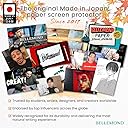
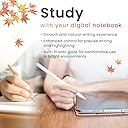
The BELLEMOND Magnetic Kent Paper Screen Protector for iPad 10.2" (7th/8th/9th gen) features a strong magnetic attachment for easy on/off, a matte Kent paper-inspired surface that offers natural writing resistance, and a pencil-tip friendly texture that reduces stylus wear. Designed in Japan with precision, it’s reusable, residue-free, and includes a protective storage case—perfect for professionals, artists, and note-takers seeking a premium paperlike experience on their iPad.


| ASIN | B0FK4G5HKX |
| Best Sellers Rank | #486 in Tablet Screen Protectors |
| Brand | BELLEMOND |
| Brand Name | BELLEMOND |
| Clarity | 10 |
| Color | Clear |
| Compatible Devices | iPad |
| Compatible Phone Models | iPad (7th generation), iPad (8th generation), iPad (9th generation) |
| Customer Reviews | 4.1 out of 5 stars 476 Reviews |
| Finish Type | Matte |
| Included Components | Installation Kit x 1, Magnetic Paper Screen Protector (Kent Paper Type) x 1, Storage Case x 1 |
| Item Dimensions L x W | 9.88"L x 6.85"W |
| Item Hardness | 3H |
| Manufacturer | BELLEMOND |
| Material | Polyethylene Terephthalate |
| Model Number | GFLPLRMVIP-1020 |
| Number of Items | 1 |
| Part Number | GFLPLRMVIP |
| Product Dimensions | 9.88"L x 6.85"W |
| Screen Size | 10.2 inches |
| Screen Surface Description | Matte |
| Special Features | Kent Paper Type Surface, Magnetic Attachment, Pencil Tip Friendly, Removable & Reusable, Storage Case Included |
| Unit Count | 1 Count |
| Warranty Description | Limited manufacturer warranty provided by BELLEMOND. Please contact our customer support team for assistance. |
P**E
Works well!
It works well. Definitely has the grip of drawing paper (not as smooth as printer paper). It’s a very satisfying feel. The magnetic quality is good. Very strong. Actually a little difficult to remove (but I keep very short finger nails). For note-taking and drawing, it’s excellent! But not something you want keep on if you want to swipe! It’s like super fine grain sandpaper to the finger tips. The iPad mini works fine with it on. But I would prefer to remove it when not primarily writing. And due to the grainy texture, I don’t write with as much pressure as I would with an actual pencil to paper. I’m not concerned about my stylus pen tip all that much. But I can see it would wear down much faster than without the screen. I think it’s a choice to press hard while writing or not. So, unless you just can’t write with a lighter touch, this is a very nice product. And it does the job. I’ve only had it a few days. I don’t know how long it will last before the texture wears off. I guess you can consider if you’d spend about as much on paper and pencils if you used it as long, or wrote that much using actual pencils, drawing paper, or notebooks. I like that it has a storage sleeve. It definitely gets stored when writing and drawing are not my primary use. I use both an Apple Pen, and a generic stylus pen. Apple pen for full function and drawing. Knockoff for just note-taking. My only critique is that it’s thick enough to make one of my covers (with a keyboard built in) not close well. But my other, more conventional cover, has no issues. I recommend it. And would purchase again when this one is worn out.
K**Z
Definitely takes getting used to, great if you’re an artist.
I think I’ve been an ipad user for uhhh around 10 years now? I’ve been accustomed to the feeling of an apple pencil since gen 1 and put off using a screen protector because of how it may eat through the nib / and the fact I wouldn’t be able to take it off. Im also particular about how things feel on my fingers and felt it’d be a waste of money if I ended up hating it. That’s why I felt it’d be important to write a detailed review given those circumstances as someone trying a matte protector for the first time. The fact it’s being magnetic was incredibly fortunate since I can remove it whenever I want and without much of a hassle. The application is easy as it gets and the color wasn’t as muted as I expected so it was a pleasant surprise. The magnets are strong, and don’t slip on the screen whatsoever (make sure you apply it to the ipad via the smooth side, the magnetics will face towards you), they also don’t interfere with my ability to draw on the screen. The grit that it has with the apple pencil took time getting used to but it stabilized a lot of my strokes that I would normally have to do slow, and cut the amount of time that it took to line. I admit, the pencil sound was also satisfying to hear. I’m very familiar with traditional media and was impressed by the similarities. I did notice that it took some edge off my current nib (i was smart and ordered more nibs alongside this) so it does eat through the tips as expected, but thats a trait of any matte screen protector. The glare that it has when you shine a light on it is noticeable, but if you aren’t in direct sunlight it didn’t bother me. In addition, I could feel the physical difference when pressing the stylus to the screen for larger strokes. I haven’t noted any scratches since Im light-handed but heavy-handed users will probably need to use caution. There was some areas near the magnet that it wasn’t completely against the screen (slightly elevated) yet since theres no adhesive thats to be expected. It’s nothing dramatic, either, you don’t visibly see it but may feel it when tapping in the corners - it’s very slight. Tldr Pros: -easy application -strong magnetics, be sure to read the instructions -nice feel, gritty against fingers but not irritable (this is a potential flag for the neurodivergent folks with sensory issues), -non severe color difference compared to no protector at all - nice sound! - better control with brush strokes -plastic sleeve keeps it safe when not in use Cons: - may be irritable if you’re swiping your wrist against the screen while drawing - very slight elevation in the corners - eats through standard nibs - direct sunlight will reflect back - not the best for heavy handed artists, firmer strokes will have more friction.
E**K
Amazing but you might wanna keep this in mind….
Awesome product, I never thought something like this could exist up until I found it. I got two! One for my mini and another for my 13in. The application is pretty easy for the most part, unfortunately for me it was kinda annoying due to the screen protector already having dust particles on it straight out the packaging on both. With some light dusting I was able to get it clean so no problem there. The only reason I give it a 4 star is how easily the screen is scratched and scuffed. I went to remove a speck of dust from the screen that got tripped beneath it, I gently scratched it off with my nail and that was enough to scuff the screen. Other than that, the product is great, feels awesome when drawing on, maybe a little too rough in my opinion. I also have my paper screen protector on top of a normal screen protector and it works just fine so that’s a bonus that I don’t have to remove my current one. The screen protector comes with a storage case which is another major bonus. Don’t have to keep it on at all times. It does kinda dull out the colors in the screen of the iPad but that’s to be expected from most screen protectors like this. It’s magnetic strips are pretty strong and stay in place perfectly along the iPads screen. There is absolutely zero glare when I was this screen protector. All and all it’s an amazing product, I definitely recommend. My only tip is maybe having an option that’s not as rough on the screen and maybe more durable if able. I highly recommend.
J**L
What I need, but doesn't last long (EDIT: 2/23/26)
02/20/26: I've been using this screen protector for a little over a week now, and I love the feel of the product beneath my pen. This is much, much better than just going in raw on the screen, or even with a basic glossy screen protector, because I can actually translate my usual strokes on paper/pen into my digital art with ease. Super easy to stick on, you just slap it onto your tablet in the right orientation and you're good to go. Comes with a protective sleeve for when you aren't using it/have it removed/off the screen, which is really nice. Doesn't budge when using. Like with any paper screen protector, the clarity is going to be a little muddled, but I don't think it's affected my art or use in any way. Being a magnetic screen protector, it helps a lot to be able to remove it in order to check the color/clarity of my art. Now for why I had to reduce my rating: the screen scratches easy. When I tilt my tablet and use the light to see the damage, I can see all the spots where I've used my pen. Mind you, I do have a habit of pressing a little hard with my pens/pencils, and that goes outside of using tablets--that's just always been me. But like I said earlier, I've been using this tablet for a relatively short time, and I'm already seeing scratches and marks on the screen protector. Safe to say it doesn't endure a whole lot. Still, that being said, the price is relatively low and the functionality it offers in the flow and ease of my art is well worth it. I can still use it just fine and it doesn't delay my art so far, it just disturbs me to see it scratch this easy. Just keep in mind that it won't last very long with use. (3 stars) 02/23/26: Customer support reached out and offered me a full refund on behalf of my disappointment regarding the product's durability. They wrote an incredibly kind and thoughtful message, and I truly appreciate their efforts to reach out to their customer base. For this reason, and my belief in this seller's honesty, integrity, and their product, I'm bumping my review up to 5 stars. Please give this screen protector a try (with the note that use may wear down the product). I stand by what I said--for the price you pay and the functionality you get, this is beyond 'worth it' (and now that I know, it comes with stellar customer service, too). (5 stars)
R**.
Wore out in less than a month
First of all, the people saying it doesn't fit or the magnets don't hold are most likely putting it on wrong. There are only four possible ways it can go, it's not that hard. I loved this thing at first as it has a very rough texture but after less than a month of light-moderate use a lot of the texture has worn off the middle of the screen making it almost useless to me. This is from maybe an hour a day on average just using the standard Appel Pencil nib.
H**C
Good option to start out with
This is the first screen protector I chose for my iPad and I will say I do like it. The sound the pen makes is satisfying and usage is comfortable. May get the other screen protector where I can apply and peel as I wanted to get the magnetic one to try out in case I didn’t like it. In my experience, I think it’s best to have the case on your iPad first before trying to apply this screen protector. You really have to get the perfect fit if you have a tight-fitting case. My first use I struggled where one side wasn’t fully applied so I’d have dust get under the screen. There is a slight dullness to the colors after applying, but not anything that’s major where it hinders any type of experience for my usage. I also game on my iPad and find I have no issue with the screen protector. In comparison to the other brands for paper screen protectors, I think this is good value to test out over for the first time.
D**E
Not smooth at all; I was too worried to use my Apple Pencil on it more than once
This is nowhere near as smooth as something like the ProCase Matte Tempered Glass Film that I also ordered. Although the Bellemond has a comfortable thickness, giving it the feel of writing on a Supernote tablet, it's also very bumpy and made my Apple Pencil squeak several times when writing notes (I only use it for notes, not for drawing), which I found rather alarming, as no other protector I've had has done that. I was going to try to work with the Bellemond on a second day, but I can't take the chance I'm doing irreparable damage to my Pencil. And, sure, you can replace the nib, but I don't want to be doing that as often as using this protector suggests. I wanted to like the item: the magnetic aspect is why I wanted it more than an adhesive one. Very easy to put on and take off. If people are finding space between their protector and the screen, it's most likely because they have the protector upside-down. A bit counter-intuitively, the top of the protector is not supposed to be flat: the magnets are raised at the sides. With my wrap-around case, the magnets were covered by silicone, but they might be something you have to deal with if you don't use a particular type of case. I actually used it on a 2nd-gen iPad Pro 12.9" model, because there aren't any magnetic protectors for that generation. But all the 12.9" devices have the same screen (it's just the bezel widths that differ), but this protector covers the entire writing area either way. What I ended up doing was using the ProCase without removing the back to expose the adhesive. I just use it on top of my iPad, tucking it under the edges of my case so that it doesn't move around. (I tried the JETech glossy adhesive previously, but after removing it, my finger and Pencil don't slide on the screen as smoothly, so I'll never again put an adhesive protector on one of my devices.)
S**M
Pretty Sweet Screen Addition
I got this because it was magnetic and didn't want the hassle of sticking a glass screen on. It sticks to the ipad like it is sticky on the magnetic parts and peels of like it is sticky. Of course, its just a magnet and there is no glue or residue. It does dull the screen image a bit so everything is not crisp like if you had a glass screen over the ipad. Instead, it is a bit matte in transparency so you still get a clear view of the screen but just not as shiny. This leaves me wondering if I miss small details in my images when creating images like adding another image onto the image that I already have and whether or not I blended it together well enough to make it not noticeable on a screen that is crisp. I can take the screen protector off and check so this is not really a huge deal. It may leave touchup work at the end which could have been done during the creation of the image but also not a big deal. The only issue is needing a crisp screen to finish professional looking digital images and leaving the screen protector off to do it. Not all graphic design work will need this done but for me there will be times that I need to do that. It is a very smooth scratching and is smoother than a frosted glass screen like a huion pro graphics display tablet that I have. Comfortable to use a finger to press to the screen and even use small pinch motions. I would not recommend long sessions of surfing the web or using your finger to scroll through long pages of text because you might wear down the skin on your finger gradually. I think this is very close to getting a clear picture without using a glass screen protector and I noticed my eyes did not hurt after 6 plus hours of drawing on it. This is a high quality screen protector for drawing but I don't think the screen could handle a drop into something like a glass screen protector would.
D**T
Works great
Works great, feels like paper and makes it much easier to draw on my tablet.
A**R
Exceeded my expectations
A perfect product, the texture is perfect for writing, it ticks very well and can be removed and placed back multiple times, it adds a great reflection handling for sunny area, and it handles fingerprints very well. I love it. The only downside is that it makes the color a bit muted but that’s acceptable and expected when using any matte protector. I had before paper like protectors and by far this is the best one of all of them
A**R
Easy installation, nice writing experience
at first i was kinda skeptical because it didnt feel particularly like a sketchbook page? but the texture grew onto me. love the fact that its magnetic, it was so easy to install, and i was able to install it with my ipad cover still on. overall highly recommended, i wouldnt say its worth $30+, but for $20 it would be a great buy! feels really nice to write on once u get used to it.
M**Y
Sensación parecida a papel
Contenta con la compra. Se adhiere muy bien al iPad y da sensación de escribir en papel.
C**X
Love it! Does whatnot says
Fantastic! Provides a really good texture to write on and it does feel like paper. Much better than my glossy protector. Being magnetic too, I've left my original glossy protector on and applied this over the top. This means that I can remove it if I want to watch TV or movies, which is a win
Trustpilot
3 weeks ago
1 month ago