Buy anything from 5,000+ international stores. One checkout price. No surprise fees. Join 2M+ shoppers on Desertcart.
Desertcart purchases this item on your behalf and handles shipping, customs, and support to Panama.
โก Elevate your workspace: Dual 4K power meets lightning-fast switching!
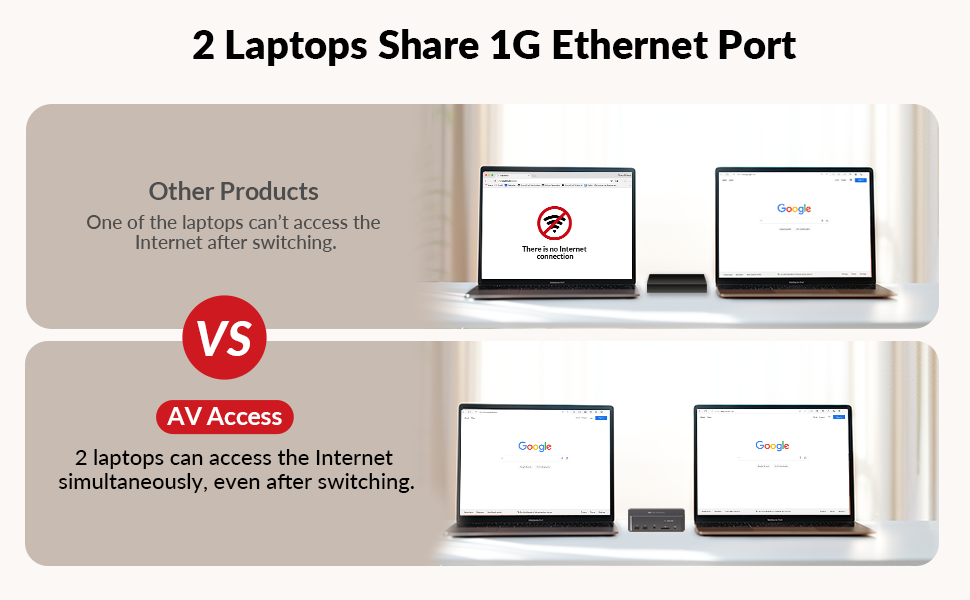
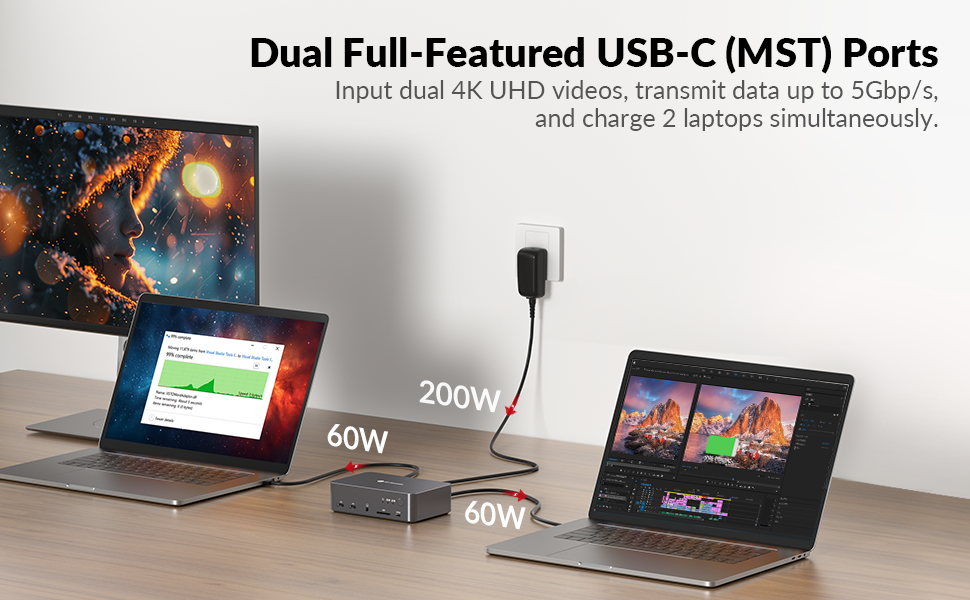
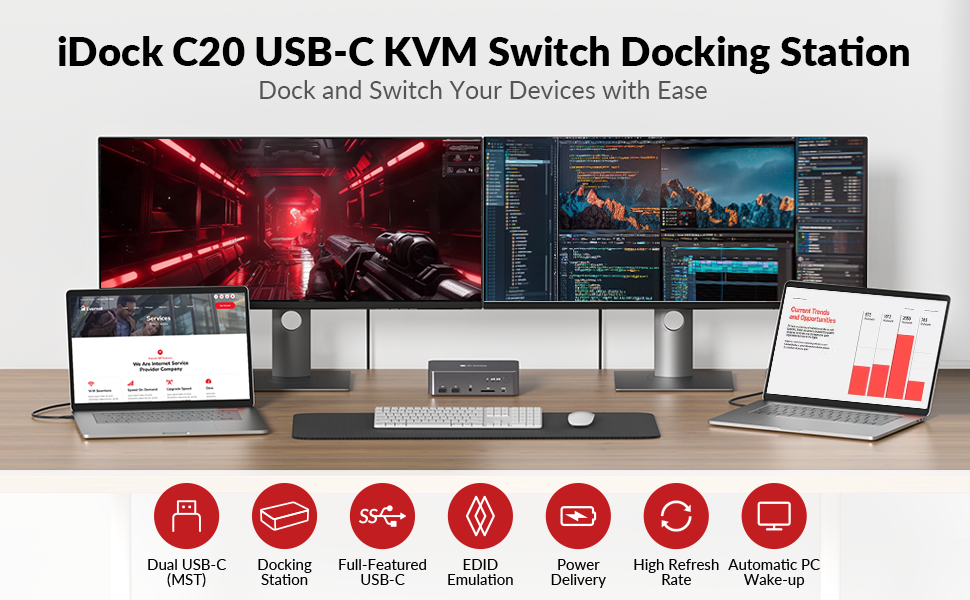
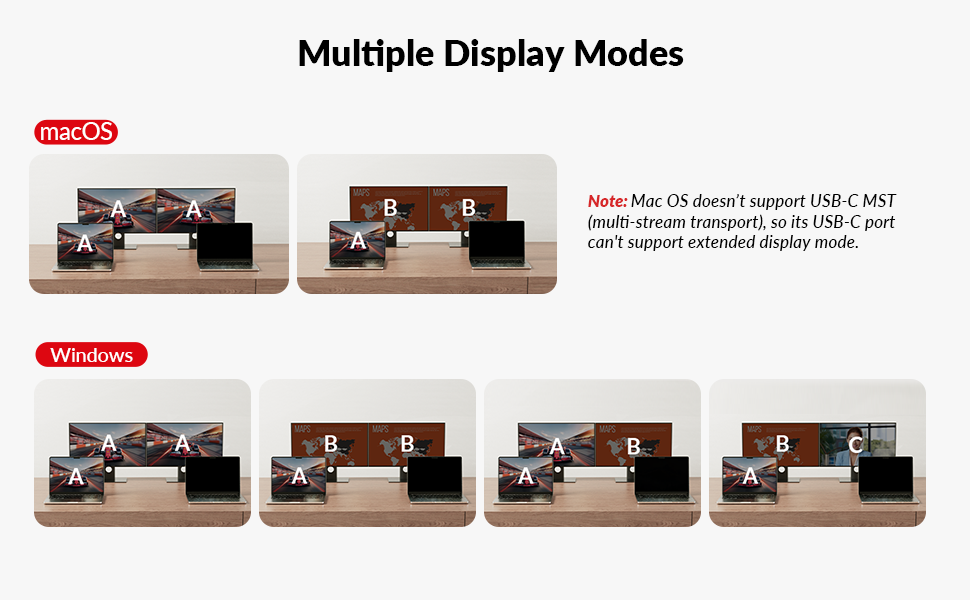
The v AV Access KVM Switch Dock is a powerhouse 12-in-1 docking station designed for professionals and gamers alike. It supports dual 4K@60Hz monitors, dual USB-C MST ports with 60W power delivery, and a 1G Ethernet port for seamless wired networking. With ultra-fast switching speeds and gaming-ready refresh rates up to 240Hz, it streamlines multi-device workflows and elevates your home office or gaming setup to pro-level efficiency.


| Asin | B0CP4PD3SM |
| Best Sellers Rank | #7,821 in Computers (See Top 100 in Computers) #16 in KVM Switches |
| Brand | v AV Access |
| Color | For 2Laptops 2Monitors |
| Compatible Devices | Laptops |
| Customer Reviews | 4.1 4.1 out of 5 stars (327) 4.1 out of 5 stars |
| Hardware Interface | 3.5mm Audio, Ethernet, SDXC, USB 2.0, USB 3.0 Type C |
| Input Voltage | 20 Volts (DC) |
| Item Dimensions L X W X H | 17L x 11W x 4.5H centimeters |
| Item Weight | 3.88 Pounds |
| Manufacturer | AV Access |
| Mfr Part Number | iDock C20 |
| Model Number | iDock-C20-US |
| Number Of Ports | 15 |
| Smart Home Compatibility | Not Smart Home Compatible |
| Total Number Of Hdmi Ports | 2 |
| Total Usb Ports | 8 |
| Unit Count | 1 Count |
| Wattage | 120 watts |
User
Supports ultra wide monitors
Just arrived yesterday and Iโm already very impressed. It does everything it says it would, plus one or two things it didnโt say it could!The switching is seamless, the elimination of window resizing, sharing of peripherals - including a bluetooth mouse that is now shared across all devices (connected to the unifying receiver plugged into the Dock).One thing the product description doesnโt tell you is that it will support an ultra wide monitor at 3440 x 1440.I was forced into buying a new hub after my old one died, and now I wish Iโd had a 2 laptop hub a long time ago.Well done AV Access ๐
User
Great KVM if you deal with laptops at work.
Received my package quickly from Amazon. I do have another AV Access device called the iDockB30 but it's good for two desktops and a laptop and I wanted the one that can connect to two laptops to have as my work keyboard-video-mouse (KVM).It's easy to set up. Just two USB-C cables that go to the corresponding ports on the back of the iDockC20 and power. The other ends of the USB-C cables will go to the respective laptops. I'm a big Lenovo ThinkPad fan so I have a ThinkPad T14 Gen 5 AMD from my work and a ThinkPad P14s Gen 5 AMD as my personal daily driver. Turned on the unit and works well. Though the T14 had a little issue connecting but once I rebooted it worked fine. I'm able to press the switch on the docking unit to switch between the two with no issue.Looking over the build it looks solid, and the ports are labeled clearly so you know what device to plug into what.There are a decent number of ports in the back and the SD card reader is convenient to have since at my work place, I sometimes need to use the cards to read any external data. I tested out the network connectivity between the two by switching and it doesn't seem to lose the connection which is nice.Since the power distribution is 60W I would only recommend the KVM for use on business class laptops like the Lenovo ThinkPads. It would be advisable that if you are going to be connecting a gaming laptop on it like a Asus Strix G16 or a Lenovo Legion i7 having USB-C ports it will provide enough power if you plan to game on it. I would only use it for productivity work. I hope the next iteration of the USB-C ports on the docking unit will be like USB 4 or Thunderbolt 4/5 but for right now it suits to what I need to it do at my workplace.I do have dual monitors, and they worked great on them. No issue whatsoever since the monitors I have are 27-inch 1080P and a 32-inch 1440P.I have used it for quite a number of days, and I personally like the device. It is working great so far for me and does what I need it to do. Since I do IT work, I like the fact that I can plug in a second laptop and run through items without having to plug in a monitor etc.
User
Switch between Samsung S20, which uses DEX and my laptop
I have a Samsung S20, which uses DEX. I switch between my laptop and phone all the time. The biggest reason is that Google Photos on my mobile does better editing than on the desktop.
User
Flawless Switching & Excellent Performance!
I compared several KVM switches before finally choosing this one. It lets me switch my peripherals and monitors between two computers with a single click. The dual-monitor setup works perfectly, and it has plenty of ports, making it super convenient to plug in devices and connect directly via Ethernet. The power supply is sufficient, and the price-to-performance ratio is spot on. I really love it.
User
Perfect KVM Switch Dock for Multi-Monitor and Laptop Setup
The AV Access KVM Switch Dock is perfect for users who need to connect multiple monitors and laptops simultaneously. It supports 4K dual monitors with refresh rates of 2K@144Hz and 1080P@240Hz, making it ideal for both office work and gaming. Equipped with 2 USB-C MST ports, 60W PD charging for each PC, a 1G Ethernet port, and EDID emulation, it ensures smooth device switching without resetting monitor configurations. With stable performance and easy setup, this dock is an excellent choice for creating an efficient work or gaming environment.
Trustpilot
2 weeks ago
1 week ago