Desertcart purchases this item on your behalf and handles shipping, customs, and support to Panama.
🎯 Elevate your workspace with precision, comfort, and wireless freedom!
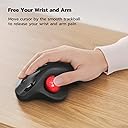
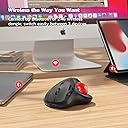
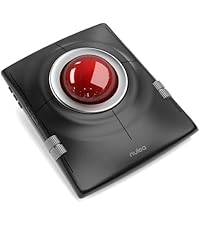
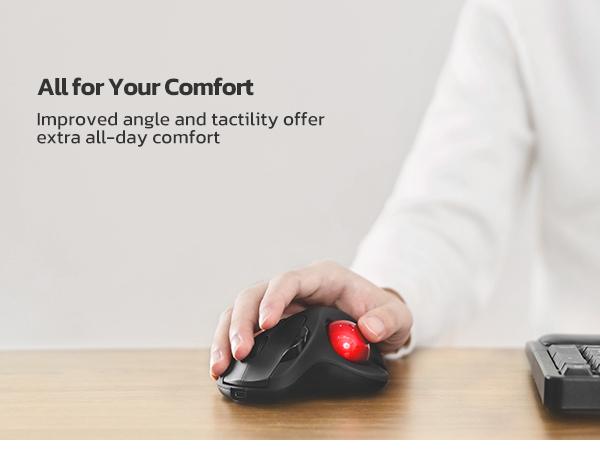
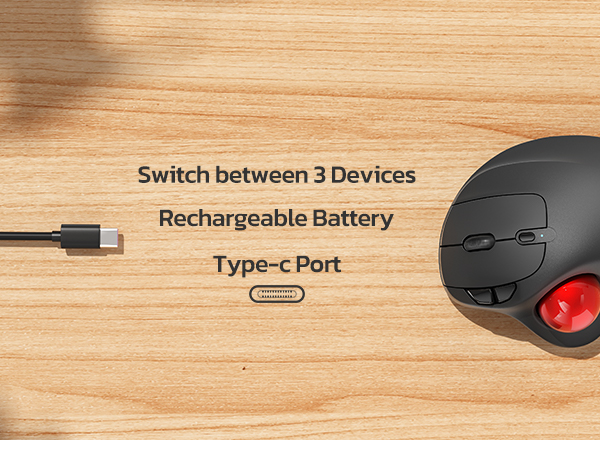
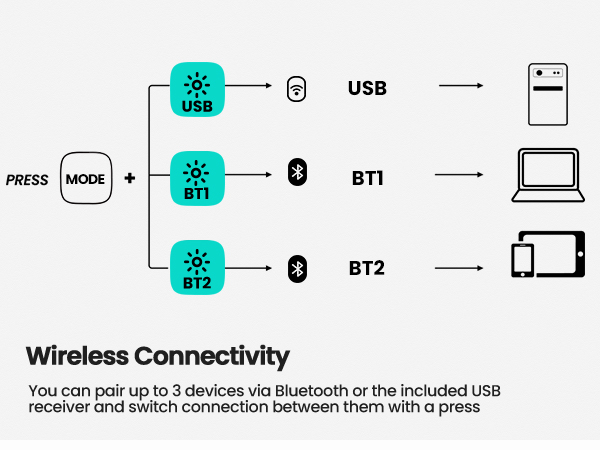
The Nulea M501 Wireless Trackball Mouse combines ergonomic design with advanced thumb-controlled trackball technology, offering 4 adjustable DPI levels for precise cursor control. It supports seamless switching between up to 3 devices via Bluetooth or USB dongle, powered by a long-lasting rechargeable battery. Featuring 6 high-performance buttons and a natural hand angle, it’s engineered for professionals seeking comfort and efficiency in compact or cluttered workspaces.


| ASIN | B09HHHDZZG |
| Additional Features | Bluetooth, Ergonomic Design, Rechargeable, Wireless |
| Antenna Location | Indoor/Outdoor |
| Best Sellers Rank | #1 in Computer Trackballs |
| Brand | Nulea |
| Button Quantity | 6 |
| Color | A-Red |
| Compatible Devices | PC, Laptop, iPad, Mac, Windows |
| Connectivity Technology | Bluetooth |
| Customer Reviews | 4.4 out of 5 stars 12,647 Reviews |
| Embellishment Feature | LED |
| Enclosure Material | Plastic Or Metal Alloy |
| Hand Orientation | Right |
| Hardware Platform | Laptop, PC |
| Item Dimensions L x W | 5.51"L x 4.37"W |
| Item Weight | 4.51 ounces |
| Manufacturer | Nulea |
| Mfr Part Number | M501 |
| Model Name | M501 |
| Model Number | M501 |
| Movement Detection | Trackball |
| Movement Detection Technology | Trackball |
| Number of Batteries | 1 Lithium Ion batteries required. |
| Number of Buttons | 6 |
| Operating System | Windows, macOS |
| Power Source | Battery Powered |
| Range | 10.0 meters |
| Special Feature | Bluetooth, Ergonomic Design, Rechargeable, Wireless |
| Style Name | Modern |
| Unit Count | 1 Count |
| Warranty Description | 12 months |
T**J
Works much better than my last remote wireless mouse.
I REALLY love this mouse in spite of one little downside & one VERY annoying one. The minor annoyance to me is easily overcome. So, I overlook it because the auto sleep mode actually makes sense to me. Ever since getting this new wireless mouse, its worked a heck of a lot better I I have only charged it a couple of times since buying it. One little point to make is that I use my PC A LOT & more of my mouse than the keyboard. So, you would think that the battery would run down faster with all the use I'm getting out of it. NOT A SNOWBALLS CHANCE IN HELL! This thing just keeps on working for weeks on end like a champ & I like using the Bluetooth option over the dongle that can be found fastened to the underside of the frame of the mouse. I like it because.... 1) … when the dongle is plugged in, it takes up another slot that I could later use for something else. 2) … I have yet to see any power indicator if I use the dongle connectivity option so I would have no idea when to plug the unit in to charge it when not in use. The down side to the Bluetooth option... I can't just simply shut off my Bluetooth on my PC when switching my headphones over to my fire TV which also allows for Bluetooth headphones. The mouse will stop working obviously which is a problem because then, I have to go back to my old wireless mouse which does work on a USB dongle plug which I still have plugged in just in case but it has a lot of glitches & it doesn't always work as well to my satisfaction since its wearing out. Anyways, when it comes to the one very annoying downside that I have to live with as I constantly remind myself not to shut off the Bluetooth. Mind you, for the sake of context, I have my PC in my bedroom connected to a large screen TV that also serves my fire cube & all my different gaming systems because of my being a video game nut. I also have to have the PC connected to my TV since my eyesight has been getting poorer as I get older. So, the larger text on the big screen helps me to see better & the new mouse works like a champ! It has a built in battery which is nice unlike my old one which needed a new battery every couple of months or the mouse would glitch on me until I replaced the batter again but these days, it doesn't matter if I have an old or new battery in it. So, now its just used as a backup while this newer mouse just keeps a ticking better than a Timex watch ever did. Lastly, unlike my old remote mouse that would have the roller ball part pop out if I accidently dropped it on the floor, the ball on this one has stayed in when dropped. Its really held together nicely & for the sake of helping the Amazon AI on ticking off all the issues, yes, its comfortable & very accurate so no worries there. lastly, its totally worth the price if you are looking for a affordable wireless option.
M**G
Great replacement for Logitech MX Ergo at a way lower price
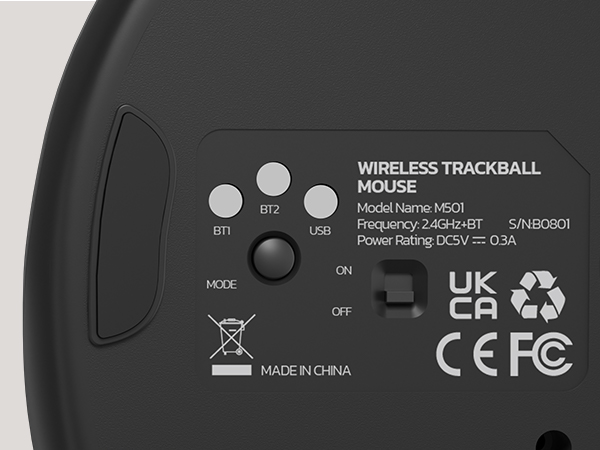
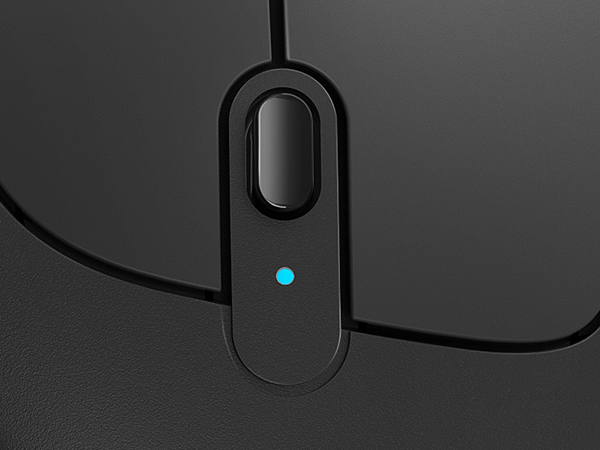
I switch back and forth between two computers all day long and have been using the Logitech MX Ergo with its ability to switch between computers with a click of a button. Buttons started failing and needed a replacement and went with the Nulea M501 since about a third the price of the Logitech. The feel of the mouse is great and and it has a tilt feature like the MX Ergo although with a molded wedge rather than the toggling magnetic plate of the Logitech. Button clicks are solid and the optical ball is precise. This mouse will connect to three computers vice the two of the Logitech. I am connecting to my two computers vie bluetooth so this mouse eliminates the Logitech dongles. The only minor annoyance is that the button to switch between computers is on the bottom of the mouse so you have to pick it up and turn it over to press the button. The Logitech has the button on the top next to your finger so it doesn't interrupt your workflow as much. (on the Nulea the button in the middle controls the mouse resolution). But, having said that, this is my new favorite mouse. I should also note that I am not a gamer so I can't vouch for how this would hold up in that type of environment but probably would not use this type of mouse for that anyway. Note to Nulea, I would make the button on the bottom control the resolution and the middle button on the top be for switching computers. Less disruptive to workflow.
L**N
Great Product, Great Price
I have been using trackball mouses for years I love how easy it was to connect this mouse to my laptop. This mouse goes into sleep mode when not in use, which is great for the battery life. Will definitely order again when the time comes for a new one.
D**C
Excellent Replacement for the Logitech M570
In the hunt to replace my beloved Logitech M570 (died due to a corroded battery frying the internal components) I ended up trying out 4 different other trackball mice. I'm 6'5" with large palms and long fingers so I needed one that could support (most of) my hand with minimal wrist and knuckle fatigue or finger crowding. I've rated them by personal preference below: 1. Nulea M501 ($33.99). Clever clone of the Logitech M570 even down to the defined separate grooves/shelves for ring finger and pinky, which helped separate my fingers for less crowding. Professional packaging and instructions. Added bonus of USB dongle + 2 Bluetooth channels and charging via USB-C port (vs. AA battery). Nulea's website also offers a fast and convenient customer service messenger chat, which I used when I initially had a problem connecting via Bluetooth (FIXED). Can't recommend enough. I also picked up the black/red Anleo Hard Travel Case ($9.59) to match so I can throw it in my backpack and not worry about it. This is the one I ended up keeping. 2. ProtoArc EM01 NL ($47.99) a mashup in looks and features of a Logitech M575S and MX ERGO ($99.99) but at a less insane price. Classy black professional box packaging. The mouse really feels like a quality product and has great features and design. I really liked the 2 angles you can adjust the mouse to suit your wrist. Perhaps the thing it was missing for me was that my ring and pinky fingers were too crowded and shared the same space. I also decided I wasn't a fan of the mushier quiet buttons and preferred a tactile/audible click. 3. MicroPack Trackball Vertical Mouse ($29.99). You get what you pay for here. Minimal features and feels noticeably cheaper; same with the basic packaging. The more extreme "natural handshake" vertical angle was a little too much for me and at the time I preferred the ProtoArc EM01 NL more, although to be honest I felt MicroPack's trackball actually ran slightly smoother on the screen. 4. Logitech Ergo M575S ($49.99). Purchased from local office store before returning it because it felt smaller and ironically less ERGOnomically comfortable than my original M570, and for $49.99 it still ran off a AA battery. I also decided I wasn't a fan of the mushier quiet buttons and preferred a tactile/audible click.
J**R
Better then I ever imagined
I have used trackballs over conventional mouse devices for many years. As such, it seems like I need to replace them every year and a half or so to keep them working smoothly. Int he past, I have bough the big brands. When I found this I had to give it a try since the price seemed so good. I didn't have a real high expectation but I was blown away when it arrived. This seems to be more accurate and comfortable then any other I have ever owned. Plus, as a person who uses it on two computers, the ability to have it paired to both computers is a great. The free wedge that was a total surprise, makes this a game changer as far as comfort goes. I would now come back to this one even if it were twice the price of the big brands. My dream is that someone comes out with one that does both conventional and trackball built into one. Use the ball to get close and then start moving the whole device for precision once you need better resolution. Until this dream device comes out, this is by far the best out there.
P**M
Fantastic. And better than that other brand.
I have been using thumb trackballs since they came with a PS/2 connector and weren't yet optical. For years and years, I used Logitech trackballs. Followed them from PS/2 to USB to wireless and from white to silver to dark gray. That's when things went wrong. The M570 and later models just don't hold up. The buttons are particularly bad, but the in general they are flimsy and underbuilt. While each of the others lasted me multiple years, i started going through the more recent Logitech trackballs at a rate of one every few months. This led me to go back to eBay and buy a couple of the old silver wireless ones, with a wireless transmitter on a cord. Unfortunately, as time has gone on, I've found myself more and more needing bluetooth support. But the newer Logitech units just aren't worth the money. I told myself I wouldn't buy any more of them. Stumbled across these and thought I'd give one a shot. They're great! They feel as solid as the Logitech units *used* to feel. Built-in battery, seems to last forever, button on the top to quickly toggle resolution, tracking and ball are very smooth, works with every Bluetooth device I've tried it worth, and also includes a USB dongle if you need one. Most importantly, the buttons don't squeak like half of the Logitech units do, and they don't feel sloppy and fragile. I have every hope that these units will last a good long time like Logitech used to. At the very least, they feel like they have better build quality in the hand, and they're a fraction of the price of Logitech. I'll be recommending Nulea to others in place of Logitech from now on.
G**A
Long time Logitech user
I have been using Logitech mice my entire computer career. I consider myself a hobby computer nerd and I'm not an idiot. I got my first one with my first computer in 1993. I have briefly used other mice and hated them. When I got my first track ball I never looked back. About 4 years ago when I bought a replacement truck ball I was not pleased with it as I had been before. It wasn't until I purchased a new trackball for my brand new laptop that I got truly frustrated with logic tech for the first time. A brand new laptop with a virtually brand new trackball mouse should have worked flawlessly. Instead I spent 6 hours and in the end was forced to use just the Bluetooth feature. I hate Bluetooth. Just doesn't work as advertised. But I could not get the unifying USB dongle to work with the the laptop. Recently I sat down with limited time to complete a project and I spent my entire evening trying to get a mouse to work a pc. I ended up trying out two different mice amongst three different computers and in the end I was lucky to get one mouse to work with one pc. I finally said enough! I went and looked online, picked out this one and I just got it and I've been using it for half an hour. It's just as good as an older Logitech and has many new features that I instantly love. If this mouse continues to hold up, I will never buy another Logitech again. This mouse fits beautifully in my old LTGEM case. If I had a negative it would be the coating. It feels great but I have a bad feeling. I'll wear it off quickly. If that's its only issue, I will happily put up with the coating.
N**Y
its perfect
I just got it but it was the easiest thing to pair and works amazing! I paired it with my Dell Laptop, the mouse pad was not responding as quick as I wanted.
J**P
Great feel, control and buttons
So I've been a longtime trackball mouse user, most of the time with a Logitech Ergo M575. I decided to try the Nulea trackball mouse since it looks so similar, but everyone is different ergonomically. The first mouse I ordered didn't track properly, so returned for a full refund. But I liked the grip and feel and the buttons, so I ordered two more and they are working perfectly. The change of DPI settings is great if you like to track faster or slower on the screen. I did find that with Bluetooth, the tracking seemed to be off a bit, either too fast or too laggy. Right now, I'm using both with the 2.4GHZ setting and haven't encountered any issues. I would definitely order again.
W**Y
Comodo, aiuta ad alleviare il polso sofferente
Ho provato questo mouse trackball perché da un pò di tempo soffro di dolori al polso purtroppo, e quindi ricercavo qualcosa per aiutare, ad alleviare gli sforzi a carico del polso uno dei possibili è durante il lavoro al pc, mouse e tastiera sono alcuni degli elementi che se non adeguatamente ergonomici contribuiscono a causare infiammazioni e fastidi a carico del polso e dei tendini. Per questo motivo ho voluto testare questo mouse trackball della Nulea, e da subito come lo ho preso in mano mi sono reso conto che era un prodotto ben realizzato, comodo da gestire e apparentemente robusto e ben costruito (poi il tempo ci dirà se affidabile nel tempo). La differenza d'uso tra un mouse normale e un trackball è notevole e qualche volta vi capiterà di cercare di "portarlo a spasso" :-), ma la comodità del polso e gli zero spostamenti necessari per gestire il mouse non sono da sottovalutare. Il prodotto può essere installato sia su pc Windows che su Mac. Se il pc dispone di bluetooth si può associare con semplicità cercando il dispositivo nell'elenco degli elementi individuati dal bluetooth e associarlo, altrimenti con il classico dongle usb facciamo l'associazione e selezioniamo tramite il tastino posizionato sotto il mouse, la modalità usb. Con il Mac non ho avuto necessità di fare nulla, semplicemente selezionato dall'elenco bluetooth, acceso e usato. Giusto potrebbe servirvi modificare la sensibilità se quella standard non vi andasse bene, ma vi suggerisco nel primo periodo di provare ad abituarvi con le impostazioni standard, che di solito sono più che adeguate. Il dongle usb è posizionato su un incavo del mouse stesso nel fondo del prodotto, dove trovate la scritta Nulea, potete estrarlo e collegarlo al pc se necessario. Invece per ricaricarlo, trovate una porta usb C frontalmente. Incluso anche un cavo lungo usb C - usb A per la ricarica. Il prodotto ha soddisfatto me e il mio polso :-) Se ci fossero novità aggiornerò la recensione Spero che la mia esperienza sul prodotto possa esservi stata d'aiuto, se si un UTILE sarebbe gradito :-)
Y**.
Parfait
Bonne prise en main, revêtement agréable. Me convient parfaitement. Sans fil et rechargeable.
R**E
Delivered prior to schedule
excellent item.
C**N
Un mouse professionale, elegante e comodissimo!
Un mouse davvero professionale per chi non ha problemi a usare la Trackball. È esteticamente molto elegante e l'utilizzo risulta eccezionalmente comodo e confortevole. Straconsigliato!
Trustpilot
3 weeks ago
1 week ago